> ## Documentation Index
> Fetch the complete documentation index at: https://docs.assetinfinity.ai/llms.txt
> Use this file to discover all available pages before exploring further.
# Bookings
> Reserving an asset, a tool, a place, a person or parts for a window, handing it over and taking it back, and saying who pays for it.
A booking holds something for a window of time — a generator on hire to a customer, a bay for a
crew, a technician on secondment — and says who, if anyone, is charged for it. Open the register
from **Assets → Bookings**.
If you don't see this in your navigation, your administrator can switch the module on under **Administration → Modules**, or it may not be included in your plan.
 ## What a booking can hold
| What | How it is held | Notes |
| - | - | - |
| **An asset** | Exclusively — only assets free over the window are offered | Also bookable from the asset's own **Bookings** tab, and in bulk from the register |
| **A tool** | Exclusively | Raised the same way as a work order's tool booking, so calibration and condition are checked the same way |
| **A place** | Exclusively | A bookable room, bay or yard |
| **A person** | Not exclusively | Somebody can be committed twice; the [capacity plan](/work/capacity) reports it rather than refusing |
| **Some parts** | Claimed against stock, not a timeline | The stock stays on the shelf and stops counting as available. Nothing is charged until it is handed over |
## Kinds of booking
Every booking has a **kind**, which decides what it may hold, who it may be charged to, and how much
setting-up time is kept free before and after. A new organisation starts with these defaults, which
your administrator can change under [Configuring bookings](/config/bookings):
| Kind | For | Notes |
| - | - | - |
| **Tool booking** | Reserving a tool | Needed by the product to book tools for work orders |
| **Equipment hire** | Taking an asset out internally | 30 minutes kept free either side |
| **Room booking** | A place for an afternoon | Not handed over — nothing to issue |
| **Hire to customer** | Hiring an asset to somebody outside | An hour before and two hours after kept free for preparation and checking |
| **Person booked** | Booking a person's time | Not handed over |
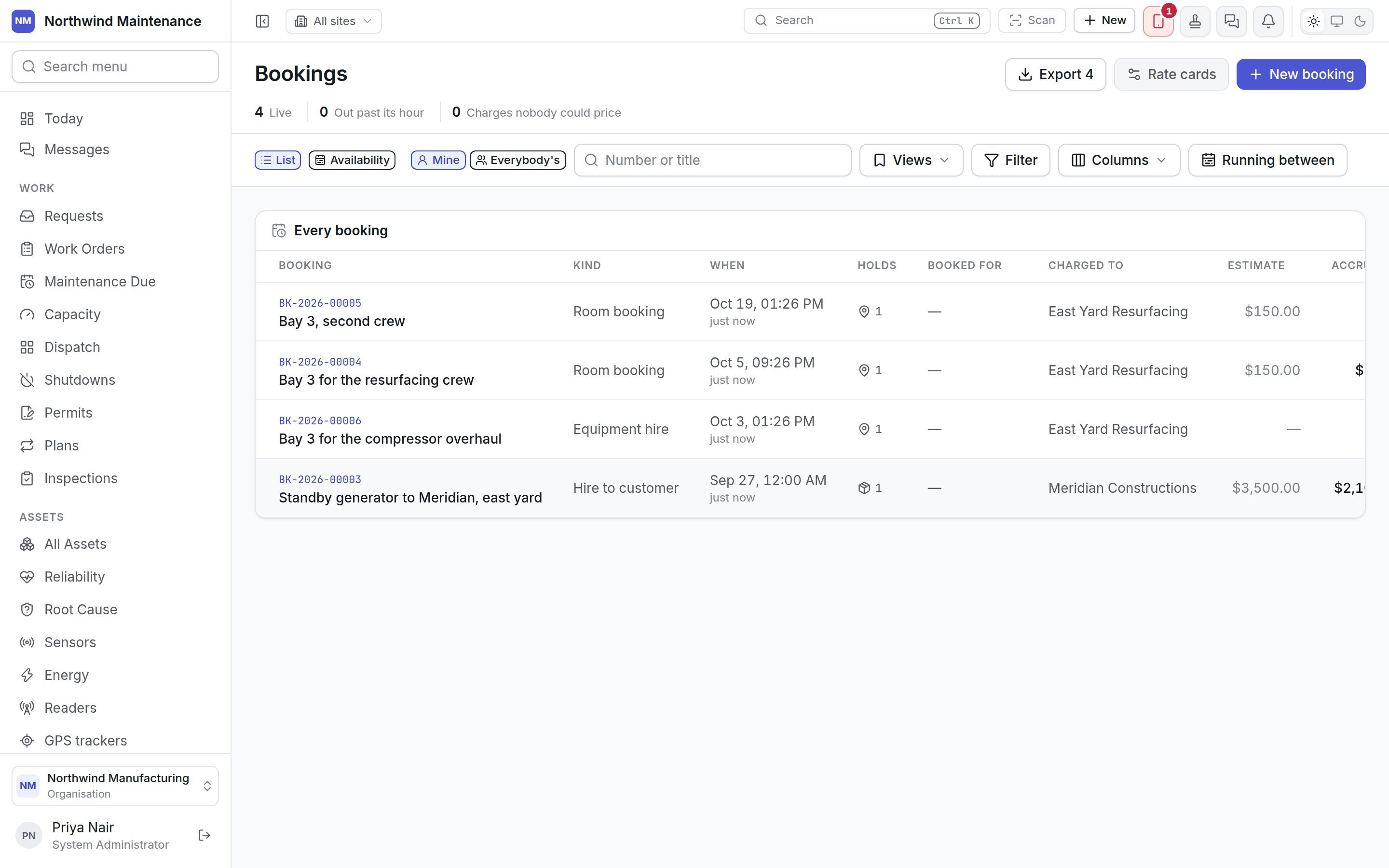
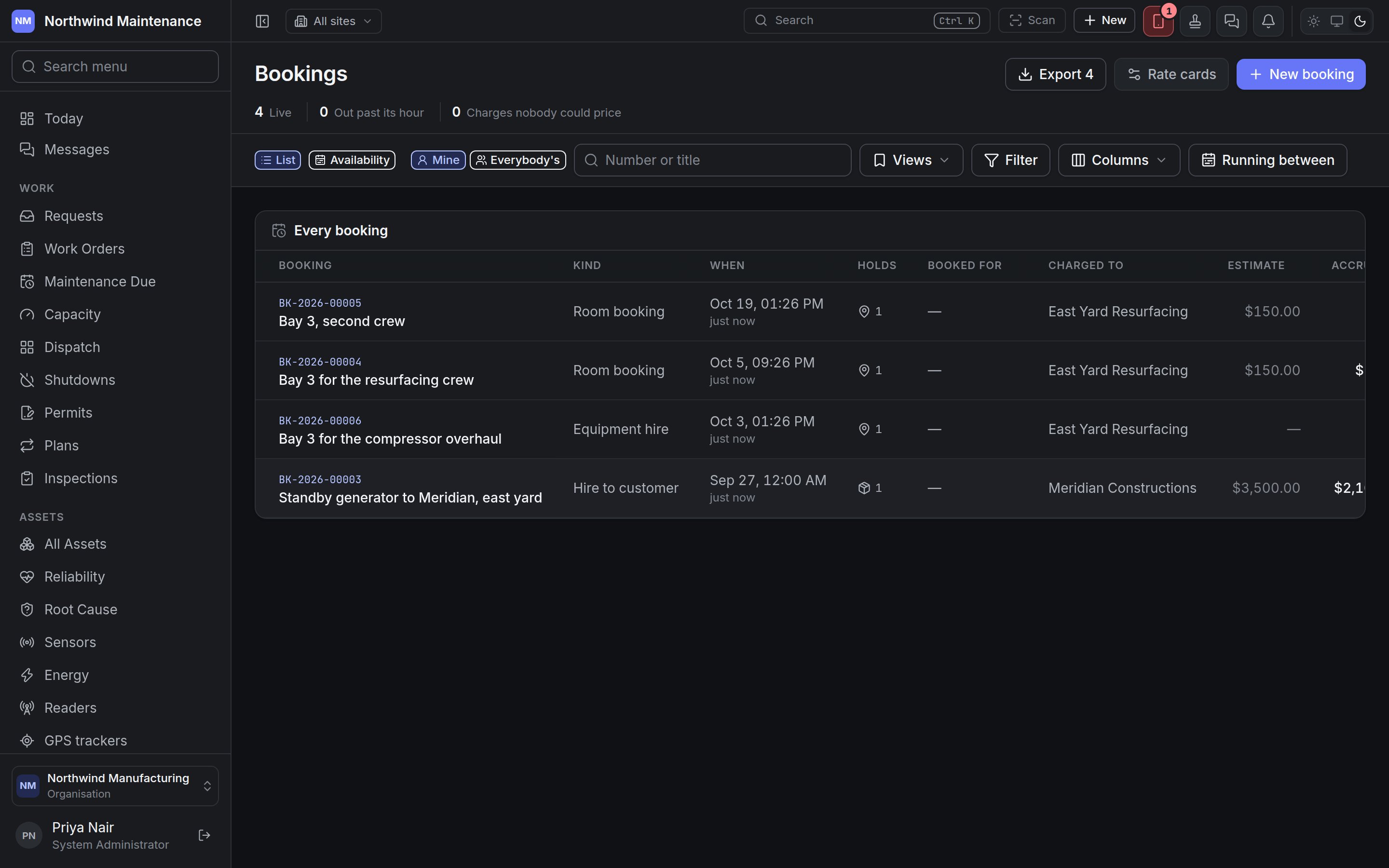
## The register
### The header
| Item | What it means |
| - | - |
| **Export** | Downloads the list as shown, for people with **Export bookings and the charge ledger** |
| **Rate cards** | Opens the rate cards that price bookings. See [Configuring bookings](/config/bookings) |
| **New booking** | Opens the [New booking form](#raising-a-booking) |
| **Live** | Bookings currently running |
| **Out past its hour** | Things that should have come back and have not |
| **Charges nobody could price** | Charges banked with no amount because no rate card matched |
When anything is out past its hour, a **Still out** panel lists it with when it was due back, and
**Extend** or **Receive** beside each. When charges could not be priced, a panel lists them with
**Fix the rate cards**. A charge with no rate is banked with no amount rather than nought, so it
cannot be mistaken for something priced at zero.
### Filters
| Control | What it does |
| - | - |
| **List** / **Availability** | Switches between the register and the [availability calendar](#what-is-free--the-availability-calendar) |
| **Mine** / **Everybody's** | Only the bookings you raised, or everybody's |
| **Number or title** | Searches |
| **Running between** | The days the list covers — bookings running on or after, and on or before, the dates you choose |
| **Views**, **Filter**, **Columns** | As on any [list](/get-started/navigating). The status filter offers the statuses below |
### Columns
| Column | What it means |
| - | - |
| **Booking** | The number and title. Click to open |
| **Kind** | The kind of booking |
| **When** / **Until** | The window |
| **Holds** | How many things are on it, or **nothing yet** |
| **Booked for** | Who it is for |
| **Charged to** | Who pays, or **not recharged** |
| **Estimate** | What the whole window is expected to cost |
| **Accrued** | What has actually been charged so far |
| **Status** | Where it is — see below |
| **Actions** | The next steps the booking allows — **Add**, **Confirm**, **Issue**, **Extend**, **Receive**, **Settle**, **Release** |
| **Raised by**, **Purpose**, **Billing cycle**, **Site**, **Projects and tasks** | Available from **Columns** |
## Status
| Status | Meaning |
| - | - |
| **Awaiting approval** | Raised where an approval [workflow](/config/workflows) is published for bookings |
| **Booked** | Raised where no approval applies, or cleared approval |
| **Confirmed** | Confirmed and ready to go out |
| **Out** | Handed over — the asset or parts are in somebody's hands |
| **Back** | Returned, not yet settled |
| **Settled** | Closed and charged |
| **Released** | Cancelled, with a reason |
| **Never collected** | Nobody turned up for it |
Whether a booking needs approving is a published workflow rather than a setting on the kind, so the
workflow can name who approves. **Confirm** runs that workflow if one is published. A booking cannot
be confirmed with nothing on it.
## Raising a booking
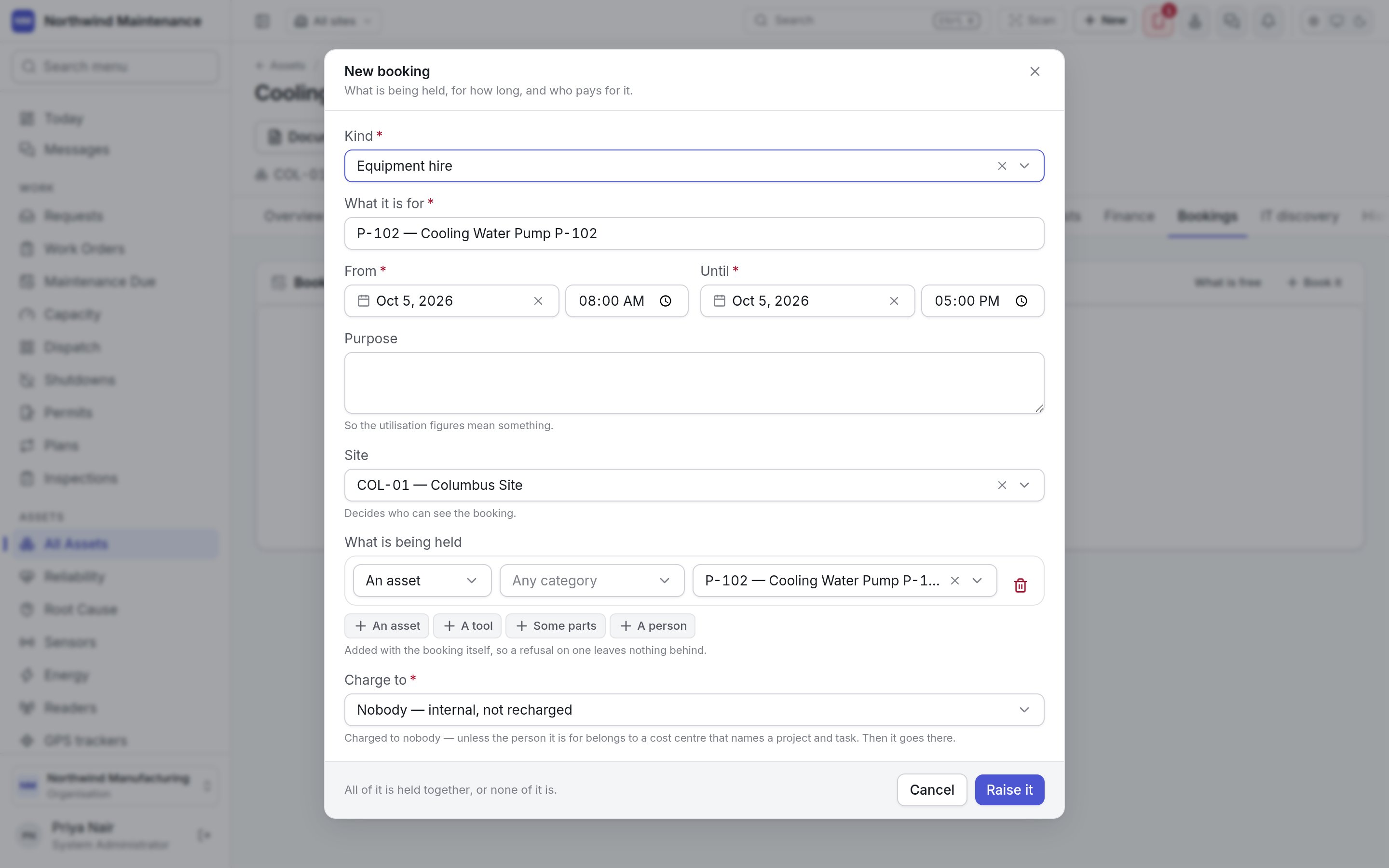
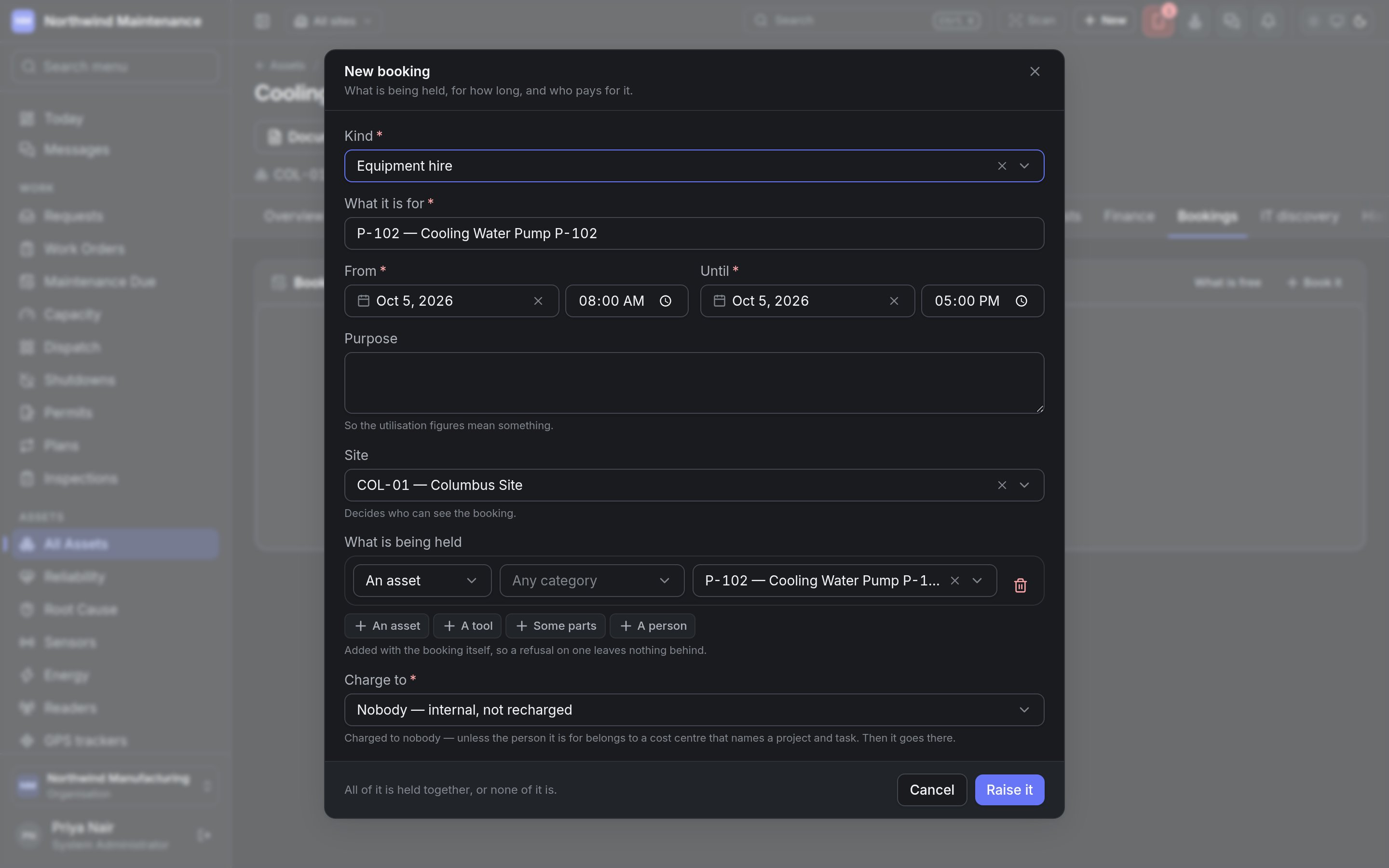
**New booking** on the register, **Book it** on an asset's Bookings tab, **Book** on the asset
register's bulk bar, or a selection on the availability calendar, all open the same form.
## What a booking can hold
| What | How it is held | Notes |
| - | - | - |
| **An asset** | Exclusively — only assets free over the window are offered | Also bookable from the asset's own **Bookings** tab, and in bulk from the register |
| **A tool** | Exclusively | Raised the same way as a work order's tool booking, so calibration and condition are checked the same way |
| **A place** | Exclusively | A bookable room, bay or yard |
| **A person** | Not exclusively | Somebody can be committed twice; the [capacity plan](/work/capacity) reports it rather than refusing |
| **Some parts** | Claimed against stock, not a timeline | The stock stays on the shelf and stops counting as available. Nothing is charged until it is handed over |
## Kinds of booking
Every booking has a **kind**, which decides what it may hold, who it may be charged to, and how much
setting-up time is kept free before and after. A new organisation starts with these defaults, which
your administrator can change under [Configuring bookings](/config/bookings):
| Kind | For | Notes |
| - | - | - |
| **Tool booking** | Reserving a tool | Needed by the product to book tools for work orders |
| **Equipment hire** | Taking an asset out internally | 30 minutes kept free either side |
| **Room booking** | A place for an afternoon | Not handed over — nothing to issue |
| **Hire to customer** | Hiring an asset to somebody outside | An hour before and two hours after kept free for preparation and checking |
| **Person booked** | Booking a person's time | Not handed over |
## The register
### The header
| Item | What it means |
| - | - |
| **Export** | Downloads the list as shown, for people with **Export bookings and the charge ledger** |
| **Rate cards** | Opens the rate cards that price bookings. See [Configuring bookings](/config/bookings) |
| **New booking** | Opens the [New booking form](#raising-a-booking) |
| **Live** | Bookings currently running |
| **Out past its hour** | Things that should have come back and have not |
| **Charges nobody could price** | Charges banked with no amount because no rate card matched |
When anything is out past its hour, a **Still out** panel lists it with when it was due back, and
**Extend** or **Receive** beside each. When charges could not be priced, a panel lists them with
**Fix the rate cards**. A charge with no rate is banked with no amount rather than nought, so it
cannot be mistaken for something priced at zero.
### Filters
| Control | What it does |
| - | - |
| **List** / **Availability** | Switches between the register and the [availability calendar](#what-is-free--the-availability-calendar) |
| **Mine** / **Everybody's** | Only the bookings you raised, or everybody's |
| **Number or title** | Searches |
| **Running between** | The days the list covers — bookings running on or after, and on or before, the dates you choose |
| **Views**, **Filter**, **Columns** | As on any [list](/get-started/navigating). The status filter offers the statuses below |
### Columns
| Column | What it means |
| - | - |
| **Booking** | The number and title. Click to open |
| **Kind** | The kind of booking |
| **When** / **Until** | The window |
| **Holds** | How many things are on it, or **nothing yet** |
| **Booked for** | Who it is for |
| **Charged to** | Who pays, or **not recharged** |
| **Estimate** | What the whole window is expected to cost |
| **Accrued** | What has actually been charged so far |
| **Status** | Where it is — see below |
| **Actions** | The next steps the booking allows — **Add**, **Confirm**, **Issue**, **Extend**, **Receive**, **Settle**, **Release** |
| **Raised by**, **Purpose**, **Billing cycle**, **Site**, **Projects and tasks** | Available from **Columns** |
## Status
| Status | Meaning |
| - | - |
| **Awaiting approval** | Raised where an approval [workflow](/config/workflows) is published for bookings |
| **Booked** | Raised where no approval applies, or cleared approval |
| **Confirmed** | Confirmed and ready to go out |
| **Out** | Handed over — the asset or parts are in somebody's hands |
| **Back** | Returned, not yet settled |
| **Settled** | Closed and charged |
| **Released** | Cancelled, with a reason |
| **Never collected** | Nobody turned up for it |
Whether a booking needs approving is a published workflow rather than a setting on the kind, so the
workflow can name who approves. **Confirm** runs that workflow if one is published. A booking cannot
be confirmed with nothing on it.
## Raising a booking
**New booking** on the register, **Book it** on an asset's Bookings tab, **Book** on the asset
register's bulk bar, or a selection on the availability calendar, all open the same form.
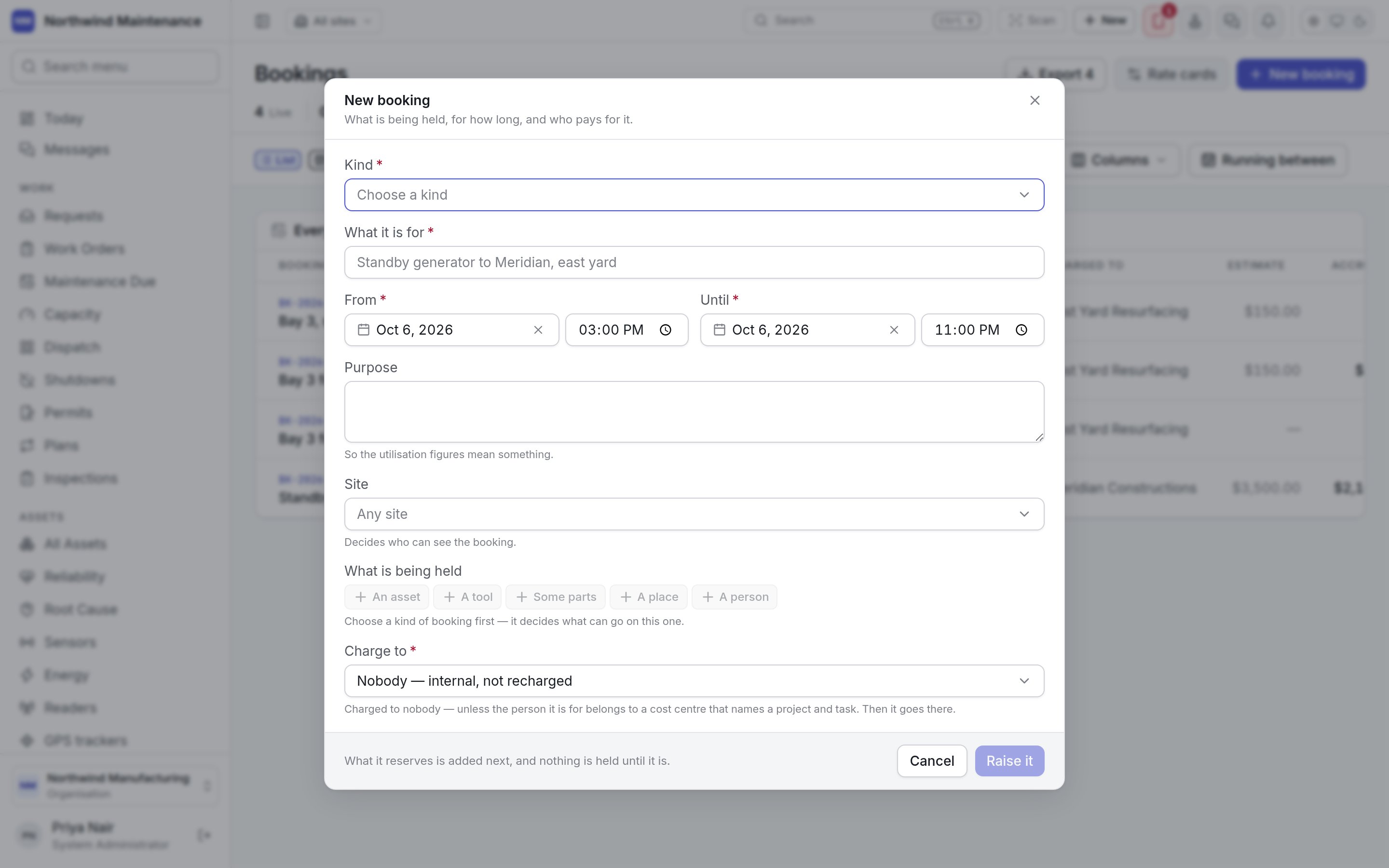
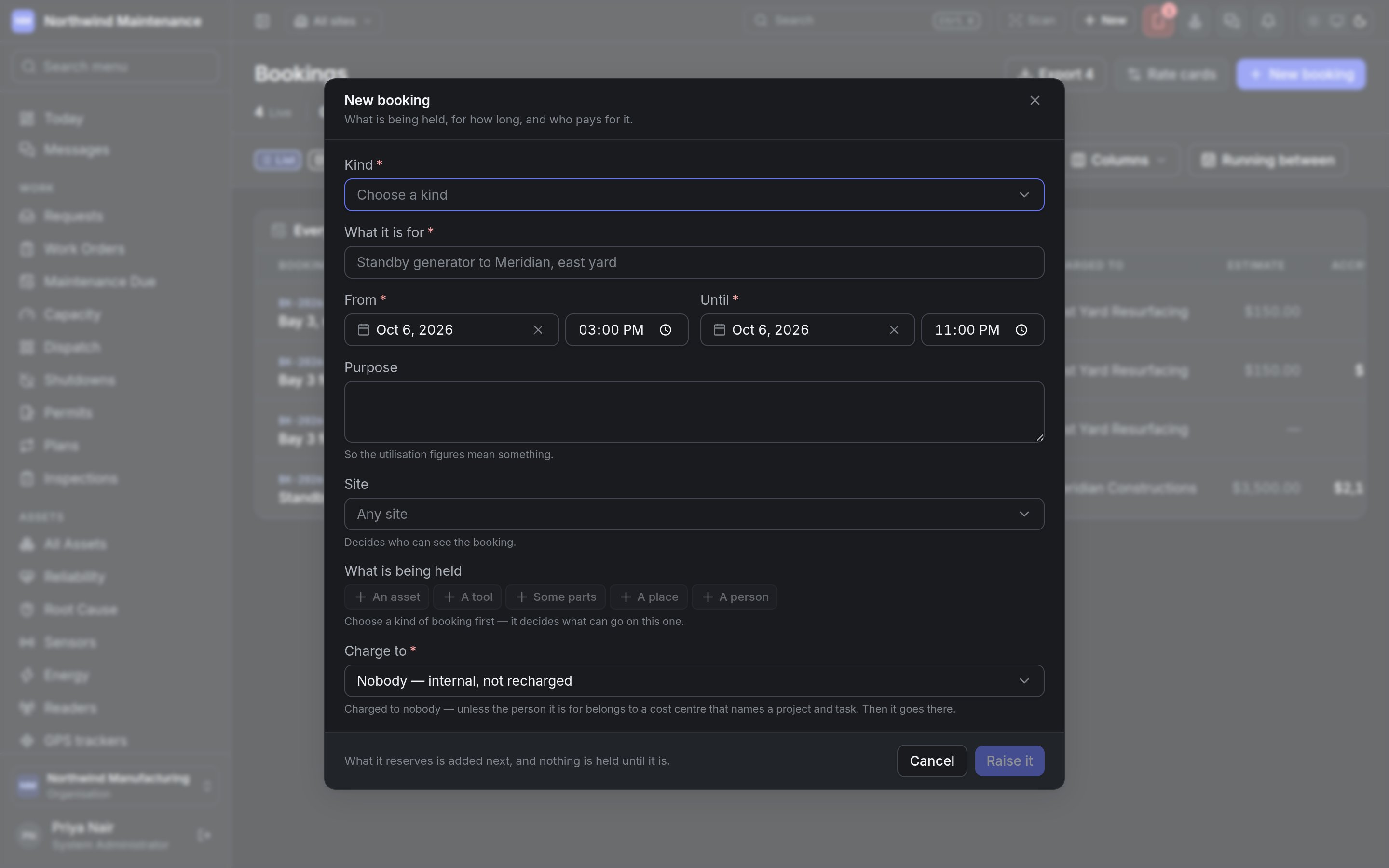 | Field | What it means | Notes |
| - | - | - |
| **Kind** | The kind of booking | Required. Decides what can go on it and who it can be charged to. Not asked when your organisation has only one kind |
| **What it is for** | A title — "Standby generator to Meridian, east yard" | Required |
| **Booked for** | Who the booking is for | Shown only for kinds where people book for one another. Their cost centre decides where it is charged when nobody chooses below |
| **From** / **Until** | The window, as a date and a time | Required. It has to end after it starts |
| **Purpose** | Why | Optional. So the utilisation figures mean something |
| **Site** | Which site it belongs to | Optional. Decides who can see the booking |
| **What is being held** | **An asset**, **A tool**, **Some parts**, **A place** or **A person**, then which one (and **How many** for parts) | Only what is free over the window is offered, filtered by category if you choose one. Add as many as the kind allows; the form says what the kind still wants |
| **Charge to** | **Nobody — internal, not recharged**, **A cost centre**, **A department**, **A business unit**, **A project** or **A customer** | Required. Only the payers the kind allows are offered. A booking charged to nobody accrues nothing — unless the person it is for belongs to a cost centre that names a project and task |
| **Which one** | The particular payer | Shown when the payer needs choosing |
| **Projects and tasks** | One or more projects and their tasks | Shown when charging to a project. The booking is split equally across them |
| **Billed** | **Every day**, **Every week**, **Every month**, **Once, when it comes back** | Shown for chargeable bookings. Leave it as **As each rate card says** unless the whole hire was agreed on one rhythm |
**Raise it** creates the booking and everything it holds together. If one line clashes, nothing is
held at all — you never end up with half a booking. More can be added later with **Add** (on the
register) or **Hold something** (on the booking).
| Field | What it means | Notes |
| - | - | - |
| **Kind** | The kind of booking | Required. Decides what can go on it and who it can be charged to. Not asked when your organisation has only one kind |
| **What it is for** | A title — "Standby generator to Meridian, east yard" | Required |
| **Booked for** | Who the booking is for | Shown only for kinds where people book for one another. Their cost centre decides where it is charged when nobody chooses below |
| **From** / **Until** | The window, as a date and a time | Required. It has to end after it starts |
| **Purpose** | Why | Optional. So the utilisation figures mean something |
| **Site** | Which site it belongs to | Optional. Decides who can see the booking |
| **What is being held** | **An asset**, **A tool**, **Some parts**, **A place** or **A person**, then which one (and **How many** for parts) | Only what is free over the window is offered, filtered by category if you choose one. Add as many as the kind allows; the form says what the kind still wants |
| **Charge to** | **Nobody — internal, not recharged**, **A cost centre**, **A department**, **A business unit**, **A project** or **A customer** | Required. Only the payers the kind allows are offered. A booking charged to nobody accrues nothing — unless the person it is for belongs to a cost centre that names a project and task |
| **Which one** | The particular payer | Shown when the payer needs choosing |
| **Projects and tasks** | One or more projects and their tasks | Shown when charging to a project. The booking is split equally across them |
| **Billed** | **Every day**, **Every week**, **Every month**, **Once, when it comes back** | Shown for chargeable bookings. Leave it as **As each rate card says** unless the whole hire was agreed on one rhythm |
**Raise it** creates the booking and everything it holds together. If one line clashes, nothing is
held at all — you never end up with half a booking. More can be added later with **Add** (on the
register) or **Hold something** (on the booking).
 ## Inside a booking
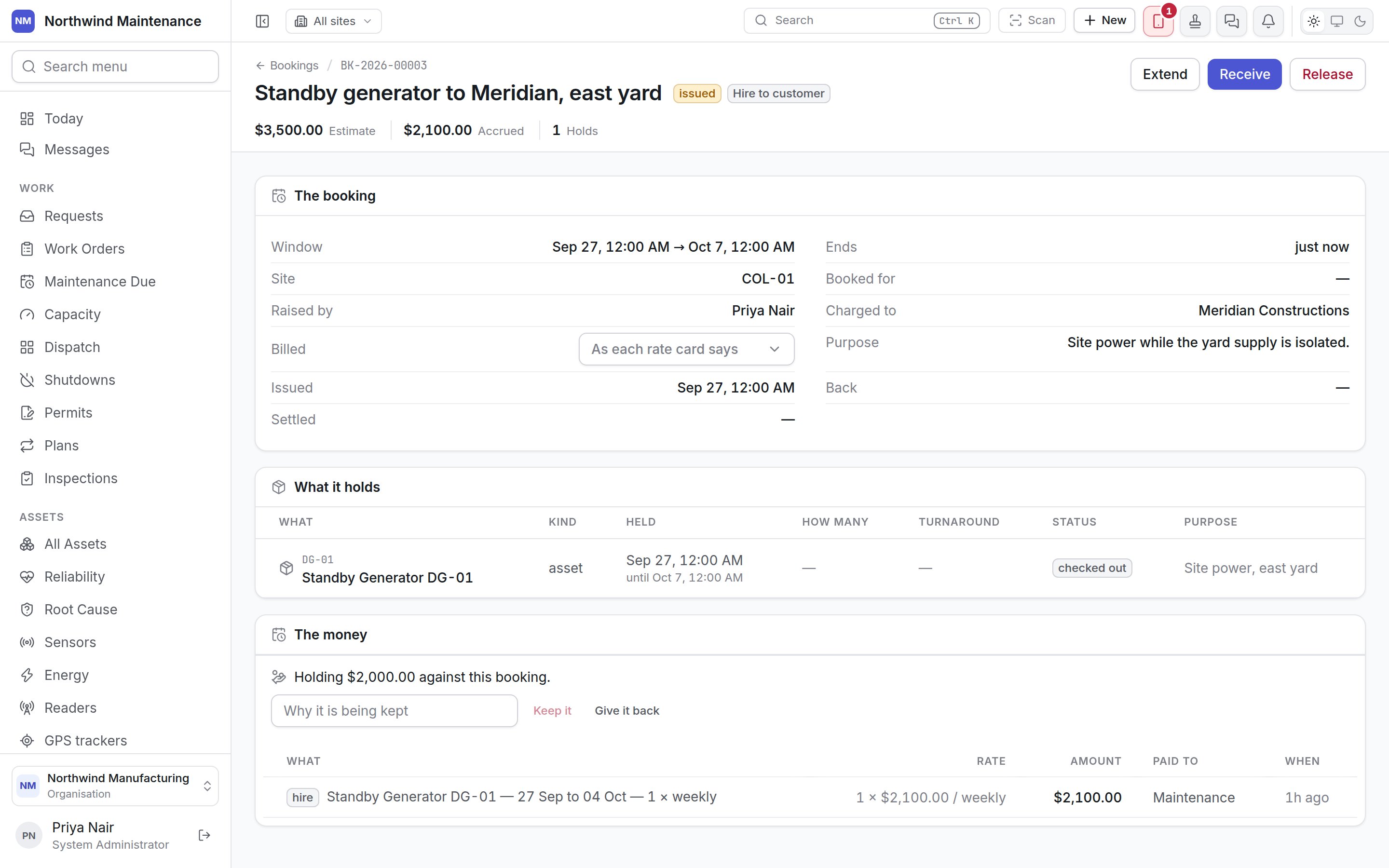
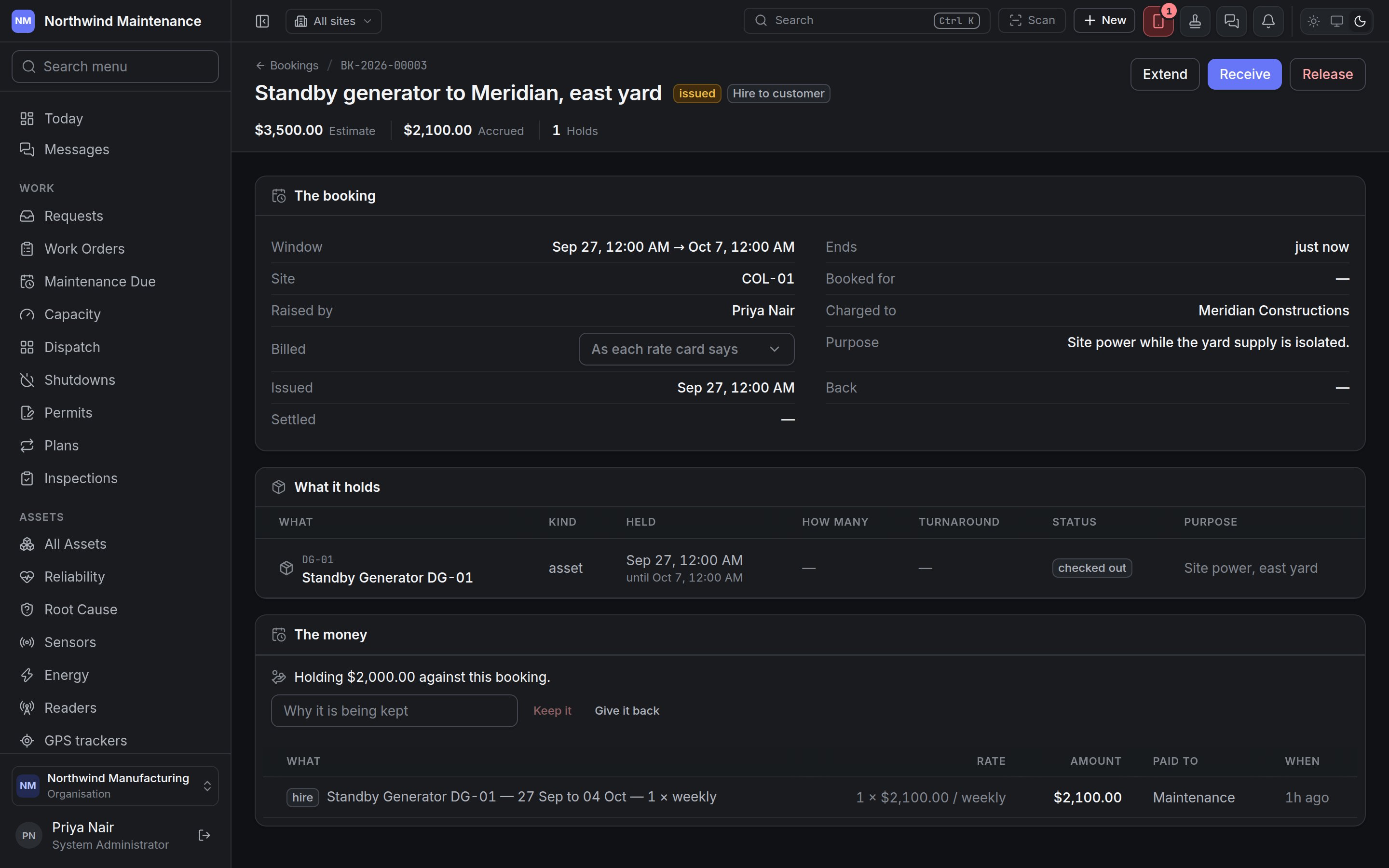 The header shows the number, title, status, kind and the actions the booking allows, then
**Estimate**, **Accrued**, **Holds** and any **Unpriced** charges.
| Section | What it shows |
| - | - |
| **The booking** | The window, when it ends, site, who it is for, who raised it, who it is charged to, how it is **Billed**, the purpose, and when it was **Issued**, came **Back** and was **Settled** |
| **What it holds** | Each line: **What**, **Kind**, when it is **Held** until, **How many** (and how many handed over), **Turnaround** (minutes kept free before and after), **Status** and **Purpose**. **Add** holds something more |
| **Projects and tasks** | For a booking charged to projects: each project, task, cost centre, share and accrued amount |
| **The money** | Any deposit held, then the ledger of every charge — **What**, **Rate**, **Amount**, **Paid to** and **When** |
### Actions
| Action | What it does | Permission |
| - | - | - |
| **Confirm** | Confirms a booked or awaiting-approval booking, running the approval workflow if one is published | **Amend, approve and cancel bookings** |
| **Issue** | **Hand it over** — gives an asset or a quantity of parts to a named person. **Who is taking it** is required even when an administrator collects on somebody's behalf, because custody has to name somebody. A hire billed on the meter asks for the **Meter reading** and cannot go out unread | **Issue and receive back what is booked** |
| **Receive** | **Take it back** — records the closing **Meter reading** where one applies, how many parts came back unused (their charge is reversed), and **It came back damaged** with **What is wrong with it**, which raises a corrective work order against the asset. Tools are taken back on the tool screen | **Issue and receive back what is booked** |
| **Extend** | **Keep it longer** — **Keep it until** a later date, with a **Why**. It only ever moves the end later; anything already booked on the extra days is refused, and you are told who has it. The extra days accrue on the same rate card | **Amend, approve and cancel bookings** |
| **Settle** | Closes a returned booking | **Amend, approve and cancel bookings** |
| **Release** | Cancels it, with a reason. Short notice may carry a fee — releasing is still better than a booking nobody uses | **Amend, approve and cancel bookings** |
### Deposits and charges
**Hold a deposit** records an **Amount** held against the booking. A deposit is not a charge and
does not appear on the ledger: **Give it back** returns it with nothing recorded, and **Keep it**
(with **Why it is being kept**) turns it into a charge. Handling deposits needs **Hold, return and
keep hire deposits**.
Every other charge appears on the ledger, priced from the rate cards. A reservation that is merely
held costs nothing and has no entries until something is spent.
## What is free — the availability calendar
**Availability** answers the question the list cannot: what is free, and when.
The header shows the number, title, status, kind and the actions the booking allows, then
**Estimate**, **Accrued**, **Holds** and any **Unpriced** charges.
| Section | What it shows |
| - | - |
| **The booking** | The window, when it ends, site, who it is for, who raised it, who it is charged to, how it is **Billed**, the purpose, and when it was **Issued**, came **Back** and was **Settled** |
| **What it holds** | Each line: **What**, **Kind**, when it is **Held** until, **How many** (and how many handed over), **Turnaround** (minutes kept free before and after), **Status** and **Purpose**. **Add** holds something more |
| **Projects and tasks** | For a booking charged to projects: each project, task, cost centre, share and accrued amount |
| **The money** | Any deposit held, then the ledger of every charge — **What**, **Rate**, **Amount**, **Paid to** and **When** |
### Actions
| Action | What it does | Permission |
| - | - | - |
| **Confirm** | Confirms a booked or awaiting-approval booking, running the approval workflow if one is published | **Amend, approve and cancel bookings** |
| **Issue** | **Hand it over** — gives an asset or a quantity of parts to a named person. **Who is taking it** is required even when an administrator collects on somebody's behalf, because custody has to name somebody. A hire billed on the meter asks for the **Meter reading** and cannot go out unread | **Issue and receive back what is booked** |
| **Receive** | **Take it back** — records the closing **Meter reading** where one applies, how many parts came back unused (their charge is reversed), and **It came back damaged** with **What is wrong with it**, which raises a corrective work order against the asset. Tools are taken back on the tool screen | **Issue and receive back what is booked** |
| **Extend** | **Keep it longer** — **Keep it until** a later date, with a **Why**. It only ever moves the end later; anything already booked on the extra days is refused, and you are told who has it. The extra days accrue on the same rate card | **Amend, approve and cancel bookings** |
| **Settle** | Closes a returned booking | **Amend, approve and cancel bookings** |
| **Release** | Cancels it, with a reason. Short notice may carry a fee — releasing is still better than a booking nobody uses | **Amend, approve and cancel bookings** |
### Deposits and charges
**Hold a deposit** records an **Amount** held against the booking. A deposit is not a charge and
does not appear on the ledger: **Give it back** returns it with nothing recorded, and **Keep it**
(with **Why it is being kept**) turns it into a charge. Handling deposits needs **Hold, return and
keep hire deposits**.
Every other charge appears on the ledger, priced from the rate cards. A reservation that is merely
held costs nothing and has no entries until something is spent.
## What is free — the availability calendar
**Availability** answers the question the list cannot: what is free, and when.
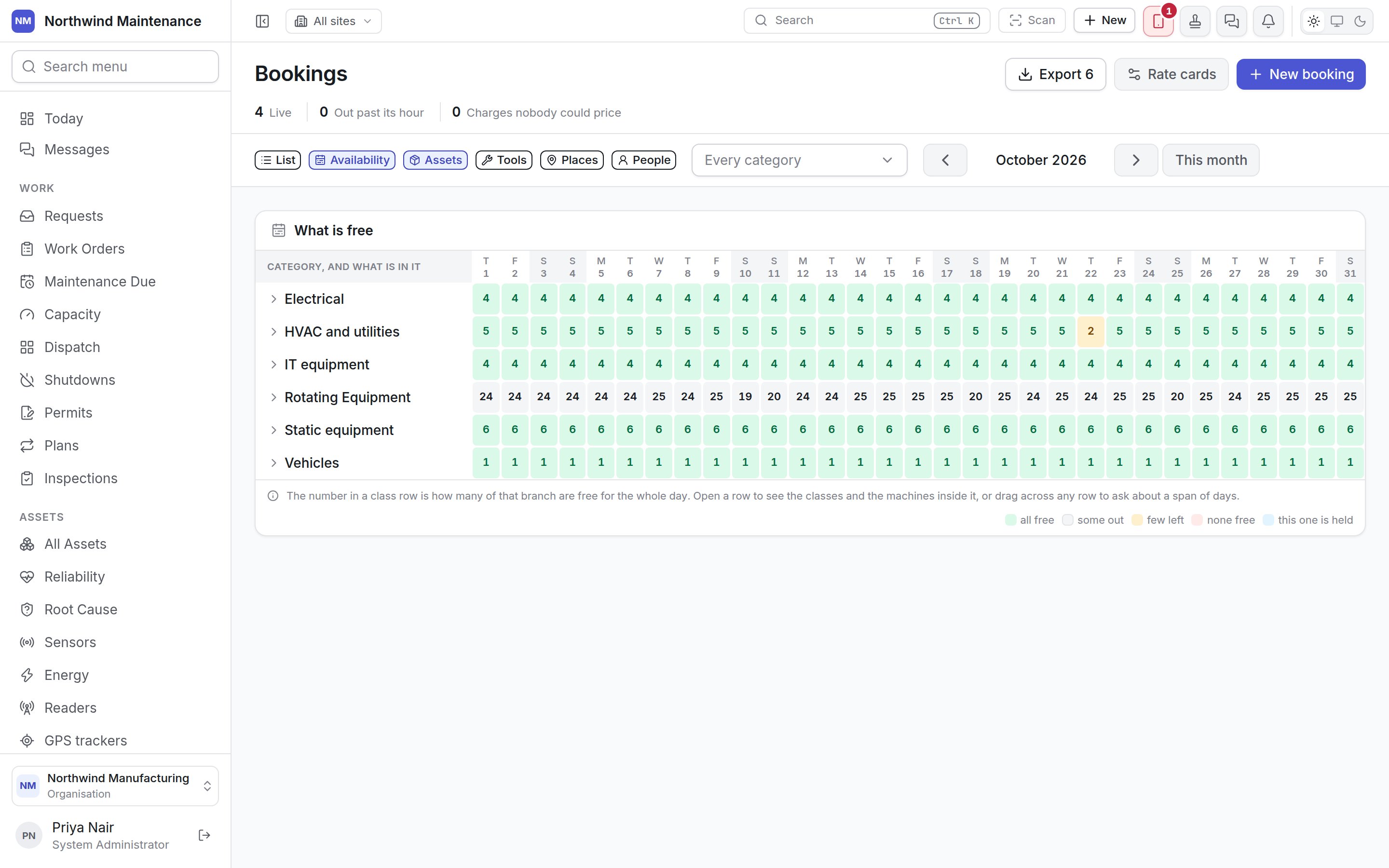
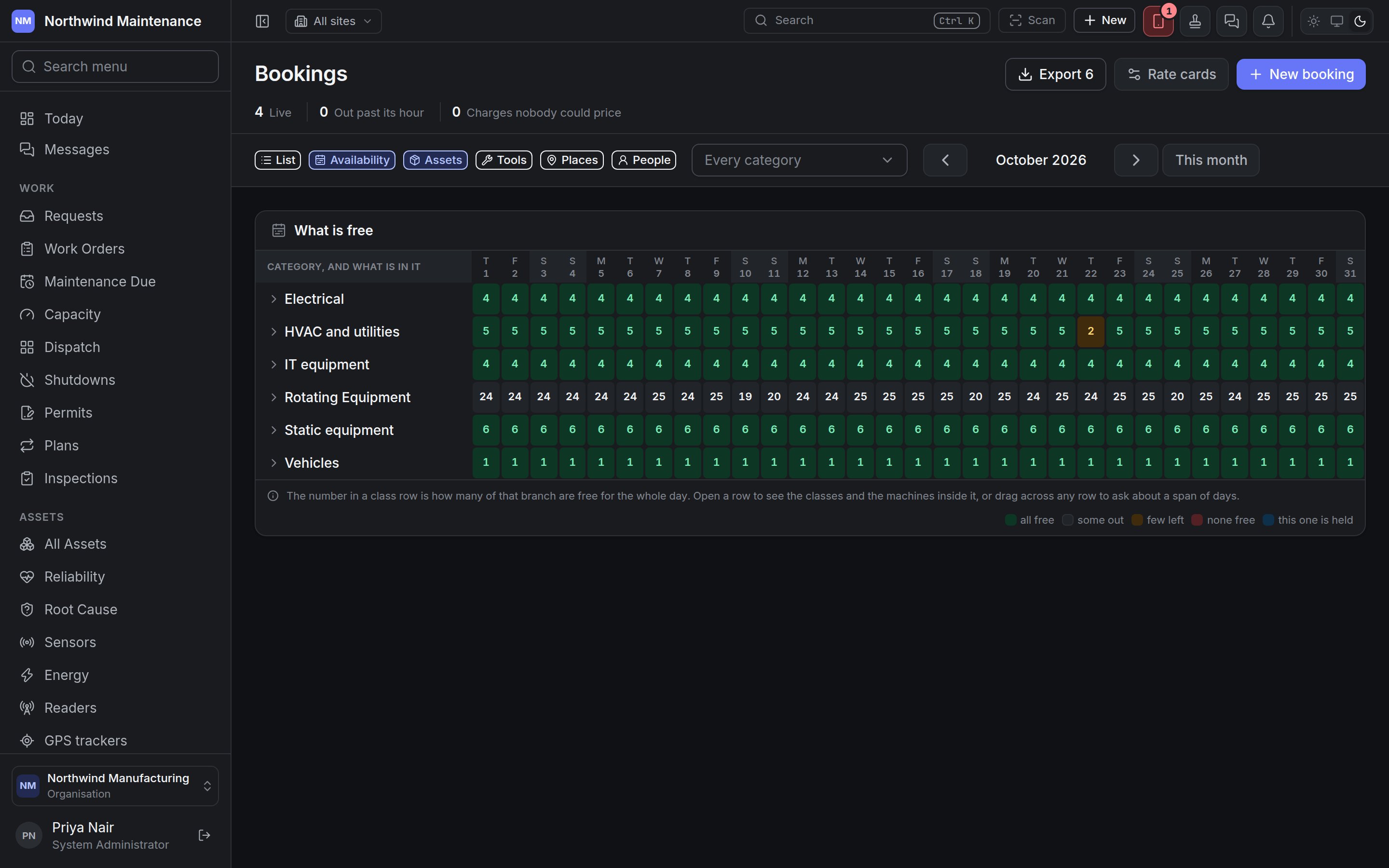 Choose **Assets**, **Tools**, **Places** or **People**, then narrow to one category if you like.
Rows are classes of thing — an asset category, a tool type, a place, a role — with what is in each
underneath, so a fleet of two hundred still opens on a readable grid. Each cell is a day; a place
booked for part of a day shows as partly free. Move between months, or **This month** to come back.
Drag across the days you need and book straight from the selection — the booking and what it holds
are raised together. The calendar exports to the same formats as the list.
## On an asset
An asset's **Bookings** tab lists every booking line ever held against it — not just upcoming ones,
because a finished hire is what a utilisation figure is made from — with **Book it** and **What is
free**. See [inside an asset](/assets/detail#bookings).
## Who can do what
| Permission | What it allows |
| - | - |
| **View bookings and the availability calendar** | See the register, bookings and the calendar |
| **Raise bookings** | Create bookings |
| **Amend, approve and cancel bookings** | Confirm, extend, settle and release |
| **Issue and receive back what is booked** | Hand things over and take them back |
| **Export bookings and the charge ledger** | Export |
| **Hold, return and keep hire deposits** | Manage deposits |
What your organisation books at all, what each kind of booking may hold and be charged to, and
rate cards.
This documentation is built and hosted on [Mintlify](https://mintlify.com), a developer documentation platform.
Choose **Assets**, **Tools**, **Places** or **People**, then narrow to one category if you like.
Rows are classes of thing — an asset category, a tool type, a place, a role — with what is in each
underneath, so a fleet of two hundred still opens on a readable grid. Each cell is a day; a place
booked for part of a day shows as partly free. Move between months, or **This month** to come back.
Drag across the days you need and book straight from the selection — the booking and what it holds
are raised together. The calendar exports to the same formats as the list.
## On an asset
An asset's **Bookings** tab lists every booking line ever held against it — not just upcoming ones,
because a finished hire is what a utilisation figure is made from — with **Book it** and **What is
free**. See [inside an asset](/assets/detail#bookings).
## Who can do what
| Permission | What it allows |
| - | - |
| **View bookings and the availability calendar** | See the register, bookings and the calendar |
| **Raise bookings** | Create bookings |
| **Amend, approve and cancel bookings** | Confirm, extend, settle and release |
| **Issue and receive back what is booked** | Hand things over and take them back |
| **Export bookings and the charge ledger** | Export |
| **Hold, return and keep hire deposits** | Manage deposits |
What your organisation books at all, what each kind of booking may hold and be charged to, and
rate cards.
This documentation is built and hosted on [Mintlify](https://mintlify.com), a developer documentation platform.