> ## Documentation Index
> Fetch the complete documentation index at: https://docs.assetinfinity.ai/llms.txt
> Use this file to discover all available pages before exploring further.
# RFID and Bluetooth readers
> Fixed RFID readers and Bluetooth gateways at doorways and rooms: where tagged assets were actually seen, how to connect a reader, configure its antennas, map what it sends and act on arrivals.
The **Readers** screen shows where tagged assets have actually been observed by fixed RFID readers
and Bluetooth gateways — a dock door, a tool crib doorway, a yard gate — and whether those readers are
working. Open it from **Assets → Readers**.
If you don't see this in your navigation, your administrator can switch the module on under **Administration → Modules**, or it may not be included in your plan. The module is called **Readers** there, and is part of **Sensors**.
 Everywhere else in the product, an asset's location is where somebody last said it was. A reader is
different: it says where the asset was *seen*, without anybody scanning anything.
## How it works
| Idea | What it means |
| - | - |
| **Reader** | The box on the network. It either publishes to a message broker the product subscribes to, or posts its messages in over HTTPS |
| **Antenna** | One port on the reader, pointed at one place. Each antenna says which site and location a read on it means, and what it is for — watching, or one side of a doorway |
| **Tag** | The RFID or Bluetooth tag on an asset. It is recognised when it is registered against the asset (on the asset's identifiers, or from this screen) |
| **Visit** (presence) | One stay of a tag in front of an antenna, from arrival to departure. A reader sees the same tag many times a second; the product turns that into one visit, not thousands of reads |
| **Read** | One individual sighting. Not kept unless an antenna is set to keep them for diagnosis |
A visit opens once a tag has been read enough times in a row (**Min Reads to Open**), and closes once
it has not been seen for a while (**Absence Timeout Seconds**). If it turns up again within the grace
window (**Reopen Grace Seconds**), the same visit carries on — a forklift that stops in a doorway is
one arrival, not four. A tag is in one place at a time: opening a visit at one antenna closes any
other open visit for that tag.
### How reads move assets
A visit on its own records where the tag was seen. To act on it, switch on **Raises Events** for the
antenna, then write an [automation rule](/config/rules) on the asset that runs when a tag arrives or
departs. Rules can:
* **move the asset** to the place the antenna points at, so its location in the register follows it
through the doorway;
* notify somebody — "tell me when it leaves the yard";
* check conditions about the read: which antenna and its purpose, the reader's code, the tag, how
long it stayed, how many times it was read, and the strongest signal.
Events are off by default. Switching them on everywhere would tell a site about every pallet in the
building.
## The header
| Figure | What it counts |
| - | - |
| **here now** | Tags currently present at an antenna |
| **readers** | Readers registered |
| **tags to claim** | Unrecognised tags still waiting for somebody to say what they are |
**New reader** adds one. A banner appears when an antenna has stopped reading while its reader keeps
reporting — one cut cable on a four-port reader looks exactly like a healthy reader with a quiet
doorway.
## Present
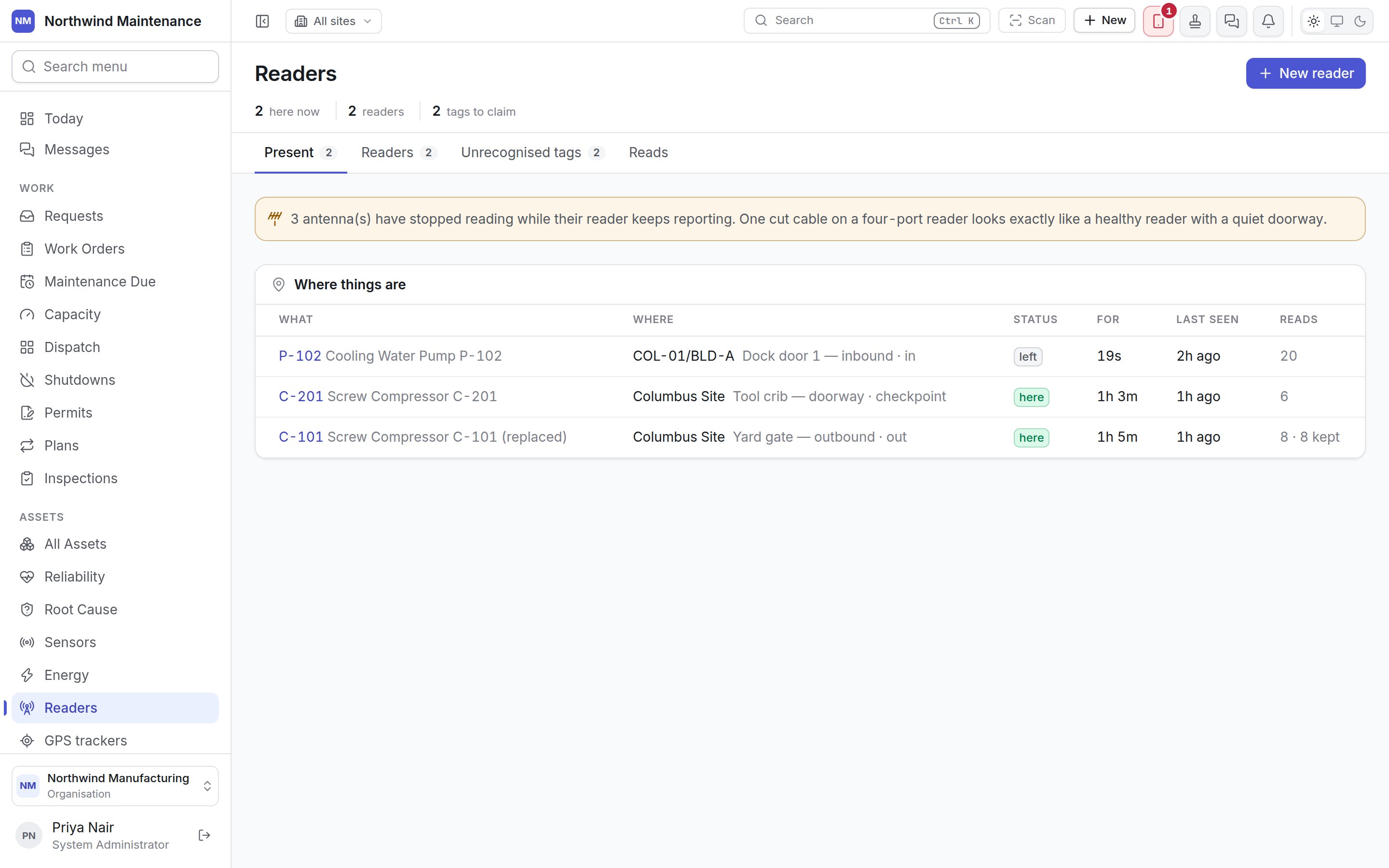
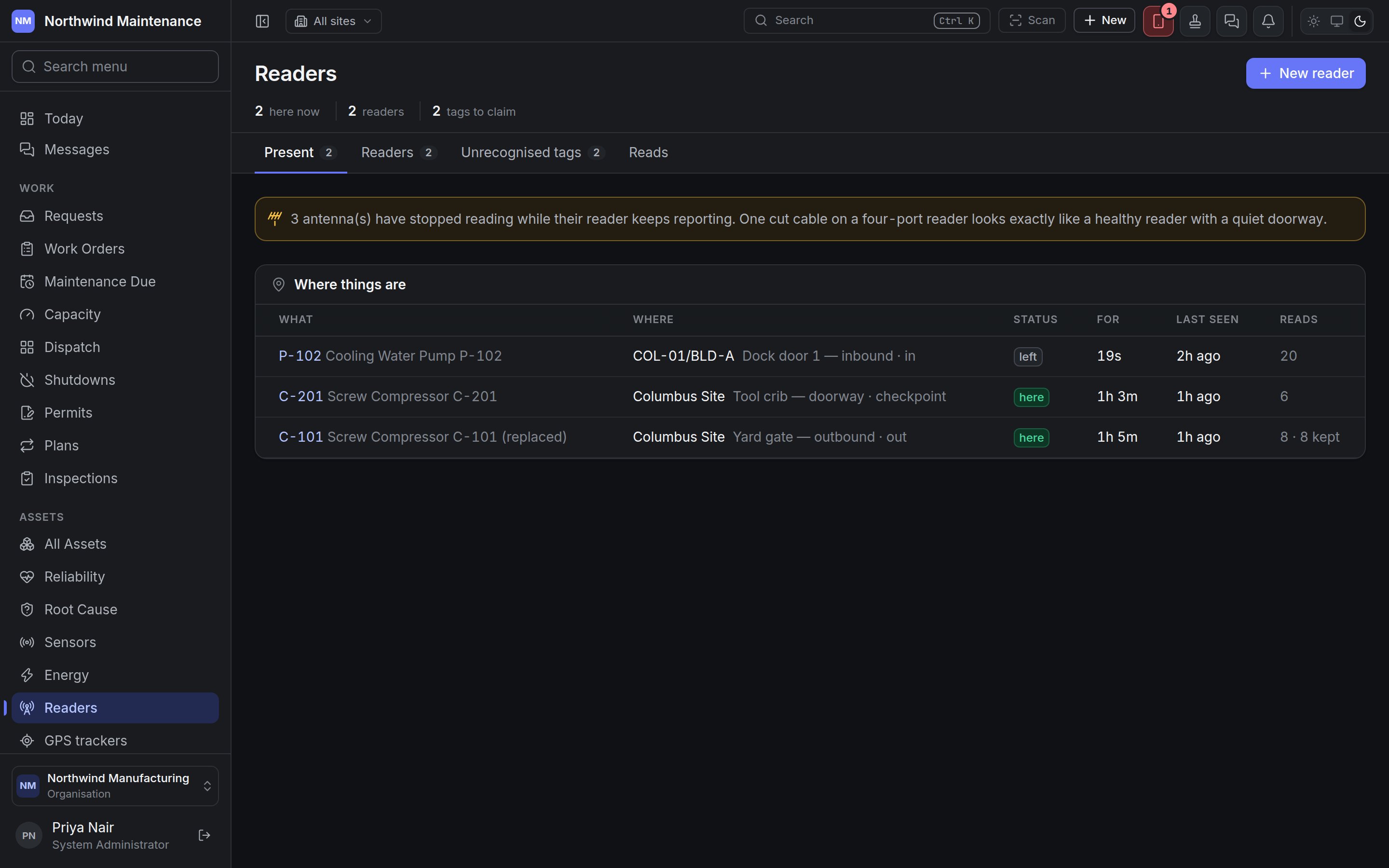
**Where things are** lists every recent visit by a recognised tag.
| Column | What it shows |
| - | - |
| **What** | The asset (or tool or part) the tag is on, as a link |
| **Where** | The location, then the antenna and its purpose — **in**, **out**, **checkpoint** or watching |
| **Status** | **here** while the visit is open, **left** once it has closed |
| **For** | How long the visit has lasted, or lasted |
| **Last seen** | When the tag was last read |
| **Reads** | How many reads the visit stands for, and how many individual reads were kept |
A visit appears the moment a reader sees a tag that the register says is on something. Until a tag is
registered, its reads land under **Unrecognised tags** instead.
## Readers
Everywhere else in the product, an asset's location is where somebody last said it was. A reader is
different: it says where the asset was *seen*, without anybody scanning anything.
## How it works
| Idea | What it means |
| - | - |
| **Reader** | The box on the network. It either publishes to a message broker the product subscribes to, or posts its messages in over HTTPS |
| **Antenna** | One port on the reader, pointed at one place. Each antenna says which site and location a read on it means, and what it is for — watching, or one side of a doorway |
| **Tag** | The RFID or Bluetooth tag on an asset. It is recognised when it is registered against the asset (on the asset's identifiers, or from this screen) |
| **Visit** (presence) | One stay of a tag in front of an antenna, from arrival to departure. A reader sees the same tag many times a second; the product turns that into one visit, not thousands of reads |
| **Read** | One individual sighting. Not kept unless an antenna is set to keep them for diagnosis |
A visit opens once a tag has been read enough times in a row (**Min Reads to Open**), and closes once
it has not been seen for a while (**Absence Timeout Seconds**). If it turns up again within the grace
window (**Reopen Grace Seconds**), the same visit carries on — a forklift that stops in a doorway is
one arrival, not four. A tag is in one place at a time: opening a visit at one antenna closes any
other open visit for that tag.
### How reads move assets
A visit on its own records where the tag was seen. To act on it, switch on **Raises Events** for the
antenna, then write an [automation rule](/config/rules) on the asset that runs when a tag arrives or
departs. Rules can:
* **move the asset** to the place the antenna points at, so its location in the register follows it
through the doorway;
* notify somebody — "tell me when it leaves the yard";
* check conditions about the read: which antenna and its purpose, the reader's code, the tag, how
long it stayed, how many times it was read, and the strongest signal.
Events are off by default. Switching them on everywhere would tell a site about every pallet in the
building.
## The header
| Figure | What it counts |
| - | - |
| **here now** | Tags currently present at an antenna |
| **readers** | Readers registered |
| **tags to claim** | Unrecognised tags still waiting for somebody to say what they are |
**New reader** adds one. A banner appears when an antenna has stopped reading while its reader keeps
reporting — one cut cable on a four-port reader looks exactly like a healthy reader with a quiet
doorway.
## Present
**Where things are** lists every recent visit by a recognised tag.
| Column | What it shows |
| - | - |
| **What** | The asset (or tool or part) the tag is on, as a link |
| **Where** | The location, then the antenna and its purpose — **in**, **out**, **checkpoint** or watching |
| **Status** | **here** while the visit is open, **left** once it has closed |
| **For** | How long the visit has lasted, or lasted |
| **Last seen** | When the tag was last read |
| **Reads** | How many reads the visit stands for, and how many individual reads were kept |
A visit appears the moment a reader sees a tag that the register says is on something. Until a tag is
registered, its reads land under **Unrecognised tags** instead.
## Readers
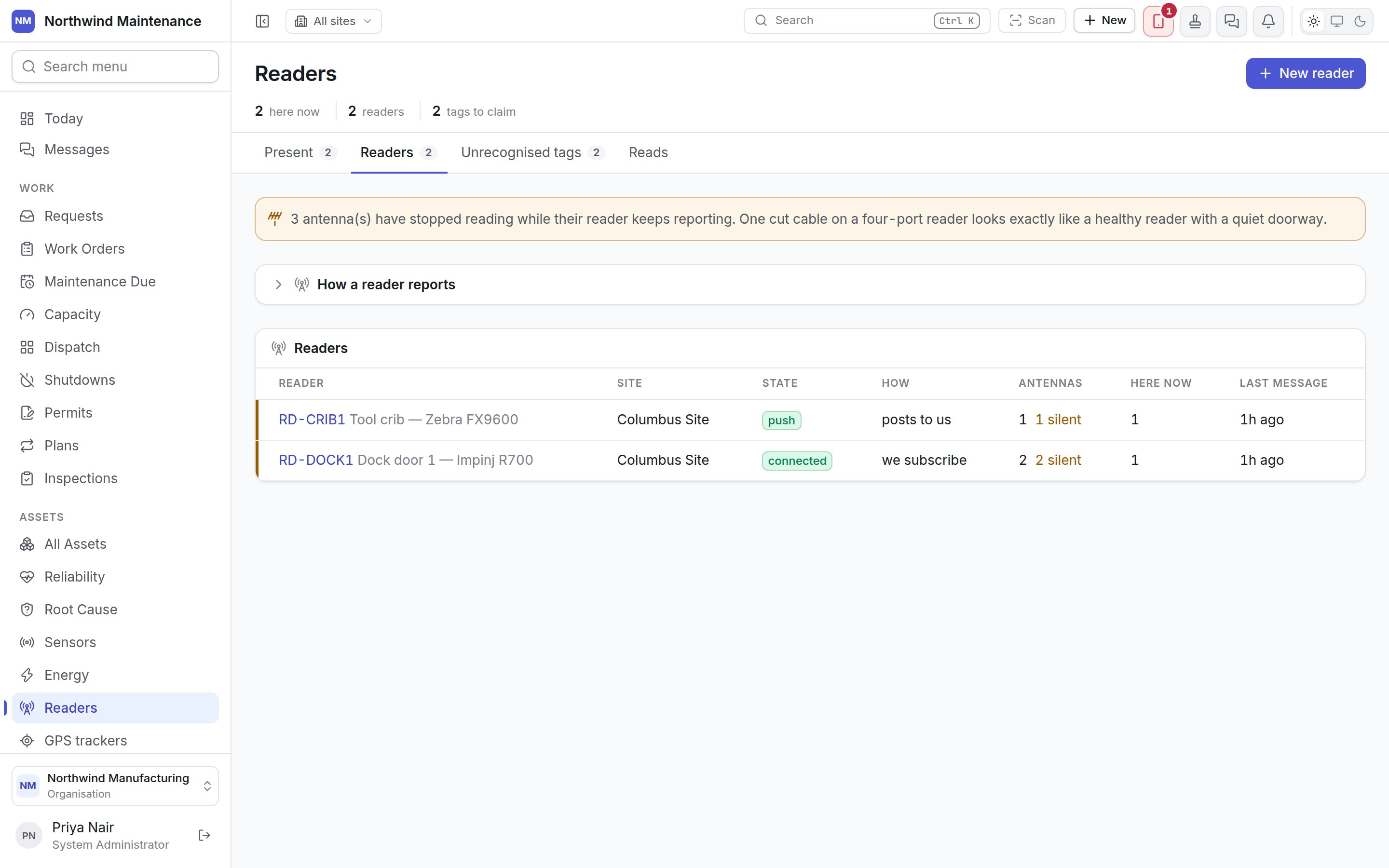
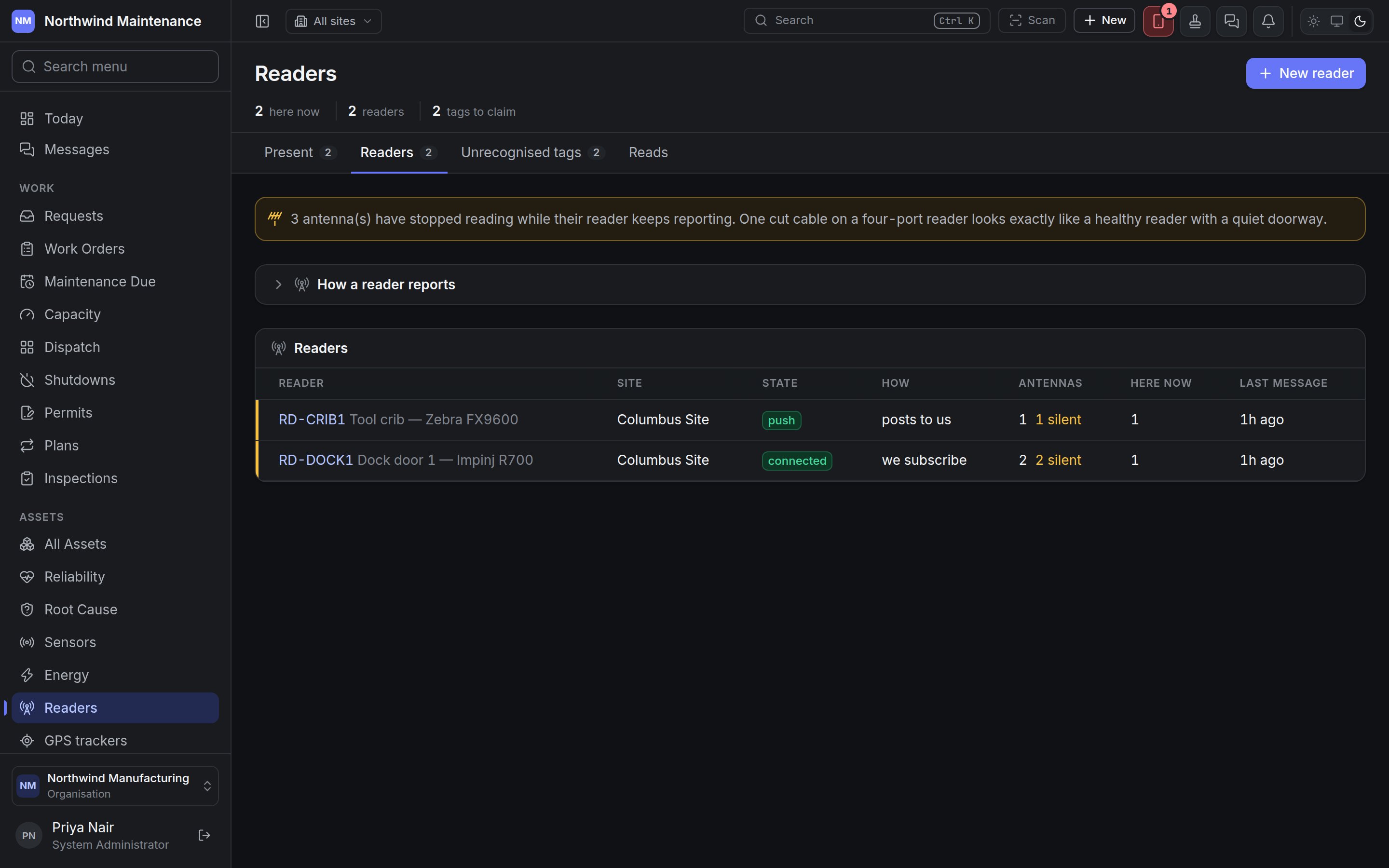 The tab opens with **How a reader reports**, which explains the two ways to connect: the product holds
a subscription to the broker the reader publishes on, or the reader (or middleware at the site) posts
its messages in over HTTPS. A reader whose settings have one box for a server address can post
straight in — set its transport to HTTPS and use **Issue a key for this reader** on its screen.
If any reader is failing, a **Not reporting** section comes first, with the **Reader**, its
**State**, **Why** (the broker's own error message, verbatim) and how many **Tries** have been made.
| Column | What it shows |
| - | - |
| **Reader** | Code and name. Click to open the reader |
| **Site** | Where it is |
| **State** | **connected**, **connecting**, **unknown**, **paused**, **refused**, **unreachable**, **mapping failed**, or **push** for a reader that posts its messages in |
| **How** | **we subscribe** or **posts to us** |
| **Antennas** | How many, with how many have gone **silent** |
| **Here now** | Tags currently present at it |
| **Last message** | When it last sent anything, or **never** |
**Connected, and nothing has ever arrived** means the broker accepted the subscription but nothing
is published on that topic. Check the topic filter before checking the reader.
## Unrecognised tags
The tab opens with **How a reader reports**, which explains the two ways to connect: the product holds
a subscription to the broker the reader publishes on, or the reader (or middleware at the site) posts
its messages in over HTTPS. A reader whose settings have one box for a server address can post
straight in — set its transport to HTTPS and use **Issue a key for this reader** on its screen.
If any reader is failing, a **Not reporting** section comes first, with the **Reader**, its
**State**, **Why** (the broker's own error message, verbatim) and how many **Tries** have been made.
| Column | What it shows |
| - | - |
| **Reader** | Code and name. Click to open the reader |
| **Site** | Where it is |
| **State** | **connected**, **connecting**, **unknown**, **paused**, **refused**, **unreachable**, **mapping failed**, or **push** for a reader that posts its messages in |
| **How** | **we subscribe** or **posts to us** |
| **Antennas** | How many, with how many have gone **silent** |
| **Here now** | Tags currently present at it |
| **Last message** | When it last sent anything, or **never** |
**Connected, and nothing has ever arrived** means the broker accepted the subscription but nothing
is published on that topic. Check the topic filter before checking the reader.
## Unrecognised tags
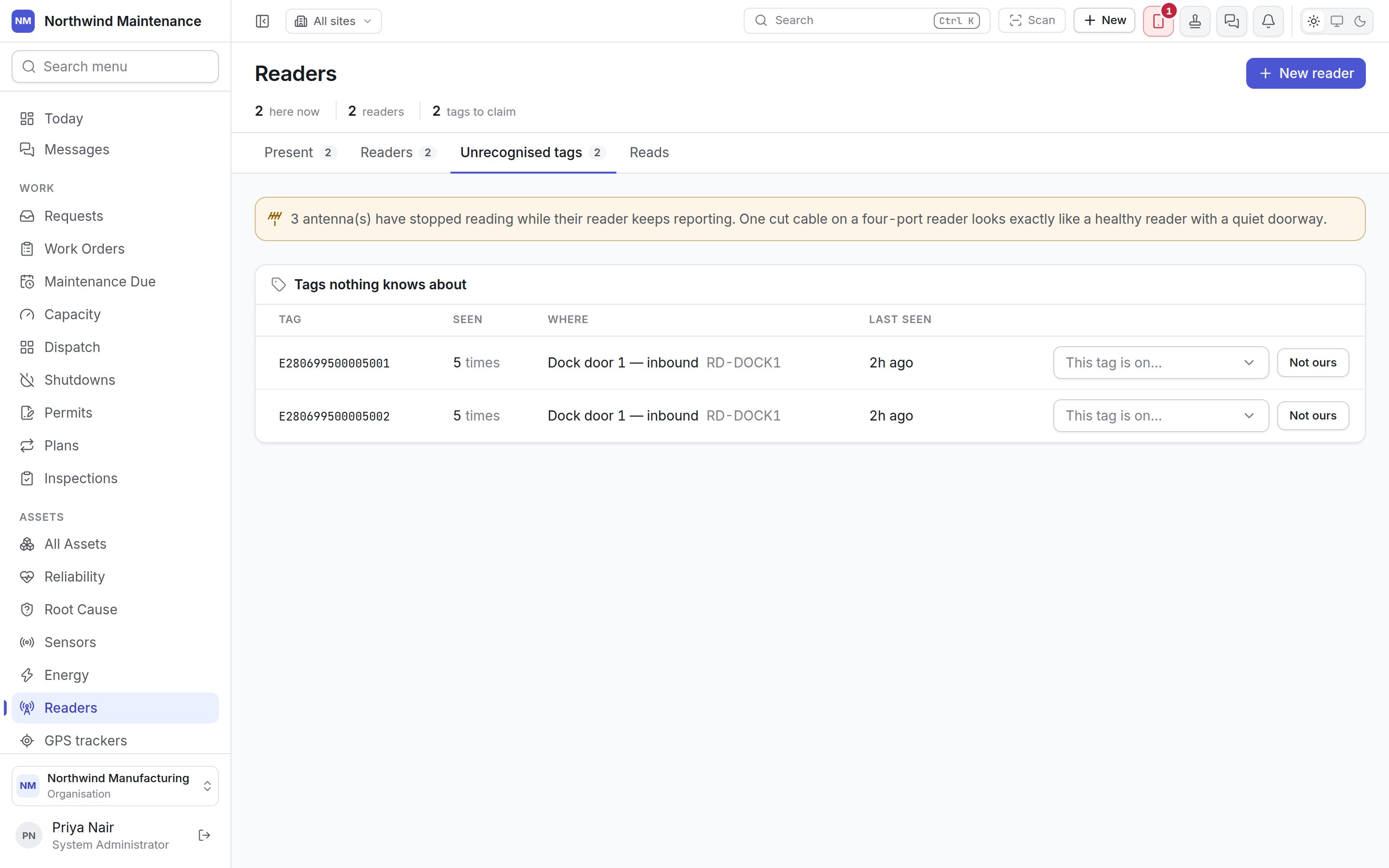
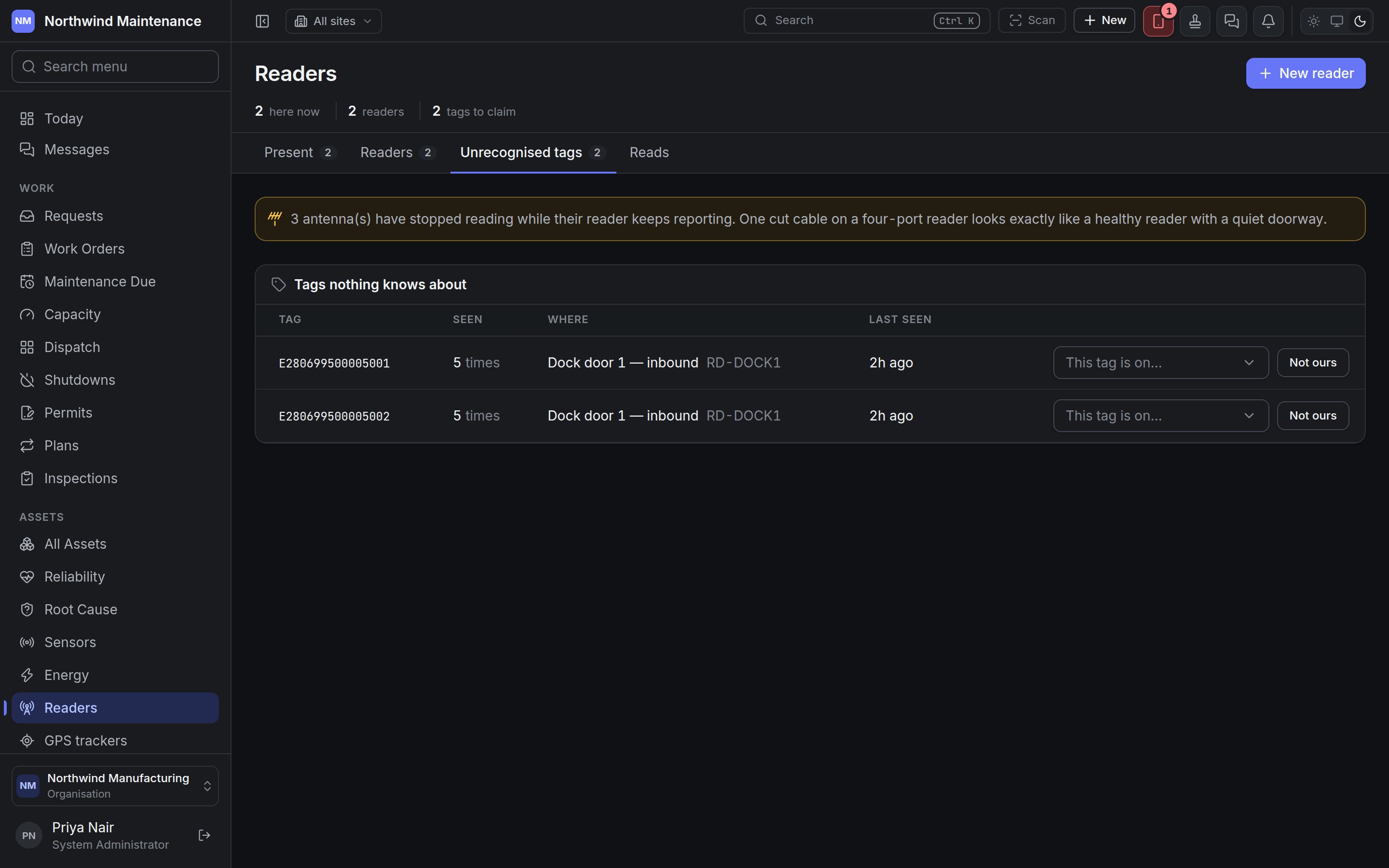 **Tags nothing knows about**, most-seen first. On the first day, two hundred tagged assets and five
thousand retail-tagged cartons through one dock door is normal; working down this list is how a site
registers what it actually owns.
| Column | What it shows |
| - | - |
| **Tag** | The tag value as read |
| **Seen** | How many times |
| **Where** | The antenna and reader that saw it |
| **Last seen** | When |
On each row, **This tag is on…** lets you pick the asset the tag is attached to; the tag is then
registered against that asset and every later read is recognised. It needs permission to create
assets. **Not ours** stops the tag being asked about — it keeps being seen, it just stops appearing
here. It needs permission to configure readers.
Each antenna records unrecognised tags one by one up to its **Unknown Tag Cap** per hour, so a flood of
cartons never affects a registered tag.
## Reads
**Tags nothing knows about**, most-seen first. On the first day, two hundred tagged assets and five
thousand retail-tagged cartons through one dock door is normal; working down this list is how a site
registers what it actually owns.
| Column | What it shows |
| - | - |
| **Tag** | The tag value as read |
| **Seen** | How many times |
| **Where** | The antenna and reader that saw it |
| **Last seen** | When |
On each row, **This tag is on…** lets you pick the asset the tag is attached to; the tag is then
registered against that asset and every later read is recognised. It needs permission to create
assets. **Not ours** stops the tag being asked about — it keeps being seen, it just stops appearing
here. It needs permission to configure readers.
Each antenna records unrecognised tags one by one up to its **Unknown Tag Cap** per hour, so a flood of
cartons never affects a registered tag.
## Reads
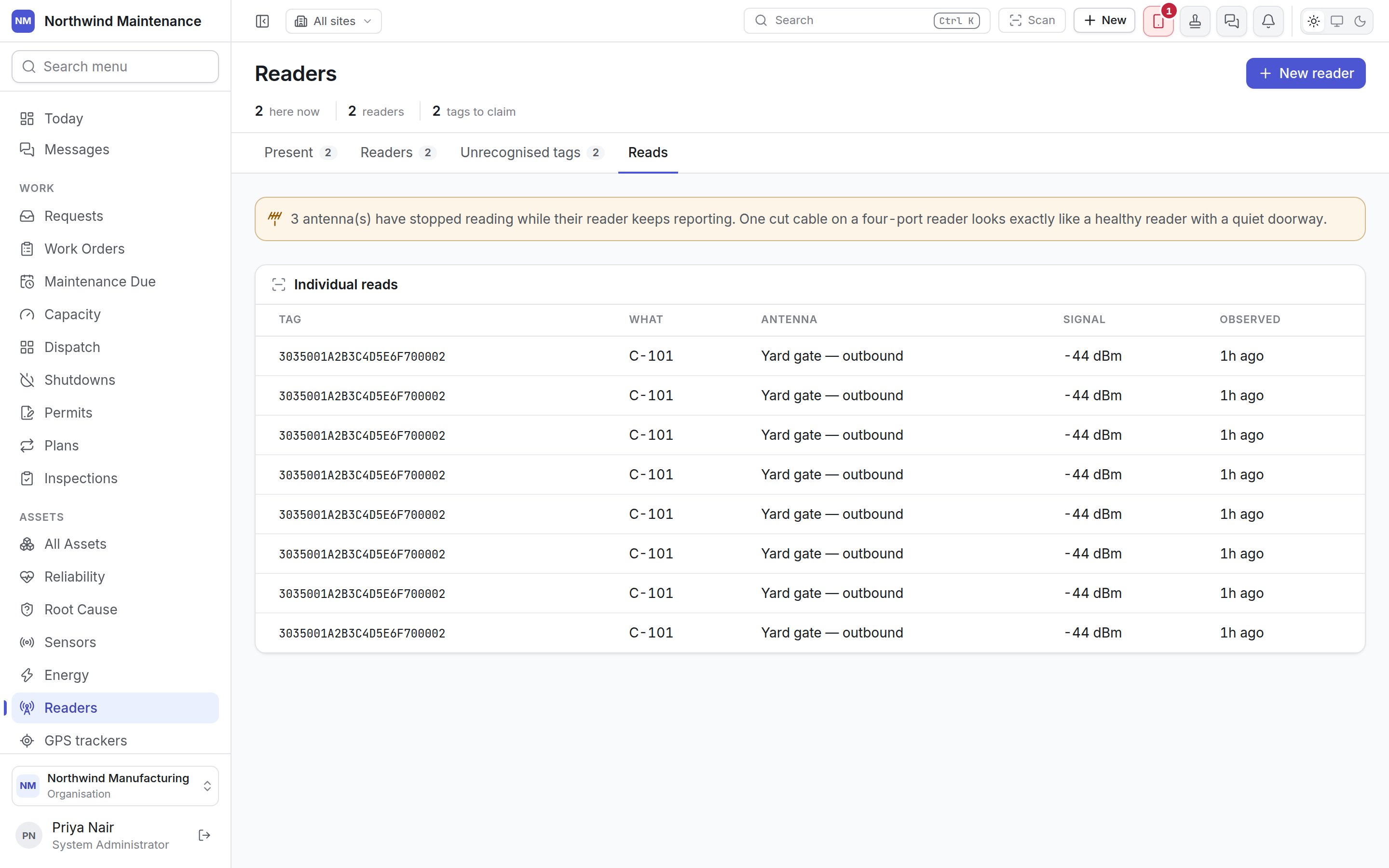
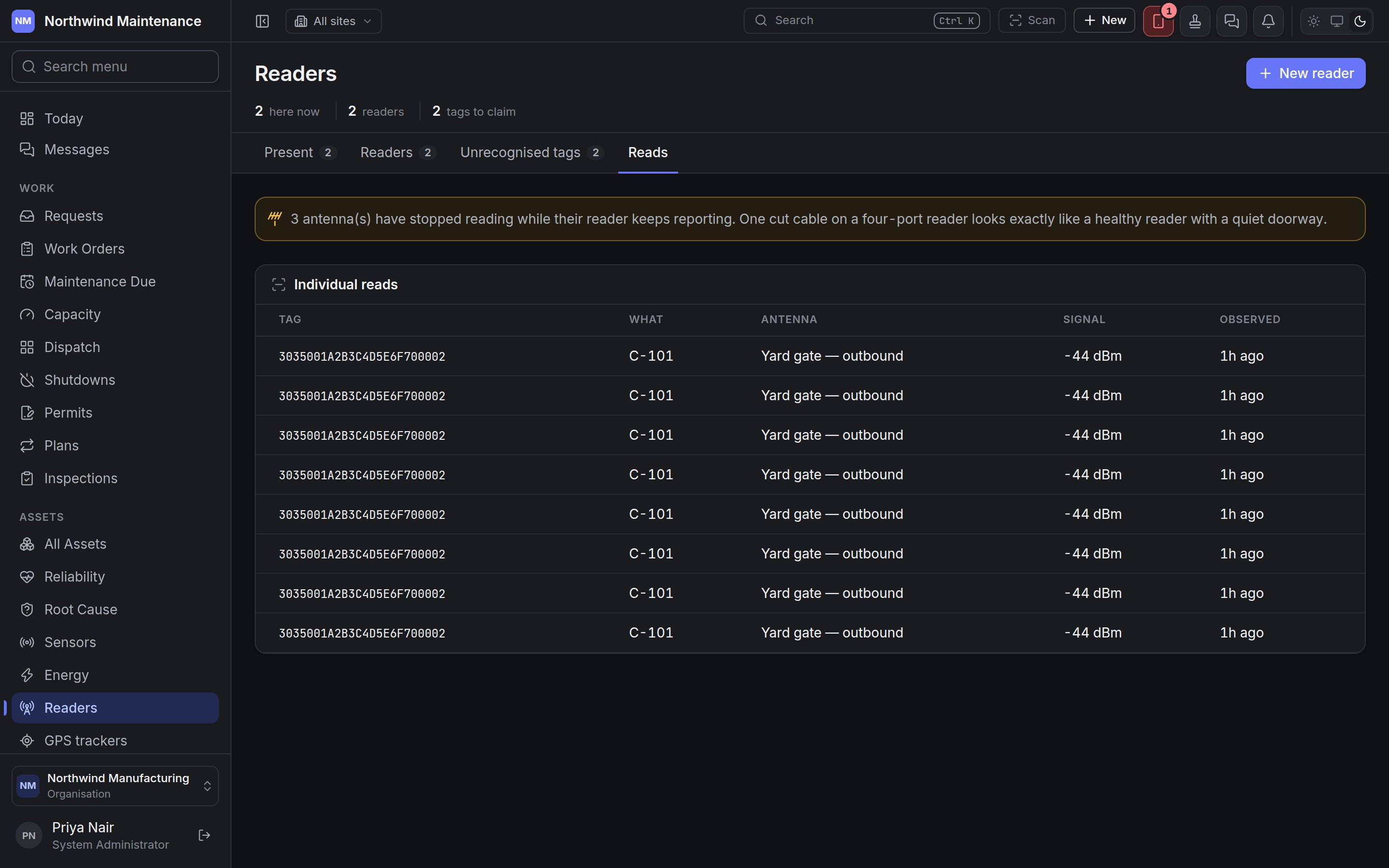 **Individual reads** is a diagnostic window. Reads are not kept unless an antenna has **Keep
Observations** switched on, and they are thrown away after a week. Switch it on for the doorway you
are diagnosing, and off again once you have the answer.
| Column | What it shows |
| - | - |
| **Tag** | The tag value |
| **What** | The asset it is on, if recognised |
| **Antenna** | Which antenna read it |
| **Signal** | Signal strength in dBm (closer to zero is stronger) |
| **Observed** | When. *reader's clock was wrong* appears when the reader's own timestamp was ignored |
## Adding a reader
**Individual reads** is a diagnostic window. Reads are not kept unless an antenna has **Keep
Observations** switched on, and they are thrown away after a week. Switch it on for the doorway you
are diagnosing, and off again once you have the answer.
| Column | What it shows |
| - | - |
| **Tag** | The tag value |
| **What** | The asset it is on, if recognised |
| **Antenna** | Which antenna read it |
| **Signal** | Signal strength in dBm (closer to zero is stronger) |
| **Observed** | When. *reader's clock was wrong* appears when the reader's own timestamp was ignored |
## Adding a reader
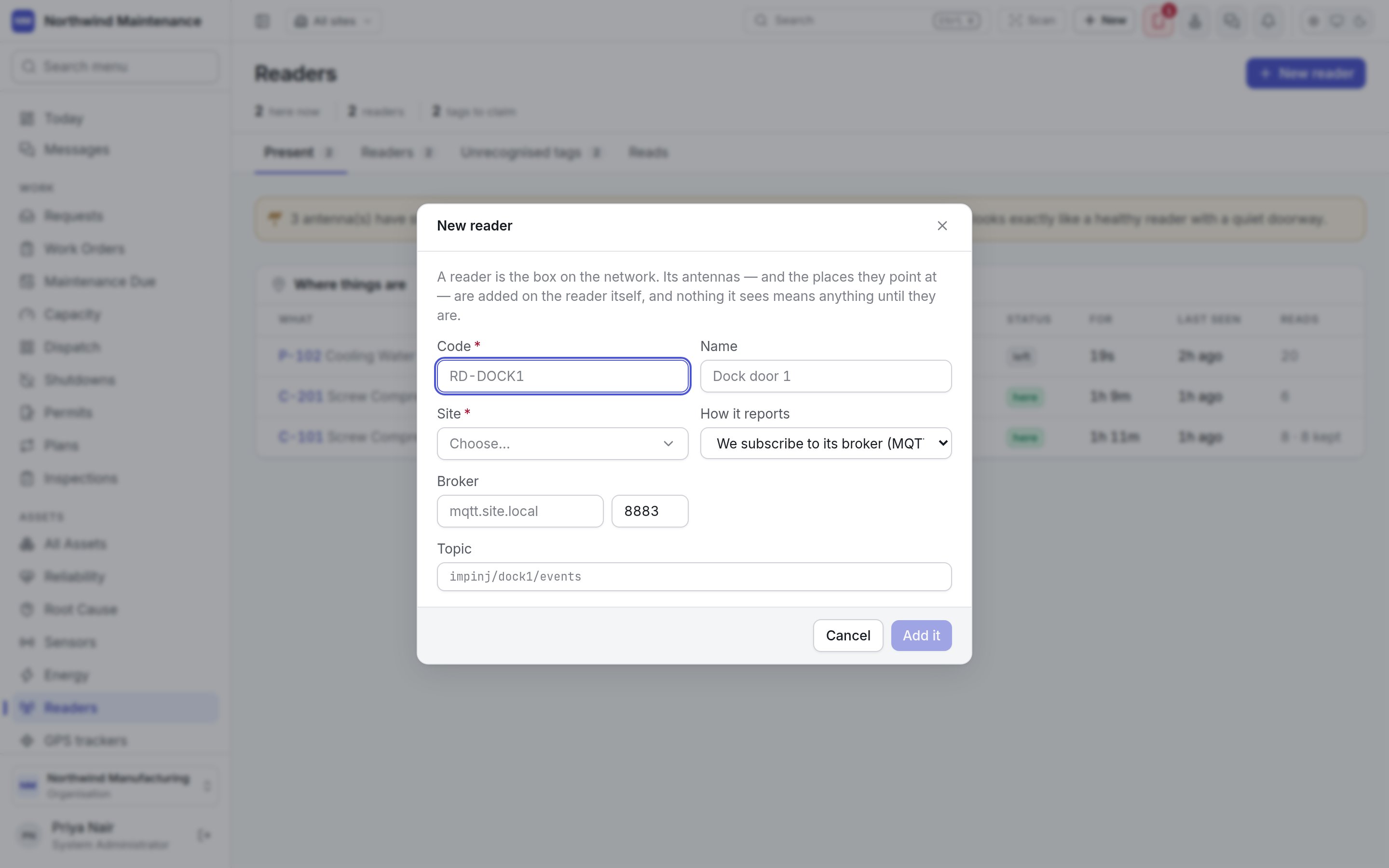
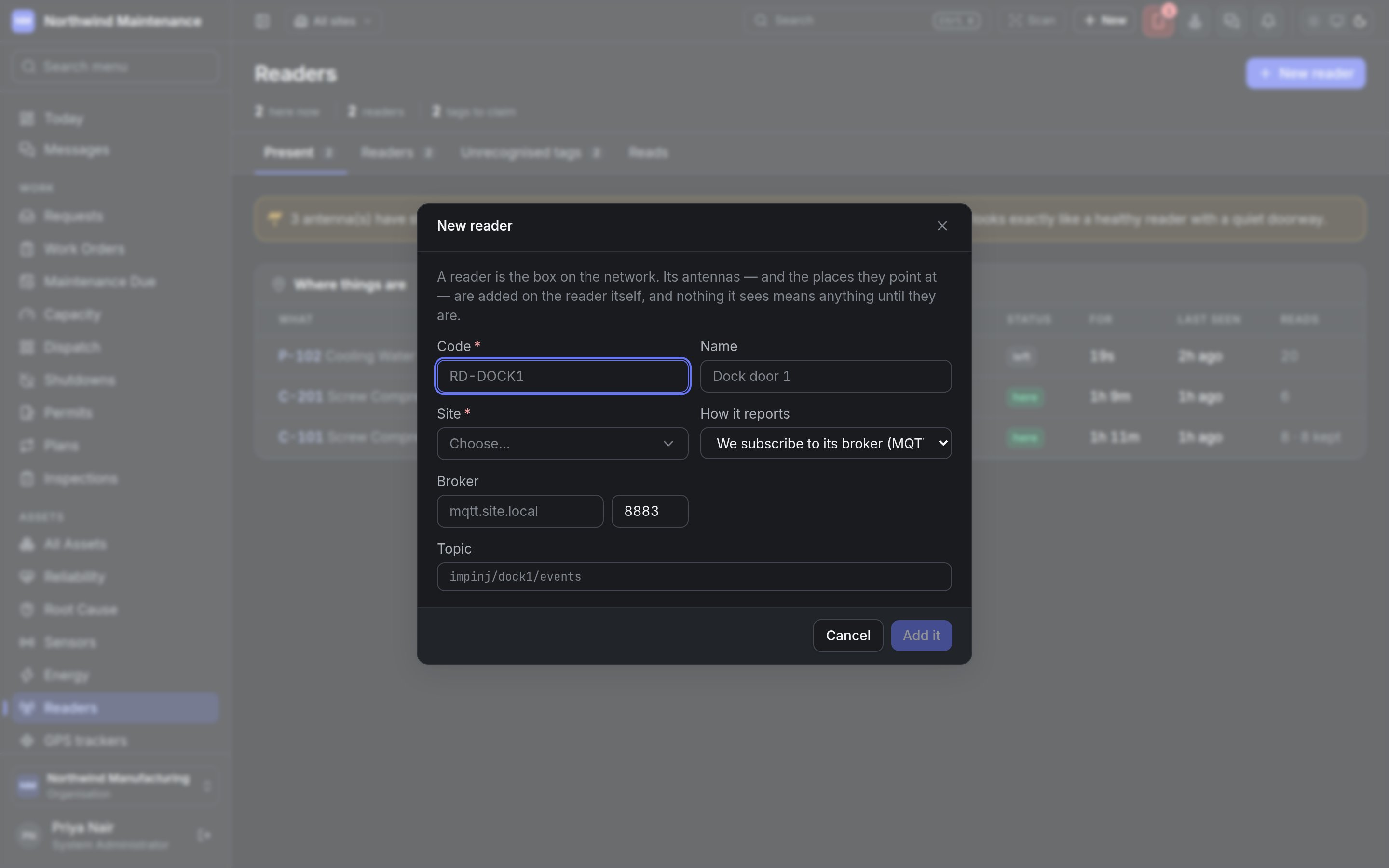 | Field | What it means | Notes |
| - | - | - |
| **Code** | The reader's code — RD-DOCK1 | Required. A reader posting messages names itself by this code |
| **Name** | What it is — Dock door 1 | Optional |
| **Site** | Where it is installed | Required |
| **How it reports** | **We subscribe to its broker (MQTT)** or **It posts its messages to us (HTTPS)** | For HTTPS there is nothing else to configure: the reader's screen shows what to post and where, once it exists |
| **Broker** | The broker's address | Appears for MQTT |
| **Topic** | The topic the reader publishes on — impinj/dock1/events | Appears for MQTT |
**Add it** creates the reader and opens it. Nothing it sees means anything until its antennas are
added. Adding readers needs permission to add readers and antennas.
## One reader
| Field | What it means | Notes |
| - | - | - |
| **Code** | The reader's code — RD-DOCK1 | Required. A reader posting messages names itself by this code |
| **Name** | What it is — Dock door 1 | Optional |
| **Site** | Where it is installed | Required |
| **How it reports** | **We subscribe to its broker (MQTT)** or **It posts its messages to us (HTTPS)** | For HTTPS there is nothing else to configure: the reader's screen shows what to post and where, once it exists |
| **Broker** | The broker's address | Appears for MQTT |
| **Topic** | The topic the reader publishes on — impinj/dock1/events | Appears for MQTT |
**Add it** creates the reader and opens it. Nothing it sees means anything until its antennas are
added. Adding readers needs permission to add readers and antennas.
## One reader
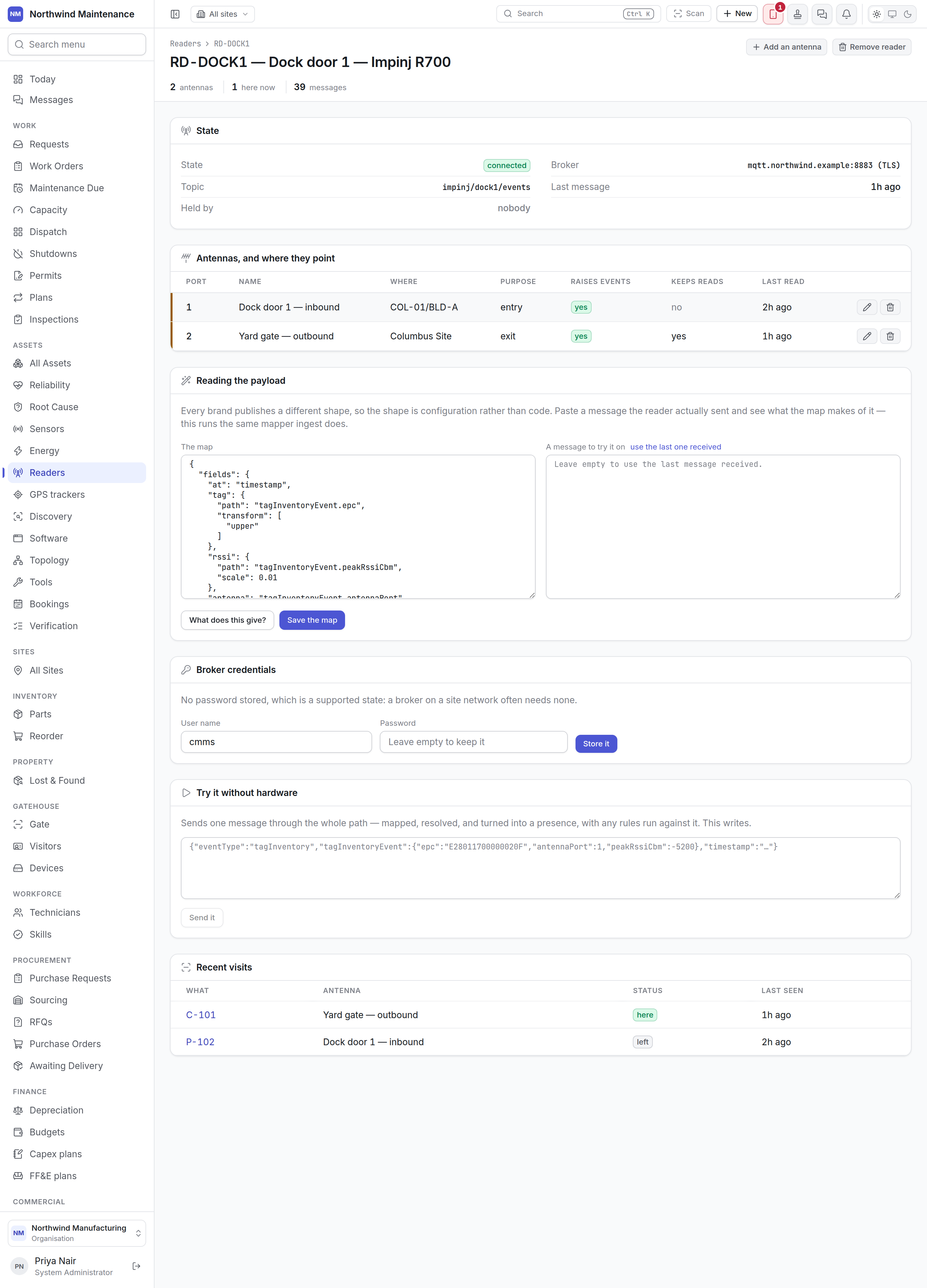
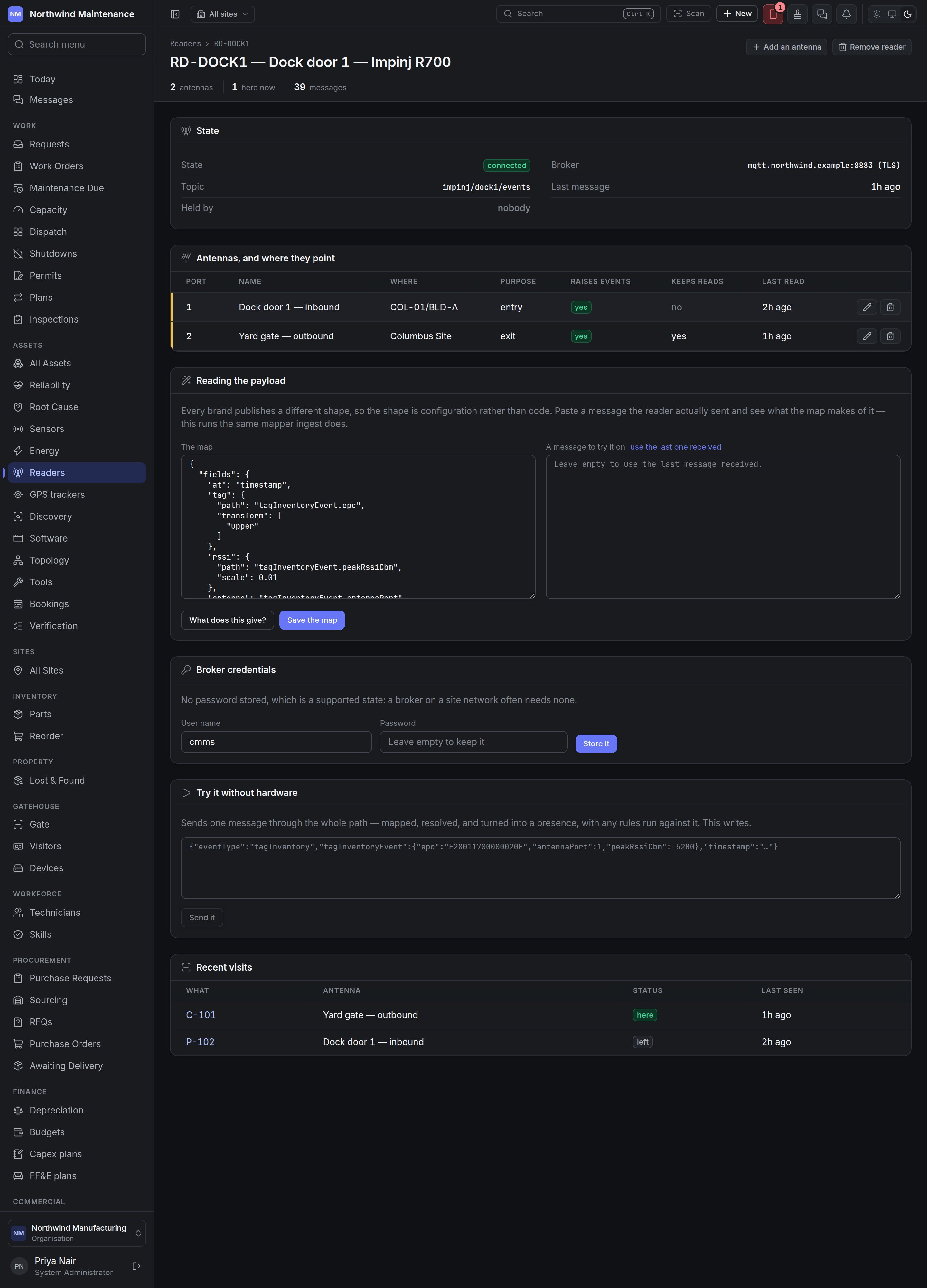 The header counts its **antennas**, tags **here now** and **messages** received. **Add an antenna**
and **Remove reader** sit at the top.
### State
| Fact | What it means |
| - | - |
| **State** | As on the list |
| **How it reports** | Shown for a reader that posts its messages in |
| **Broker** / **Topic** | For a subscribed reader: the broker address (with *(TLS)* when encrypted) and the topic filter |
| **Last message** | When it last sent anything |
| **Held by** | For a subscribed reader, which listener process currently holds its connection, or *nobody* |
| **Why** | The broker's last error, verbatim |
| **Reader's clock** | Appears when the reader's clock is out by more than a minute |
| **Dropped** | How many messages from the reader were dropped. Shown only when there are any |
### Antennas, and where they point
| Column | What it shows |
| - | - |
| **Port** | The antenna number |
| **Name** | What it watches |
| **Where** | Its site and location |
| **Purpose** | **observe**, **entry**, **exit** or **checkpoint** |
| **Raises events** | Whether rules and notifications fire for it |
| **Keeps reads** | Whether individual reads are kept |
| **Last read** | When it last read anything — the way to spot a dead antenna on a live reader |
Each row has edit and remove buttons.
### Adding an antenna
The header counts its **antennas**, tags **here now** and **messages** received. **Add an antenna**
and **Remove reader** sit at the top.
### State
| Fact | What it means |
| - | - |
| **State** | As on the list |
| **How it reports** | Shown for a reader that posts its messages in |
| **Broker** / **Topic** | For a subscribed reader: the broker address (with *(TLS)* when encrypted) and the topic filter |
| **Last message** | When it last sent anything |
| **Held by** | For a subscribed reader, which listener process currently holds its connection, or *nobody* |
| **Why** | The broker's last error, verbatim |
| **Reader's clock** | Appears when the reader's clock is out by more than a minute |
| **Dropped** | How many messages from the reader were dropped. Shown only when there are any |
### Antennas, and where they point
| Column | What it shows |
| - | - |
| **Port** | The antenna number |
| **Name** | What it watches |
| **Where** | Its site and location |
| **Purpose** | **observe**, **entry**, **exit** or **checkpoint** |
| **Raises events** | Whether rules and notifications fire for it |
| **Keeps reads** | Whether individual reads are kept |
| **Last read** | When it last read anything — the way to spot a dead antenna on a live reader |
Each row has edit and remove buttons.
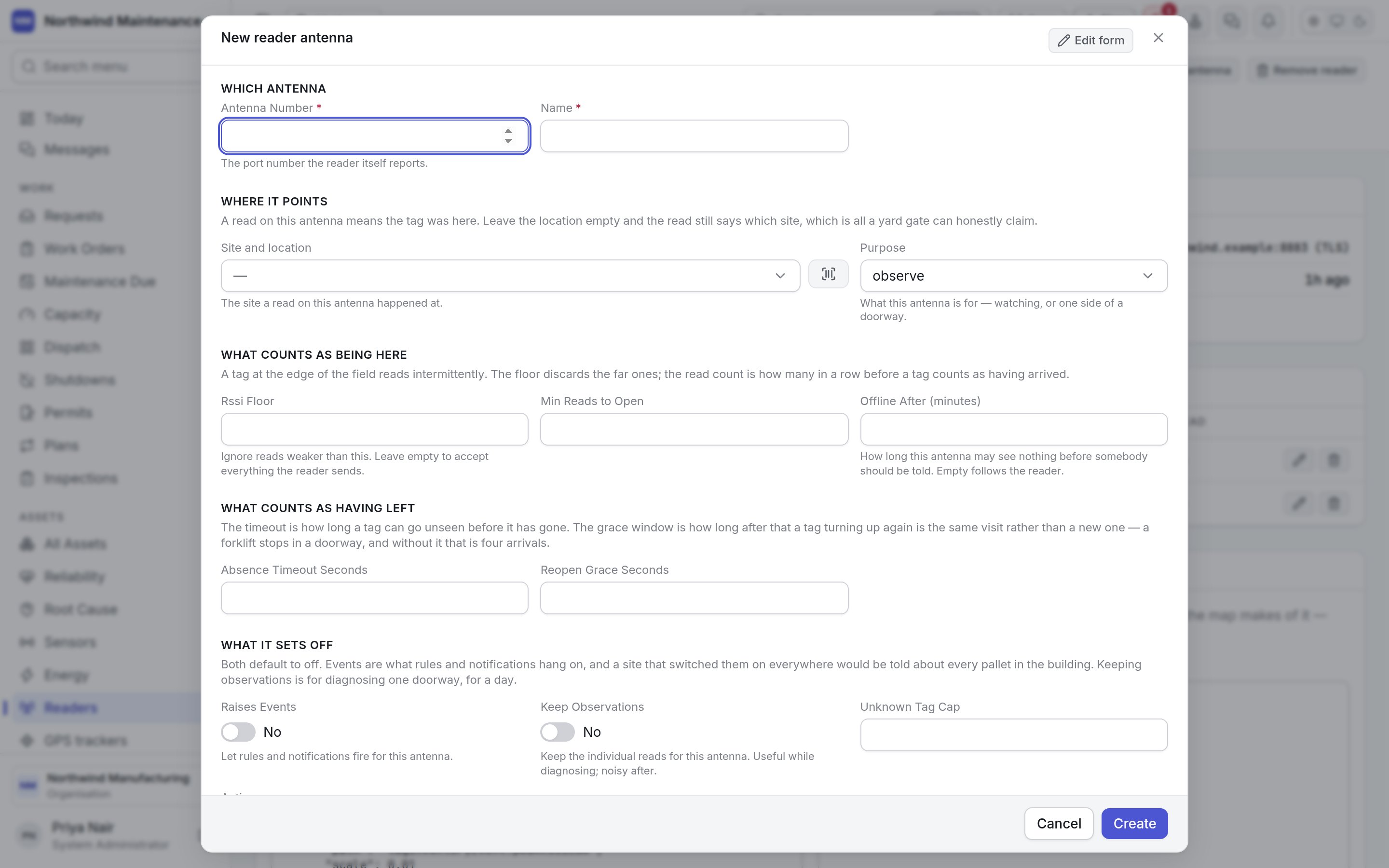
### Adding an antenna
 | Field | What it means | Notes |
| - | - | - |
| **Antenna Number** | The port number the reader itself reports | Required. Unique on the reader |
| **Name** | What it watches — "Dock door 1 — inbound" | Required |
| **Site and location** | The place a read on this antenna means | Optional. Without a location the read still says which site, which is all a yard gate can honestly claim |
| **Purpose** | What the antenna is for | **observe** (the default), **entry**, **exit** or **checkpoint**. It is a label rules can read; nothing works out direction from the signal |
| **Rssi Floor** | Ignore reads weaker than this, in dBm | Optional. How a reader stops answering for the next aisle. Empty accepts everything |
| **Min Reads to Open** | Reads in a row before a tag counts as having arrived | Defaults to 3 |
| **Offline After (minutes)** | How long the antenna may see nothing before it counts as silent | Optional. Empty follows the reader |
| **Absence Timeout Seconds** | How long a tag can go unseen before it has left | Defaults to 120 |
| **Reopen Grace Seconds** | How soon after leaving a returning tag counts as the same visit | Defaults to 300 |
| **Raises Events** | Let rules and notifications fire for this antenna | Defaults to off |
| **Keep Observations** | Keep the individual reads | Defaults to off. Useful while diagnosing; noisy after |
| **Unknown Tag Cap** | Unrecognised tags per hour recorded one by one | Defaults to 500 |
| **Active** | Whether the antenna is in use | Defaults to on |
### Reading the payload
Every brand of reader sends a differently shaped message, so the shape is configuration rather than
code. **The map** says which fields of a message hold the tag, the antenna and the signal. Paste a
real message into **A message to try it on** — or use **use the last one received** — and press
**What does this give?** to see the reads the map produces. This runs the same mapper that live
messages go through. **Save the map** saves it.
### Broker credentials
For a subscribed reader: a **User name** and **Password** for the broker. **Store it** saves them
encrypted; afterwards only the last few characters are shown. No password is a supported state — a
broker on a site network often needs none.
### Posting to this reader
For a reader that posts its messages in, this section replaces the broker settings.
* **This reader's own address** is for a reader with one box for a server address. Point it there and
it posts whatever it emits — JSON, a form or a line of text. **Copy the address** copies it; **Issue a
key for this reader** creates the key to send with it.
* **Through a relay or middleware** gives a worked example of trading an [API key](/config/api-keys)
for a token and posting the reader's messages. **Copy the push example** copies it.
### Try it without hardware
Sends one message through the whole path — mapped, resolved, turned into a visit, with any rules run
against it. **Send it** writes for real, so use it on a test reader or expect the visit to appear.
### Recent visits
The last visits this reader saw: **What**, **Antenna**, **Status** (here or left) and **Last seen**.
### Removing a reader
**Remove reader** asks you to confirm. The reader stops being listed and its reads stop being
accepted — the doorway goes dark — but nothing is erased: its antennas and every read already taken
are kept. In some organisations removing a reader needs approval; you are told either way.
## Who can do what
| To | You need permission to |
| - | - |
| See the screen | View readers, antennas and what they have seen |
| Add readers and antennas | Add readers and antennas |
| Change readers, antennas, maps and credentials, or dismiss a tag as not ours | Configure readers, their antennas and their credentials |
| Remove readers and antennas | Remove readers and antennas |
| Claim an unrecognised tag for an asset | Create assets |
This documentation is built and hosted on [Mintlify](https://mintlify.com), a developer documentation platform.
| Field | What it means | Notes |
| - | - | - |
| **Antenna Number** | The port number the reader itself reports | Required. Unique on the reader |
| **Name** | What it watches — "Dock door 1 — inbound" | Required |
| **Site and location** | The place a read on this antenna means | Optional. Without a location the read still says which site, which is all a yard gate can honestly claim |
| **Purpose** | What the antenna is for | **observe** (the default), **entry**, **exit** or **checkpoint**. It is a label rules can read; nothing works out direction from the signal |
| **Rssi Floor** | Ignore reads weaker than this, in dBm | Optional. How a reader stops answering for the next aisle. Empty accepts everything |
| **Min Reads to Open** | Reads in a row before a tag counts as having arrived | Defaults to 3 |
| **Offline After (minutes)** | How long the antenna may see nothing before it counts as silent | Optional. Empty follows the reader |
| **Absence Timeout Seconds** | How long a tag can go unseen before it has left | Defaults to 120 |
| **Reopen Grace Seconds** | How soon after leaving a returning tag counts as the same visit | Defaults to 300 |
| **Raises Events** | Let rules and notifications fire for this antenna | Defaults to off |
| **Keep Observations** | Keep the individual reads | Defaults to off. Useful while diagnosing; noisy after |
| **Unknown Tag Cap** | Unrecognised tags per hour recorded one by one | Defaults to 500 |
| **Active** | Whether the antenna is in use | Defaults to on |
### Reading the payload
Every brand of reader sends a differently shaped message, so the shape is configuration rather than
code. **The map** says which fields of a message hold the tag, the antenna and the signal. Paste a
real message into **A message to try it on** — or use **use the last one received** — and press
**What does this give?** to see the reads the map produces. This runs the same mapper that live
messages go through. **Save the map** saves it.
### Broker credentials
For a subscribed reader: a **User name** and **Password** for the broker. **Store it** saves them
encrypted; afterwards only the last few characters are shown. No password is a supported state — a
broker on a site network often needs none.
### Posting to this reader
For a reader that posts its messages in, this section replaces the broker settings.
* **This reader's own address** is for a reader with one box for a server address. Point it there and
it posts whatever it emits — JSON, a form or a line of text. **Copy the address** copies it; **Issue a
key for this reader** creates the key to send with it.
* **Through a relay or middleware** gives a worked example of trading an [API key](/config/api-keys)
for a token and posting the reader's messages. **Copy the push example** copies it.
### Try it without hardware
Sends one message through the whole path — mapped, resolved, turned into a visit, with any rules run
against it. **Send it** writes for real, so use it on a test reader or expect the visit to appear.
### Recent visits
The last visits this reader saw: **What**, **Antenna**, **Status** (here or left) and **Last seen**.
### Removing a reader
**Remove reader** asks you to confirm. The reader stops being listed and its reads stop being
accepted — the doorway goes dark — but nothing is erased: its antennas and every read already taken
are kept. In some organisations removing a reader needs approval; you are told either way.
## Who can do what
| To | You need permission to |
| - | - |
| See the screen | View readers, antennas and what they have seen |
| Add readers and antennas | Add readers and antennas |
| Change readers, antennas, maps and credentials, or dismiss a tag as not ours | Configure readers, their antennas and their credentials |
| Remove readers and antennas | Remove readers and antennas |
| Claim an unrecognised tag for an asset | Create assets |
This documentation is built and hosted on [Mintlify](https://mintlify.com), a developer documentation platform.