> ## Documentation Index
> Fetch the complete documentation index at: https://docs.assetinfinity.ai/llms.txt
> Use this file to discover all available pages before exploring further.
# Sourcing
> Every approved request line still waiting to be answered, side by side with what your stores and spares already hold.
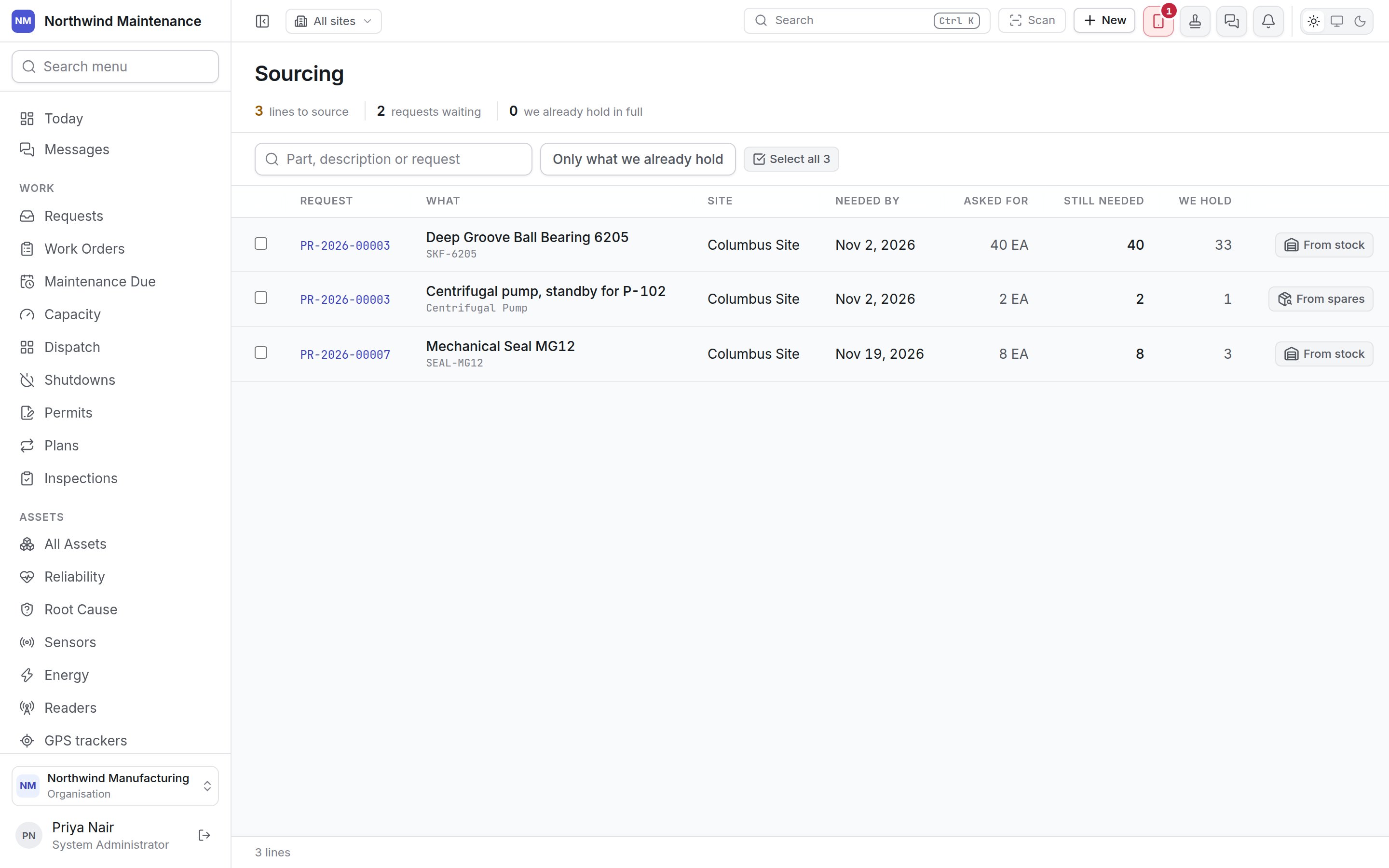
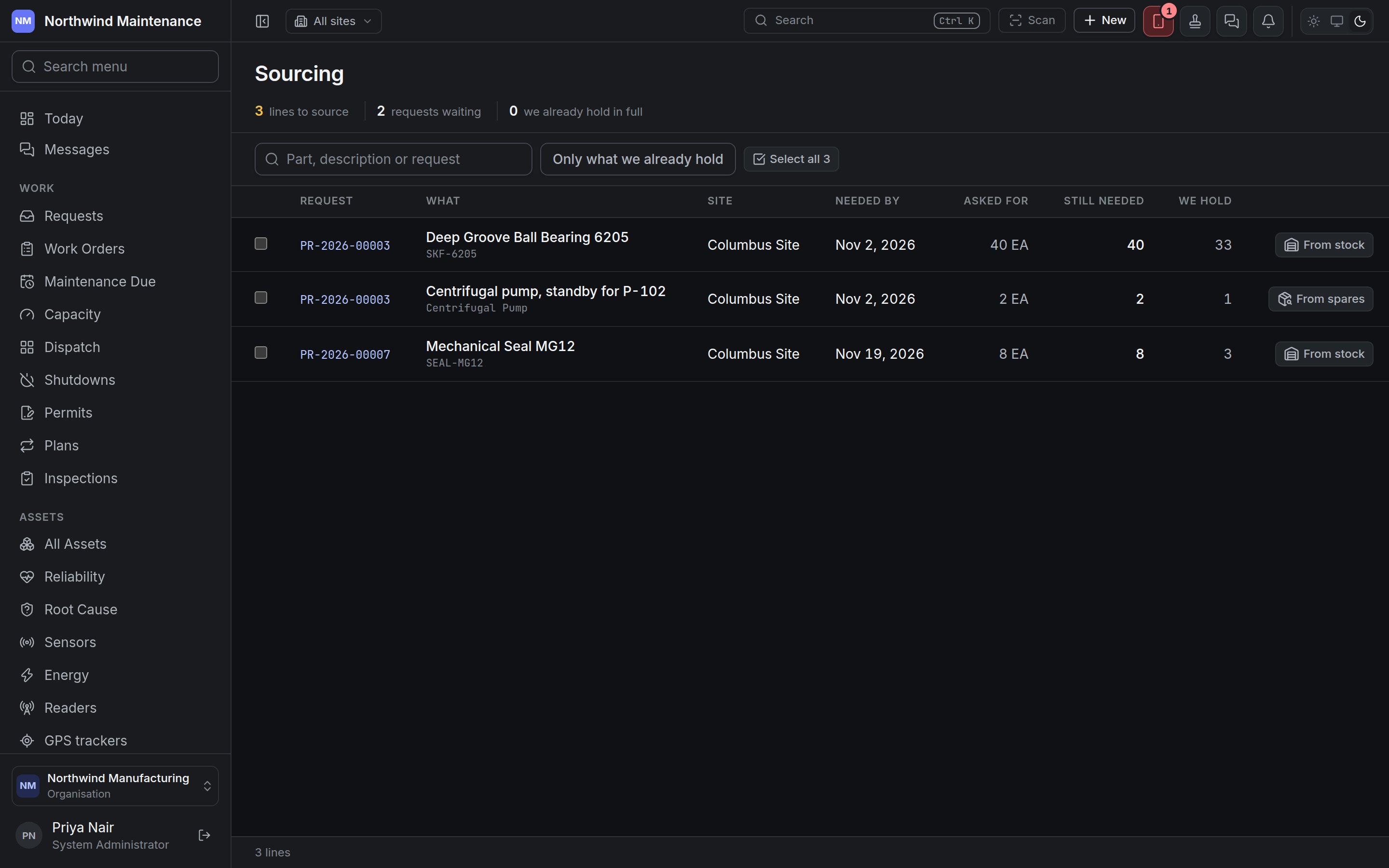
Sourcing is the buyer's queue: every line of every approved purchase request that has not yet been ordered or answered, with what you already hold beside what is still to be bought. It exists so that three jobs asking for the same bearing are seen together — and so that the nine already on a shelf are used before anybody rings a supplier.
If you don't see this in your navigation, your administrator can switch the module on under **Administration → Modules**, or it may not be included in your plan.
 Anybody who can view purchase requests can open this screen. What they can do on it depends on the permissions in the table at the end of this page.
## How a line gets here and leaves
A line appears the moment its [purchase request](/commercial/purchase-requests) reaches **Approved**. It stays until everything it asked for is accounted for, in any mix of:
* **ordered** — on a [purchase order](/commercial/purchase-orders), directly or after an [RFQ](/commercial/rfqs)
* **answered from stock** — reserved or issued from one of your stores
* **allocated a spare** — a spare asset you already own promised to it
* **closed short** — called off with a reason, from the request itself
When every line of a request is accounted for, the request finishes and drops off the queue.
## Stat strip and toolbar
| Item | What it means |
| - | - |
| **lines to source** | Lines still asking for something |
| **requests waiting** | How many approved requests those lines belong to |
| **we already hold in full** | Lines whose whole outstanding quantity is already on your shelves — the quickest wins on the screen |
| **Part, description or request** | Searches the part number and name, the free-text description and the request number |
| **Only what we already hold** | Shows only lines you could answer entirely from stock |
## Columns
| Column | What it shows |
| - | - |
| (tick box) | Selects the line for **Ask for quotes** or **Raise an order**. **Select all** in the header ticks every line showing |
| **Request** | The request number. Click to open the request |
| **What** | The part name and number, or the free-text description |
| **Site** | The site the request is for |
| **Needed by** | The request's date |
| **Asked for** | The original quantity and unit |
| **Still needed** | What is left after everything already ordered, issued, reserved or allocated. Underneath, small notes say how much is **on order**, **from stock** and **allocated** |
| **We hold** | How many your stores hold across every store, or how many unpromised spares of that kind exist |
| (actions) | **From stock** or **From spares**, and **Give it back** or **Take a spare back** where something was claimed earlier |
## Answering a line from stock
**From stock** appears on a catalogue part line when a store holds some of it. It opens **Answer from stock**.
| Field | What it means | Notes |
| - | - | - |
| **Out of which store** | The store the stock comes from | Lists every store holding the part, with the quantity in each. The queue's **We hold** adds every store together; this is the one it actually comes out of |
| **How much** | The quantity to answer | Cannot exceed what the line still needs or what the store holds |
| **And then what** | **Hold it for this request** or **Hand it over now** | **Hold** reserves the stock: it stays on the shelf and stops counting as available. **Hand over** issues it: it leaves the store and the movement goes on the stock ledger |
The confirm button reads **Reserve it** or **Issue it** to match your choice. If no store holds the part, the dialog says it has to be bought.
**Give it back** releases what is still held for the line and puts it back on the shelf. Anything already handed over stays out — that comes back as an ordinary stock return. You are asked why, for example **The request was cut back**.
## Allocating a spare
**From spares** appears on a line asking for an asset of a named kind (the **What kind of asset** on the request line) when an unpromised spare of that kind exists in your asset register. A line asking for an asset with no kind named is never offered spares, because nothing says what to look for. **Give it a spare** lists the spares by asset number and site; tick up to the quantity the line still needs and click **Allocate**. **Take a spare back** releases an allocation, again with a reason.
## Asking for quotes or ordering from a selection
Tick one or more lines, then use the bar that appears above the table:
| Button | What it raises | Who can |
| - | - | - |
| **Ask for quotes** | One [RFQ](/commercial/rfqs) for every ticked line, sent to several vendors | **Raise RFQs and invite vendors**, with the vendor and RFQ modules switched on |
| **Raise an order** | One draft [purchase order](/commercial/purchase-orders) for every ticked line, to one supplier | **Raise purchase orders**, with the vendor module switched on |
| **Clear** | Unticks everything | Anyone |
Anybody who can view purchase requests can open this screen. What they can do on it depends on the permissions in the table at the end of this page.
## How a line gets here and leaves
A line appears the moment its [purchase request](/commercial/purchase-requests) reaches **Approved**. It stays until everything it asked for is accounted for, in any mix of:
* **ordered** — on a [purchase order](/commercial/purchase-orders), directly or after an [RFQ](/commercial/rfqs)
* **answered from stock** — reserved or issued from one of your stores
* **allocated a spare** — a spare asset you already own promised to it
* **closed short** — called off with a reason, from the request itself
When every line of a request is accounted for, the request finishes and drops off the queue.
## Stat strip and toolbar
| Item | What it means |
| - | - |
| **lines to source** | Lines still asking for something |
| **requests waiting** | How many approved requests those lines belong to |
| **we already hold in full** | Lines whose whole outstanding quantity is already on your shelves — the quickest wins on the screen |
| **Part, description or request** | Searches the part number and name, the free-text description and the request number |
| **Only what we already hold** | Shows only lines you could answer entirely from stock |
## Columns
| Column | What it shows |
| - | - |
| (tick box) | Selects the line for **Ask for quotes** or **Raise an order**. **Select all** in the header ticks every line showing |
| **Request** | The request number. Click to open the request |
| **What** | The part name and number, or the free-text description |
| **Site** | The site the request is for |
| **Needed by** | The request's date |
| **Asked for** | The original quantity and unit |
| **Still needed** | What is left after everything already ordered, issued, reserved or allocated. Underneath, small notes say how much is **on order**, **from stock** and **allocated** |
| **We hold** | How many your stores hold across every store, or how many unpromised spares of that kind exist |
| (actions) | **From stock** or **From spares**, and **Give it back** or **Take a spare back** where something was claimed earlier |
## Answering a line from stock
**From stock** appears on a catalogue part line when a store holds some of it. It opens **Answer from stock**.
| Field | What it means | Notes |
| - | - | - |
| **Out of which store** | The store the stock comes from | Lists every store holding the part, with the quantity in each. The queue's **We hold** adds every store together; this is the one it actually comes out of |
| **How much** | The quantity to answer | Cannot exceed what the line still needs or what the store holds |
| **And then what** | **Hold it for this request** or **Hand it over now** | **Hold** reserves the stock: it stays on the shelf and stops counting as available. **Hand over** issues it: it leaves the store and the movement goes on the stock ledger |
The confirm button reads **Reserve it** or **Issue it** to match your choice. If no store holds the part, the dialog says it has to be bought.
**Give it back** releases what is still held for the line and puts it back on the shelf. Anything already handed over stays out — that comes back as an ordinary stock return. You are asked why, for example **The request was cut back**.
## Allocating a spare
**From spares** appears on a line asking for an asset of a named kind (the **What kind of asset** on the request line) when an unpromised spare of that kind exists in your asset register. A line asking for an asset with no kind named is never offered spares, because nothing says what to look for. **Give it a spare** lists the spares by asset number and site; tick up to the quantity the line still needs and click **Allocate**. **Take a spare back** releases an allocation, again with a reason.
## Asking for quotes or ordering from a selection
Tick one or more lines, then use the bar that appears above the table:
| Button | What it raises | Who can |
| - | - | - |
| **Ask for quotes** | One [RFQ](/commercial/rfqs) for every ticked line, sent to several vendors | **Raise RFQs and invite vendors**, with the vendor and RFQ modules switched on |
| **Raise an order** | One draft [purchase order](/commercial/purchase-orders) for every ticked line, to one supplier | **Raise purchase orders**, with the vendor module switched on |
| **Clear** | Unticks everything | Anyone |
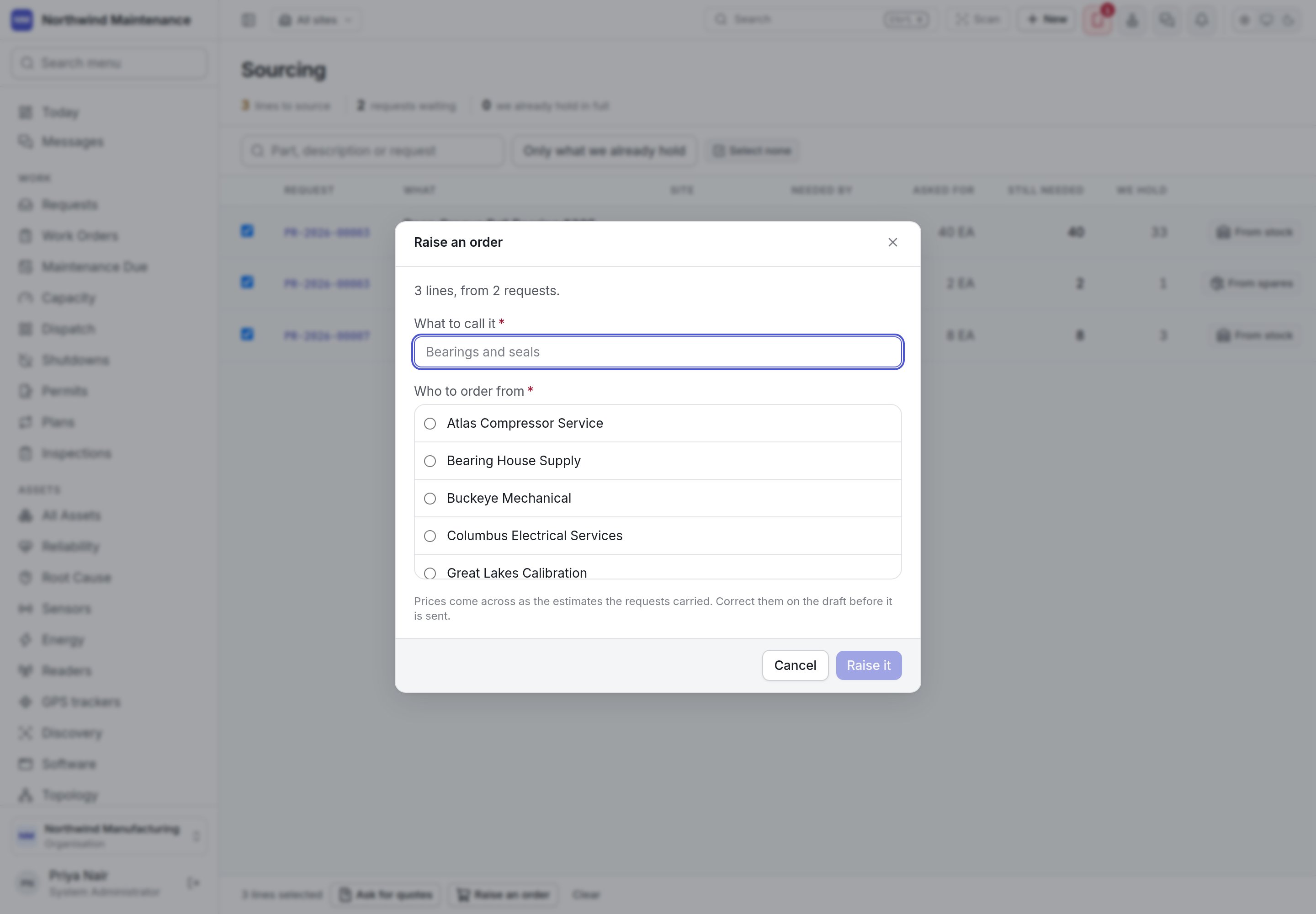
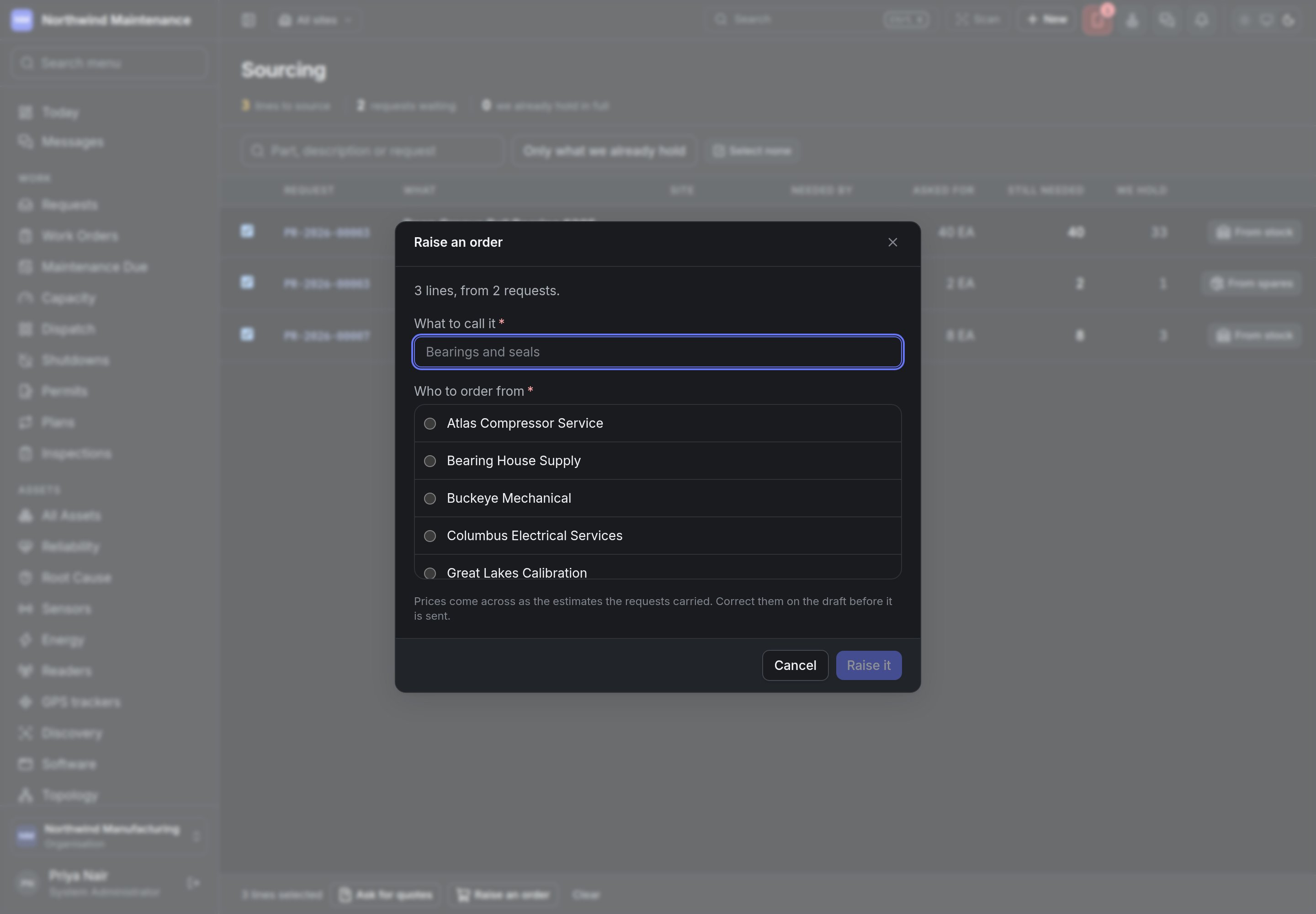 | Field | What it means | Notes |
| - | - | - |
| **What to call it** | The title of the new RFQ or order | Required |
| **Who to ask** (RFQ) | The vendors invited to quote | Required. Tick boxes — more than one is the point of an enquiry |
| **Who to order from** (order) | The supplier | Required. One choice only |
One document belongs to one site, so if the ticked lines are for more than one site the dialog asks you to narrow the selection first. On an order, prices come across as the estimates the requests carried — correct them on the draft order before it is sent. Click **Send the enquiry** or **Raise it**; you land on the new document.
## Closing a request short
When the rest of a request will never be bought — the part is obsolete, the job was cancelled — open the request and use **Close short** in its **Sourcing** section. **Stop looking for the rest** records every line still asking as unsourced, with your reason (for example **No supplier carries it any more**), and the request finishes. What it asked for is left as it was, so the shortfall stays on the record.
## Who can do what
| Action | Permission |
| - | - |
| Open the queue | **View purchase requests** |
| **From stock**, **From spares**, **Give it back**, **Take a spare back** | **Answer a purchase request from stock, and release what was claimed** (storekeepers who can edit stock may also do this) |
| **Close short** | **Close a purchase request short, leaving part of what was asked for unsourced** |
| **Ask for quotes** | **Raise RFQs and invite vendors** |
| **Raise an order** | **Raise purchase orders** |
Where the lines on this queue come from.
Where a sourced line becomes a commitment.
This documentation is built and hosted on [Mintlify](https://mintlify.com), a developer documentation platform.
| Field | What it means | Notes |
| - | - | - |
| **What to call it** | The title of the new RFQ or order | Required |
| **Who to ask** (RFQ) | The vendors invited to quote | Required. Tick boxes — more than one is the point of an enquiry |
| **Who to order from** (order) | The supplier | Required. One choice only |
One document belongs to one site, so if the ticked lines are for more than one site the dialog asks you to narrow the selection first. On an order, prices come across as the estimates the requests carried — correct them on the draft order before it is sent. Click **Send the enquiry** or **Raise it**; you land on the new document.
## Closing a request short
When the rest of a request will never be bought — the part is obsolete, the job was cancelled — open the request and use **Close short** in its **Sourcing** section. **Stop looking for the rest** records every line still asking as unsourced, with your reason (for example **No supplier carries it any more**), and the request finishes. What it asked for is left as it was, so the shortfall stays on the record.
## Who can do what
| Action | Permission |
| - | - |
| Open the queue | **View purchase requests** |
| **From stock**, **From spares**, **Give it back**, **Take a spare back** | **Answer a purchase request from stock, and release what was claimed** (storekeepers who can edit stock may also do this) |
| **Close short** | **Close a purchase request short, leaving part of what was asked for unsourced** |
| **Ask for quotes** | **Raise RFQs and invite vendors** |
| **Raise an order** | **Raise purchase orders** |
Where the lines on this queue come from.
Where a sourced line becomes a commitment.
This documentation is built and hosted on [Mintlify](https://mintlify.com), a developer documentation platform.