> ## Documentation Index
> Fetch the complete documentation index at: https://docs.assetinfinity.ai/llms.txt
> Use this file to discover all available pages before exploring further.
# Vendor spend forecast
> What contractors are likely to bill over the coming months, built from accepted invoices — planned rounds priced separately from the breakdown run-rate.
The vendor spend forecast answers the budgeting question "what should we set aside for contractors next year?" from what your vendors have actually billed, split into the work your maintenance plans will raise again and everything else.
If you don't see this in your navigation, your administrator can switch the module on under **Administration → Modules**, or it may not be included in your plan.
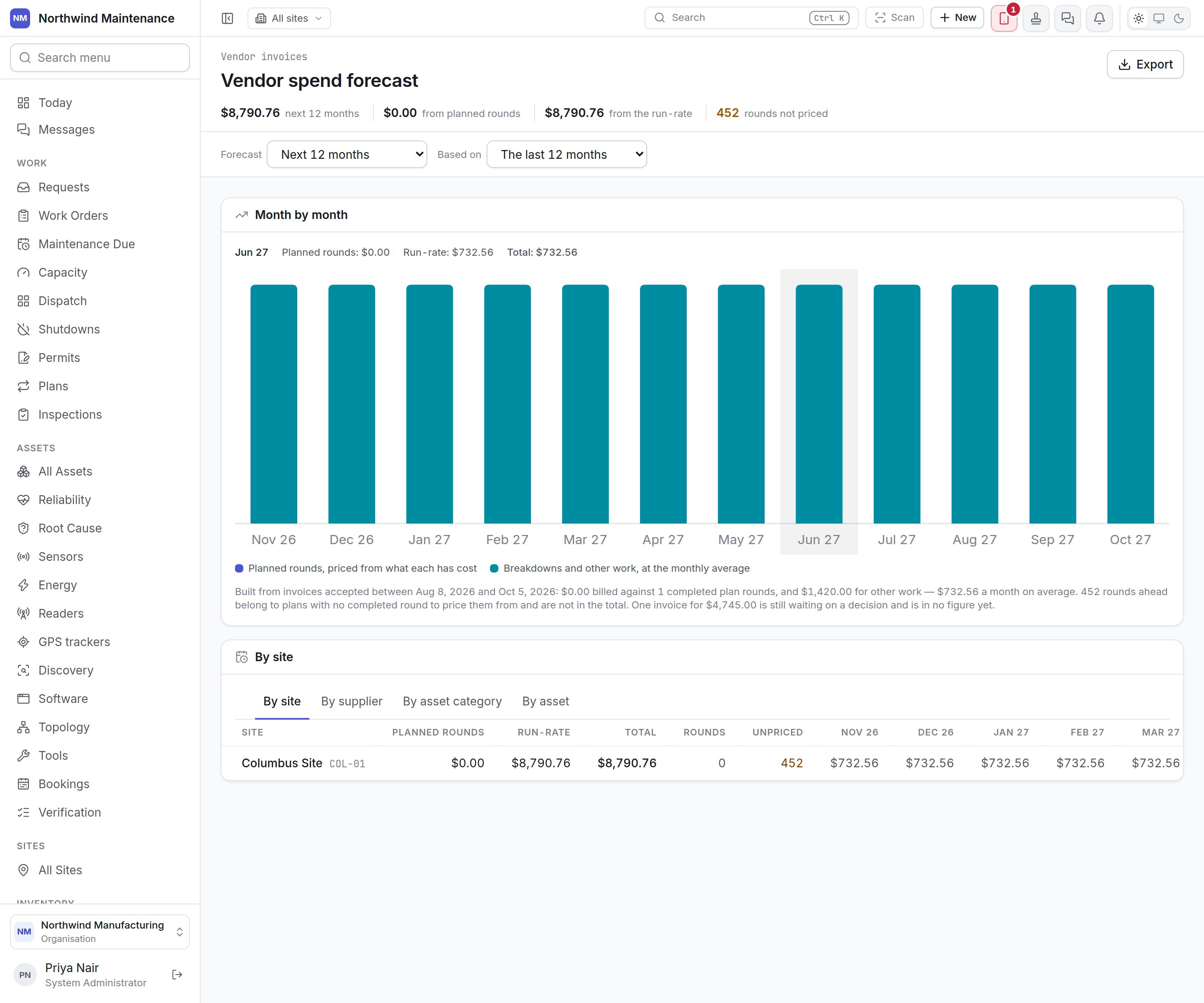
 Open it from **Vendor Spend Forecast** in the navigation, or **Forecast** on the [vendor invoice register](/commercial/vendor-invoices). It needs **See what a supplier says is owed for a job**; vendors with a portal login can never see it.
## How the forecast is built
Only invoices a buyer has **accepted** count. An invoice still awaiting a decision is in no figure, and the explanation under the chart says so.
| Half | How it is priced | What it represents |
| - | - | - |
| **Planned rounds** | Each future round your [maintenance plans](/maintenance/plans) will raise is priced at what a completed round of that plan has cost in vendor invoices | Work close to a commitment — it is dated and recurring |
| **Run-rate** | Breakdowns and other unplanned vendor work, carried forward at the monthly average of the look-back period | An estimate with arithmetic behind it |
The two halves are drawn as separate colours in each bar and never blended, because a dated round and an average deserve different levels of confidence.
**Rounds not priced** counts future rounds that belong to plans with no completed round in the look-back, so nothing says what they will cost. They are left out of every total rather than guessed — read this figure before trusting the total.
## Stat strip and controls
| Item | What it means |
| - | - |
| **next N months** | The forecast total for the chosen horizon |
| **from planned rounds** | The planned-rounds half |
| **from the run-rate** | The run-rate half |
| **rounds not priced** | Future rounds with nothing to price them from |
| **Forecast** | The horizon: **Next 3 months**, **Next 6 months**, **Next 12 months** or **Next 24 months** |
| **Based on** | The look-back: **The last 6 months**, **The last 12 months** or **The last 24 months** |
| **Export** | Downloads the breakdown. Needs **Export the supplier invoice register** |
## Month by month
A stacked bar per month. Point at a month to see its **Planned rounds**, **Run-rate** and **Total**. Below the chart, a sentence states exactly what the forecast was built from: the date range of accepted invoices, how much was billed against how many completed plan rounds, how much for other work, the monthly average, and any invoices still waiting on a decision.
## Breakdown table
Choose how to slice the forecast:
| Tab | One row per |
| - | - |
| **By site** | Site |
| **By supplier** | Vendor. Rounds with no supplier yet show as **No supplier yet — nothing to price from** |
| **By asset category** | Asset category |
| **By asset** | Asset. Rounds raised against a place rather than an asset are grouped separately |
Every row shows **Planned rounds**, **Run-rate**, **Total**, **Rounds**, **Unpriced** and one column per month.
The forecast is deliberately not drawn against a budget line. An operating budget head covers labour,
parts and everything else the shop spends; contractor spend is one slice of it, and comparing a slice
with the whole would make every month look comfortably under budget. Use [Budgets](/finance/budgets)
for that comparison.
The accepted invoices this forecast is built from.
Where the money is actually set aside.
This documentation is built and hosted on [Mintlify](https://mintlify.com), a developer documentation platform.
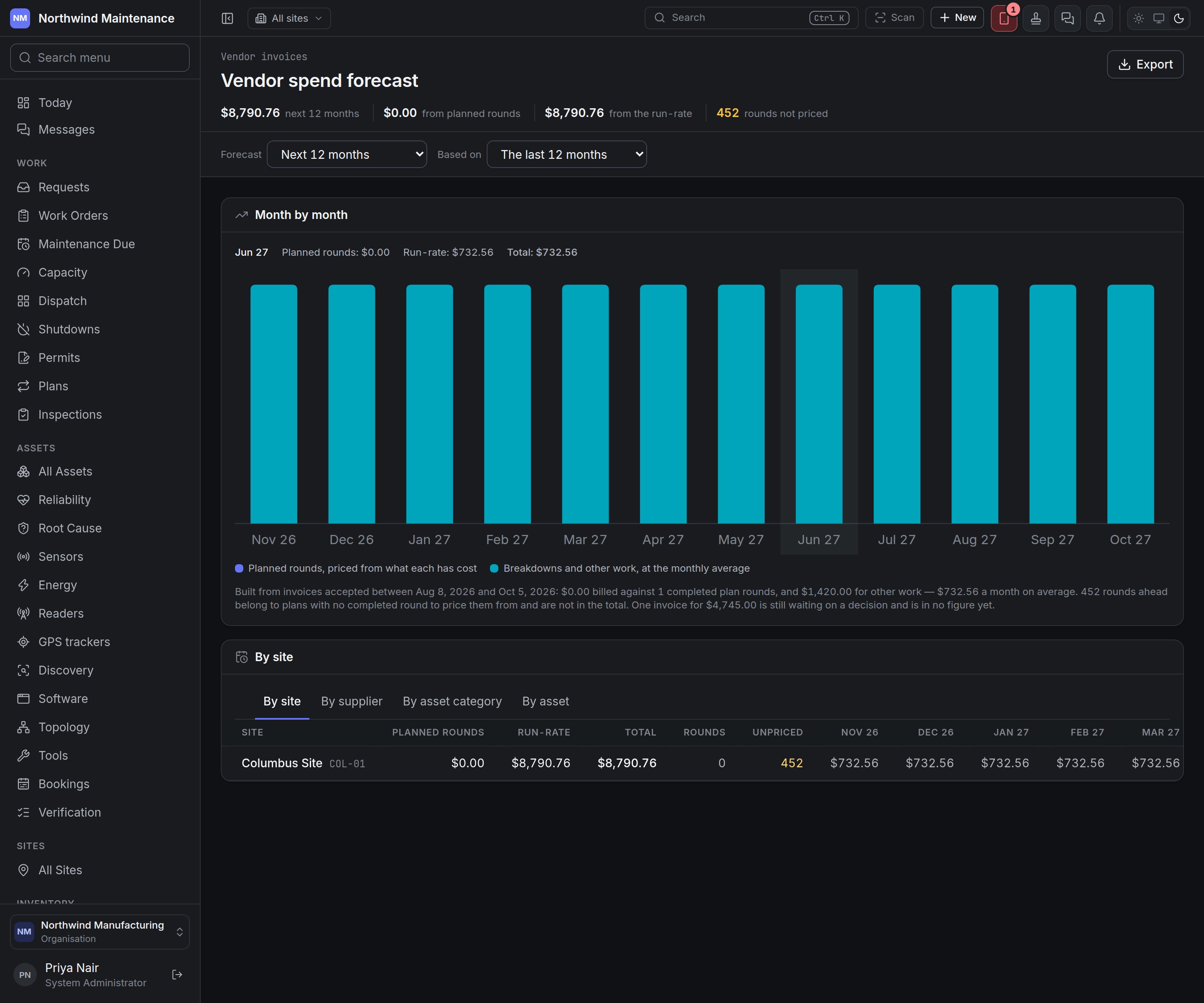
Open it from **Vendor Spend Forecast** in the navigation, or **Forecast** on the [vendor invoice register](/commercial/vendor-invoices). It needs **See what a supplier says is owed for a job**; vendors with a portal login can never see it.
## How the forecast is built
Only invoices a buyer has **accepted** count. An invoice still awaiting a decision is in no figure, and the explanation under the chart says so.
| Half | How it is priced | What it represents |
| - | - | - |
| **Planned rounds** | Each future round your [maintenance plans](/maintenance/plans) will raise is priced at what a completed round of that plan has cost in vendor invoices | Work close to a commitment — it is dated and recurring |
| **Run-rate** | Breakdowns and other unplanned vendor work, carried forward at the monthly average of the look-back period | An estimate with arithmetic behind it |
The two halves are drawn as separate colours in each bar and never blended, because a dated round and an average deserve different levels of confidence.
**Rounds not priced** counts future rounds that belong to plans with no completed round in the look-back, so nothing says what they will cost. They are left out of every total rather than guessed — read this figure before trusting the total.
## Stat strip and controls
| Item | What it means |
| - | - |
| **next N months** | The forecast total for the chosen horizon |
| **from planned rounds** | The planned-rounds half |
| **from the run-rate** | The run-rate half |
| **rounds not priced** | Future rounds with nothing to price them from |
| **Forecast** | The horizon: **Next 3 months**, **Next 6 months**, **Next 12 months** or **Next 24 months** |
| **Based on** | The look-back: **The last 6 months**, **The last 12 months** or **The last 24 months** |
| **Export** | Downloads the breakdown. Needs **Export the supplier invoice register** |
## Month by month
A stacked bar per month. Point at a month to see its **Planned rounds**, **Run-rate** and **Total**. Below the chart, a sentence states exactly what the forecast was built from: the date range of accepted invoices, how much was billed against how many completed plan rounds, how much for other work, the monthly average, and any invoices still waiting on a decision.
## Breakdown table
Choose how to slice the forecast:
| Tab | One row per |
| - | - |
| **By site** | Site |
| **By supplier** | Vendor. Rounds with no supplier yet show as **No supplier yet — nothing to price from** |
| **By asset category** | Asset category |
| **By asset** | Asset. Rounds raised against a place rather than an asset are grouped separately |
Every row shows **Planned rounds**, **Run-rate**, **Total**, **Rounds**, **Unpriced** and one column per month.
The forecast is deliberately not drawn against a budget line. An operating budget head covers labour,
parts and everything else the shop spends; contractor spend is one slice of it, and comparing a slice
with the whole would make every month look comfortably under budget. Use [Budgets](/finance/budgets)
for that comparison.
The accepted invoices this forecast is built from.
Where the money is actually set aside.
This documentation is built and hosted on [Mintlify](https://mintlify.com), a developer documentation platform.