> ## Documentation Index
> Fetch the complete documentation index at: https://docs.assetinfinity.ai/llms.txt
> Use this file to discover all available pages before exploring further.
# IT discovery settings
> Enrolments, collectors and connectors, scan authorisations, schedules, exclusions, scanning credentials, and how sure a match must be before a discovered device is linked to an asset.
This screen sets up IT discovery: what may report devices to the product, which networks may be
scanned and with which credentials, and how sure a match must be before a discovered device is linked
to an asset without asking anybody. Open it from **Administration → IT discovery**. What discovery
finds is reviewed on [IT discovery](/assets/discovery), with installed software on
[software](/assets/software) and network links on [topology](/assets/topology).
If you don't see this in your navigation, your administrator can switch the module on under **Administration → Modules**, or it may not be included in your plan.
 The sections run in the order somebody setting discovery up meets them. Each section asks for its own
permission, so a security team that grants scans and an IT asset team that tunes matching can each be
given exactly their half.
| Section | Permissions |
| - | - |
| Enrolments, collectors and connectors | **View discovery sources, enrolments and when each last reported**; **Create enrolments, collectors and connectors, and issue their keys**; **Approve, suspend and retire discovery sources** |
| Scan authorisations, schedules, exclusions | **View which networks may be scanned**; **Draft network scan authorisations, schedules and exclusions**; **Grant a network scan authorisation**; **Revoke a network scan authorisation** |
| Scanning credentials | **View where collectors find their scanning credentials**; **Add and change scanning credential references** |
| Matching and category rules | **View how discovered devices are matched to assets**; **Change match rules, thresholds and automatic creation** |
Nothing on this screen reaches into your network. Every agent, collector and connector calls out to the
product with a key of its own.
## Enrolments
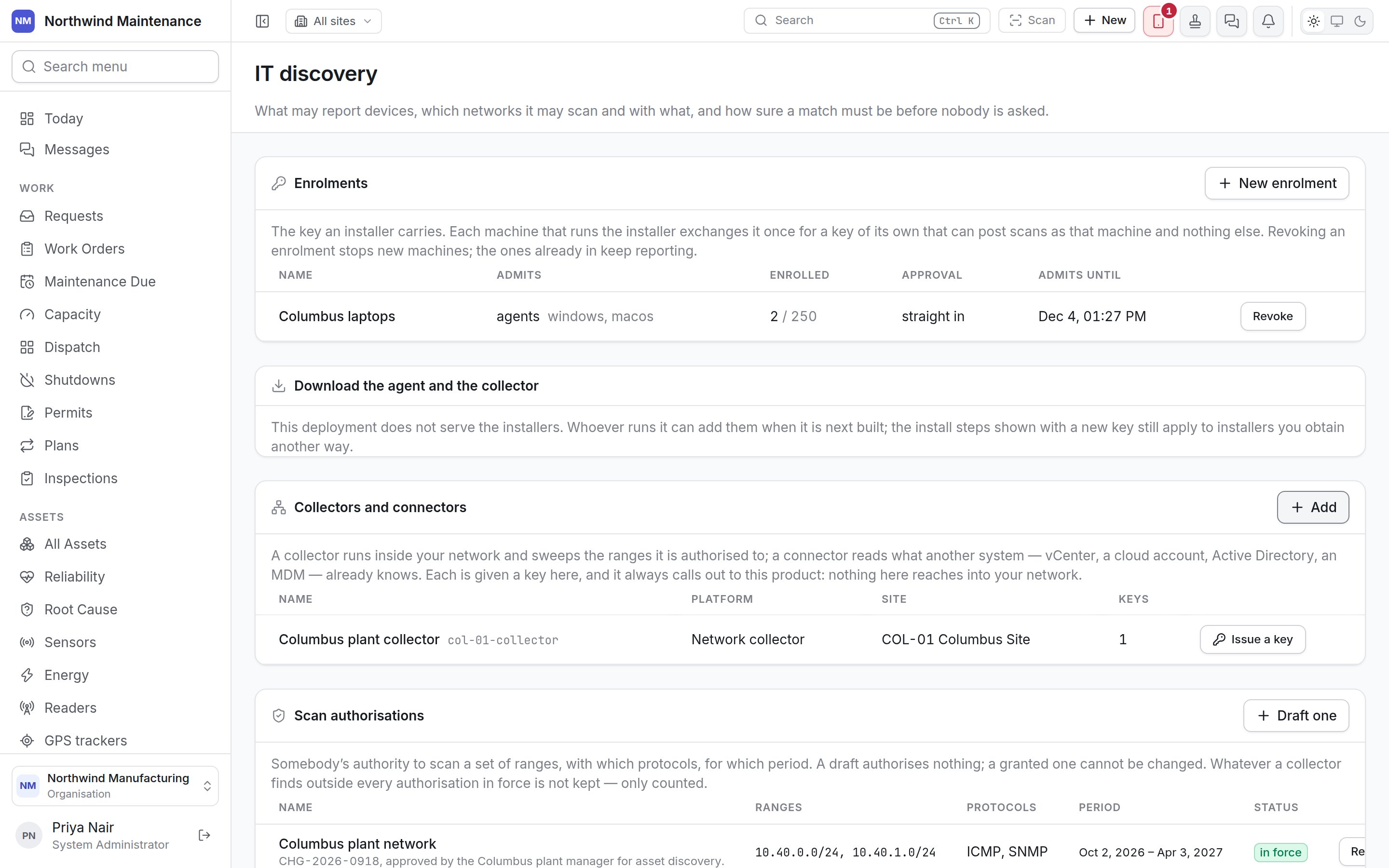
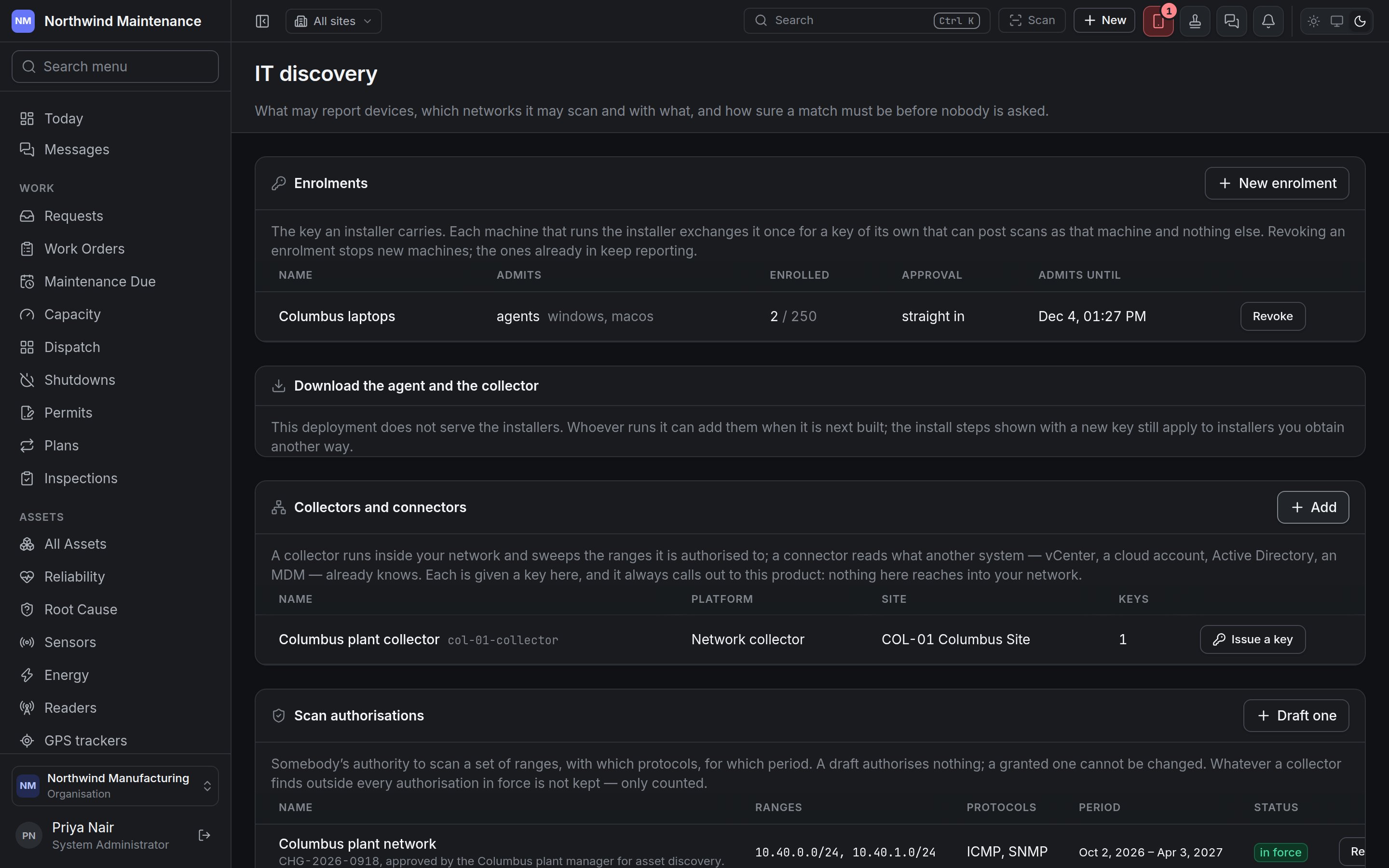
An enrolment is the key an installer carries. Each machine that runs the installer exchanges it once
for a key of its own, which can post scans as that machine and nothing else. The list shows **Name**,
**Admits** (agents or collectors, and the platforms), **Enrolled** (machines so far, out of the limit),
**Approval** (**straight in** or waiting for approval) and **Admits until**. **Revoke** stops new
machines enrolling with the key; machines already enrolled keep reporting.
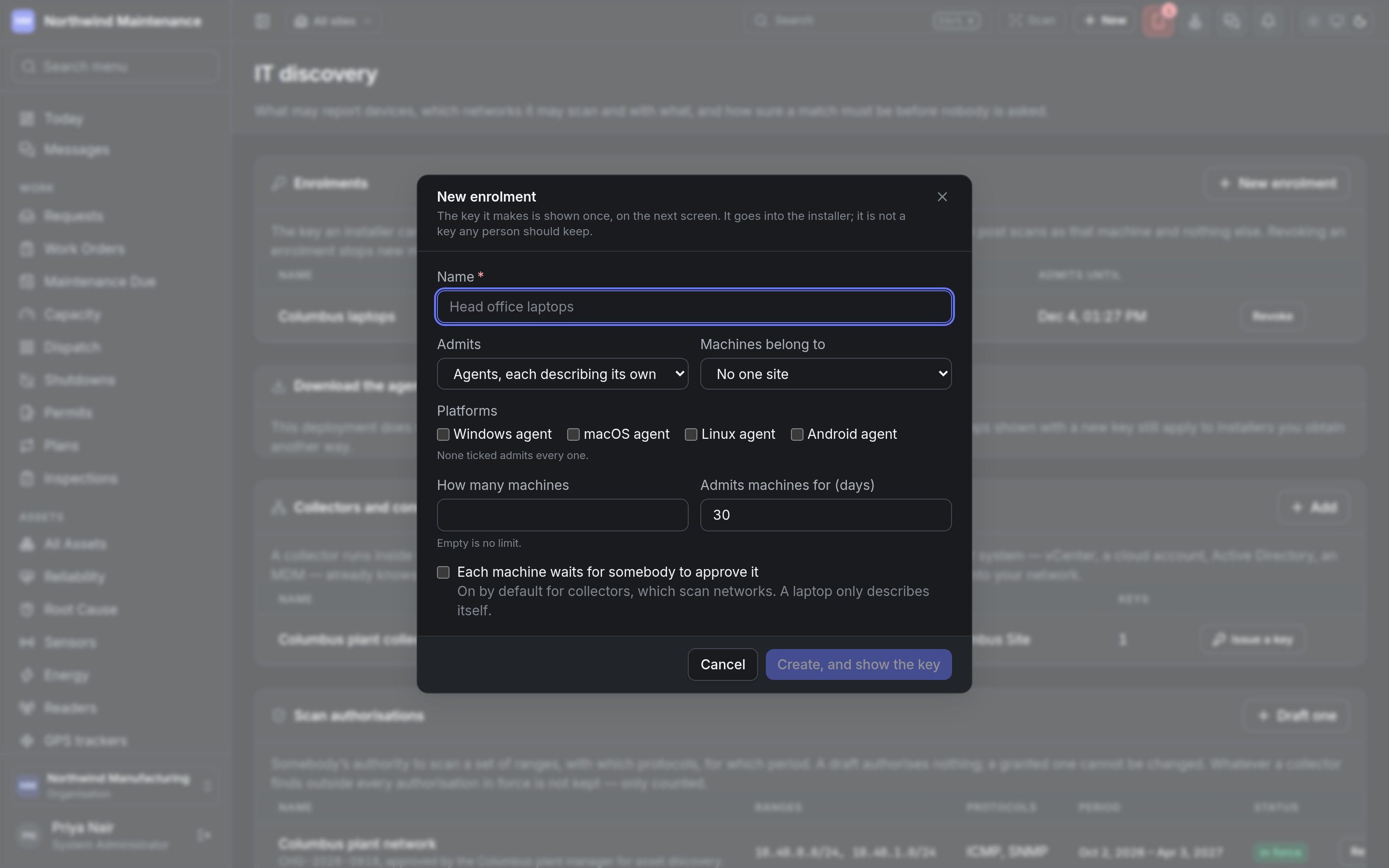
**New enrolment** opens the form. The key it makes is shown **once**, on the next screen, and goes into
the installer — it is not a key any person should keep.
The sections run in the order somebody setting discovery up meets them. Each section asks for its own
permission, so a security team that grants scans and an IT asset team that tunes matching can each be
given exactly their half.
| Section | Permissions |
| - | - |
| Enrolments, collectors and connectors | **View discovery sources, enrolments and when each last reported**; **Create enrolments, collectors and connectors, and issue their keys**; **Approve, suspend and retire discovery sources** |
| Scan authorisations, schedules, exclusions | **View which networks may be scanned**; **Draft network scan authorisations, schedules and exclusions**; **Grant a network scan authorisation**; **Revoke a network scan authorisation** |
| Scanning credentials | **View where collectors find their scanning credentials**; **Add and change scanning credential references** |
| Matching and category rules | **View how discovered devices are matched to assets**; **Change match rules, thresholds and automatic creation** |
Nothing on this screen reaches into your network. Every agent, collector and connector calls out to the
product with a key of its own.
## Enrolments
An enrolment is the key an installer carries. Each machine that runs the installer exchanges it once
for a key of its own, which can post scans as that machine and nothing else. The list shows **Name**,
**Admits** (agents or collectors, and the platforms), **Enrolled** (machines so far, out of the limit),
**Approval** (**straight in** or waiting for approval) and **Admits until**. **Revoke** stops new
machines enrolling with the key; machines already enrolled keep reporting.
**New enrolment** opens the form. The key it makes is shown **once**, on the next screen, and goes into
the installer — it is not a key any person should keep.
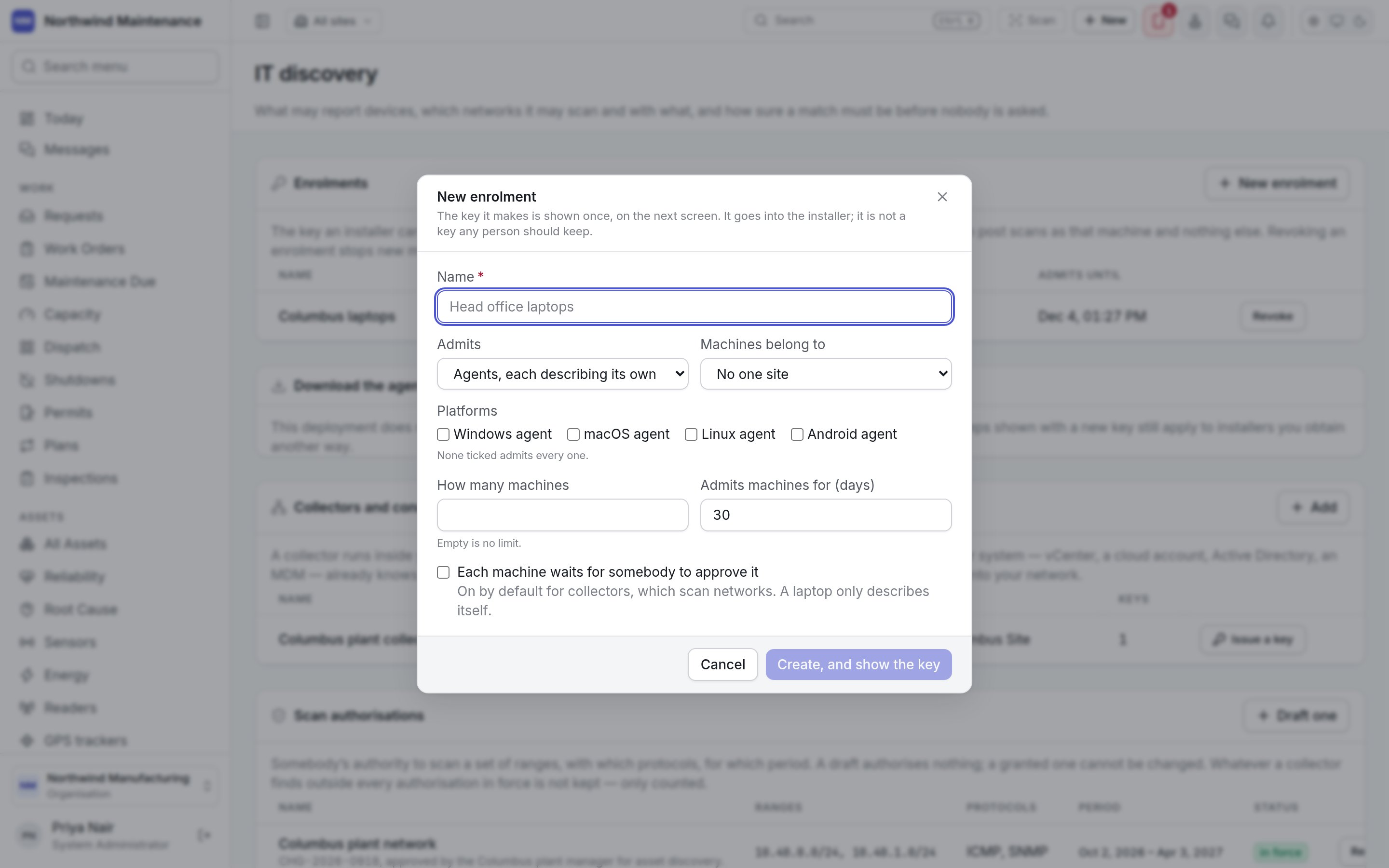
 | Field | What it means | Notes |
| - | - | - |
| **Name** | What the enrolment is for — "Columbus laptops" | Required |
| **Admits** | **Agents, each describing its own machine** or **Collectors, each sweeping a network** | Defaults to agents |
| **Machines belong to** | The site enrolled machines are placed at | **No one site**, or a site |
| **Platforms** | **Windows agent**, **macOS agent**, **Linux agent**, **Android agent** | None ticked admits every one |
| **How many machines** | The most machines the key can enrol | Empty is no limit |
| **Admits machines for (days)** | How long the key works | Defaults to 30 |
| **Each machine waits for somebody to approve it** | A newly enrolled machine is held until approved | On by default for collectors, which scan networks; a laptop only describes itself |
**Download the agent and the collector** explains where the installers come from. Where your deployment
does not serve them, the install steps shown with a new key still apply to installers you obtain
another way.
## Collectors and connectors
A **collector** runs inside your network and sweeps the ranges it is authorised to. A **connector**
reads what another system already knows — vCenter, a cloud account, Active Directory, a device manager.
The list shows **Name** (and code), **Platform**, **Site** and **Keys**. **Issue a key** on a row
creates the key that collector or connector uses; it is shown once.
**Add** opens **Add a collector or connector**. It is active at once — you adding it is the approval.
| Field | What it means | Notes |
| - | - | - |
| **Platform** | Network collector, VMware vCenter, Microsoft Hyper-V, Amazon Web Services, Microsoft Azure, Google Cloud, Network management system, Active Directory, Microsoft Entra ID and Intune, Jamf, Mosyle, Kandji, or Uploaded by hand | Defaults to network collector |
| **Code** | How it is named in a log line | Required; lower case |
| **Name** | Its name | Required |
| **Site** | The site it belongs to | **No one site**, or a site |
| **Reports every (minutes)** | How often it is expected to report | Defaults to 60. Twice this without a report and it shows as overdue |
## Scan authorisations
Somebody's authority to scan a set of ranges, with which protocols, for which period. A draft
authorises nothing; a granted one cannot be changed — a different set of ranges is a different authority,
drafted and granted again. Whatever a collector finds outside every authorisation in force is not kept,
only counted. The list shows **Name** (and the authority it was granted on), **Ranges**, **Protocols**,
**Period** and **Status** (draft, **in force**, revoked). Somebody holding the grant permission puts their
name to a draft with **Grant**; **Revoke** ends one in force.
**Draft one** opens **Draft a scan authorisation**.
| Field | What it means | Notes |
| - | - | - |
| **Name** | What the enrolment is for — "Columbus laptops" | Required |
| **Admits** | **Agents, each describing its own machine** or **Collectors, each sweeping a network** | Defaults to agents |
| **Machines belong to** | The site enrolled machines are placed at | **No one site**, or a site |
| **Platforms** | **Windows agent**, **macOS agent**, **Linux agent**, **Android agent** | None ticked admits every one |
| **How many machines** | The most machines the key can enrol | Empty is no limit |
| **Admits machines for (days)** | How long the key works | Defaults to 30 |
| **Each machine waits for somebody to approve it** | A newly enrolled machine is held until approved | On by default for collectors, which scan networks; a laptop only describes itself |
**Download the agent and the collector** explains where the installers come from. Where your deployment
does not serve them, the install steps shown with a new key still apply to installers you obtain
another way.
## Collectors and connectors
A **collector** runs inside your network and sweeps the ranges it is authorised to. A **connector**
reads what another system already knows — vCenter, a cloud account, Active Directory, a device manager.
The list shows **Name** (and code), **Platform**, **Site** and **Keys**. **Issue a key** on a row
creates the key that collector or connector uses; it is shown once.
**Add** opens **Add a collector or connector**. It is active at once — you adding it is the approval.
| Field | What it means | Notes |
| - | - | - |
| **Platform** | Network collector, VMware vCenter, Microsoft Hyper-V, Amazon Web Services, Microsoft Azure, Google Cloud, Network management system, Active Directory, Microsoft Entra ID and Intune, Jamf, Mosyle, Kandji, or Uploaded by hand | Defaults to network collector |
| **Code** | How it is named in a log line | Required; lower case |
| **Name** | Its name | Required |
| **Site** | The site it belongs to | **No one site**, or a site |
| **Reports every (minutes)** | How often it is expected to report | Defaults to 60. Twice this without a report and it shows as overdue |
## Scan authorisations
Somebody's authority to scan a set of ranges, with which protocols, for which period. A draft
authorises nothing; a granted one cannot be changed — a different set of ranges is a different authority,
drafted and granted again. Whatever a collector finds outside every authorisation in force is not kept,
only counted. The list shows **Name** (and the authority it was granted on), **Ranges**, **Protocols**,
**Period** and **Status** (draft, **in force**, revoked). Somebody holding the grant permission puts their
name to a draft with **Grant**; **Revoke** ends one in force.
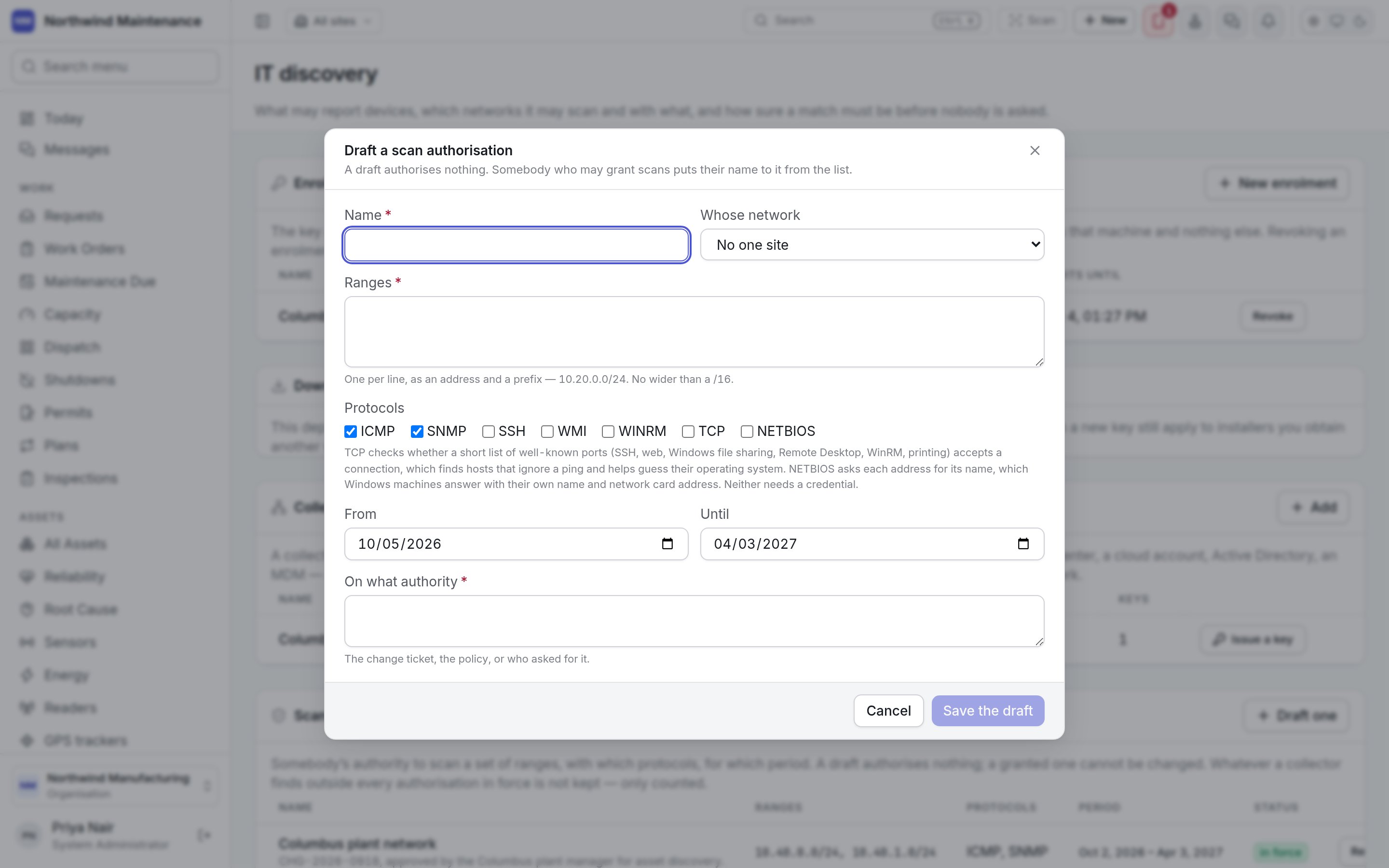
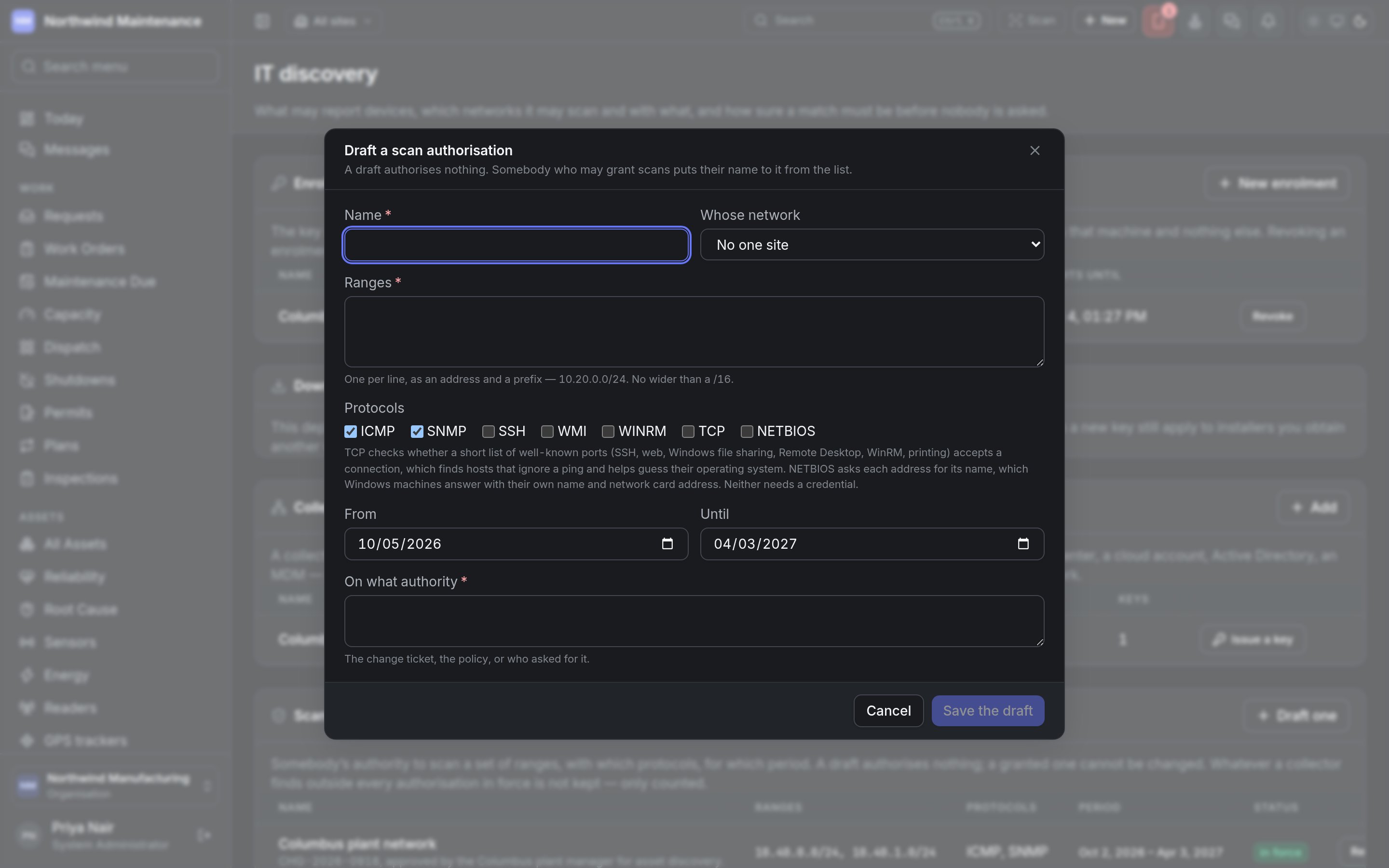
**Draft one** opens **Draft a scan authorisation**.
 | Field | What it means | Notes |
| - | - | - |
| **Name** | What the authorisation covers | Required |
| **Whose network** | The site whose network it is | **No one site**, or a site |
| **Ranges** | One per line, as an address and prefix — 10.20.0.0/24 | Required. No wider than a /16 |
| **Protocols** | **ICMP**, **SNMP**, **SSH**, **WMI**, **WINRM**, **TCP**, **NETBIOS** | ICMP and SNMP are ticked by default. TCP checks a short list of well-known ports to find hosts that ignore a ping; NETBIOS asks each address for its name. Neither needs a credential |
| **From** / **Until** | The period it is in force | Defaults to today and six months ahead |
| **On what authority** | The change ticket, the policy, or who asked for it | Required |
**Save the draft** stores it.
## Schedules
When a collector sweeps under an authorisation. The list shows **Name**, **Collector**,
**Authorisation**, **How often** (with any time window) and **Protocols**. **Schedule a sweep** opens the
form:
| Field | What it means | Notes |
| - | - | - |
| **Name** | The schedule's name | Required |
| **Collector** | Which collector sweeps | Required |
| **Under** | The authorisation in force it sweeps under | Required. No network can be scanned until one is granted |
| **Protocols** | The protocols to use | Only what the authorisation grants |
| **Credentials to try, in order** | The scanning credentials the collector tries | From [scanning credentials](#scanning-credentials) |
| **Every (minutes)** | How often it runs | 1440 is nightly; a short interval is continuous discovery |
| **Only between** | A start and end time | Local time on the collector. Empty is any time |
## Connectors
A connector reads an inventory another system already keeps, on a collector, with a credential that
collector holds. It needs no scan authorisation, because it knocks on no addresses. The list shows
**Name**, **Collector**, **Settings**, **Credential** and **How often**. **Add a connector** opens the form;
nothing in it may be a secret.
| Field | What it means | Notes |
| - | - | - |
| **Reads** | **AWS instances**, **Azure virtual machines**, **Google Cloud instances**, **Intune managed devices** or **An NMS, EMS or other export** | Required. Decides the fields below |
| **Collector** | Which collector runs it | Required. Add a collector first |
| **Name** | The connector's name | Required |
| **Regions**, **Role to assume**, **External id** | Which AWS regions to read, an IAM role in another account, and the external id its trust policy asks for | For AWS. Empty regions reads every enabled region |
| **Subscriptions** | Subscription ids | For Azure. Empty reads every subscription the credential can see |
| **Projects** | Project ids, separated by commas | For Google Cloud |
| **Directory (tenant)** and **Apps** | The tenant id or domain, and whether to **Include installed apps** | For Intune. Apps take one request per device |
| **Where the export is**, **Format**, **Where the list is**, **What they are**, **Recorded as**, **Which column holds what** | An https or sftp address or a path on the collector; the file format; the path to the list of devices; the device class to use when the export does not say; and which of the export's columns holds each identity | For an NMS or other export |
| **Credential** | Which credential the collector uses | AWS, Azure and Google Cloud can use the collector's own identity where it runs in that cloud |
| **Every (minutes)** | How often it reads | |
## Exclusions
Addresses no collector may touch even where an authorisation covers them — controllers that do not
tolerate polling, equipment that is somebody else's. The list shows **Addresses**, **For**, **Why** and
**Until**. **Exclude** opens the form: **Addresses** (an address or a range with its prefix, required),
**For** (**every collector** or one) and **Why** (required).
## Scanning credentials
The secret stays on your side. What is kept here is where a collector finds it — a vault path, a
secret's name — and which collectors may use it. Nothing on this screen could show a credential,
because none is ever sent here. The list shows **Name**, **Opens**, **Found in**, **Used by** and
**Edit**.
| Field | What it means | Notes |
| - | - | - |
| **Name** | What the authorisation covers | Required |
| **Whose network** | The site whose network it is | **No one site**, or a site |
| **Ranges** | One per line, as an address and prefix — 10.20.0.0/24 | Required. No wider than a /16 |
| **Protocols** | **ICMP**, **SNMP**, **SSH**, **WMI**, **WINRM**, **TCP**, **NETBIOS** | ICMP and SNMP are ticked by default. TCP checks a short list of well-known ports to find hosts that ignore a ping; NETBIOS asks each address for its name. Neither needs a credential |
| **From** / **Until** | The period it is in force | Defaults to today and six months ahead |
| **On what authority** | The change ticket, the policy, or who asked for it | Required |
**Save the draft** stores it.
## Schedules
When a collector sweeps under an authorisation. The list shows **Name**, **Collector**,
**Authorisation**, **How often** (with any time window) and **Protocols**. **Schedule a sweep** opens the
form:
| Field | What it means | Notes |
| - | - | - |
| **Name** | The schedule's name | Required |
| **Collector** | Which collector sweeps | Required |
| **Under** | The authorisation in force it sweeps under | Required. No network can be scanned until one is granted |
| **Protocols** | The protocols to use | Only what the authorisation grants |
| **Credentials to try, in order** | The scanning credentials the collector tries | From [scanning credentials](#scanning-credentials) |
| **Every (minutes)** | How often it runs | 1440 is nightly; a short interval is continuous discovery |
| **Only between** | A start and end time | Local time on the collector. Empty is any time |
## Connectors
A connector reads an inventory another system already keeps, on a collector, with a credential that
collector holds. It needs no scan authorisation, because it knocks on no addresses. The list shows
**Name**, **Collector**, **Settings**, **Credential** and **How often**. **Add a connector** opens the form;
nothing in it may be a secret.
| Field | What it means | Notes |
| - | - | - |
| **Reads** | **AWS instances**, **Azure virtual machines**, **Google Cloud instances**, **Intune managed devices** or **An NMS, EMS or other export** | Required. Decides the fields below |
| **Collector** | Which collector runs it | Required. Add a collector first |
| **Name** | The connector's name | Required |
| **Regions**, **Role to assume**, **External id** | Which AWS regions to read, an IAM role in another account, and the external id its trust policy asks for | For AWS. Empty regions reads every enabled region |
| **Subscriptions** | Subscription ids | For Azure. Empty reads every subscription the credential can see |
| **Projects** | Project ids, separated by commas | For Google Cloud |
| **Directory (tenant)** and **Apps** | The tenant id or domain, and whether to **Include installed apps** | For Intune. Apps take one request per device |
| **Where the export is**, **Format**, **Where the list is**, **What they are**, **Recorded as**, **Which column holds what** | An https or sftp address or a path on the collector; the file format; the path to the list of devices; the device class to use when the export does not say; and which of the export's columns holds each identity | For an NMS or other export |
| **Credential** | Which credential the collector uses | AWS, Azure and Google Cloud can use the collector's own identity where it runs in that cloud |
| **Every (minutes)** | How often it reads | |
## Exclusions
Addresses no collector may touch even where an authorisation covers them — controllers that do not
tolerate polling, equipment that is somebody else's. The list shows **Addresses**, **For**, **Why** and
**Until**. **Exclude** opens the form: **Addresses** (an address or a range with its prefix, required),
**For** (**every collector** or one) and **Why** (required).
## Scanning credentials
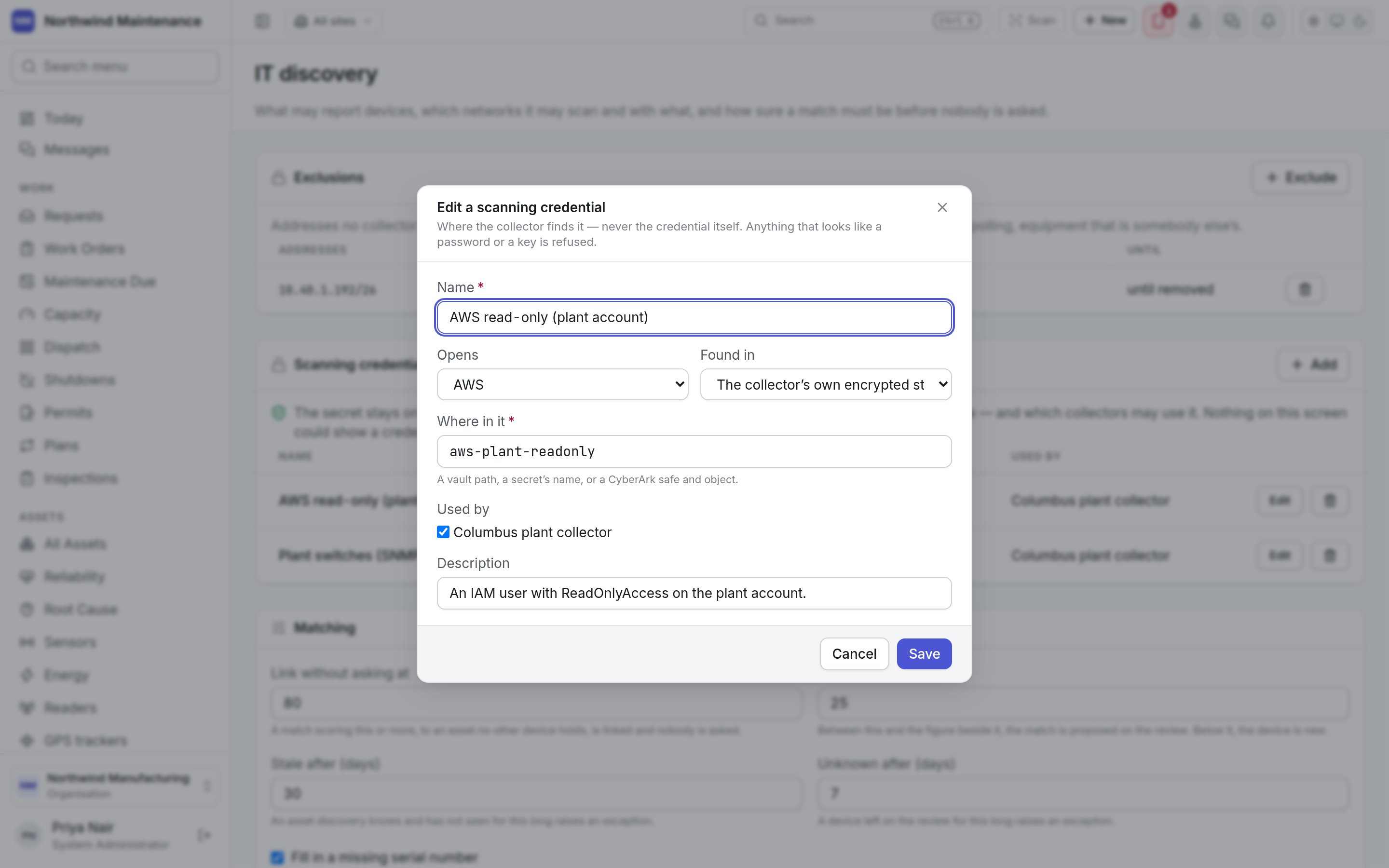
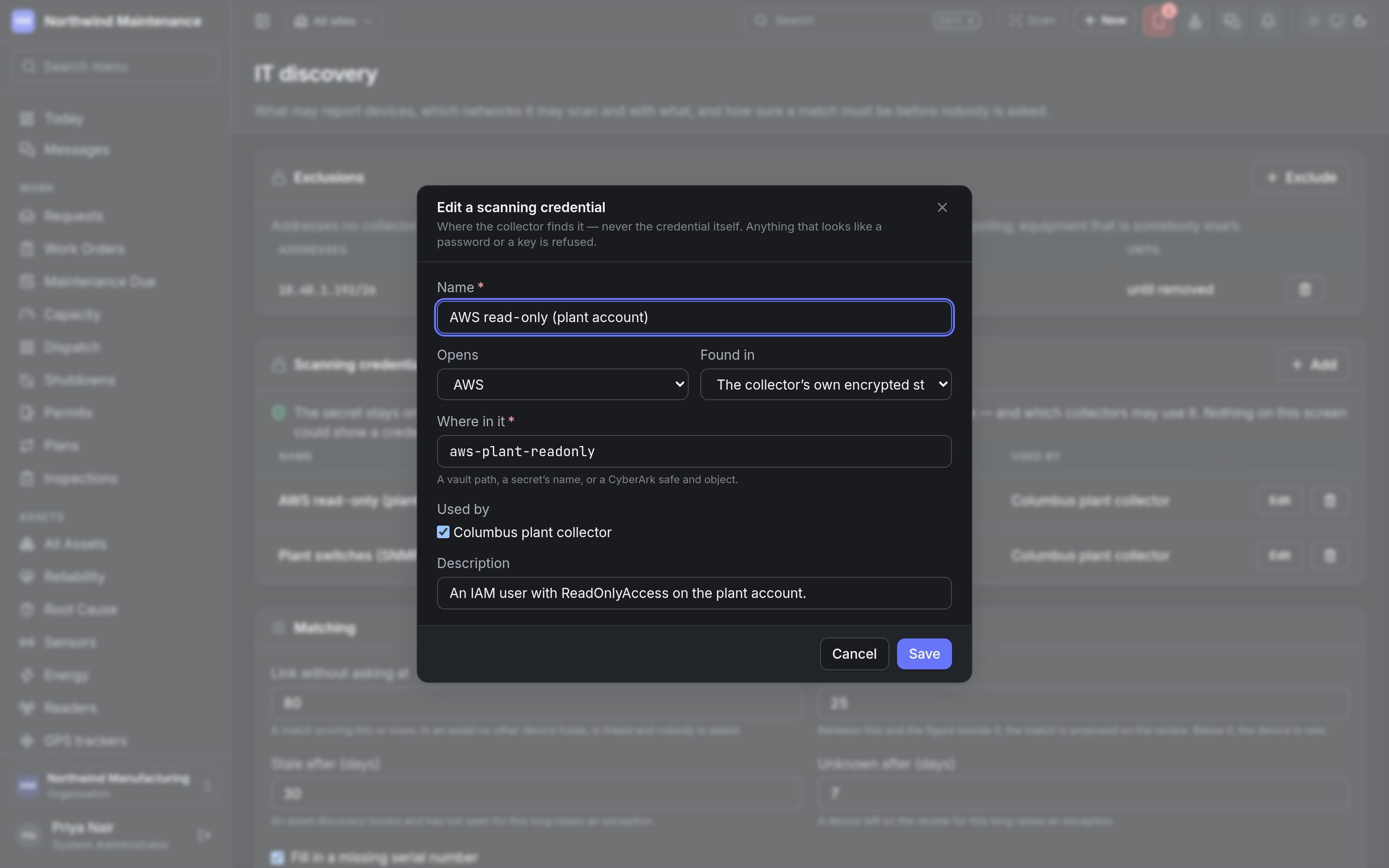
The secret stays on your side. What is kept here is where a collector finds it — a vault path, a
secret's name — and which collectors may use it. Nothing on this screen could show a credential,
because none is ever sent here. The list shows **Name**, **Opens**, **Found in**, **Used by** and
**Edit**.
 | Field | What it means | Notes |
| - | - | - |
| **Name** | The credential's name | Required |
| **Opens** | SNMP V2C, SNMP V3, SSH, WMI, WINRM, VMWARE, HYPERV, AWS, AZURE, GCP, LDAP, GRAPH or NMS API | What it is used to reach |
| **Found in** | The collector's own encrypted store, an environment variable on the collector, HashiCorp Vault, CyberArk or Windows Credential Manager | |
| **Where in it** | A vault path, a secret's name, or a CyberArk safe and object | Required. Anything that looks like a password or a key is refused |
| **Used by** | The collectors allowed to use it | |
| **Description** | Notes | |
## Matching
How sure a match must be before nobody is asked. **Save** keeps changes to these settings.
| Setting | What it means | Default |
| - | - | - |
| **Link without asking at** | A match scoring this or more, to an asset no other device holds, is linked automatically | 80 |
| **Ask a person from** | Between this and the figure above, the match is proposed for review. Below it, the device is treated as new | 25 |
| **Stale after (days)** | An asset discovery knows and has not seen for this long raises an exception | 30 |
| **Unknown after (days)** | A device left on the review for this long raises an exception | 7 |
| **Fill in a missing serial number** | A linked device fills an asset's empty serial. A serial somebody typed is never overwritten | On |
| **Register new devices without review** | Creates an asset automatically — only for a device a category rule recognises, at a known site, from the kinds of source ticked. It changes what the register is, so turning it on is recorded against your name | Off |
| **Keep who last signed in to each device** | The one thing discovery would know about a person. Used to suggest a custodian, never to set one. Turning it off forgets what was kept | Off |
### What counts as the same machine
Each agreeing identity adds its weight to a match, up to 100. The table lists every identity — cloud
resource id, MDM device id, IMEI, Entra device id, serial number, virtual machine UUID, hardware UUID,
network element id, directory object id, MAC address, host name, fully qualified name and IP address —
with three settings:
| Column | What it means |
| - | - |
| **Weight** | How much an agreeing value adds to the score |
| **Disagreement rules it out** | Two different values mean two machines — two different serial numbers, for example — so the match goes to a person however much else agrees |
| **Used** | Whether the identity is considered at all |
### Which category a new device goes in
The first rule a device satisfies proposes its category on the review, and is the category it is
created in where automatic registration is on. A device no rule recognises is never created without a
person. The list shows **When**, **Category** and **Order**. **Add a rule** opens the form:
| Field | What it means | Notes |
| - | - | - |
| **Category** | The [asset category](/config/assets#asset-categories) the device goes in | Required |
| **Reported by** | Which kind of source reported it | **anything**, or one agent, collector or connector platform |
| **Device class** | What the device says it is — LAPTOP, SERVER, SWITCH, PRINTER | |
| **Operating system matches** | A regular expression, ignoring case — `windows server`, `ios xe` | |
| **Order** | Lower is tried first | Defaults to 100 |
This documentation is built and hosted on [Mintlify](https://mintlify.com), a developer documentation platform.
| Field | What it means | Notes |
| - | - | - |
| **Name** | The credential's name | Required |
| **Opens** | SNMP V2C, SNMP V3, SSH, WMI, WINRM, VMWARE, HYPERV, AWS, AZURE, GCP, LDAP, GRAPH or NMS API | What it is used to reach |
| **Found in** | The collector's own encrypted store, an environment variable on the collector, HashiCorp Vault, CyberArk or Windows Credential Manager | |
| **Where in it** | A vault path, a secret's name, or a CyberArk safe and object | Required. Anything that looks like a password or a key is refused |
| **Used by** | The collectors allowed to use it | |
| **Description** | Notes | |
## Matching
How sure a match must be before nobody is asked. **Save** keeps changes to these settings.
| Setting | What it means | Default |
| - | - | - |
| **Link without asking at** | A match scoring this or more, to an asset no other device holds, is linked automatically | 80 |
| **Ask a person from** | Between this and the figure above, the match is proposed for review. Below it, the device is treated as new | 25 |
| **Stale after (days)** | An asset discovery knows and has not seen for this long raises an exception | 30 |
| **Unknown after (days)** | A device left on the review for this long raises an exception | 7 |
| **Fill in a missing serial number** | A linked device fills an asset's empty serial. A serial somebody typed is never overwritten | On |
| **Register new devices without review** | Creates an asset automatically — only for a device a category rule recognises, at a known site, from the kinds of source ticked. It changes what the register is, so turning it on is recorded against your name | Off |
| **Keep who last signed in to each device** | The one thing discovery would know about a person. Used to suggest a custodian, never to set one. Turning it off forgets what was kept | Off |
### What counts as the same machine
Each agreeing identity adds its weight to a match, up to 100. The table lists every identity — cloud
resource id, MDM device id, IMEI, Entra device id, serial number, virtual machine UUID, hardware UUID,
network element id, directory object id, MAC address, host name, fully qualified name and IP address —
with three settings:
| Column | What it means |
| - | - |
| **Weight** | How much an agreeing value adds to the score |
| **Disagreement rules it out** | Two different values mean two machines — two different serial numbers, for example — so the match goes to a person however much else agrees |
| **Used** | Whether the identity is considered at all |
### Which category a new device goes in
The first rule a device satisfies proposes its category on the review, and is the category it is
created in where automatic registration is on. A device no rule recognises is never created without a
person. The list shows **When**, **Category** and **Order**. **Add a rule** opens the form:
| Field | What it means | Notes |
| - | - | - |
| **Category** | The [asset category](/config/assets#asset-categories) the device goes in | Required |
| **Reported by** | Which kind of source reported it | **anything**, or one agent, collector or connector platform |
| **Device class** | What the device says it is — LAPTOP, SERVER, SWITCH, PRINTER | |
| **Operating system matches** | A regular expression, ignoring case — `windows server`, `ios xe` | |
| **Order** | Lower is tried first | Defaults to 100 |
This documentation is built and hosted on [Mintlify](https://mintlify.com), a developer documentation platform.