> ## Documentation Index
> Fetch the complete documentation index at: https://docs.assetinfinity.ai/llms.txt
> Use this file to discover all available pages before exploring further.
# Operations
> Whether the product's scheduled work is running, and what it tried to send and could not.
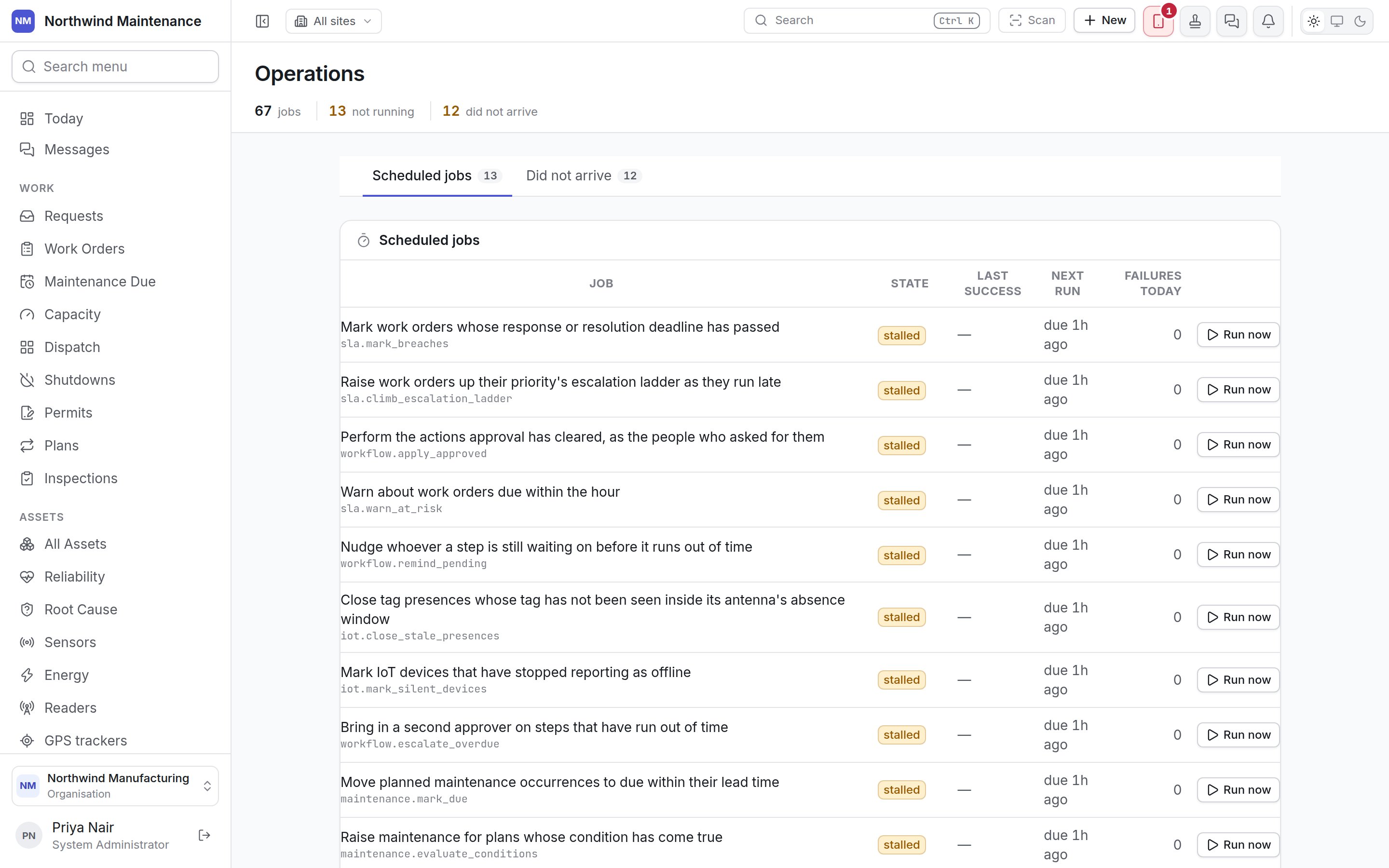
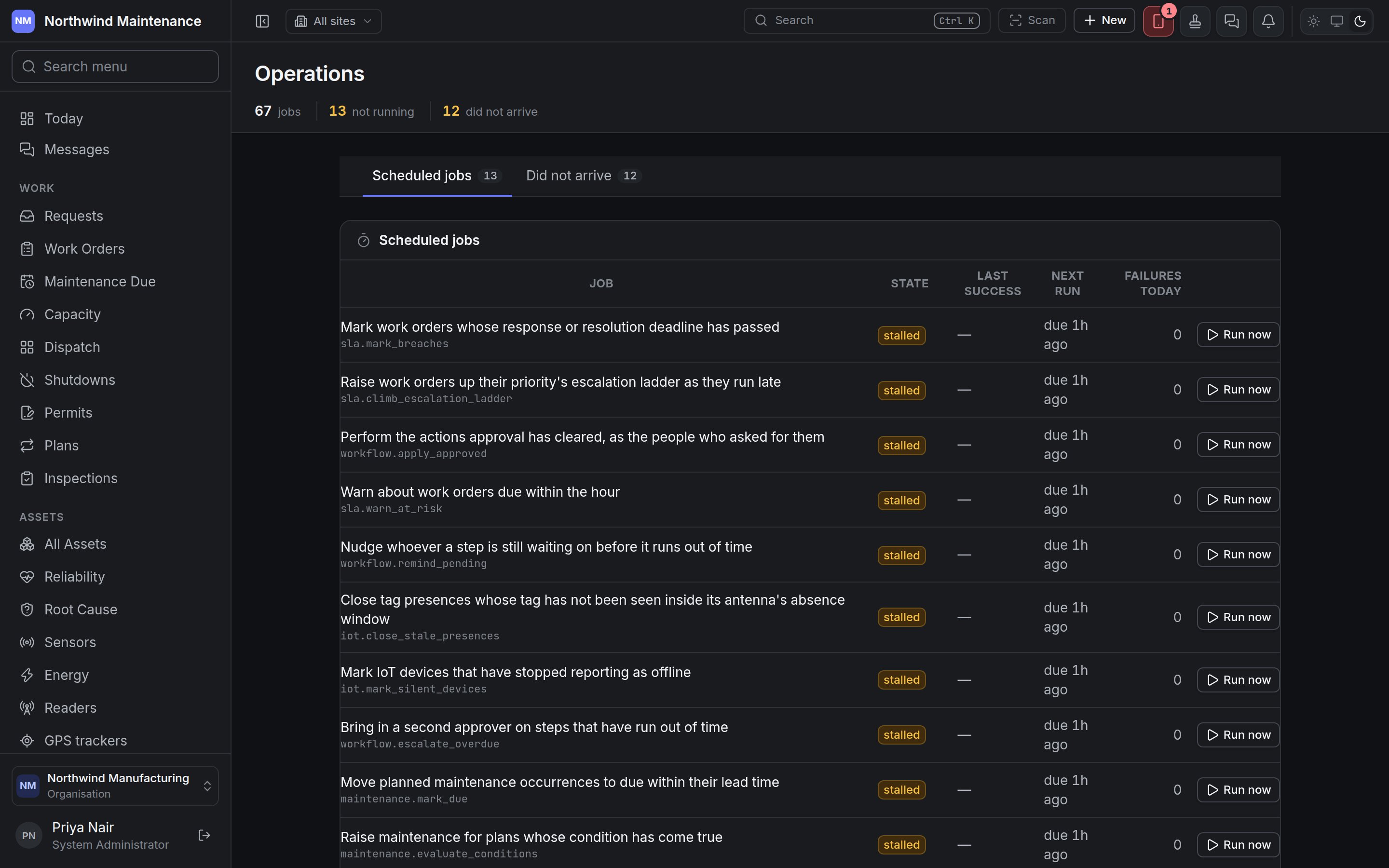
**Administration → Operations** answers two questions: is the work the product does on a schedule — marking deadlines as breached, raising planned maintenance, chasing overdue returns, sending reminders — actually running, and which notifications did not reach anybody. It is the screen to open when something that should have happened by itself did not.
 The screen is available on every plan. It takes **Configure integrations** — System Administrator by default. See [roles](/setup/roles).
## The header
| Figure | What it shows |
| - | - |
| **jobs** | How many scheduled jobs exist |
| **not running** | Jobs that are failing, stalled or switched off |
| **did not arrive** | Notifications that were not delivered |
## Scheduled jobs
Each row is one piece of scheduled work, described in a sentence — *Mark work orders whose response or resolution deadline has passed*, *Raise the work for due occurrences whose plan generates automatically*, *Remind custodians of assets coming up on their return date*, *Expire lapsed certifications and warn about ones expiring soon*, and so on.
| Column | What it shows |
| - | - |
| **Job** | What the job does |
| **State** | **healthy**, **failing** (its last run went wrong), **stalled** (it is overdue and has not run), **never run**, or **switched off** |
| **Last success** | When it last completed |
| **Next run** | When it is next due — *due 47m ago* means it is late |
| **Failures today** | How many runs failed today |
| **Run now** | Starts the job immediately rather than waiting for its schedule |
Click a job to see **Recent runs of \[job]**: when each run **Started**, how long it **Took**, what it **Did**, its **Outcome** (**ran** or **failed**, with the error) and who **Started by** — the schedule or a person who pressed **Run now**. *This job has not run here* means it has never run for your organisation.
Many jobs stalled at once usually means the background service that runs them has stopped — not that each job is broken. If a job shows **failing**, its recent runs carry the error to pass on to your support contact.
Jobs that are commonly worth watching:
| If this is not happening… | Look for the job that… |
| - | - |
| Work orders are not marked as breached, or not escalated | Marks work orders whose deadline has passed; raises work orders up their priority's escalation ladder |
| Approved requests are not carried out, or approvers are not reminded | Performs the actions approval has cleared; nudges whoever a step is waiting on; brings in a second approver |
| Planned maintenance does not appear | Generates maintenance occurrences; moves occurrences to due; raises the work for due occurrences |
| Reorder suggestions and purchase requests do not appear | Recomputes what needs buying; raises purchase requests for shortages |
| Scheduled reports and dashboards are not sent | Writes a delivery for every report or dashboard schedule whose period has come |
| Reliability, performance or energy figures are stale | The monthly and nightly roll-ups for reliability, technicians, vendors and energy |
## Did not arrive
The screen is available on every plan. It takes **Configure integrations** — System Administrator by default. See [roles](/setup/roles).
## The header
| Figure | What it shows |
| - | - |
| **jobs** | How many scheduled jobs exist |
| **not running** | Jobs that are failing, stalled or switched off |
| **did not arrive** | Notifications that were not delivered |
## Scheduled jobs
Each row is one piece of scheduled work, described in a sentence — *Mark work orders whose response or resolution deadline has passed*, *Raise the work for due occurrences whose plan generates automatically*, *Remind custodians of assets coming up on their return date*, *Expire lapsed certifications and warn about ones expiring soon*, and so on.
| Column | What it shows |
| - | - |
| **Job** | What the job does |
| **State** | **healthy**, **failing** (its last run went wrong), **stalled** (it is overdue and has not run), **never run**, or **switched off** |
| **Last success** | When it last completed |
| **Next run** | When it is next due — *due 47m ago* means it is late |
| **Failures today** | How many runs failed today |
| **Run now** | Starts the job immediately rather than waiting for its schedule |
Click a job to see **Recent runs of \[job]**: when each run **Started**, how long it **Took**, what it **Did**, its **Outcome** (**ran** or **failed**, with the error) and who **Started by** — the schedule or a person who pressed **Run now**. *This job has not run here* means it has never run for your organisation.
Many jobs stalled at once usually means the background service that runs them has stopped — not that each job is broken. If a job shows **failing**, its recent runs carry the error to pass on to your support contact.
Jobs that are commonly worth watching:
| If this is not happening… | Look for the job that… |
| - | - |
| Work orders are not marked as breached, or not escalated | Marks work orders whose deadline has passed; raises work orders up their priority's escalation ladder |
| Approved requests are not carried out, or approvers are not reminded | Performs the actions approval has cleared; nudges whoever a step is waiting on; brings in a second approver |
| Planned maintenance does not appear | Generates maintenance occurrences; moves occurrences to due; raises the work for due occurrences |
| Reorder suggestions and purchase requests do not appear | Recomputes what needs buying; raises purchase requests for shortages |
| Scheduled reports and dashboards are not sent | Writes a delivery for every report or dashboard schedule whose period has come |
| Reliability, performance or energy figures are stale | The monthly and nightly roll-ups for reliability, technicians, vendors and energy |
## Did not arrive
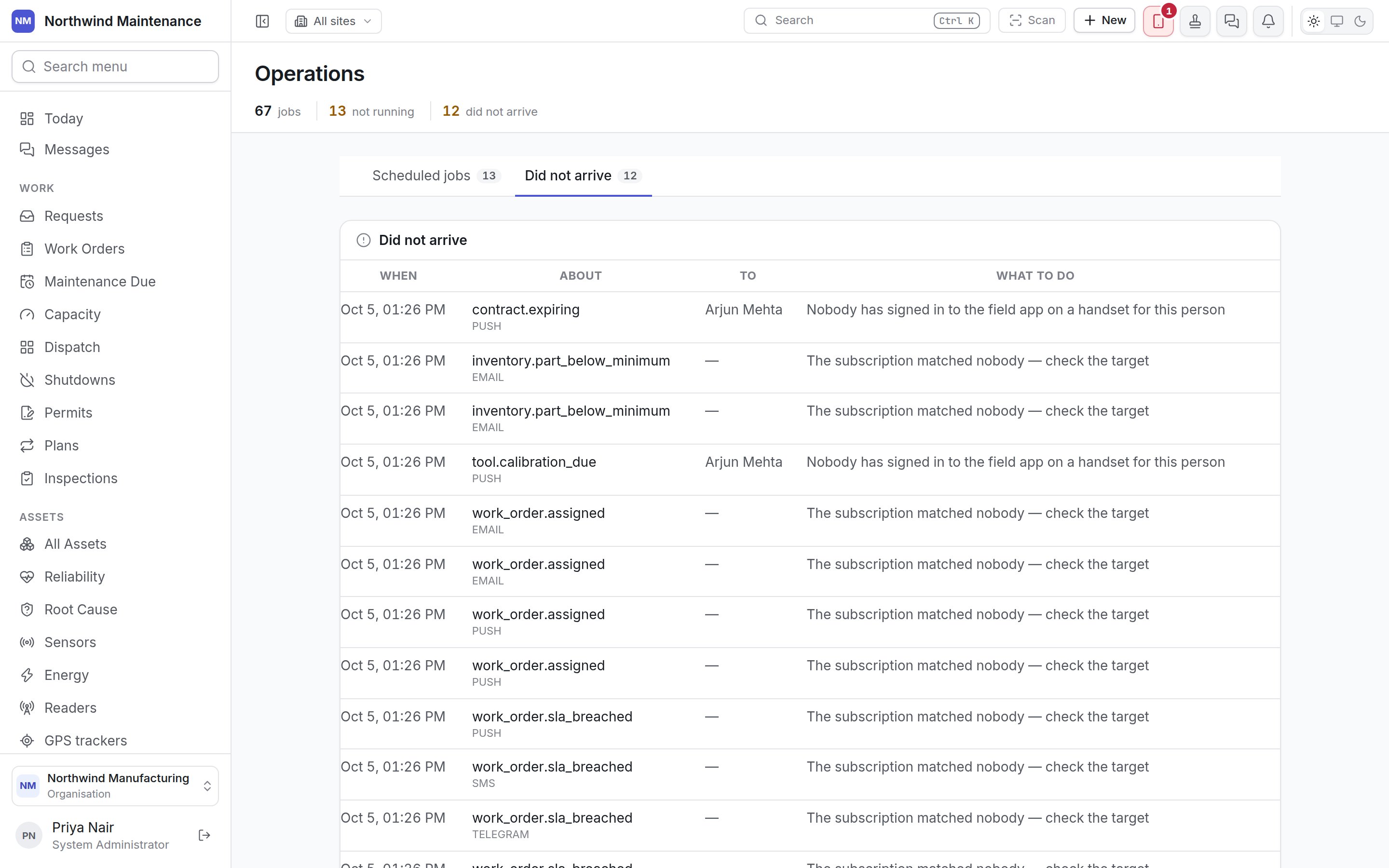
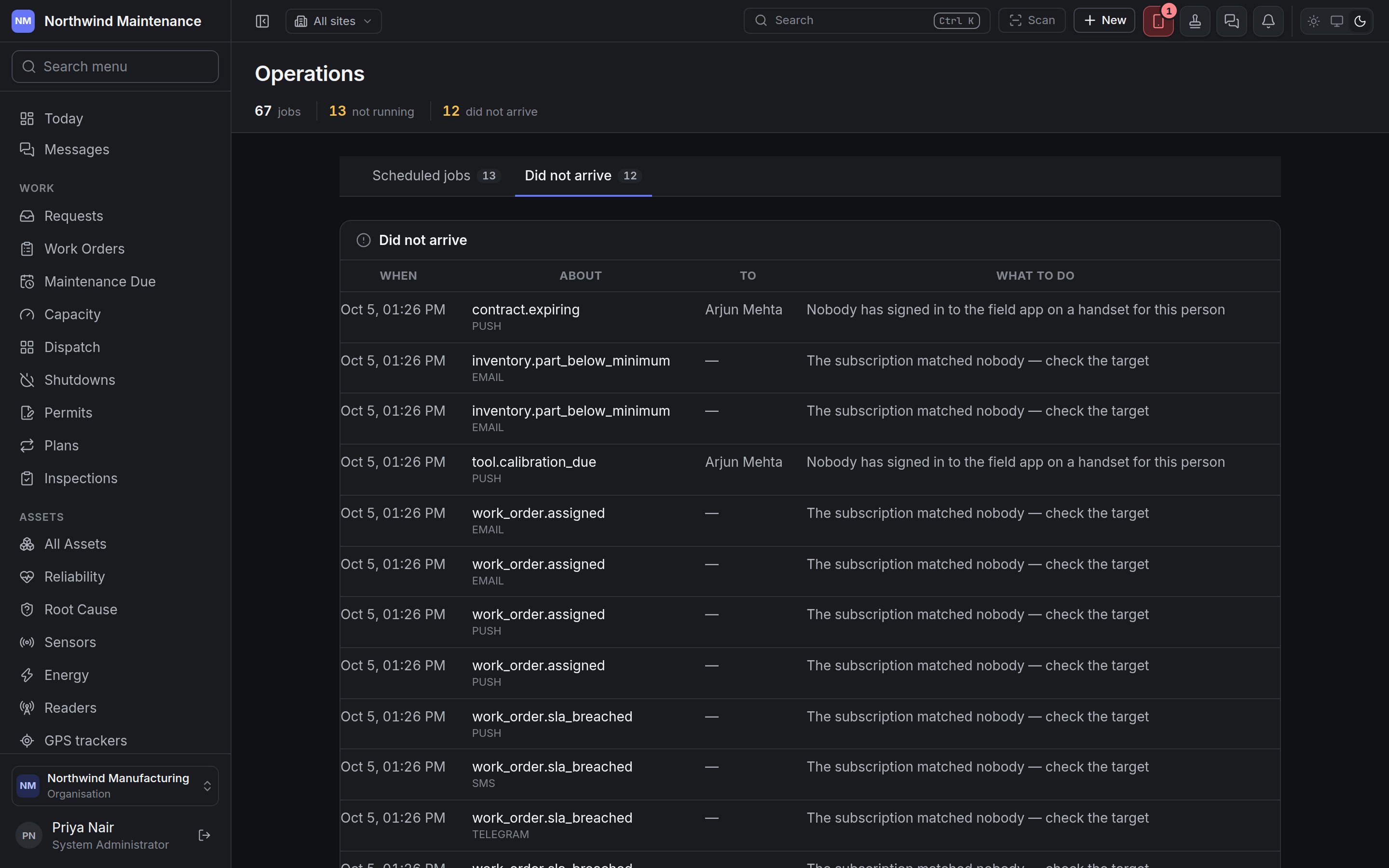 Every notification the product tried to send and could not. *Everything sent, arrived* means the list is empty.
| Column | What it shows |
| - | - |
| **When** | When it was raised |
| **About** | Which event it was, and the channel (email, push, text message, Telegram, WhatsApp) |
| **To** | Who it was meant for, where known |
| **What to do** | The reason in plain words, for example *The subscription matched nobody — check the target* or *Nobody has signed in to the field app on a handset for this person* |
| **Send again** | Tries the delivery again once you have fixed the cause. Not offered where nobody could receive it — such as a subscription that matched nobody — because retrying would fail the same way |
Most rows are fixed on [Notifications](/config/notifications): an audience naming a role nobody holds, a channel that has not been set up, or a person with no reachable handset.
This documentation is built and hosted on [Mintlify](https://mintlify.com), a developer documentation platform.
Every notification the product tried to send and could not. *Everything sent, arrived* means the list is empty.
| Column | What it shows |
| - | - |
| **When** | When it was raised |
| **About** | Which event it was, and the channel (email, push, text message, Telegram, WhatsApp) |
| **To** | Who it was meant for, where known |
| **What to do** | The reason in plain words, for example *The subscription matched nobody — check the target* or *Nobody has signed in to the field app on a handset for this person* |
| **Send again** | Tries the delivery again once you have fixed the cause. Not offered where nobody could receive it — such as a subscription that matched nobody — because retrying would fail the same way |
Most rows are fixed on [Notifications](/config/notifications): an audience naming a role nobody holds, a channel that has not been set up, or a person with no reachable handset.
This documentation is built and hosted on [Mintlify](https://mintlify.com), a developer documentation platform.