> ## Documentation Index
> Fetch the complete documentation index at: https://docs.assetinfinity.ai/llms.txt
> Use this file to discover all available pages before exploring further.
# Reminders
> Email somebody before a warranty, a certificate or any other date on an asset, a location or a person runs out: which dates, how far ahead, how often, who is told and which records are covered.
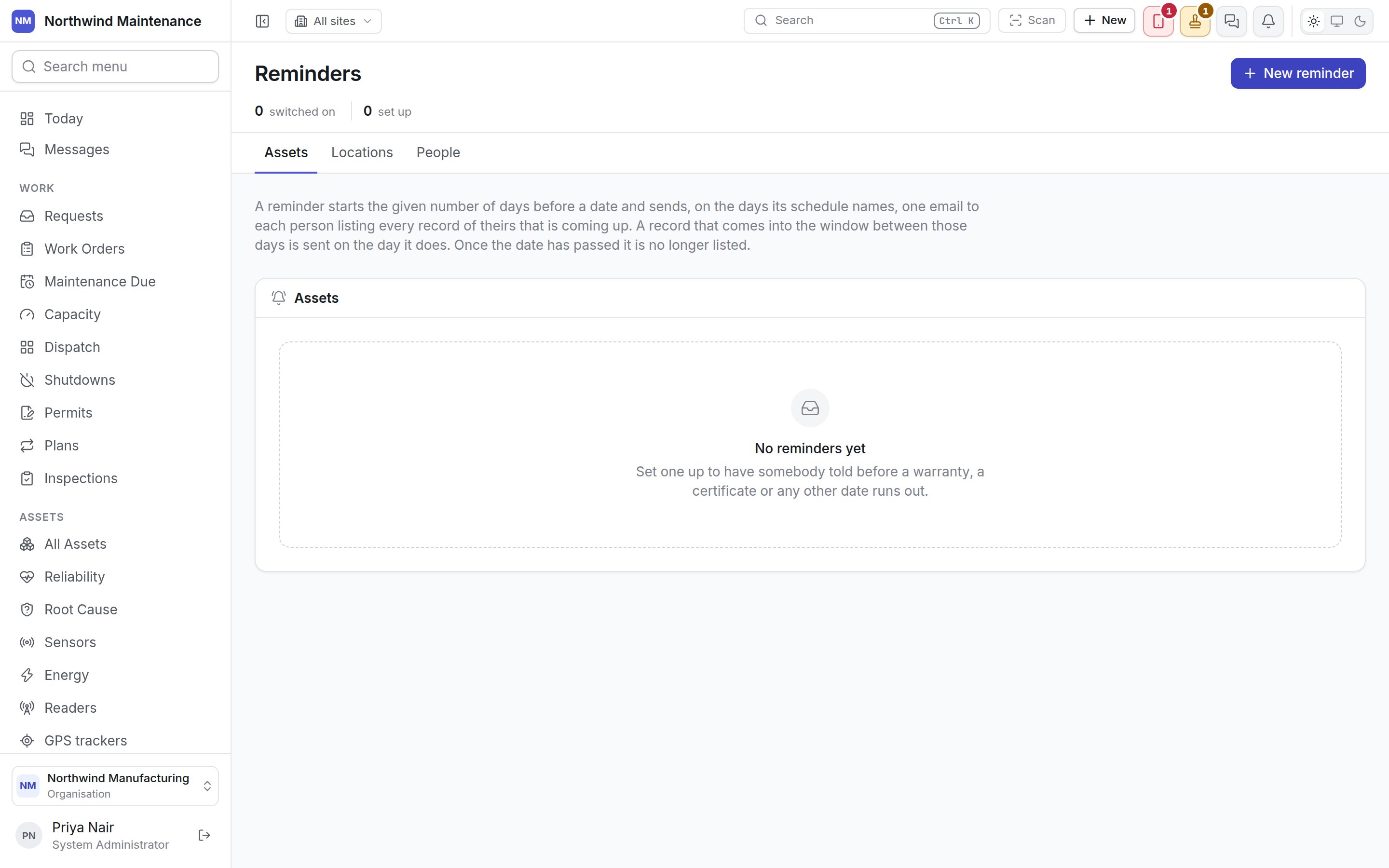
**Administration → Reminders** is where you ask the product to email people before a date comes
round — a warranty ending, a replacement due, a fire certificate or lease on a location running out,
a licence or medical check on a person. Each reminder watches one or more dates, starts a set number
of days ahead, and sends each person one email listing every record of theirs that is coming up,
rather than one email per record.
 The screen is available on every plan. It takes **Configure integrations** — the permission that
opens the [Notifications](/config/notifications) screen, because a reminder is a decision about who is
sent mail. System Administrator holds it by default. See [roles](/setup/roles).
## How a reminder decides what to send
| Rule | What it means |
| - | - |
| **The window** | A record is *coming up* once its date is no more than the reminder's **Send reminder before (days)** away and has not yet passed. Zero days means only the day itself |
| **The schedule** | On every day the reminder's **Repeat** names, it sends every record inside the window |
| **New arrivals** | On any other day, it sends only the records whose window opened since it last sent anything. A weekly reminder on Mondays therefore cannot miss a date that falls between two Mondays |
| **The first run** | A reminder that has never sent anything treats everything already inside its window as new, so the first night after you set one up says what is already coming |
| **One email per person** | Each person is sent one list of the records that are theirs. A record with two watched dates coming up is listed once for each |
| **Once the date has passed** | The record is no longer listed. Overdue returns, contracts and calibration are chased by their own reminders elsewhere in the product |
Reminders run once a day. People named directly or through a role are only sent the records they are
allowed to open; addresses typed into **Additional CC** are sent every record on the list.
The email itself is a notification like any other, so its wording is edited — and translated — on
[Notifications](/config/notifications#the-events), under **Assets and instruments** for assets and
**Date reminders** for locations and people. Switching one of those events off there stops every
reminder of that kind being sent.
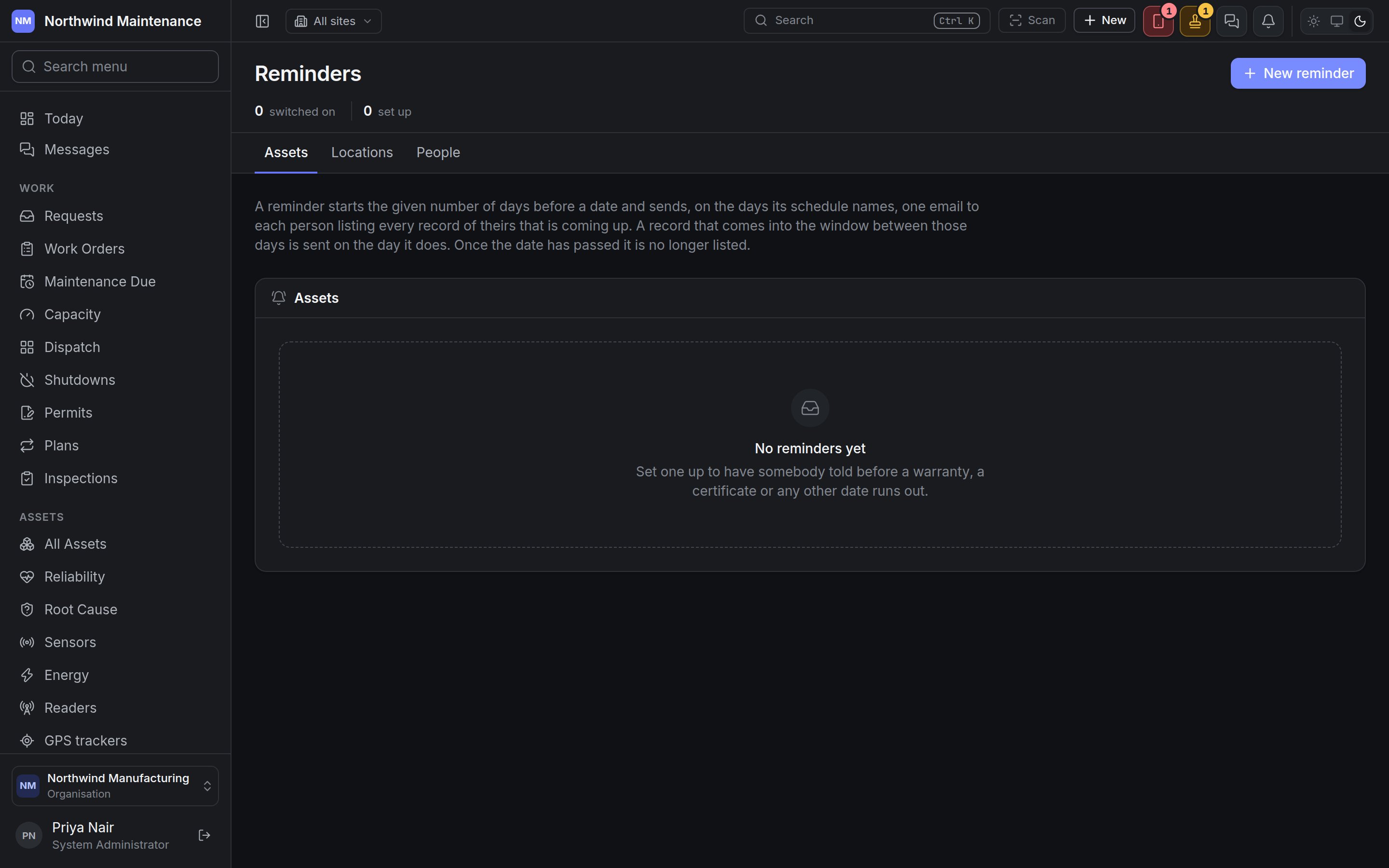
## The header and tabs
| Part | What it shows |
| - | - |
| **switched on** | Reminders that are active |
| **set up** | Every reminder, active or not |
| **New reminder** | Opens the form for a new reminder on the tab you are on |
| **Assets**, **Locations**, **People** | One tab per register, each with a count. The **Assets** tab appears only where the assets module is switched on |
Under the tabs, a paragraph restates how the window and the schedule work.
## The list
| Column | What it shows |
| - | - |
| **Reminder** | Its description — the first line of the email |
| **Dates** | The date fields it watches |
| **Days before** | How many days ahead it starts |
| **Repeats** | How often it sends, with the days it names — for example *Weekly · Monday, Thursday* or *Monthly · 1, 15* |
| **Sent to** | The people, roles, people on the record and addresses it tells |
| **Last sent** | The last day it sent anything, with how many records and how many people that list covered, or — if it has never sent |
| **Active** | **On** or **Off** |
Click a row to edit the reminder. A reminder that has never sent is usually the one worth opening:
the preview at the foot of its form says what it would list today.
## The reminder form
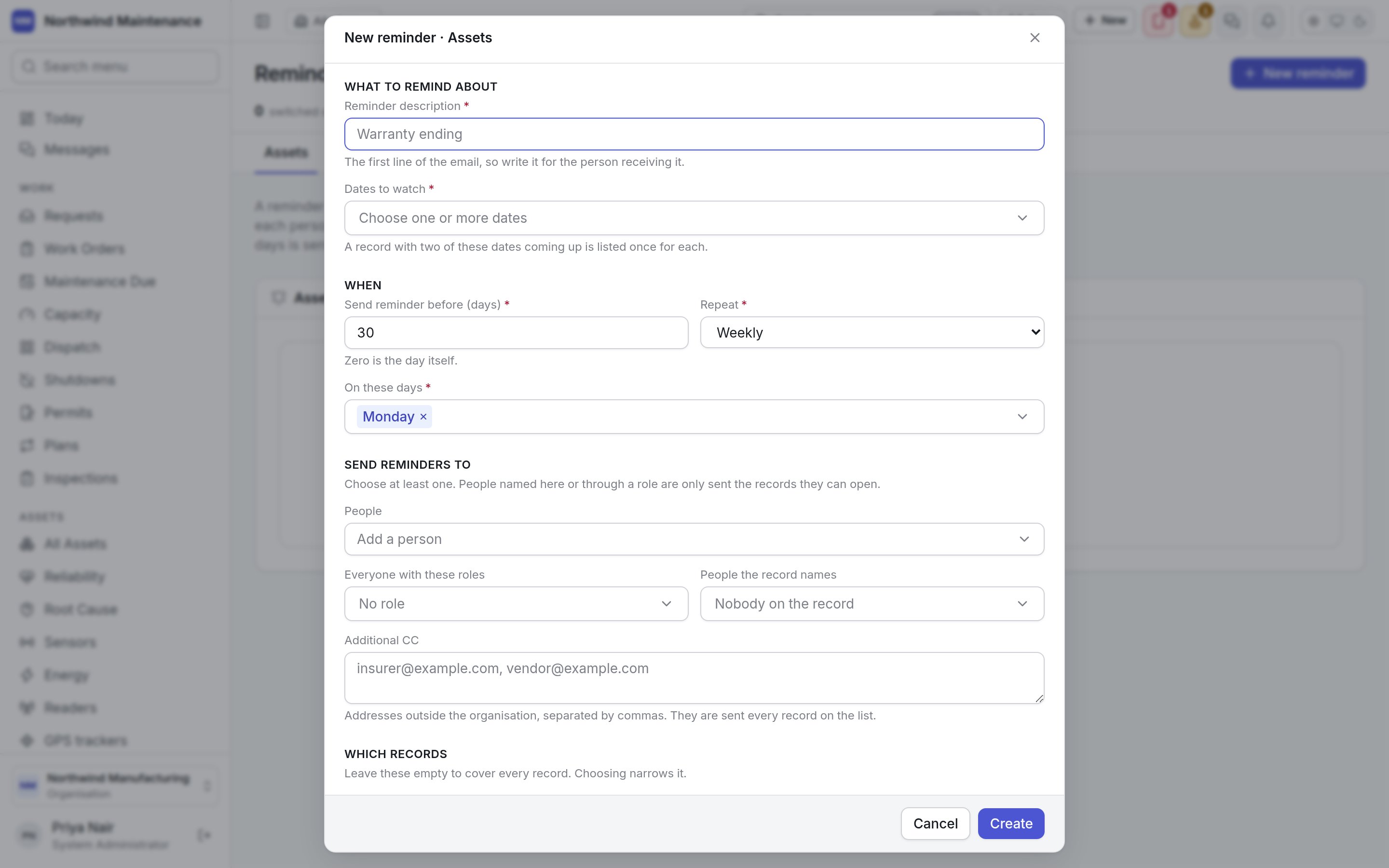
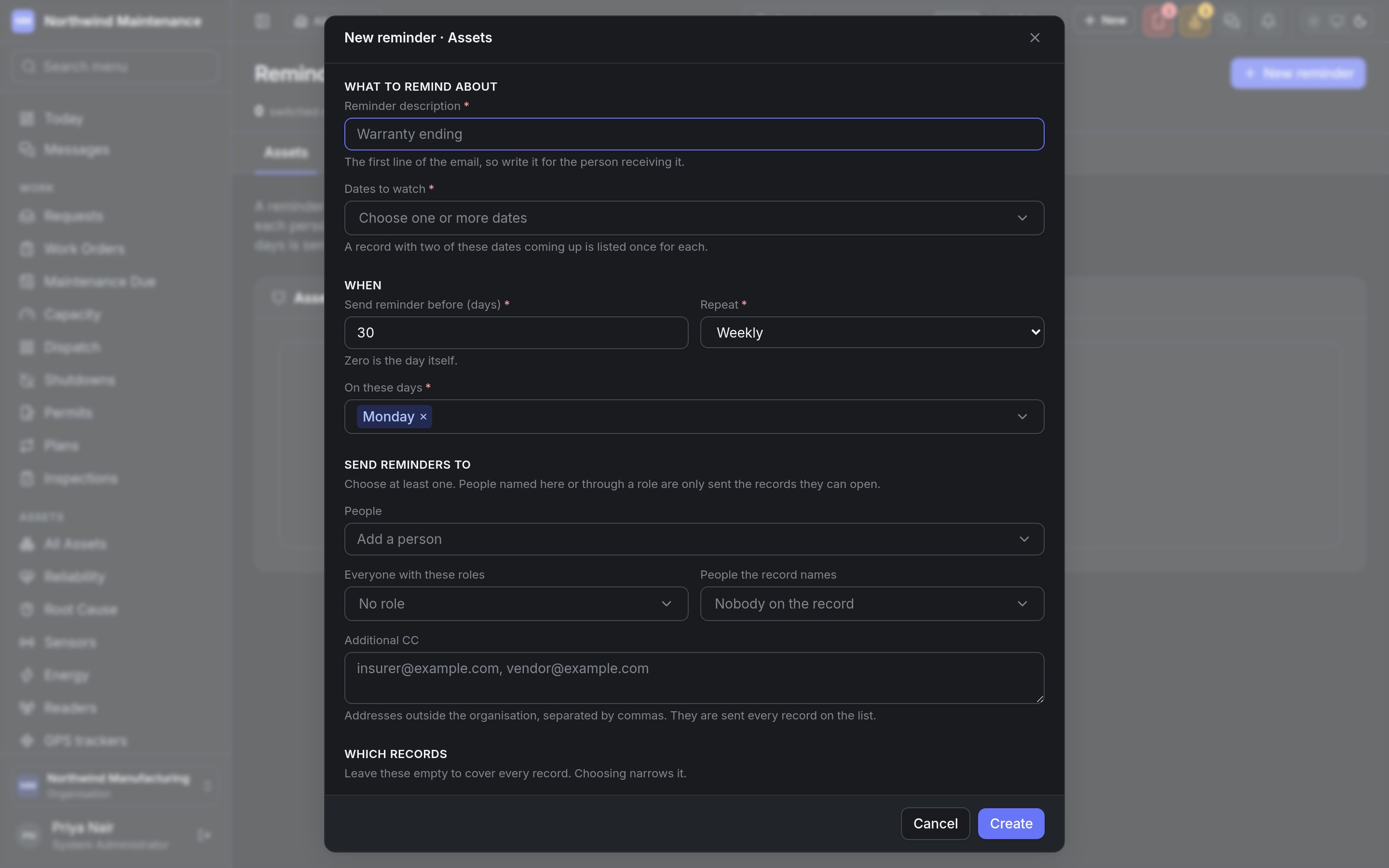
**New reminder** opens **New reminder · Assets** (or **Locations**, or **People**, for the tab you are
on). The register is fixed once the reminder is saved, because the dates, people and filters below only
mean something for the register they were chosen for.
The screen is available on every plan. It takes **Configure integrations** — the permission that
opens the [Notifications](/config/notifications) screen, because a reminder is a decision about who is
sent mail. System Administrator holds it by default. See [roles](/setup/roles).
## How a reminder decides what to send
| Rule | What it means |
| - | - |
| **The window** | A record is *coming up* once its date is no more than the reminder's **Send reminder before (days)** away and has not yet passed. Zero days means only the day itself |
| **The schedule** | On every day the reminder's **Repeat** names, it sends every record inside the window |
| **New arrivals** | On any other day, it sends only the records whose window opened since it last sent anything. A weekly reminder on Mondays therefore cannot miss a date that falls between two Mondays |
| **The first run** | A reminder that has never sent anything treats everything already inside its window as new, so the first night after you set one up says what is already coming |
| **One email per person** | Each person is sent one list of the records that are theirs. A record with two watched dates coming up is listed once for each |
| **Once the date has passed** | The record is no longer listed. Overdue returns, contracts and calibration are chased by their own reminders elsewhere in the product |
Reminders run once a day. People named directly or through a role are only sent the records they are
allowed to open; addresses typed into **Additional CC** are sent every record on the list.
The email itself is a notification like any other, so its wording is edited — and translated — on
[Notifications](/config/notifications#the-events), under **Assets and instruments** for assets and
**Date reminders** for locations and people. Switching one of those events off there stops every
reminder of that kind being sent.
## The header and tabs
| Part | What it shows |
| - | - |
| **switched on** | Reminders that are active |
| **set up** | Every reminder, active or not |
| **New reminder** | Opens the form for a new reminder on the tab you are on |
| **Assets**, **Locations**, **People** | One tab per register, each with a count. The **Assets** tab appears only where the assets module is switched on |
Under the tabs, a paragraph restates how the window and the schedule work.
## The list
| Column | What it shows |
| - | - |
| **Reminder** | Its description — the first line of the email |
| **Dates** | The date fields it watches |
| **Days before** | How many days ahead it starts |
| **Repeats** | How often it sends, with the days it names — for example *Weekly · Monday, Thursday* or *Monthly · 1, 15* |
| **Sent to** | The people, roles, people on the record and addresses it tells |
| **Last sent** | The last day it sent anything, with how many records and how many people that list covered, or — if it has never sent |
| **Active** | **On** or **Off** |
Click a row to edit the reminder. A reminder that has never sent is usually the one worth opening:
the preview at the foot of its form says what it would list today.
## The reminder form
**New reminder** opens **New reminder · Assets** (or **Locations**, or **People**, for the tab you are
on). The register is fixed once the reminder is saved, because the dates, people and filters below only
mean something for the register they were chosen for.
 ### What to remind about
| Field | What it means | Notes |
| - | - | - |
| **Reminder description** | What the reminder is — "Warranty ending" | Required. It is the first line of the email, so write it for the person receiving it |
| **Dates to watch** | The date fields the reminder reads | Required; choose one or more. For assets: **Warranty expires on**, **Replacement date**, **Due back**, **Purchase date**, **Installation date**, **Commissioning date**, and any date question your organisation has added to assets. Locations and people carry no dates of their own, so their reminders watch date questions added in the [form studio](/config/form-studio). If there are none, the list says so |
### When
| Field | What it means | Notes |
| - | - | - |
| **Send reminder before (days)** | How many days ahead of the date the reminder starts | Required. 30 by default; 0 to 366. Zero is the day itself |
| **Repeat** | How often the list is sent while something is coming up | Required. **Every day**, **Weekly** (the default), **Monthly** or **Yearly**. Changing it resets the days below to the first one |
| **On these days** | The weekdays a weekly reminder sends on | Appears for **Weekly**. Required. Monday by default |
| **On these days of the month** | The days a monthly reminder sends on | Appears for **Monthly**. Required. A day a month does not have, such as the 31st, falls on its last day |
| **On the first of these months** | The months a yearly reminder sends in, on the first of each | Appears for **Yearly**. Required |
### Send reminders to
Choose at least one of these.
| Field | What it means | Notes |
| - | - | - |
| **People** | Particular people | **Add a person** to add each. They are sent only the records they can open |
| **Everyone with these roles** | Everybody who holds a role, now and later | Active roles only. Sent only the records each person can open |
| **People the record names** | People found on each record | For assets: **Whoever is holding the asset**, **The manager of its department**, **The head of its location**, **The head of its site**. For locations: **The head of the location**, **The head of its site**. For people: **The person themselves**, **Their reporting manager**. More than one can be chosen |
| **Additional CC** | Addresses outside your organisation — an insurer, a vendor | Separate them with commas. They are sent every record on the list, so use them for addresses that should see the whole list |
### Which records
Leave these empty to cover every record of the register; choosing narrows it.
| Field | What it means | Notes |
| - | - | - |
| **Categories** | Asset categories to cover | Assets tab only. A category covers every category filed beneath it |
| **Sites and locations** | Places to cover | Assets and locations tabs. A location covers everywhere beneath it |
| **People with these roles** | Which people to cover | People tab only |
### Availability
| Field | What it means | Notes |
| - | - | - |
| **Active?** | Whether the reminder runs | On by default. Turn it off to pause a reminder without losing how it is set up |
### Coming up now
When you open a saved reminder, **Coming up now** lists what it would send today, as saved — each
record's reference and name, the date that is coming up, and how many people it would go to. Up to
twenty records are listed. Nothing is sent from here, and **Nothing is inside the window today.** means
the next run would send nothing.
**Create** saves a new reminder; **Save changes** saves an edited one; **Delete**, at the left of the
footer, removes it. A reminder that would tell nobody, a weekly one naming no weekday, or a date the
register does not offer is refused when you save, with the reason, rather than skipped in silence
later.
## Where else dates are chased
Some dates already have reminders of their own, and need nothing set up here: assets coming up on their
return date, contracts and certifications expiring, instruments due for calibration and controlled
documents due for review are each an event on [Notifications](/config/notifications#the-events). Whether
those daily jobs are running is on [Operations](/config/operations).
This documentation is built and hosted on [Mintlify](https://mintlify.com), a developer documentation platform.
### What to remind about
| Field | What it means | Notes |
| - | - | - |
| **Reminder description** | What the reminder is — "Warranty ending" | Required. It is the first line of the email, so write it for the person receiving it |
| **Dates to watch** | The date fields the reminder reads | Required; choose one or more. For assets: **Warranty expires on**, **Replacement date**, **Due back**, **Purchase date**, **Installation date**, **Commissioning date**, and any date question your organisation has added to assets. Locations and people carry no dates of their own, so their reminders watch date questions added in the [form studio](/config/form-studio). If there are none, the list says so |
### When
| Field | What it means | Notes |
| - | - | - |
| **Send reminder before (days)** | How many days ahead of the date the reminder starts | Required. 30 by default; 0 to 366. Zero is the day itself |
| **Repeat** | How often the list is sent while something is coming up | Required. **Every day**, **Weekly** (the default), **Monthly** or **Yearly**. Changing it resets the days below to the first one |
| **On these days** | The weekdays a weekly reminder sends on | Appears for **Weekly**. Required. Monday by default |
| **On these days of the month** | The days a monthly reminder sends on | Appears for **Monthly**. Required. A day a month does not have, such as the 31st, falls on its last day |
| **On the first of these months** | The months a yearly reminder sends in, on the first of each | Appears for **Yearly**. Required |
### Send reminders to
Choose at least one of these.
| Field | What it means | Notes |
| - | - | - |
| **People** | Particular people | **Add a person** to add each. They are sent only the records they can open |
| **Everyone with these roles** | Everybody who holds a role, now and later | Active roles only. Sent only the records each person can open |
| **People the record names** | People found on each record | For assets: **Whoever is holding the asset**, **The manager of its department**, **The head of its location**, **The head of its site**. For locations: **The head of the location**, **The head of its site**. For people: **The person themselves**, **Their reporting manager**. More than one can be chosen |
| **Additional CC** | Addresses outside your organisation — an insurer, a vendor | Separate them with commas. They are sent every record on the list, so use them for addresses that should see the whole list |
### Which records
Leave these empty to cover every record of the register; choosing narrows it.
| Field | What it means | Notes |
| - | - | - |
| **Categories** | Asset categories to cover | Assets tab only. A category covers every category filed beneath it |
| **Sites and locations** | Places to cover | Assets and locations tabs. A location covers everywhere beneath it |
| **People with these roles** | Which people to cover | People tab only |
### Availability
| Field | What it means | Notes |
| - | - | - |
| **Active?** | Whether the reminder runs | On by default. Turn it off to pause a reminder without losing how it is set up |
### Coming up now
When you open a saved reminder, **Coming up now** lists what it would send today, as saved — each
record's reference and name, the date that is coming up, and how many people it would go to. Up to
twenty records are listed. Nothing is sent from here, and **Nothing is inside the window today.** means
the next run would send nothing.
**Create** saves a new reminder; **Save changes** saves an edited one; **Delete**, at the left of the
footer, removes it. A reminder that would tell nobody, a weekly one naming no weekday, or a date the
register does not offer is refused when you save, with the reason, rather than skipped in silence
later.
## Where else dates are chased
Some dates already have reminders of their own, and need nothing set up here: assets coming up on their
return date, contracts and certifications expiring, instruments due for calibration and controlled
documents due for review are each an event on [Notifications](/config/notifications#the-events). Whether
those daily jobs are running is on [Operations](/config/operations).
This documentation is built and hosted on [Mintlify](https://mintlify.com), a developer documentation platform.