> ## Documentation Index
> Fetch the complete documentation index at: https://docs.assetinfinity.ai/llms.txt
> Use this file to discover all available pages before exploring further.
# Webhooks
> Telling your own systems when something happens here: endpoints, the events they subscribe to, signing secrets, the delivery log and how retries work.
The **Webhooks** screen is where you tell your own systems when something happens in this product:
each event becomes a signed HTTPS call to an address you choose, retried until it arrives, and
recorded in a log you can read and resend from.
Open it from **Administration** → **Integrations** → **Webhooks**. It is for people who administer
integrations; everybody else sees a notice instead, because an endpoint is sent records from every
site.
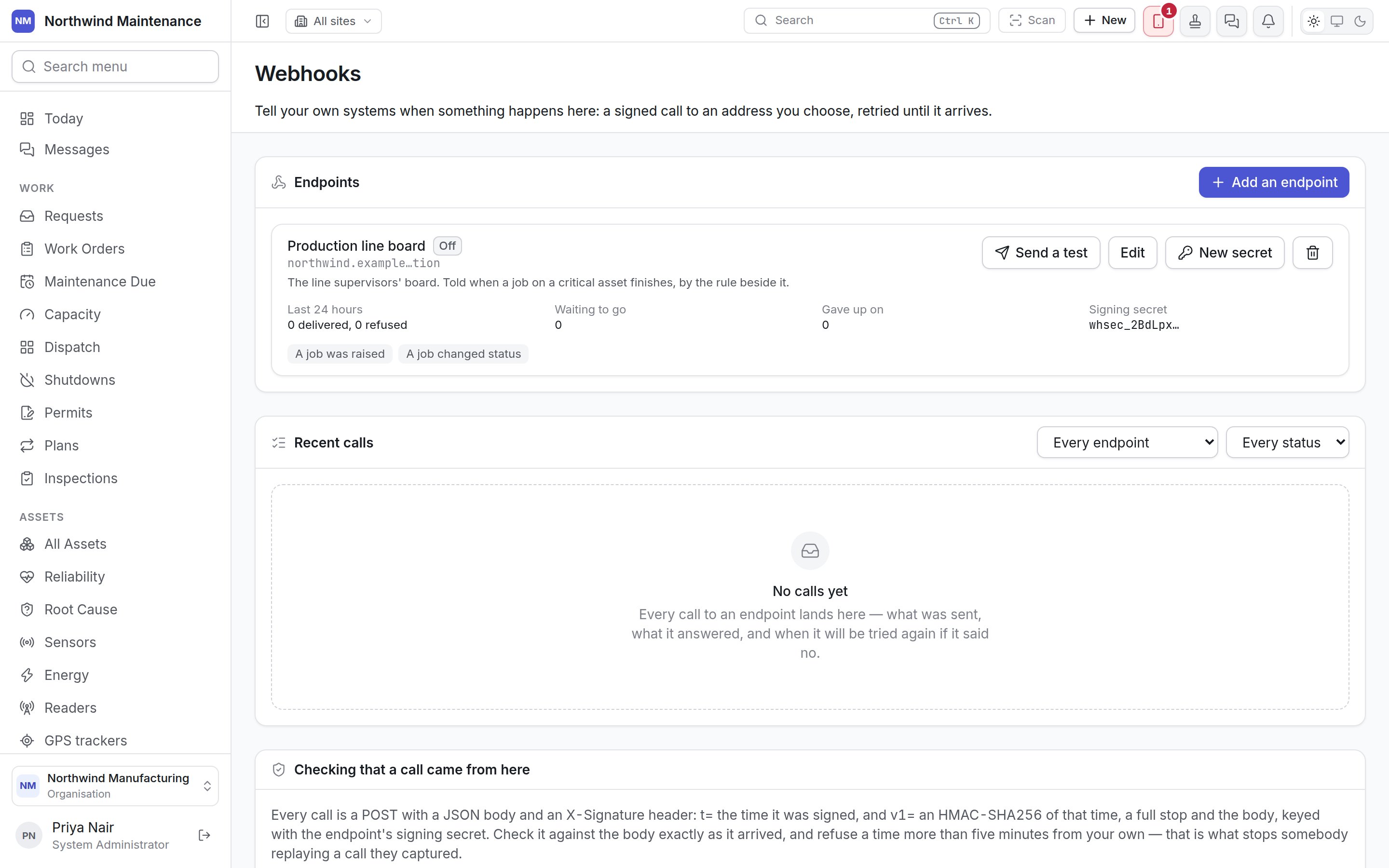
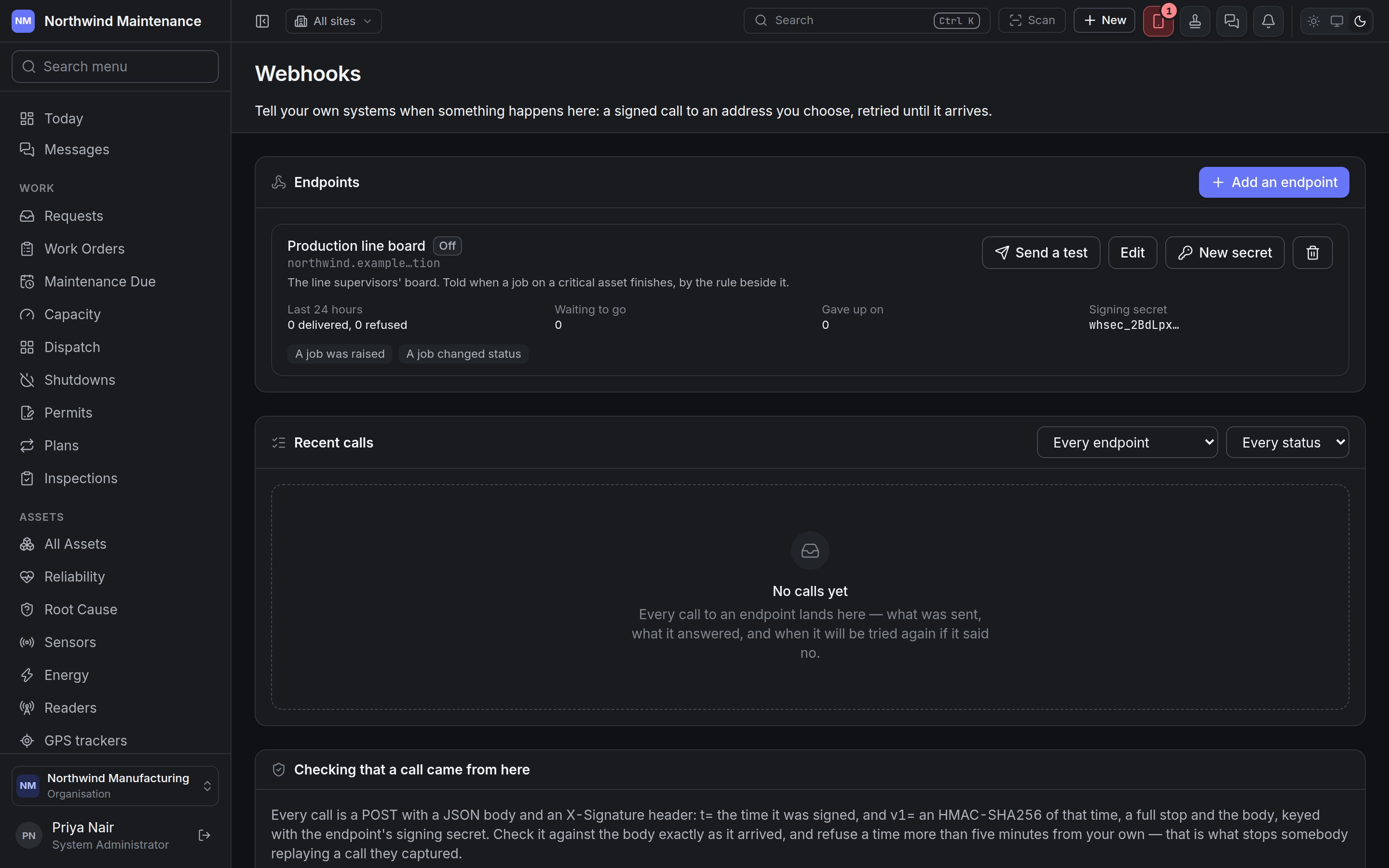 The screen has three sections: **Endpoints**, **Recent calls** and **Checking that a call came from
here**.
## Endpoints
An endpoint is one address your system listens on — your own server, an automation platform's hook,
a Power Automate trigger — and the events it should be told about. Each endpoint is a card:
| Part of the card | What it shows |
| - | - |
| Name and state | The endpoint's name and a pill: **Working** (the last call was delivered), **Failing** (the last call is being retried or was given up on), **Not called yet** or **Off**. **Tested** appears once a test call has been delivered |
| Address | The host and the last few characters only. The full address is treated as a credential and never shown again after it is saved |
| What it is for | The description, if there is one |
| **Last 24 hours** | How many calls were delivered and how many were refused |
| **Waiting to go** | Calls queued and not yet delivered |
| **Gave up on** | Calls that ran out of retries. Shown in red when there are any; resend them from the log |
| **Signing secret** | The first characters of the current secret. During a rotation it also says until when **the old one also signs** |
| Last refusal | **The last call was refused:** and the endpoint's answer, when the last call failed |
| Events | The events it is subscribed to. With none: **Subscribed to nothing — it is called only by a rule that names it, and by a test** |
Each card has four buttons:
| Button | What it does |
| - | - |
| **Send a test** | Queues a test call. Its answer appears in **Recent calls** within a few seconds. A test is tried once |
| **Edit** | Opens the endpoint form |
| **New secret** | Rotates the signing secret |
| Bin icon | Deletes the endpoint |
### Adding or editing an endpoint
**Add an endpoint** opens **New endpoint**; **Edit** opens **Edit endpoint** with the same fields.
The screen has three sections: **Endpoints**, **Recent calls** and **Checking that a call came from
here**.
## Endpoints
An endpoint is one address your system listens on — your own server, an automation platform's hook,
a Power Automate trigger — and the events it should be told about. Each endpoint is a card:
| Part of the card | What it shows |
| - | - |
| Name and state | The endpoint's name and a pill: **Working** (the last call was delivered), **Failing** (the last call is being retried or was given up on), **Not called yet** or **Off**. **Tested** appears once a test call has been delivered |
| Address | The host and the last few characters only. The full address is treated as a credential and never shown again after it is saved |
| What it is for | The description, if there is one |
| **Last 24 hours** | How many calls were delivered and how many were refused |
| **Waiting to go** | Calls queued and not yet delivered |
| **Gave up on** | Calls that ran out of retries. Shown in red when there are any; resend them from the log |
| **Signing secret** | The first characters of the current secret. During a rotation it also says until when **the old one also signs** |
| Last refusal | **The last call was refused:** and the endpoint's answer, when the last call failed |
| Events | The events it is subscribed to. With none: **Subscribed to nothing — it is called only by a rule that names it, and by a test** |
Each card has four buttons:
| Button | What it does |
| - | - |
| **Send a test** | Queues a test call. Its answer appears in **Recent calls** within a few seconds. A test is tried once |
| **Edit** | Opens the endpoint form |
| **New secret** | Rotates the signing secret |
| Bin icon | Deletes the endpoint |
### Adding or editing an endpoint
**Add an endpoint** opens **New endpoint**; **Edit** opens **Edit endpoint** with the same fields.
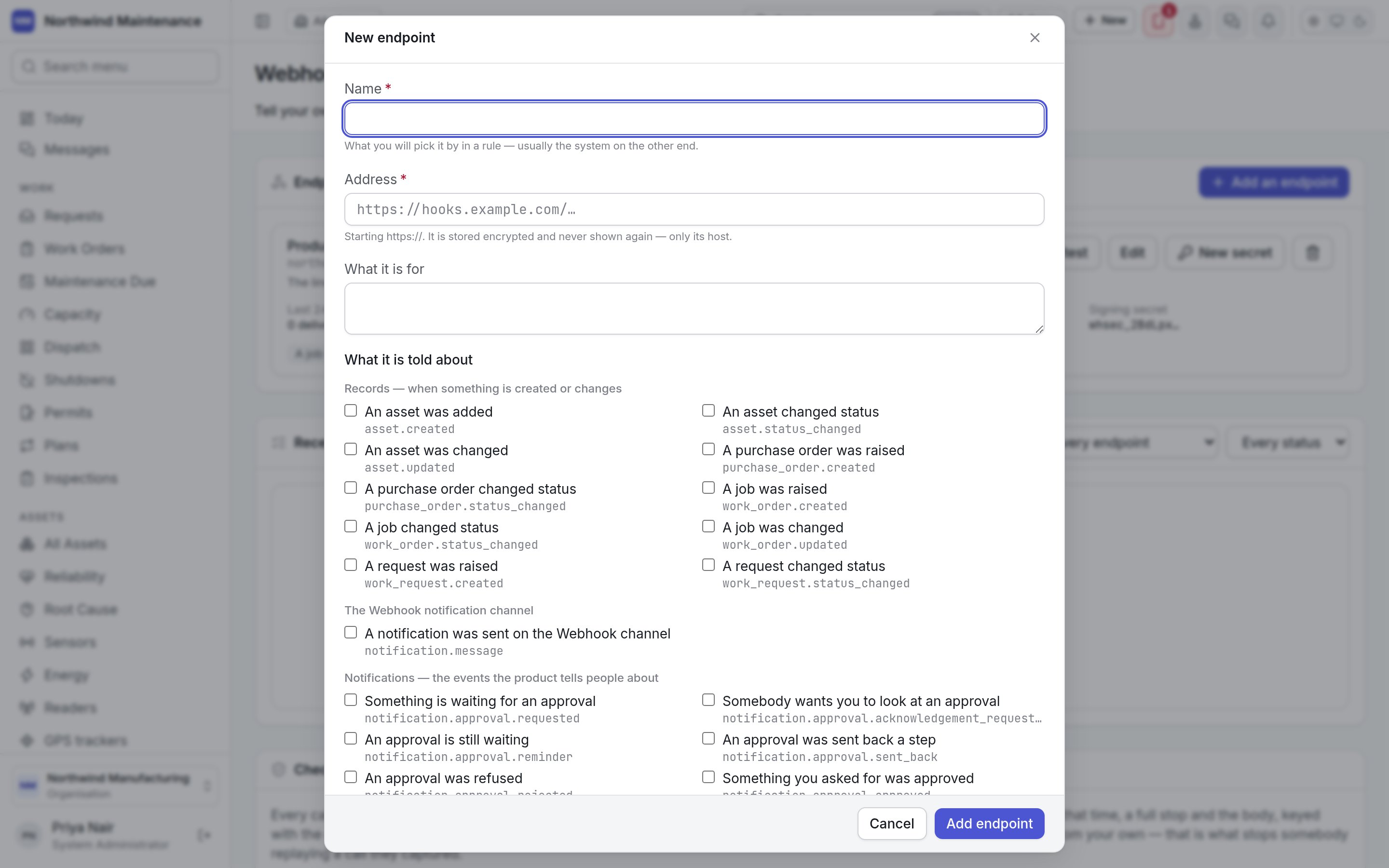
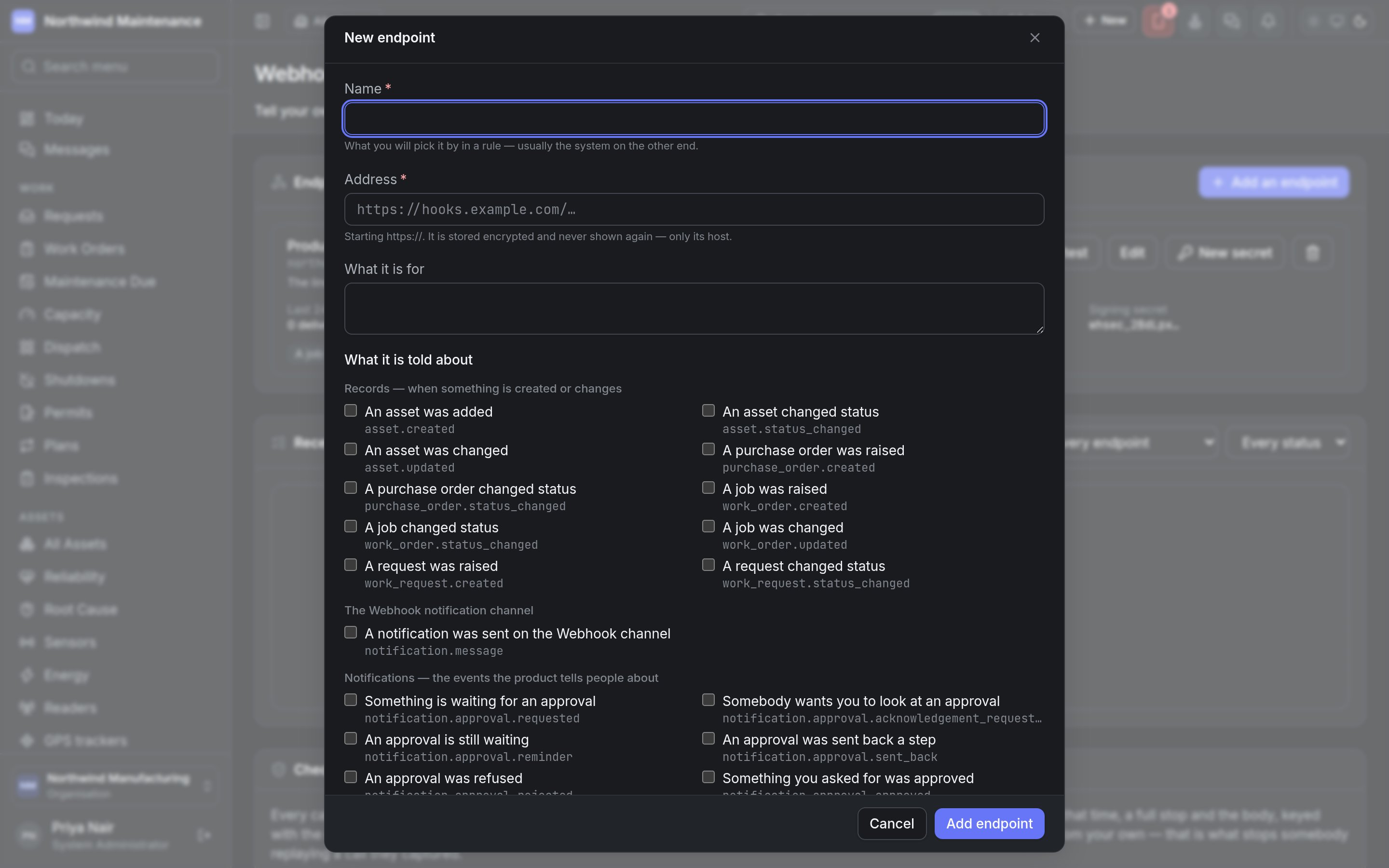 | Field | What it means | Notes |
| - | - | - |
| **Name** | What you pick this endpoint by in a rule — usually the system on the other end | Required |
| **Address** | The URL calls are posted to | Required when adding. Must start with `https://`. Stored encrypted and never shown again — only its host. When editing, leave it empty to keep the stored address |
| **What it is for** | A description, shown on the card | Optional |
| **What it is told about** | The events this endpoint receives | Tick any number. Grouped into three families (below). Hover an event for its description |
| **Header** | The name of an extra header your system checks, such as `Authorization` | Optional. Only if your system checks a fixed token as well as the signature. It cannot replace the headers the product sends itself |
| **Its value** | That header's value, such as a bearer token | Write-only: nobody can read it back once saved. When one is stored, the hint shows its last characters; leave it empty to keep it |
| **Stop sending the header and forget its value** | Removes the extra header | Appears when editing an endpoint that has one |
| **Call this endpoint** | Whether the endpoint is called | On by default. Switched off, nothing new is queued for it, and anything already waiting stays waiting — it is not thrown away — until it is switched back on |
**Add endpoint** (or **Save**) saves it. When you add an endpoint, its signing secret is shown once —
see [signing secrets](#signing-secrets).
### The events
The event families, and the events in them by default. Only events for modules switched on in your
organisation are offered.
| Family | What it covers |
| - | - |
| **Records — when something is created or changes** | **An asset was added**, **An asset changed status**, **An asset was changed**, **A purchase order was raised**, **A purchase order changed status**, **A job was raised**, **A job changed status**, **A job was changed**, **A request was raised**, **A request changed status**. The call carries the record as it is now, and for a change, what it was before |
| **The Webhook notification channel** | **A notification was sent on the Webhook channel** — a notification the [notification settings](/config/notifications) or a [rule](/config/rules) addressed to the Webhook channel |
| **Notifications — the events the product tells people about** | The events that raise notifications for people, grouped by module: approvals (requested, reminders, sent back, refused, approved, could not be carried out), assets and custody, calibration, verification rounds, lost and found, bookings, comments, document and contract expiry, energy anomalies, finance postings and budgets, stock below reorder point and stock movements, sensor alerts and device, reader and tracker problems, maintenance plans due or failing to raise their work order, messages, procurement (purchase requests, purchase orders, goods received), corrective action reviews, rule notifications, security (break-glass sign-ins, authenticators removed, recovery codes used) and work orders (raised, assigned, moved, finished, escalated, deadlines at risk, missed or extended) |
A [rule](/config/rules) with a webhook action can also call an endpoint by name, whether or not the
endpoint subscribes to anything.
### Signing secrets
Every endpoint has a signing secret your system uses to check that a call really came from here.
| Field | What it means | Notes |
| - | - | - |
| **Name** | What you pick this endpoint by in a rule — usually the system on the other end | Required |
| **Address** | The URL calls are posted to | Required when adding. Must start with `https://`. Stored encrypted and never shown again — only its host. When editing, leave it empty to keep the stored address |
| **What it is for** | A description, shown on the card | Optional |
| **What it is told about** | The events this endpoint receives | Tick any number. Grouped into three families (below). Hover an event for its description |
| **Header** | The name of an extra header your system checks, such as `Authorization` | Optional. Only if your system checks a fixed token as well as the signature. It cannot replace the headers the product sends itself |
| **Its value** | That header's value, such as a bearer token | Write-only: nobody can read it back once saved. When one is stored, the hint shows its last characters; leave it empty to keep it |
| **Stop sending the header and forget its value** | Removes the extra header | Appears when editing an endpoint that has one |
| **Call this endpoint** | Whether the endpoint is called | On by default. Switched off, nothing new is queued for it, and anything already waiting stays waiting — it is not thrown away — until it is switched back on |
**Add endpoint** (or **Save**) saves it. When you add an endpoint, its signing secret is shown once —
see [signing secrets](#signing-secrets).
### The events
The event families, and the events in them by default. Only events for modules switched on in your
organisation are offered.
| Family | What it covers |
| - | - |
| **Records — when something is created or changes** | **An asset was added**, **An asset changed status**, **An asset was changed**, **A purchase order was raised**, **A purchase order changed status**, **A job was raised**, **A job changed status**, **A job was changed**, **A request was raised**, **A request changed status**. The call carries the record as it is now, and for a change, what it was before |
| **The Webhook notification channel** | **A notification was sent on the Webhook channel** — a notification the [notification settings](/config/notifications) or a [rule](/config/rules) addressed to the Webhook channel |
| **Notifications — the events the product tells people about** | The events that raise notifications for people, grouped by module: approvals (requested, reminders, sent back, refused, approved, could not be carried out), assets and custody, calibration, verification rounds, lost and found, bookings, comments, document and contract expiry, energy anomalies, finance postings and budgets, stock below reorder point and stock movements, sensor alerts and device, reader and tracker problems, maintenance plans due or failing to raise their work order, messages, procurement (purchase requests, purchase orders, goods received), corrective action reviews, rule notifications, security (break-glass sign-ins, authenticators removed, recovery codes used) and work orders (raised, assigned, moved, finished, escalated, deadlines at risk, missed or extended) |
A [rule](/config/rules) with a webhook action can also call an endpoint by name, whether or not the
endpoint subscribes to anything.
### Signing secrets
Every endpoint has a signing secret your system uses to check that a call really came from here.
 | Field | What it means | Notes |
| - | - | - |
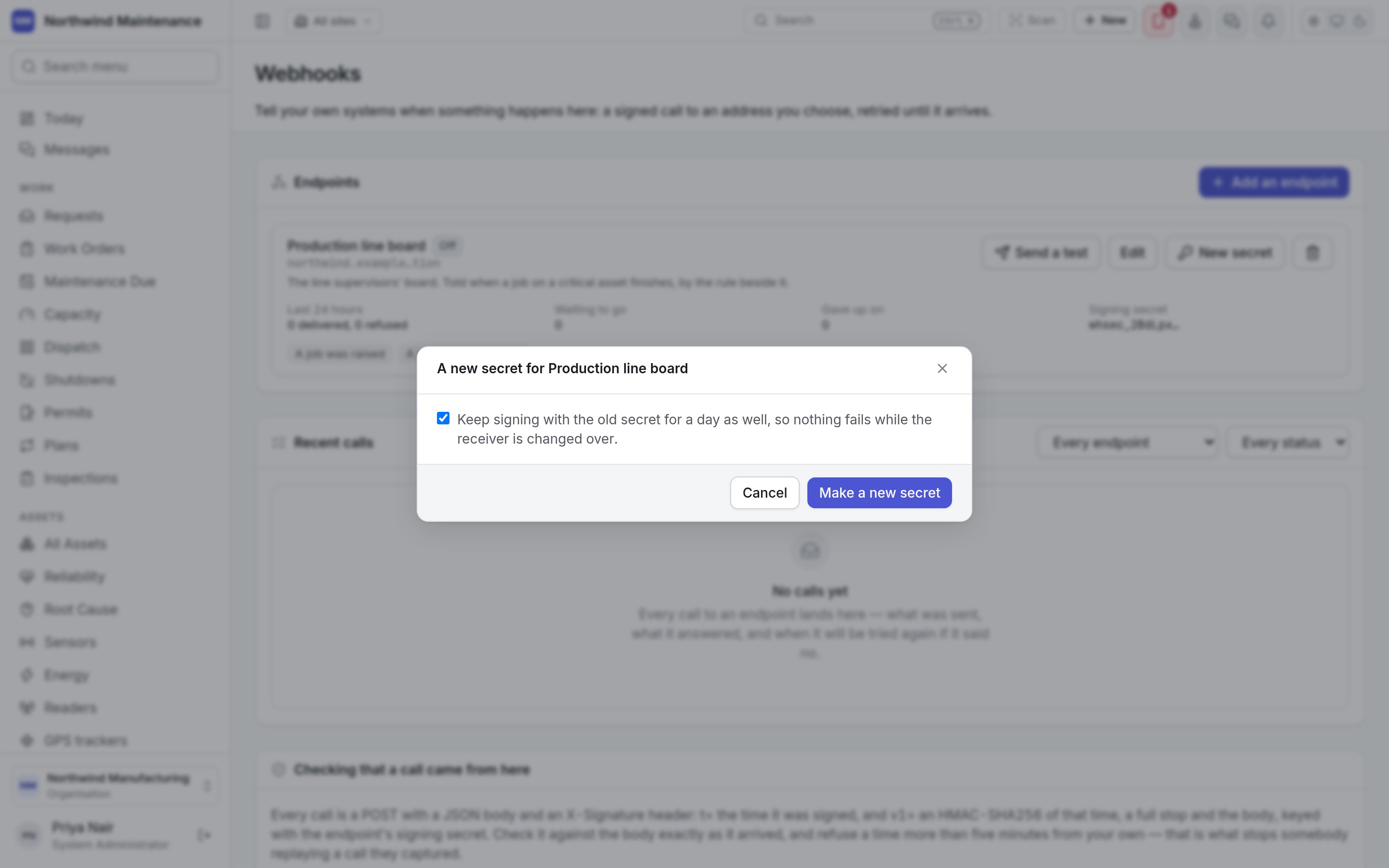
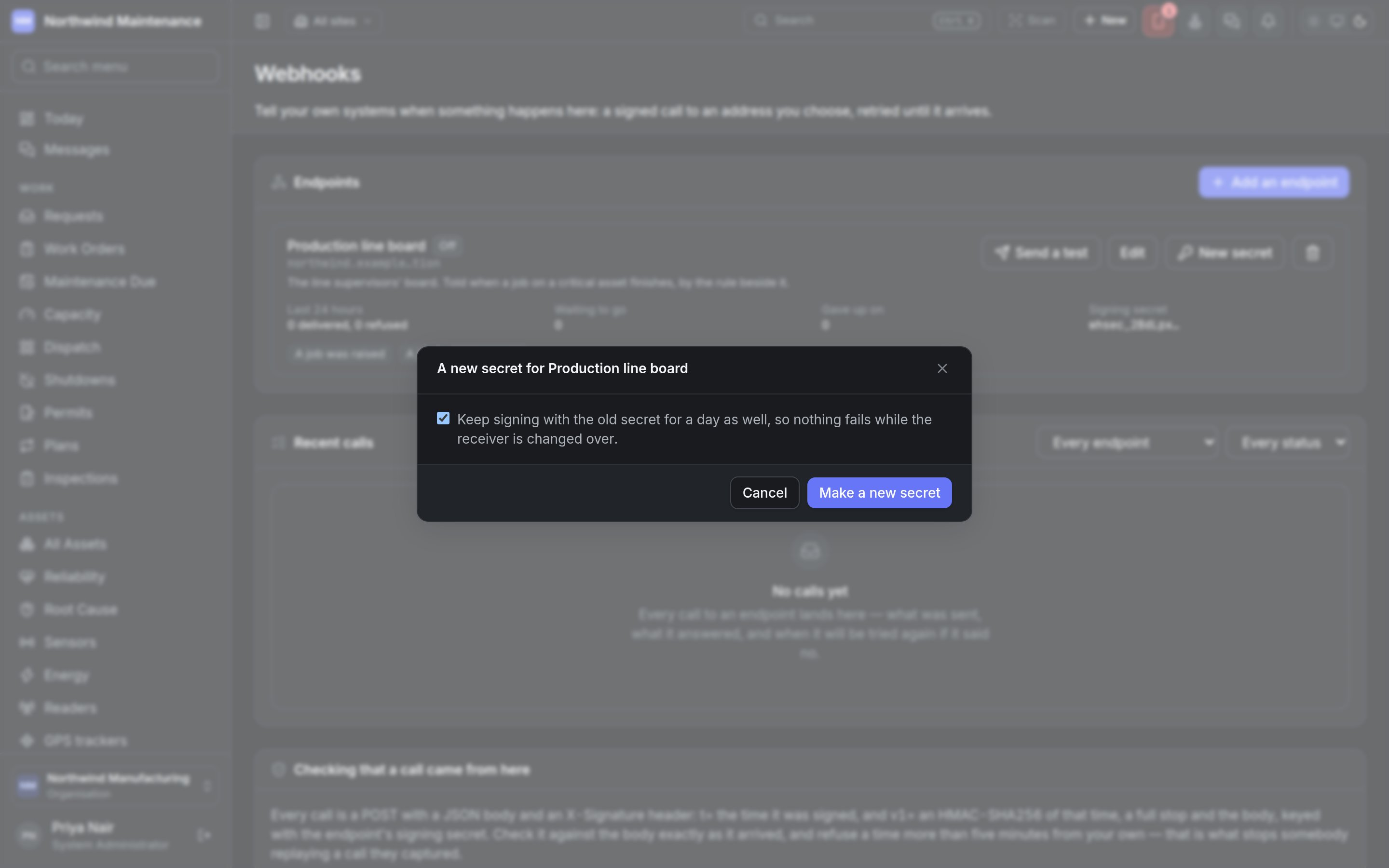
| **Keep signing with the old secret for a day as well, so nothing fails while the receiver is changed over** | Whether calls carry signatures from both secrets for a day | Ticked by default. Untick it only for a secret that has leaked: every call your receiver checks then fails until it has the new secret |
**Make a new secret** creates it. The secret is then shown in **Your signing secret**, **once**, with
a copy button. Put it in the system that receives the calls before you click **I've saved it**; the
dialog cannot be closed any other way, and nothing can read the secret back afterwards. During a
rotation it says until when every call is signed with both secrets.
### Deleting an endpoint
The bin icon asks you to confirm **Delete** with the endpoint's name. Its subscriptions and its log go
with it, and anything still waiting to be sent is not sent. Nothing can bring it back; the audit trail
keeps the record that it existed.
## Recent calls
Every call to every endpoint: what was sent, what it answered, and when it will be tried again. The
log refreshes itself, every few seconds while a call is still waiting.
| Filter | Options |
| - | - |
| Which endpoint | **Every endpoint**, or one endpoint |
| Which status | **Every status**, **Waiting**, **Retrying**, **Delivered** or **Gave up** |
| Column | What it shows |
| - | - |
| **When** | When the event was queued |
| **Event** | The event code, with the endpoint's name underneath |
| **Status** | **Waiting**, **Retrying**, **Delivered** or **Gave up**, with **attempt n of m** and, while retrying, the **next try** |
| **Answer** | The HTTP status your system answered, its error if it failed, and how long it took |
| (button) | **Send again**, on a call that was delivered or given up on |
Click a row to see the body your system answered (**It answered:**), the **Event id**, and the exact
JSON that was sent. Fifty calls are shown at a time; **Show older calls** loads more.
## Checking that a call came from here
Every call is an HTTPS `POST` with a JSON body and these headers:
| Header | Contents |
| - | - |
| `X-Signature` | `t=` the time it was signed (Unix seconds), and `v1=` an HMAC-SHA256 of that time, a full stop and the body, keyed with the endpoint's signing secret, in hex. During a rotation it carries two `v1=` values, and either may match |
| `X-Webhook-Id` | The event's identity. The same on every retry, and also the body's `id`, so your system can ignore an event it has already handled |
| `X-Webhook-Event` | The event code, such as `work_order.status_changed` |
| `X-Webhook-Timestamp` | The same time as `t=` |
| Your header | The extra header, if you configured one |
To verify a call, compute the HMAC over the body **exactly as it arrived**, before any JSON parsing,
and refuse a timestamp more than five minutes from your own clock — that is what stops somebody
replaying a call they captured. The screen has a copyable example in JavaScript.
### Retries
| Your system answers | What happens |
| - | - |
| Any 2xx within fifteen seconds | Delivered |
| Anything else, a timeout or no connection | Tried again after 30 seconds, then 2 minutes, 10 minutes, half an hour, an hour, 3 hours and 12 hours — eight attempts in all, a little under a day — and then given up on and kept in the log, where it can be sent again |
| `410 Gone` | Stopped at once and not retried |
## Who can use this
| To | You need | Default roles |
| - | - | - |
| Open this screen, manage endpoints and secrets, read and resend calls | **Configure integrations** | System Administrator |
Reading the log is reading the records that were sent, from every site, which is why the whole screen
sits behind the integrations permission. See [roles](/setup/roles).
Calling an endpoint by name when a rule's conditions are met.
The Webhook channel and the events that notify people.
This documentation is built and hosted on [Mintlify](https://mintlify.com), a developer documentation platform.
| Field | What it means | Notes |
| - | - | - |
| **Keep signing with the old secret for a day as well, so nothing fails while the receiver is changed over** | Whether calls carry signatures from both secrets for a day | Ticked by default. Untick it only for a secret that has leaked: every call your receiver checks then fails until it has the new secret |
**Make a new secret** creates it. The secret is then shown in **Your signing secret**, **once**, with
a copy button. Put it in the system that receives the calls before you click **I've saved it**; the
dialog cannot be closed any other way, and nothing can read the secret back afterwards. During a
rotation it says until when every call is signed with both secrets.
### Deleting an endpoint
The bin icon asks you to confirm **Delete** with the endpoint's name. Its subscriptions and its log go
with it, and anything still waiting to be sent is not sent. Nothing can bring it back; the audit trail
keeps the record that it existed.
## Recent calls
Every call to every endpoint: what was sent, what it answered, and when it will be tried again. The
log refreshes itself, every few seconds while a call is still waiting.
| Filter | Options |
| - | - |
| Which endpoint | **Every endpoint**, or one endpoint |
| Which status | **Every status**, **Waiting**, **Retrying**, **Delivered** or **Gave up** |
| Column | What it shows |
| - | - |
| **When** | When the event was queued |
| **Event** | The event code, with the endpoint's name underneath |
| **Status** | **Waiting**, **Retrying**, **Delivered** or **Gave up**, with **attempt n of m** and, while retrying, the **next try** |
| **Answer** | The HTTP status your system answered, its error if it failed, and how long it took |
| (button) | **Send again**, on a call that was delivered or given up on |
Click a row to see the body your system answered (**It answered:**), the **Event id**, and the exact
JSON that was sent. Fifty calls are shown at a time; **Show older calls** loads more.
## Checking that a call came from here
Every call is an HTTPS `POST` with a JSON body and these headers:
| Header | Contents |
| - | - |
| `X-Signature` | `t=` the time it was signed (Unix seconds), and `v1=` an HMAC-SHA256 of that time, a full stop and the body, keyed with the endpoint's signing secret, in hex. During a rotation it carries two `v1=` values, and either may match |
| `X-Webhook-Id` | The event's identity. The same on every retry, and also the body's `id`, so your system can ignore an event it has already handled |
| `X-Webhook-Event` | The event code, such as `work_order.status_changed` |
| `X-Webhook-Timestamp` | The same time as `t=` |
| Your header | The extra header, if you configured one |
To verify a call, compute the HMAC over the body **exactly as it arrived**, before any JSON parsing,
and refuse a timestamp more than five minutes from your own clock — that is what stops somebody
replaying a call they captured. The screen has a copyable example in JavaScript.
### Retries
| Your system answers | What happens |
| - | - |
| Any 2xx within fifteen seconds | Delivered |
| Anything else, a timeout or no connection | Tried again after 30 seconds, then 2 minutes, 10 minutes, half an hour, an hour, 3 hours and 12 hours — eight attempts in all, a little under a day — and then given up on and kept in the log, where it can be sent again |
| `410 Gone` | Stopped at once and not retried |
## Who can use this
| To | You need | Default roles |
| - | - | - |
| Open this screen, manage endpoints and secrets, read and resend calls | **Configure integrations** | System Administrator |
Reading the log is reading the records that were sent, from every site, which is why the whole screen
sits behind the integrations permission. See [roles](/setup/roles).
Calling an endpoint by name when a rule's conditions are met.
The Webhook channel and the events that notify people.
This documentation is built and hosted on [Mintlify](https://mintlify.com), a developer documentation platform.