> ## Documentation Index
> Fetch the complete documentation index at: https://docs.assetinfinity.ai/llms.txt
> Use this file to discover all available pages before exploring further.
# Lost and found on the handset
> Booking found property in, taking a lost-property report, matching the two and handing property back, from the handset at the desk or the gate.
The **Lost & found** screen is the lost-property register on the handset: book in something that was handed in, take a report from somebody who has lost something, match the two, and record the handover when the owner collects it.
If you don't see this in your navigation, your administrator can switch the module on under **Administration → Modules**, or it may not be included in your plan.
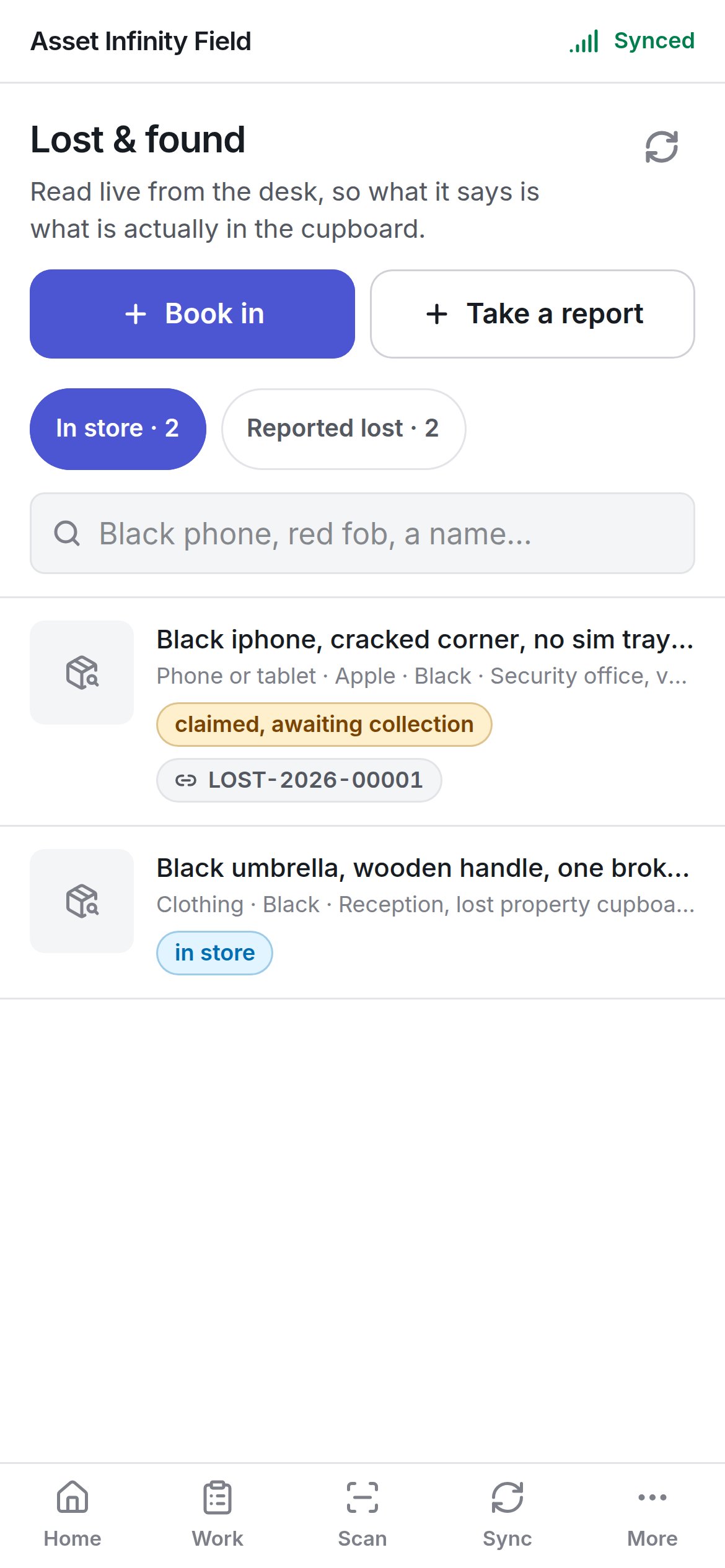
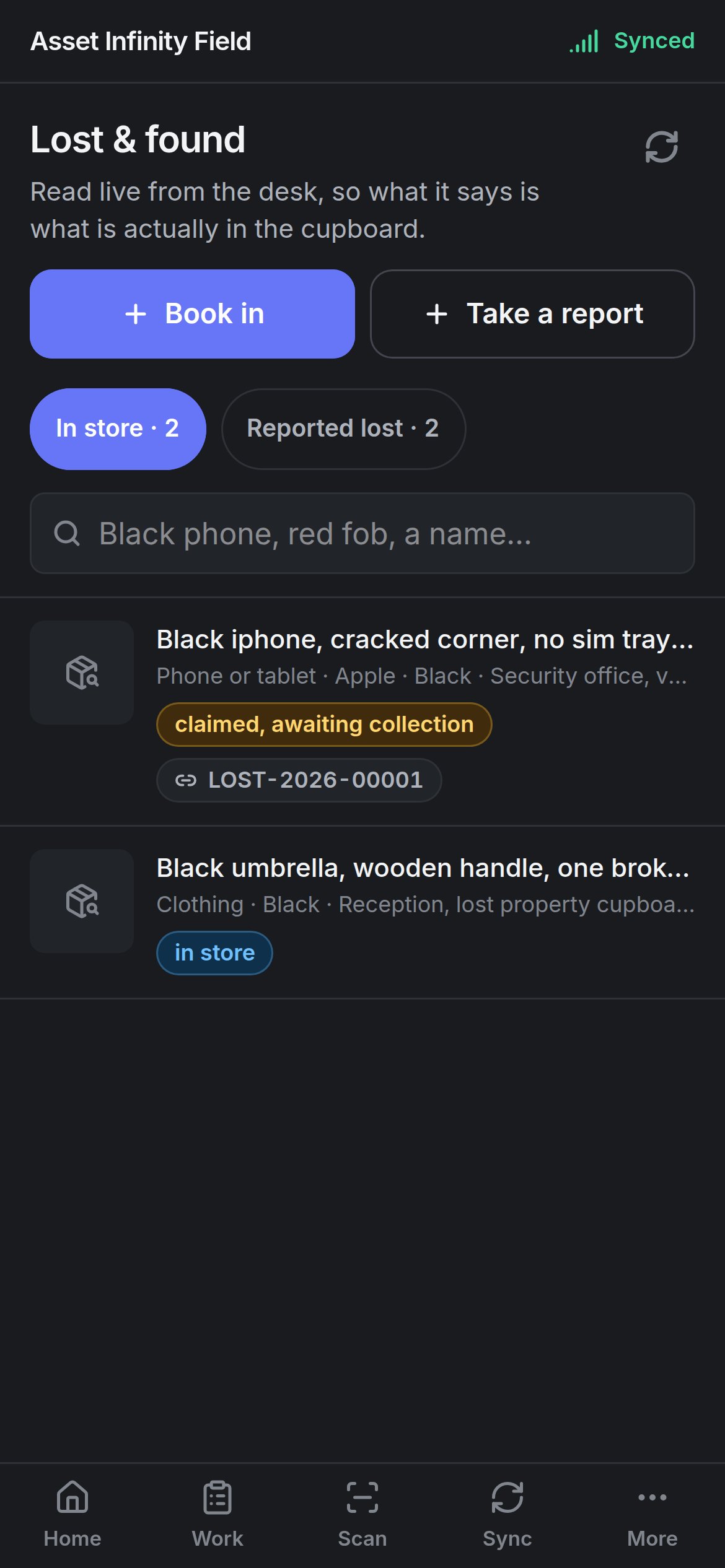 Open it from **Home → Lost & found**. Unlike most of the field app, this screen is **read live from the desk** — what a desk is holding changes while you walk, so nothing is cached and it needs a connection. Without one it says **No signal** with **Try again**. The refresh button reloads it.
Each part needs its own permission: seeing found items, seeing lost reports, booking in, taking reports, linking a report to an item and handing property over. Without permission to see either list, the screen says **This is not one of yours**. The same register in the web app is described in [lost and found](/work/lost-and-found); categories and holding periods are set up under [lost and found configuration](/config/lost-and-found).
## The two lists
| Tab | Rows show |
| - | - |
| **In store · {count}** | What the desk is holding: description, category, make, colour, where it is kept, its status (for example **in store** or **claimed, awaiting collection**) and the lost report it is linked to |
| **Reported lost · {count}** | Open reports: description, whose it is, category, colour and status (for example **waiting to be collected** or **footage not reviewed**), with the found item it is matched to |
**Search what is on this screen** (*Black phone, red fob, a name…*) filters the rows already shown. Only the most recent rows are listed — an older record is on the register in the web app.
## A found item
Tap a row to open it.
Open it from **Home → Lost & found**. Unlike most of the field app, this screen is **read live from the desk** — what a desk is holding changes while you walk, so nothing is cached and it needs a connection. Without one it says **No signal** with **Try again**. The refresh button reloads it.
Each part needs its own permission: seeing found items, seeing lost reports, booking in, taking reports, linking a report to an item and handing property over. Without permission to see either list, the screen says **This is not one of yours**. The same register in the web app is described in [lost and found](/work/lost-and-found); categories and holding periods are set up under [lost and found configuration](/config/lost-and-found).
## The two lists
| Tab | Rows show |
| - | - |
| **In store · {count}** | What the desk is holding: description, category, make, colour, where it is kept, its status (for example **in store** or **claimed, awaiting collection**) and the lost report it is linked to |
| **Reported lost · {count}** | Open reports: description, whose it is, category, colour and status (for example **waiting to be collected** or **footage not reviewed**), with the found item it is matched to |
**Search what is on this screen** (*Black phone, red fob, a name…*) filters the rows already shown. Only the most recent rows are listed — an older record is on the register in the web app.
## A found item
Tap a row to open it.
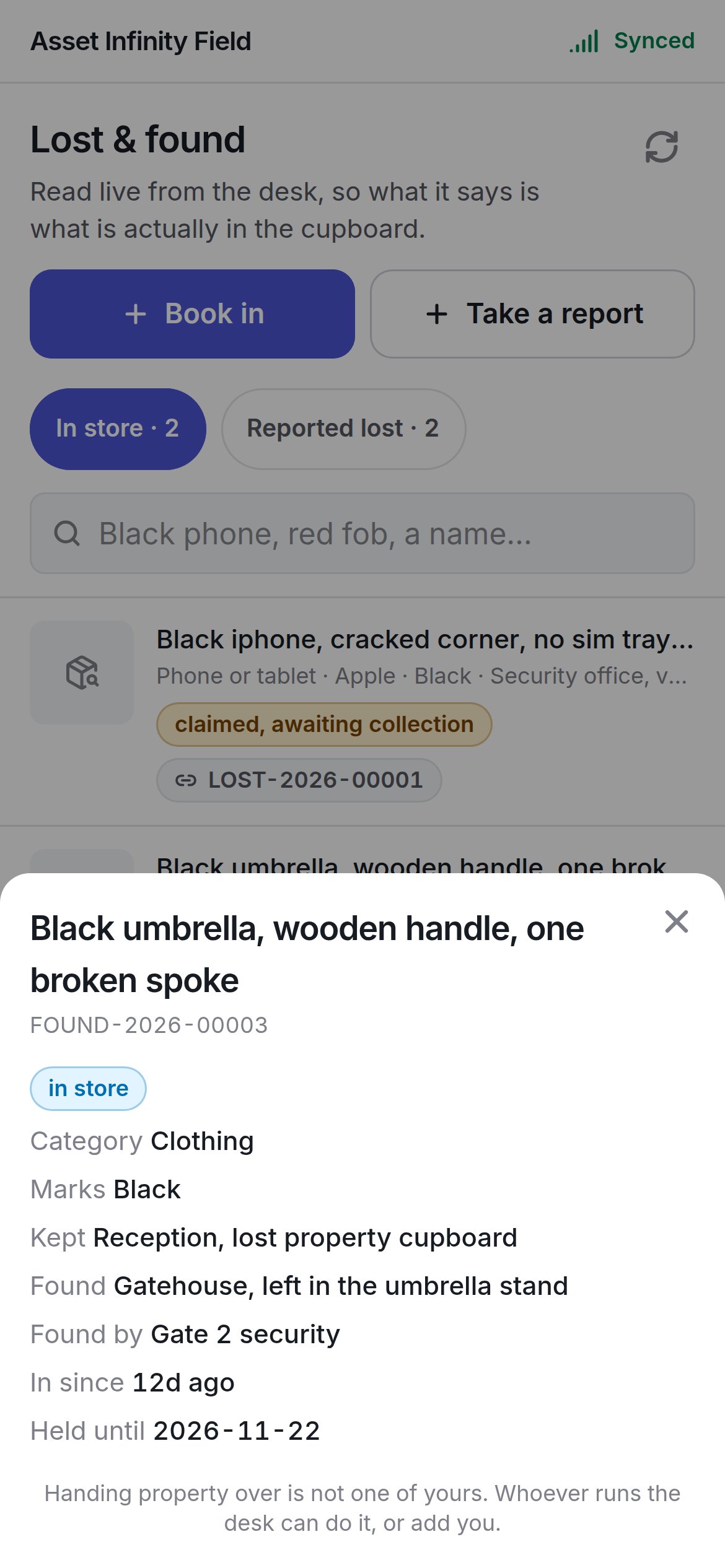
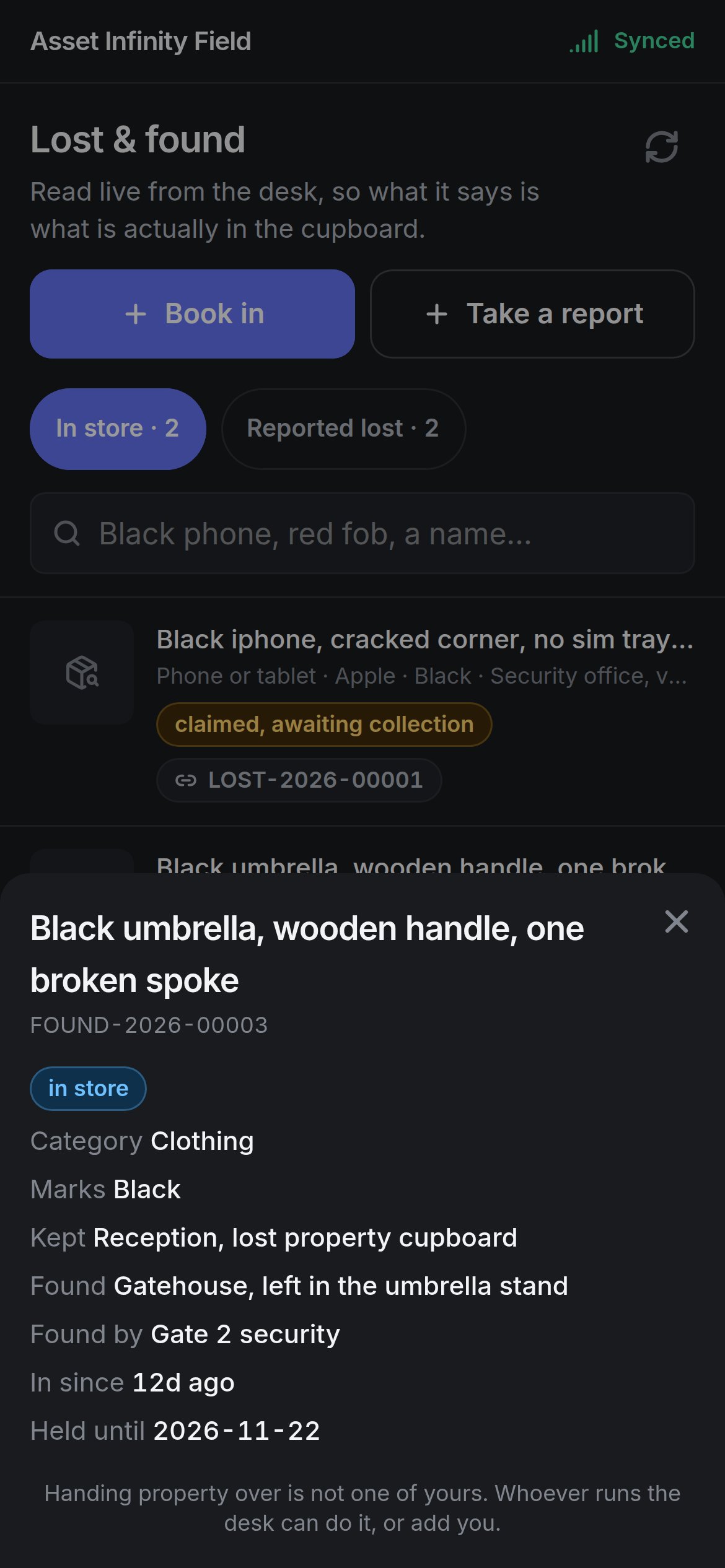 It shows **Category**, **Marks**, **Kept**, **Found**, **Found by**, **In since**, **Held until**, **Claimed by** and **Notes**, then the actions you are allowed:
| Action | What it does |
| - | - |
| **Find the report this answers** | Lists open reports at the site that this could be, best first, marked **closest match**, **might be** or **long shot** with **Why this one** (for example **The serial matches the one on the report**). **Link them** records the match. Nothing is linked if the request does not reach the server |
| **Hand it over** | Records the owner collecting it — see below |
Without permission to hand property over, the sheet says so.
## A lost report
A report shows **Whose**, **Reach them**, **What makes it theirs**, **Last had it**, **Reported** and **Matched to**. **See what is in store** lists property at the site handed in after they lost it, best first; **That is theirs** links the two. If nothing looks like it, the report stays open — property turns up days later more often than not.
## Handing it over
**Record the handover** asks:
| Field | What it means | Notes |
| - | - | - |
| **Who is taking it** / **The name they give** | The person collecting | Required. Not always the owner — a colleague collects a phone, a parent collects a coat |
| **What they showed** | The identification shown | **Nothing**, **Employee ID**, **National ID**, **Passport**, **Driving licence**, **Visitor pass**, **Student ID** or **Something else** |
| **Number on it** | The ID number | When an ID was shown |
| **Anything worth noting** | Notes | Optional |
| **Checked the badge against the report** | Confirmation | Shown when the item is matched to a report |
| **Sign for it** | The collector's signature | Shown for kinds of property your organisation has signed for. The signature is printed on the handover receipt |
Handing over an item that was matched to a report closes the report too. Do not let the property go until the screen says the handover reached the server.
## Book something in
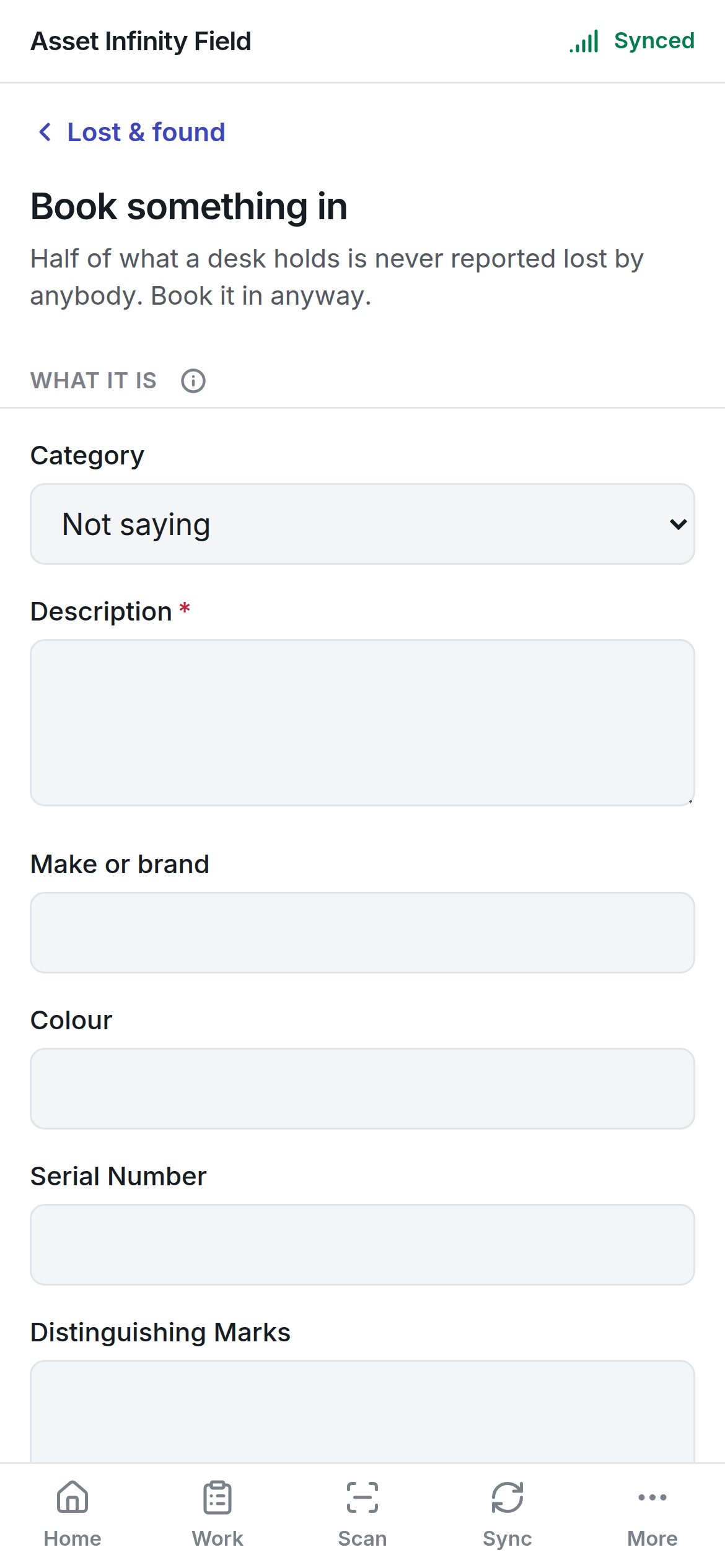
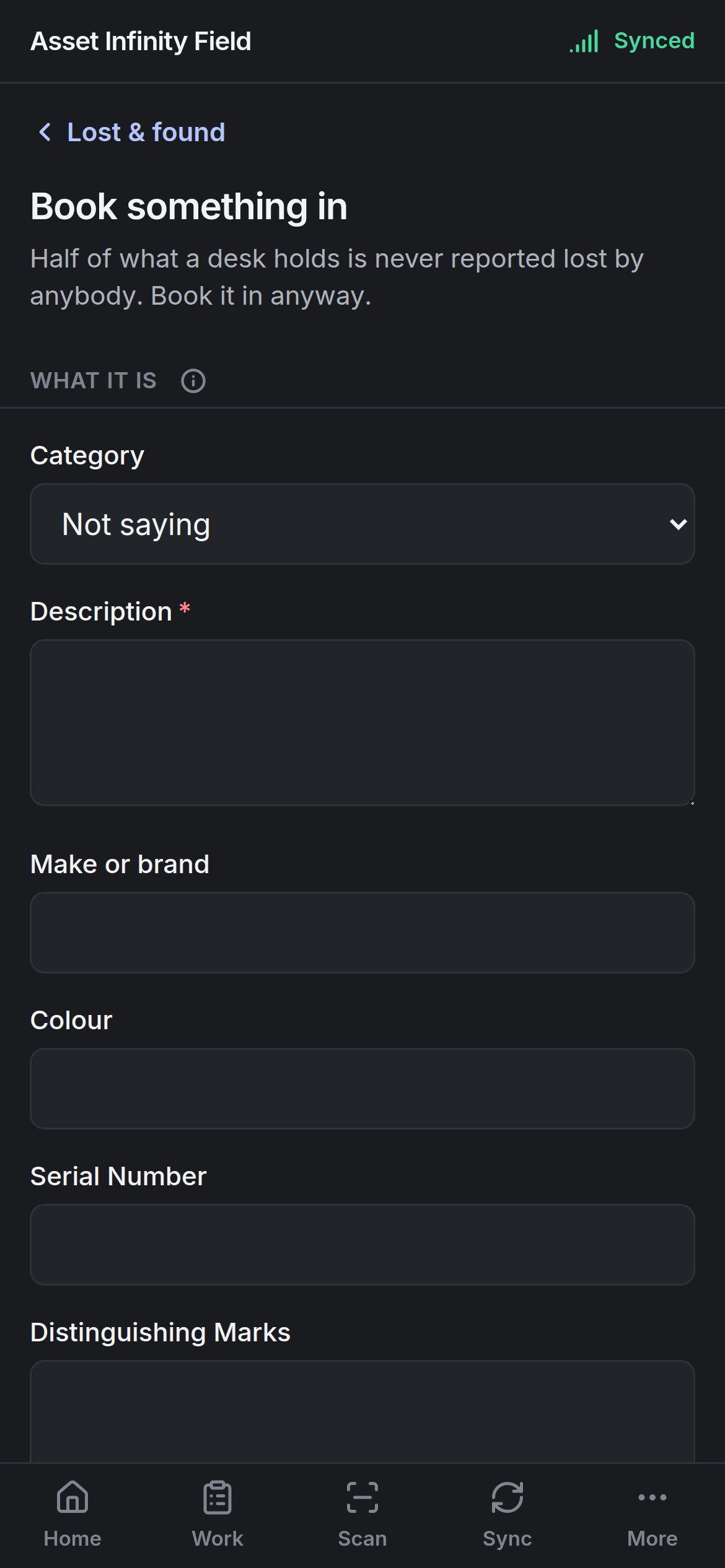
**Book in** opens **Book something in** — *Half of what a desk holds is never reported lost by anybody. Book it in anyway.*
It shows **Category**, **Marks**, **Kept**, **Found**, **Found by**, **In since**, **Held until**, **Claimed by** and **Notes**, then the actions you are allowed:
| Action | What it does |
| - | - |
| **Find the report this answers** | Lists open reports at the site that this could be, best first, marked **closest match**, **might be** or **long shot** with **Why this one** (for example **The serial matches the one on the report**). **Link them** records the match. Nothing is linked if the request does not reach the server |
| **Hand it over** | Records the owner collecting it — see below |
Without permission to hand property over, the sheet says so.
## A lost report
A report shows **Whose**, **Reach them**, **What makes it theirs**, **Last had it**, **Reported** and **Matched to**. **See what is in store** lists property at the site handed in after they lost it, best first; **That is theirs** links the two. If nothing looks like it, the report stays open — property turns up days later more often than not.
## Handing it over
**Record the handover** asks:
| Field | What it means | Notes |
| - | - | - |
| **Who is taking it** / **The name they give** | The person collecting | Required. Not always the owner — a colleague collects a phone, a parent collects a coat |
| **What they showed** | The identification shown | **Nothing**, **Employee ID**, **National ID**, **Passport**, **Driving licence**, **Visitor pass**, **Student ID** or **Something else** |
| **Number on it** | The ID number | When an ID was shown |
| **Anything worth noting** | Notes | Optional |
| **Checked the badge against the report** | Confirmation | Shown when the item is matched to a report |
| **Sign for it** | The collector's signature | Shown for kinds of property your organisation has signed for. The signature is printed on the handover receipt |
Handing over an item that was matched to a report closes the report too. Do not let the property go until the screen says the handover reached the server.
## Book something in
**Book in** opens **Book something in** — *Half of what a desk holds is never reported lost by anybody. Book it in anyway.*
 | Field | What it means | Notes |
| - | - | - |
| **Category** | What kind of thing it is | From your organisation's list (defaults include **Bag or luggage**, **Cash**, **Clothing**, **Glasses**, **ID and documents**, **Jewellery**, **Keys**, **Laptop or computer**, **Phone or tablet**, **Tools**, **Wallet or purse**, **Something else**). Some categories are held as valuables or must be signed for |
| **Description** | What it is | Required. Colour, make and anything unusual are what a match is made on |
| **Make or brand** | The maker | Optional |
| **Colour** | Its colour | Optional |
| **Serial Number** | A serial or IMEI | Optional. A serial that matches a report is the strongest match there is |
| **Distinguishing Marks** | Stickers, damage, engraving | Optional |
| **Quantity** | How many | Optional |
| **Site** | Where it was found | Required |
| **Found at location** | The location within the site | Optional, from the site's location tree |
| **Where exactly** | Free-text spot | Optional |
| **Found at** | When it was found | Date and time |
| **Found by** | The finder's name | Required |
| **Who they are** | The finder's relationship | Employee, contractor, visitor, vendor, customer or other |
| **Phone** | The finder's number | Optional |
| **Handed in at** | When it reached the desk | Date and time |
| **Stored at location** / **Where in there** | Where it is kept | Optional |
| **Held until** | When the holding period ends | Optional. Usually worked out from the category |
| **Held as a valuable** | Whether it goes in the valuables store | **Yes**, **No** or **Not saying** |
| **Notes** | Anything else | Optional |
| **What it looks like** | Photographs | **Photograph it** — worth more than the description; the picture settles a claim at the gate |
**Estimated Value**, **Finder's account** and **Booked in by** are not asked on the handset and are answered on the register in the web app. **Book it in** stays greyed while **Still needed:** names a required field.
## Take a report
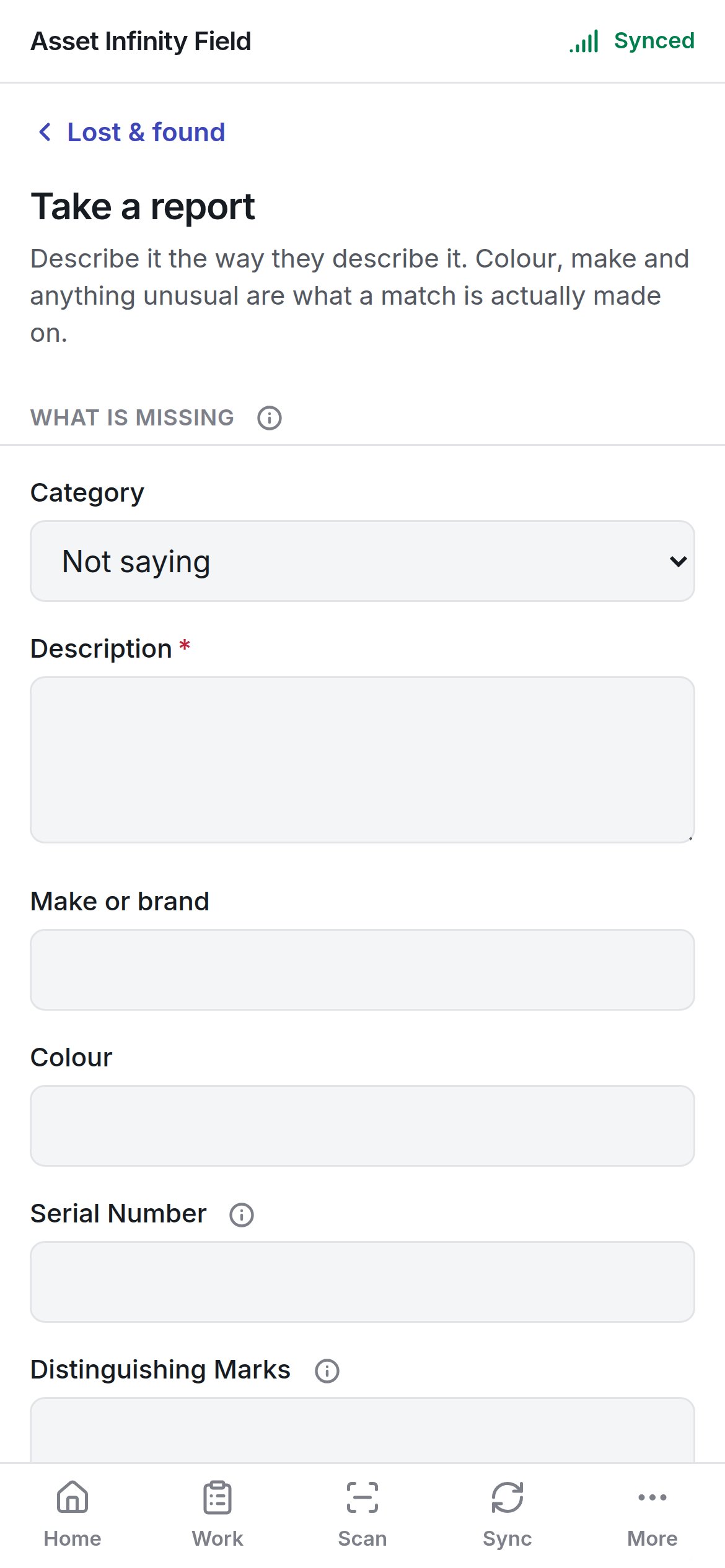
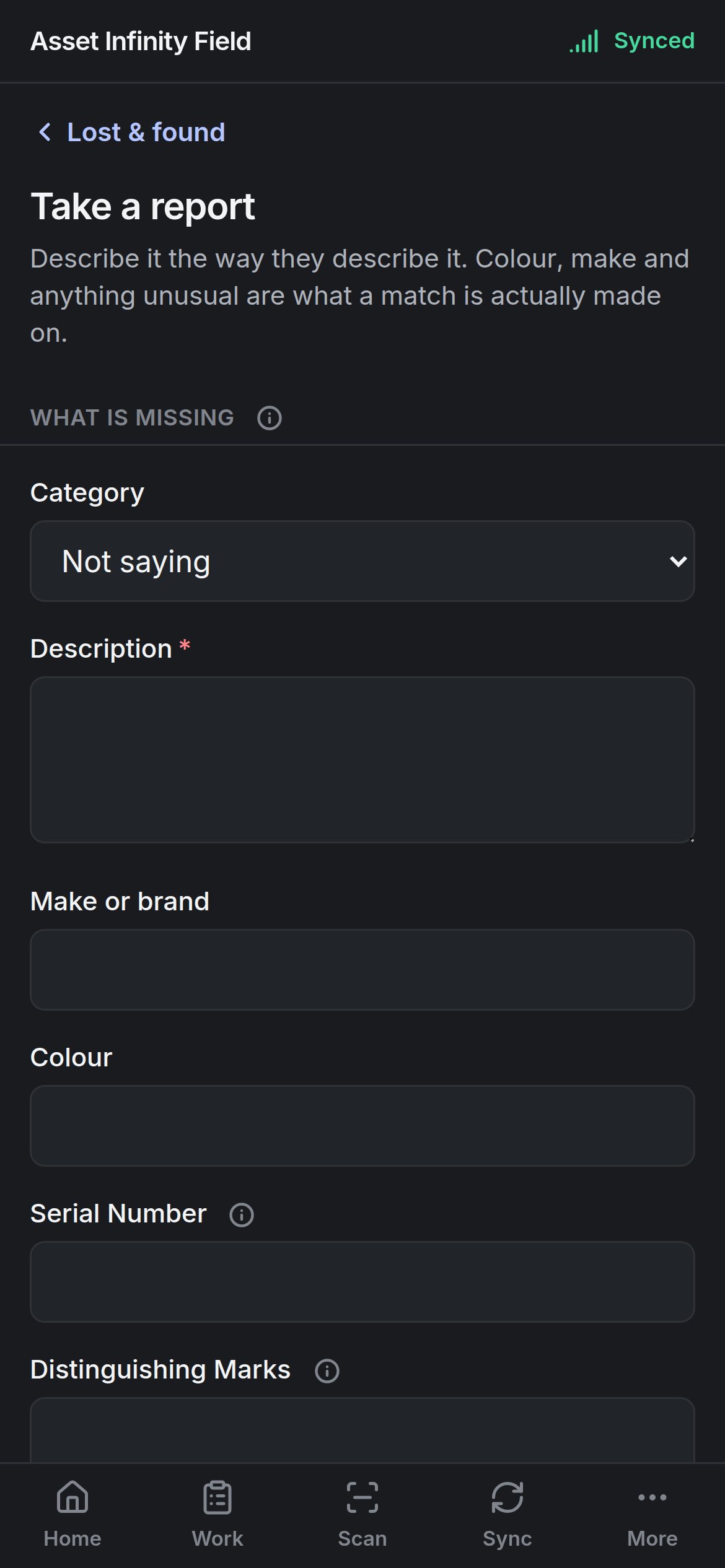
**Take a report** — *Describe it the way they describe it.*
| Field | What it means | Notes |
| - | - | - |
| **Category** | What kind of thing it is | From your organisation's list (defaults include **Bag or luggage**, **Cash**, **Clothing**, **Glasses**, **ID and documents**, **Jewellery**, **Keys**, **Laptop or computer**, **Phone or tablet**, **Tools**, **Wallet or purse**, **Something else**). Some categories are held as valuables or must be signed for |
| **Description** | What it is | Required. Colour, make and anything unusual are what a match is made on |
| **Make or brand** | The maker | Optional |
| **Colour** | Its colour | Optional |
| **Serial Number** | A serial or IMEI | Optional. A serial that matches a report is the strongest match there is |
| **Distinguishing Marks** | Stickers, damage, engraving | Optional |
| **Quantity** | How many | Optional |
| **Site** | Where it was found | Required |
| **Found at location** | The location within the site | Optional, from the site's location tree |
| **Where exactly** | Free-text spot | Optional |
| **Found at** | When it was found | Date and time |
| **Found by** | The finder's name | Required |
| **Who they are** | The finder's relationship | Employee, contractor, visitor, vendor, customer or other |
| **Phone** | The finder's number | Optional |
| **Handed in at** | When it reached the desk | Date and time |
| **Stored at location** / **Where in there** | Where it is kept | Optional |
| **Held until** | When the holding period ends | Optional. Usually worked out from the category |
| **Held as a valuable** | Whether it goes in the valuables store | **Yes**, **No** or **Not saying** |
| **Notes** | Anything else | Optional |
| **What it looks like** | Photographs | **Photograph it** — worth more than the description; the picture settles a claim at the gate |
**Estimated Value**, **Finder's account** and **Booked in by** are not asked on the handset and are answered on the register in the web app. **Book it in** stays greyed while **Still needed:** names a required field.
## Take a report
**Take a report** — *Describe it the way they describe it.*
 | Field | What it means | Notes |
| - | - | - |
| **Category**, **Description**, **Make or brand**, **Colour**, **Serial Number**, **Distinguishing Marks** | What is missing | As for booking in. **Description** is required |
| **Site** | Where it went missing | Required |
| **Last known location** / **Where exactly** | Where they last had it | Optional |
| **When it went missing** | Date and time | Optional |
| **Name** | Whose it is | Required |
| **Who they are** | Employee, contractor, visitor, vendor, customer or other | Optional |
| **Kind of ID** / **ID number** | Their identification | Optional |
| **Phone**, **Email** | How to reach them | Optional |
| **Camera covers it** | Whether CCTV covers the place | **Yes**, **No** or **Not saying** |
| **Camera or recorder**, **Footage from**, **Footage to** | Which footage to check | Optional |
| **Footage reviewed** / **What the footage showed** | The outcome of reviewing it | Optional |
| **Reported at** | When the report was made | Date and time |
| **Notes** | Anything else | Optional |
**Estimated Value**, **Owner's account** and **Reported by** are answered on the register in the web app. **Take the report** stays greyed until the required fields are filled.
This documentation is built and hosted on [Mintlify](https://mintlify.com), a developer documentation platform.
| Field | What it means | Notes |
| - | - | - |
| **Category**, **Description**, **Make or brand**, **Colour**, **Serial Number**, **Distinguishing Marks** | What is missing | As for booking in. **Description** is required |
| **Site** | Where it went missing | Required |
| **Last known location** / **Where exactly** | Where they last had it | Optional |
| **When it went missing** | Date and time | Optional |
| **Name** | Whose it is | Required |
| **Who they are** | Employee, contractor, visitor, vendor, customer or other | Optional |
| **Kind of ID** / **ID number** | Their identification | Optional |
| **Phone**, **Email** | How to reach them | Optional |
| **Camera covers it** | Whether CCTV covers the place | **Yes**, **No** or **Not saying** |
| **Camera or recorder**, **Footage from**, **Footage to** | Which footage to check | Optional |
| **Footage reviewed** / **What the footage showed** | The outcome of reviewing it | Optional |
| **Reported at** | When the report was made | Date and time |
| **Notes** | Anything else | Optional |
**Estimated Value**, **Owner's account** and **Reported by** are answered on the register in the web app. **Take the report** stays greyed until the required fields are filled.
This documentation is built and hosted on [Mintlify](https://mintlify.com), a developer documentation platform.