> ## Documentation Index
> Fetch the complete documentation index at: https://docs.assetinfinity.ai/llms.txt
> Use this file to discover all available pages before exploring further.
# The field app
> The handset app technicians use at the machine — built for a plant room with no signal.
A separate app for the people doing the work. It holds its own copy of the jobs assigned to the
device, so it keeps working where there is no network — which, in a plant room, is most of the time.
 ## What makes it different
The desktop app asks the server for everything. The field app asks its **own encrypted database on
the handset**, and syncs when it can.
That changes how it behaves:
* **Pressing a button changes the screen now.** Nothing waits for a network. An interface that greys
out until a request returns is an interface that spends a shift greyed out.
* **You are told two things, not one.** The job changed, *and* the server has not agreed yet. Those
are different facts and the screen shows both.
* **The list you saw at the gate is the list you see in the plant room.**
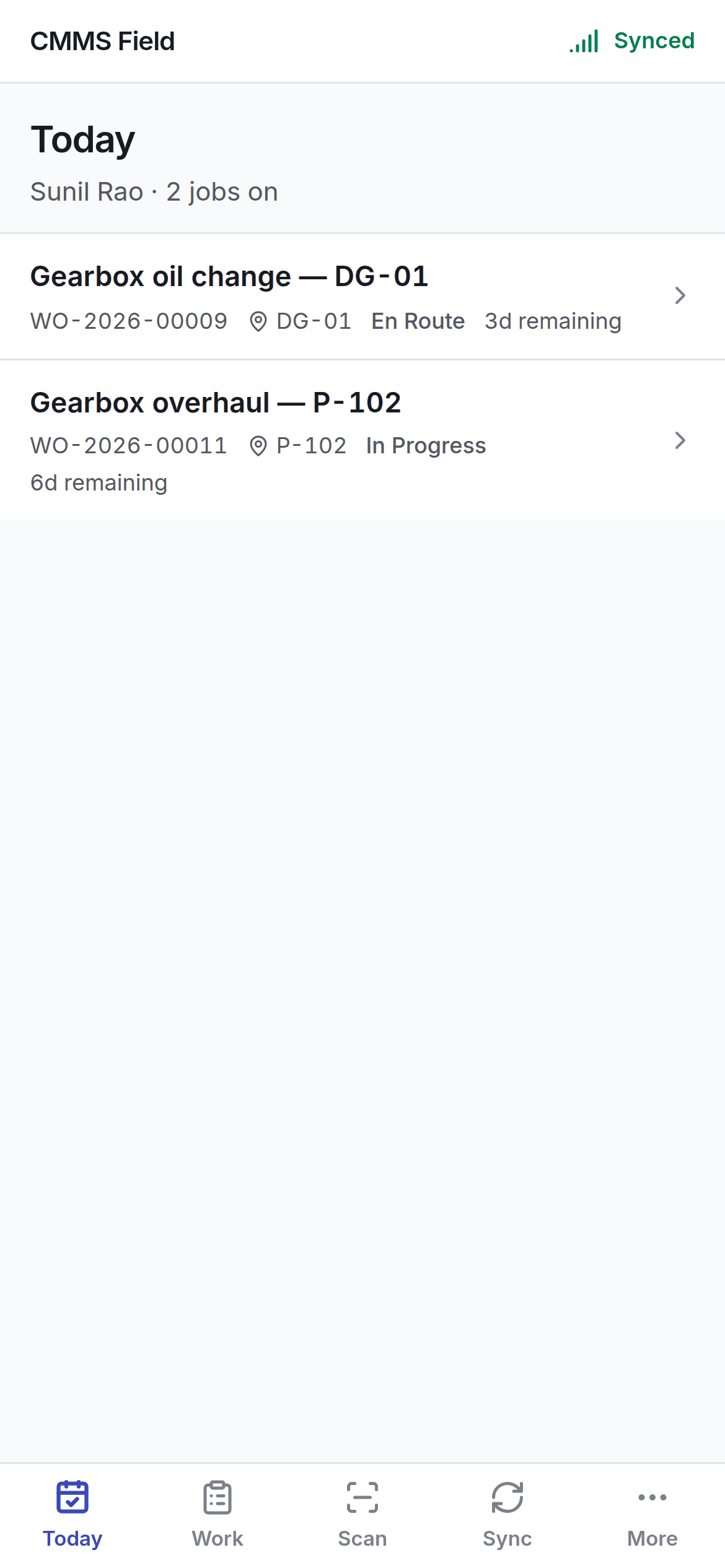
## Five tabs
| Tab | What it is |
| --------- | --------------------------------------------------- |
| **Today** | What is on now — in progress, or due before tonight |
| **Work** | Everything on the handset |
| **Scan** | Find the machine in front of you |
| **Sync** | What is queued, what failed, what needs a decision |
| **More** | Who you are, which device this is, and signing out |
## Getting it
The field app is a web app — open its address in the handset's browser and add it to the home
screen. There is nothing to install from a store.
Your administrator will give you the address.
## What you need
* The email and password you use for the main app.
* A **passcode** you choose for the handset itself. See [signing in](/field/sign-in).
The passcode, what it protects, and why nobody can recover it.
## Related topics
- [Custom fields](/config/custom-fields.md)
- [Working offline](/field/offline-and-sync.md)
- [Notifications](/config/notifications.md)
- [What this system does](/introduction.md)
- [Ways to sign in](/setup/sign-in-methods.md)
## What makes it different
The desktop app asks the server for everything. The field app asks its **own encrypted database on
the handset**, and syncs when it can.
That changes how it behaves:
* **Pressing a button changes the screen now.** Nothing waits for a network. An interface that greys
out until a request returns is an interface that spends a shift greyed out.
* **You are told two things, not one.** The job changed, *and* the server has not agreed yet. Those
are different facts and the screen shows both.
* **The list you saw at the gate is the list you see in the plant room.**
## Five tabs
| Tab | What it is |
| --------- | --------------------------------------------------- |
| **Today** | What is on now — in progress, or due before tonight |
| **Work** | Everything on the handset |
| **Scan** | Find the machine in front of you |
| **Sync** | What is queued, what failed, what needs a decision |
| **More** | Who you are, which device this is, and signing out |
## Getting it
The field app is a web app — open its address in the handset's browser and add it to the home
screen. There is nothing to install from a store.
Your administrator will give you the address.
## What you need
* The email and password you use for the main app.
* A **passcode** you choose for the handset itself. See [signing in](/field/sign-in).
The passcode, what it protects, and why nobody can recover it.
## Related topics
- [Custom fields](/config/custom-fields.md)
- [Working offline](/field/offline-and-sync.md)
- [Notifications](/config/notifications.md)
- [What this system does](/introduction.md)
- [Ways to sign in](/setup/sign-in-methods.md)