> ## Documentation Index
> Fetch the complete documentation index at: https://docs.assetinfinity.ai/llms.txt
> Use this file to discover all available pages before exploring further.
# Stock on the handset
> Checking what the stores at your sites hold, and handing parts out, counting shelves, moving stock and taking deliveries in from the handset.
The **Stock** screen shows what the stores at your sites hold, as of the last sync, and lets the people allowed to move stock hand parts out, count a shelf, move stock between stores and take a delivery in — with no signal.
If you don't see this in your navigation, your administrator can switch the module on under **Administration → Modules**, or it may not be included in your plan.
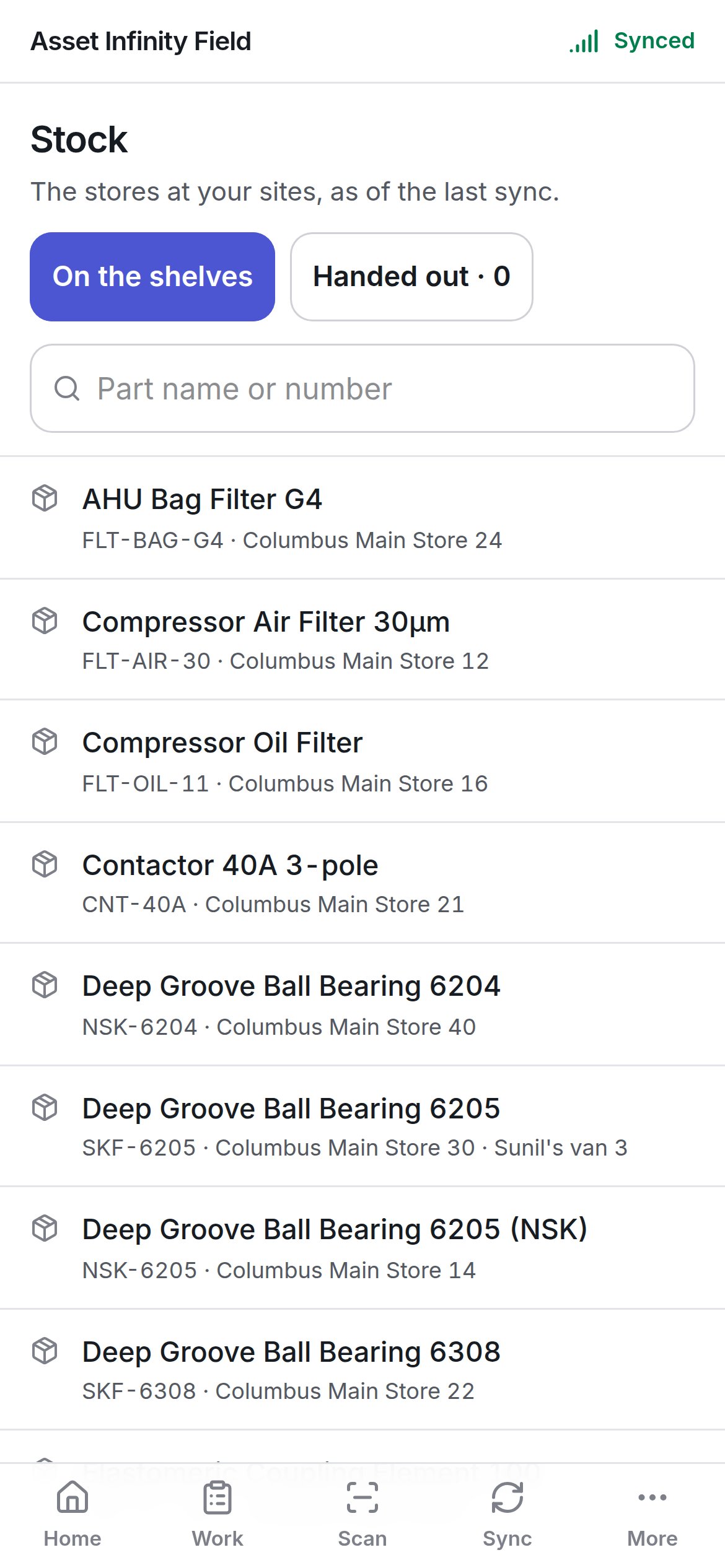
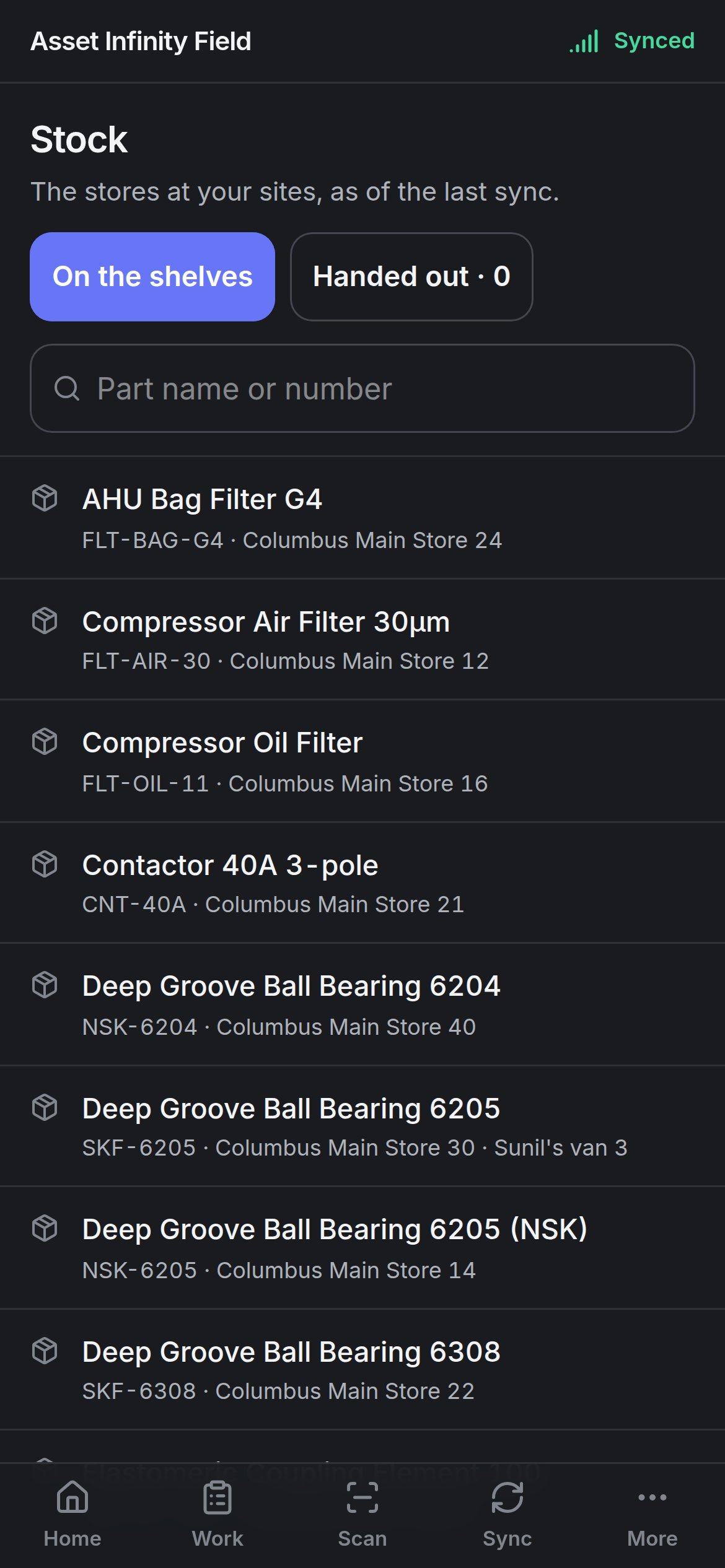 Open it from **Home → Stock**. The door appears when your organisation keeps inventory and you are allowed to see stock — the commonest use is simply checking whether the van has a filter before driving out.
## The two lists
| List | What it shows |
| - | - |
| **On the shelves** | Every part held at a store at your sites, with the part number and how many each store holds — for example **Columbus Main Store 30 · Sunil's van 3**. **{count} at other sites** appears where more is held elsewhere |
| **Handed out · {count}** | Stock handed out to somebody and expected back, grouped by who has it (**{count} with {name}**) |
**Part name or number** searches the list. Long lists show the first rows and **{count} more. Type to narrow the list.** Both lists follow the site filter in the header. If the handset holds no stock, the screen says it comes down when you sync.
## Moving stock
Tap a part to see what you can do with it. Each action appears only if you hold the permission behind it:
| Action | Button | Permission it needs (in plain words) |
| - | - | - |
| Give stock to a person, project, department, cost centre or asset | **Hand out** | Edit stock |
| Record what is physically on a shelf | **Count** | Adjust stock |
| Move stock from one store to another | **Transfer** | Transfer stock |
| Take a delivery into a store | **Receive** | Transfer stock |
Every movement is **Queued for validation**: recorded now, sent on the next sync, and checked by the server against what is actually there.
Open it from **Home → Stock**. The door appears when your organisation keeps inventory and you are allowed to see stock — the commonest use is simply checking whether the van has a filter before driving out.
## The two lists
| List | What it shows |
| - | - |
| **On the shelves** | Every part held at a store at your sites, with the part number and how many each store holds — for example **Columbus Main Store 30 · Sunil's van 3**. **{count} at other sites** appears where more is held elsewhere |
| **Handed out · {count}** | Stock handed out to somebody and expected back, grouped by who has it (**{count} with {name}**) |
**Part name or number** searches the list. Long lists show the first rows and **{count} more. Type to narrow the list.** Both lists follow the site filter in the header. If the handset holds no stock, the screen says it comes down when you sync.
## Moving stock
Tap a part to see what you can do with it. Each action appears only if you hold the permission behind it:
| Action | Button | Permission it needs (in plain words) |
| - | - | - |
| Give stock to a person, project, department, cost centre or asset | **Hand out** | Edit stock |
| Record what is physically on a shelf | **Count** | Adjust stock |
| Move stock from one store to another | **Transfer** | Transfer stock |
| Take a delivery into a store | **Receive** | Transfer stock |
Every movement is **Queued for validation**: recorded now, sent on the next sync, and checked by the server against what is actually there.
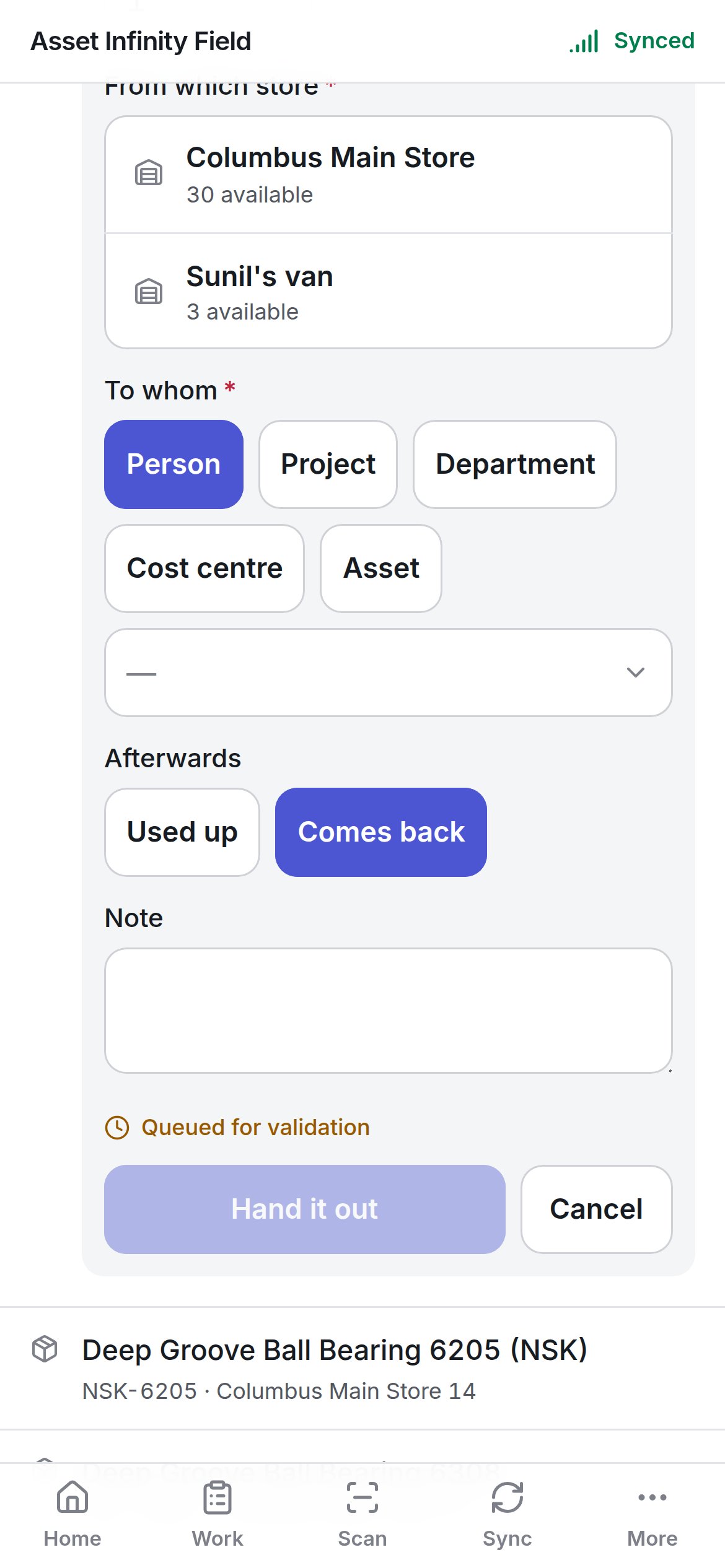
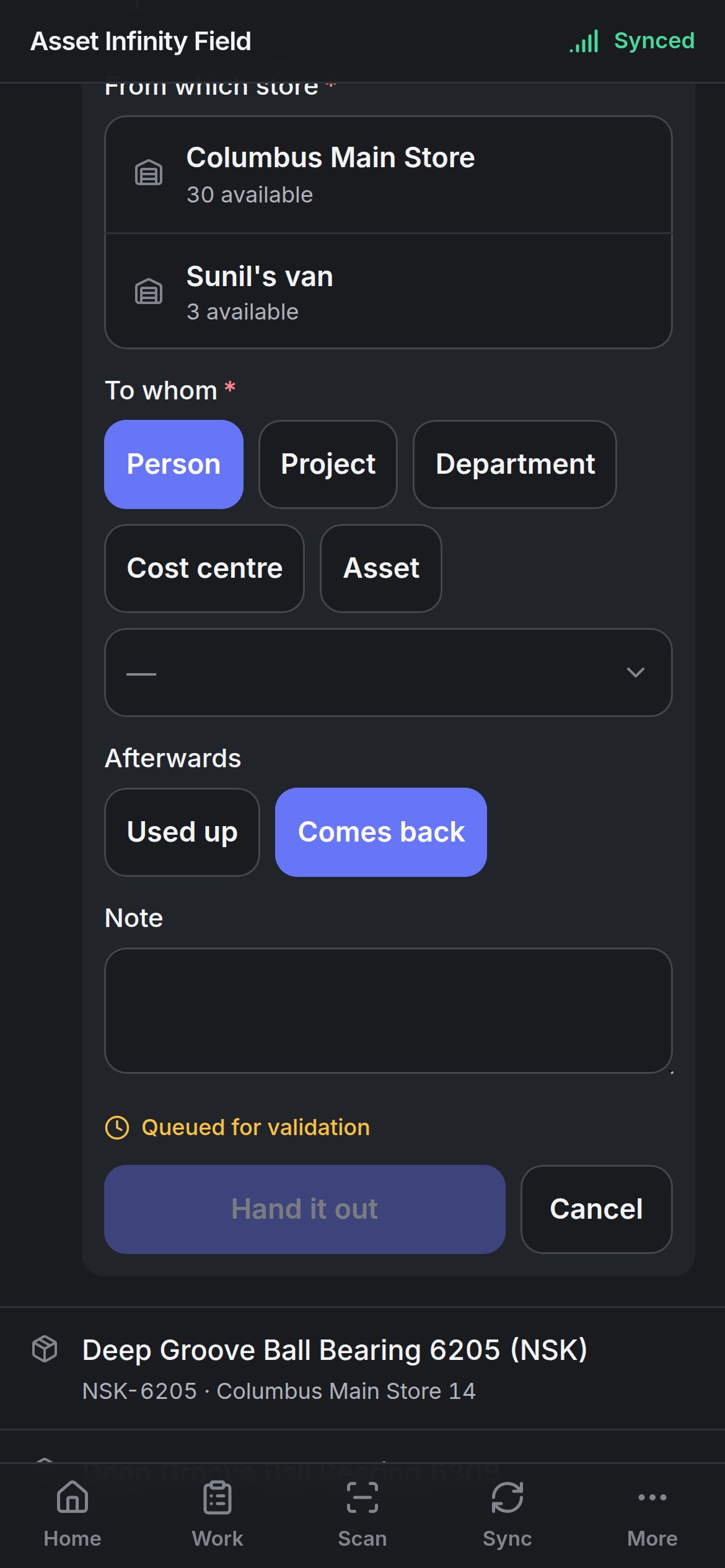 ### Hand it out
| Field | What it means | Notes |
| - | - | - |
| **How many** | The quantity | Required. Defaults to 1 |
| **From which store** | Where it comes from | Required. Lists the stores at your sites that hold the part, with **{count} available** |
| **To whom** | Who or what receives it | Required. Choose **Person**, **Project**, **Department**, **Cost centre** or **Asset**, then pick from the list. **Person** needs the workforce module and **Asset** the asset module |
| **Afterwards** | **Used up** or **Comes back** | **Comes back** keeps it on the **Handed out** list until it is returned. Defaults to **Used up** for consumable parts |
| **Note** | Anything worth recording | Optional |
**Hand it out** queues the movement. If the last sync says fewer are on the shelf than you are handing out, the form warns **The last sync says only {count} here. It will be sent, and the server decides.**
### Record the count
| Field | Notes |
| - | - |
| **How many are on the shelf** | Required. Zero is allowed. **The last sync says {count}.** is shown for comparison |
| **Which store's shelf** | Required |
| **Note** | Optional |
### Move it
| Field | Notes |
| - | - |
| **How many** | Required |
| **From which store** | Required |
| **To which store** | Required. Any other store |
| **Note** | Optional |
### Take it in
| Field | Notes |
| - | - |
| **How many** | Required |
| **Into which store** | Required. Any store at your sites |
| **Delivery note or order** | The reference on the paperwork |
| **Note** | Optional |
## Getting handed-out stock back
On **Handed out**, each line offers **It came back** or **It was used up** (for people allowed to hand stock out). Neither can return more than went out — **Only {count} is out.**
Parts fitted to a job are recorded on the [job screen](/field/job#parts) rather than here. For stores, bins and reorder levels, see [parts](/inventory/parts).
This documentation is built and hosted on [Mintlify](https://mintlify.com), a developer documentation platform.
### Hand it out
| Field | What it means | Notes |
| - | - | - |
| **How many** | The quantity | Required. Defaults to 1 |
| **From which store** | Where it comes from | Required. Lists the stores at your sites that hold the part, with **{count} available** |
| **To whom** | Who or what receives it | Required. Choose **Person**, **Project**, **Department**, **Cost centre** or **Asset**, then pick from the list. **Person** needs the workforce module and **Asset** the asset module |
| **Afterwards** | **Used up** or **Comes back** | **Comes back** keeps it on the **Handed out** list until it is returned. Defaults to **Used up** for consumable parts |
| **Note** | Anything worth recording | Optional |
**Hand it out** queues the movement. If the last sync says fewer are on the shelf than you are handing out, the form warns **The last sync says only {count} here. It will be sent, and the server decides.**
### Record the count
| Field | Notes |
| - | - |
| **How many are on the shelf** | Required. Zero is allowed. **The last sync says {count}.** is shown for comparison |
| **Which store's shelf** | Required |
| **Note** | Optional |
### Move it
| Field | Notes |
| - | - |
| **How many** | Required |
| **From which store** | Required |
| **To which store** | Required. Any other store |
| **Note** | Optional |
### Take it in
| Field | Notes |
| - | - |
| **How many** | Required |
| **Into which store** | Required. Any store at your sites |
| **Delivery note or order** | The reference on the paperwork |
| **Note** | Optional |
## Getting handed-out stock back
On **Handed out**, each line offers **It came back** or **It was used up** (for people allowed to hand stock out). Neither can return more than went out — **Only {count} is out.**
Parts fitted to a job are recorded on the [job screen](/field/job#parts) rather than here. For stores, bins and reorder levels, see [parts](/inventory/parts).
This documentation is built and hosted on [Mintlify](https://mintlify.com), a developer documentation platform.