> ## Documentation Index
> Fetch the complete documentation index at: https://docs.assetinfinity.ai/llms.txt
> Use this file to discover all available pages before exploring further.
# Today and Work
> The two lists a technician lives in — what is on now, and everything on the handset.
Two views of the same list.
## Today
What is on now: jobs in progress, and jobs due before tonight.
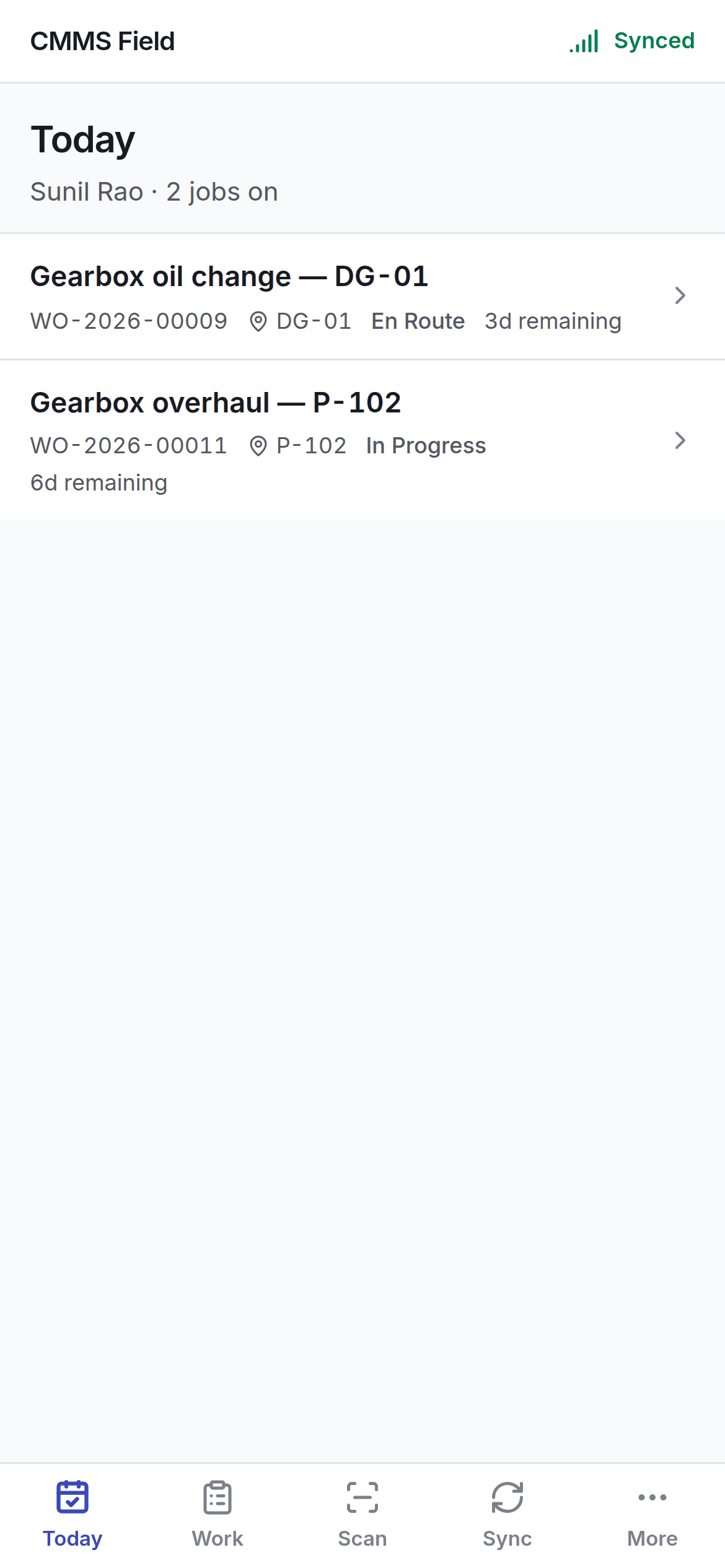 This is the screen to open at the start of a shift. If it is empty, you have nothing due today —
which is different from having nothing at all.
## Work
Everything on the handset, not just today's.
This is the screen to open at the start of a shift. If it is empty, you have nothing due today —
which is different from having nothing at all.
## Work
Everything on the handset, not just today's.
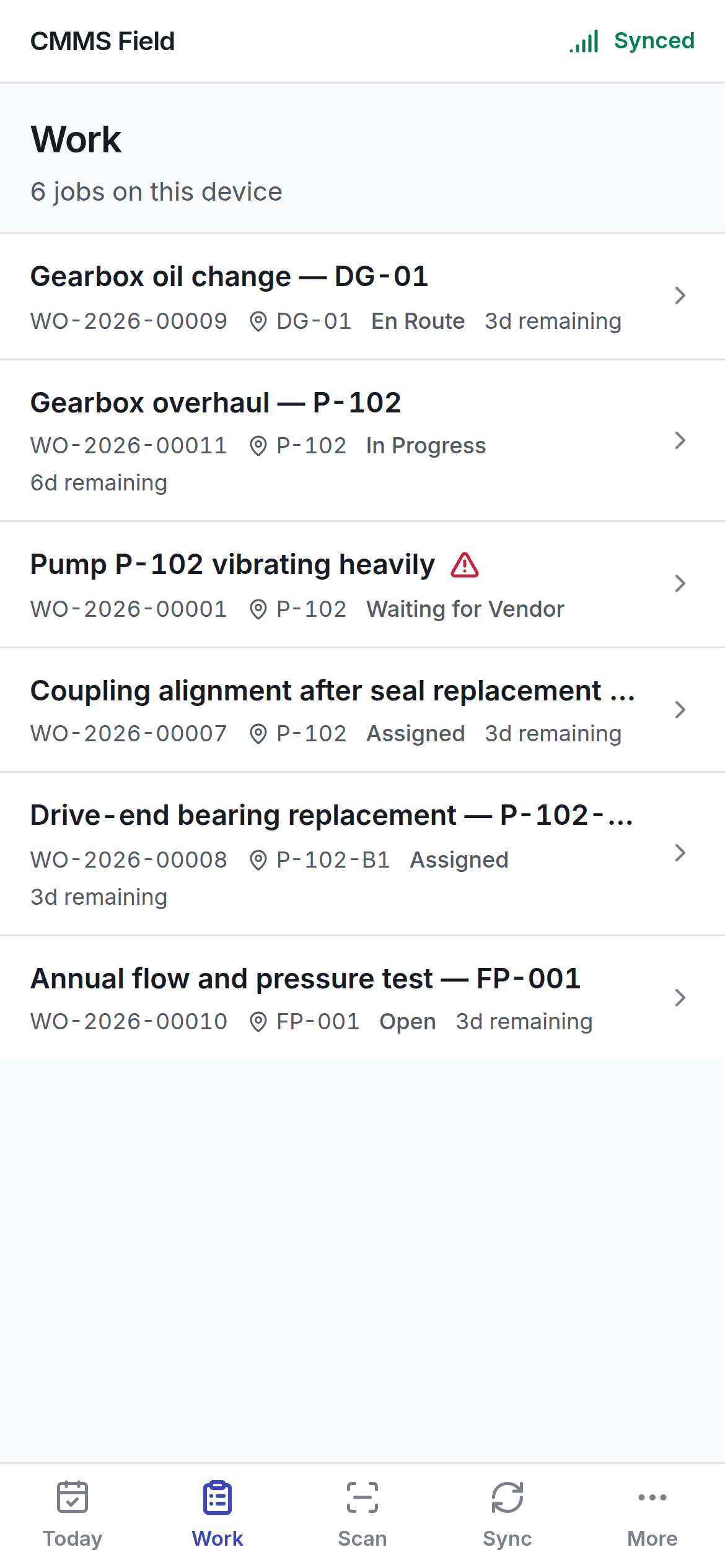 On a bad week these are the same list. On a good one, Work is longer.
## Reading a job row
Each row carries:
* The **number** and what the job is.
* The **asset** and where it is.
* The **status**, in your organisation's own words.
* **When it is due**, or how long it has been running.
* A **warning** where the job is short of something.
* A **sync chip** where you have changed the job and the server has not caught up.
## Both lists work offline
Neither screen fetches anything. They read the handset's own database, so nothing here can fail for
want of a network. What you saw at the gate is what you see in the plant room — the only difference
is the status chips on rows you have touched since.
## Getting more work
New work reaches the handset when it syncs. If you expect a job and cannot see it:
1. Check the **Sync** tab — the app may not have had signal since it was assigned.
2. Check it is actually assigned to you, not just raised.
See [offline and sync](/field/offline-and-sync).
Working through a job at the machine.
## Related topics
- [Dashboards](/get-started/dashboards.md)
- [The dispatch board](/work/dispatch.md)
- [The work order list](/work/work-orders.md)
- [The field app](/field/overview.md)
- [Role reference](/setup/roles.md)
On a bad week these are the same list. On a good one, Work is longer.
## Reading a job row
Each row carries:
* The **number** and what the job is.
* The **asset** and where it is.
* The **status**, in your organisation's own words.
* **When it is due**, or how long it has been running.
* A **warning** where the job is short of something.
* A **sync chip** where you have changed the job and the server has not caught up.
## Both lists work offline
Neither screen fetches anything. They read the handset's own database, so nothing here can fail for
want of a network. What you saw at the gate is what you see in the plant room — the only difference
is the status chips on rows you have touched since.
## Getting more work
New work reaches the handset when it syncs. If you expect a job and cannot see it:
1. Check the **Sync** tab — the app may not have had signal since it was assigned.
2. Check it is actually assigned to you, not just raised.
See [offline and sync](/field/offline-and-sync).
Working through a job at the machine.
## Related topics
- [Dashboards](/get-started/dashboards.md)
- [The dispatch board](/work/dispatch.md)
- [The work order list](/work/work-orders.md)
- [The field app](/field/overview.md)
- [Role reference](/setup/roles.md)