> ## Documentation Index
> Fetch the complete documentation index at: https://docs.assetinfinity.ai/llms.txt
> Use this file to discover all available pages before exploring further.
# What this system does
> A maintenance operating system that decides what maintenance is needed, who should do it, whether the job can actually be executed, and what the outcome teaches.
This is a maintenance management system built around the maintenance lifecycle rather than around a
ticket queue. It tracks your equipment, decides what work that equipment needs, works out whether a
contract or warranty covers it, finds the right person for it, checks the job can actually be done
before anyone is sent, and records what the outcome teaches about the machine.
 ## What you get
Every job carries its status, its service level, who it is on, and what it is still short of.
Hierarchy, meters, cover, failures, costs and downtime, all on the machine they belong to.
Plans triggered by the calendar, a meter reading, an event or a measured condition.
Drag a job onto a technician and see travel, skills, parts, tools and clashes before you commit.
Bad actors ranked against the fleet, with recommendations you can accept or dismiss.
Technicians execute jobs offline; the queue syncs when signal returns.
Sensors bound to a meter turn a live reading into maintenance that comes due on its own.
Root cause, corrective actions, and a review months later asking whether they worked.
Build a report once; every reader sees only the rows they could already open.
## Who uses it
Technicians pick up jobs on the [field app](/field/overview), work through the checklist at the
machine, record hours, parts, meter readings and photographs, and close the job — with or
without a network. Everything queues locally and syncs later.
Planners triage [requests](/work/requests), build [maintenance plans](/maintenance/plan-builder),
watch the [capacity plan](/work/capacity) for the day that will not fit, and use the
[dispatch board](/work/dispatch) to put the right person on the right job.
Supervisors run the shop floor: assigning and reassigning work, moving preventive rounds,
recording failures, and clearing what is blocked.
Storekeepers manage [parts](/inventory/parts) across stores, issue against jobs, and work the
[reorder list](/inventory/reorder) before a shortage stops a repair.
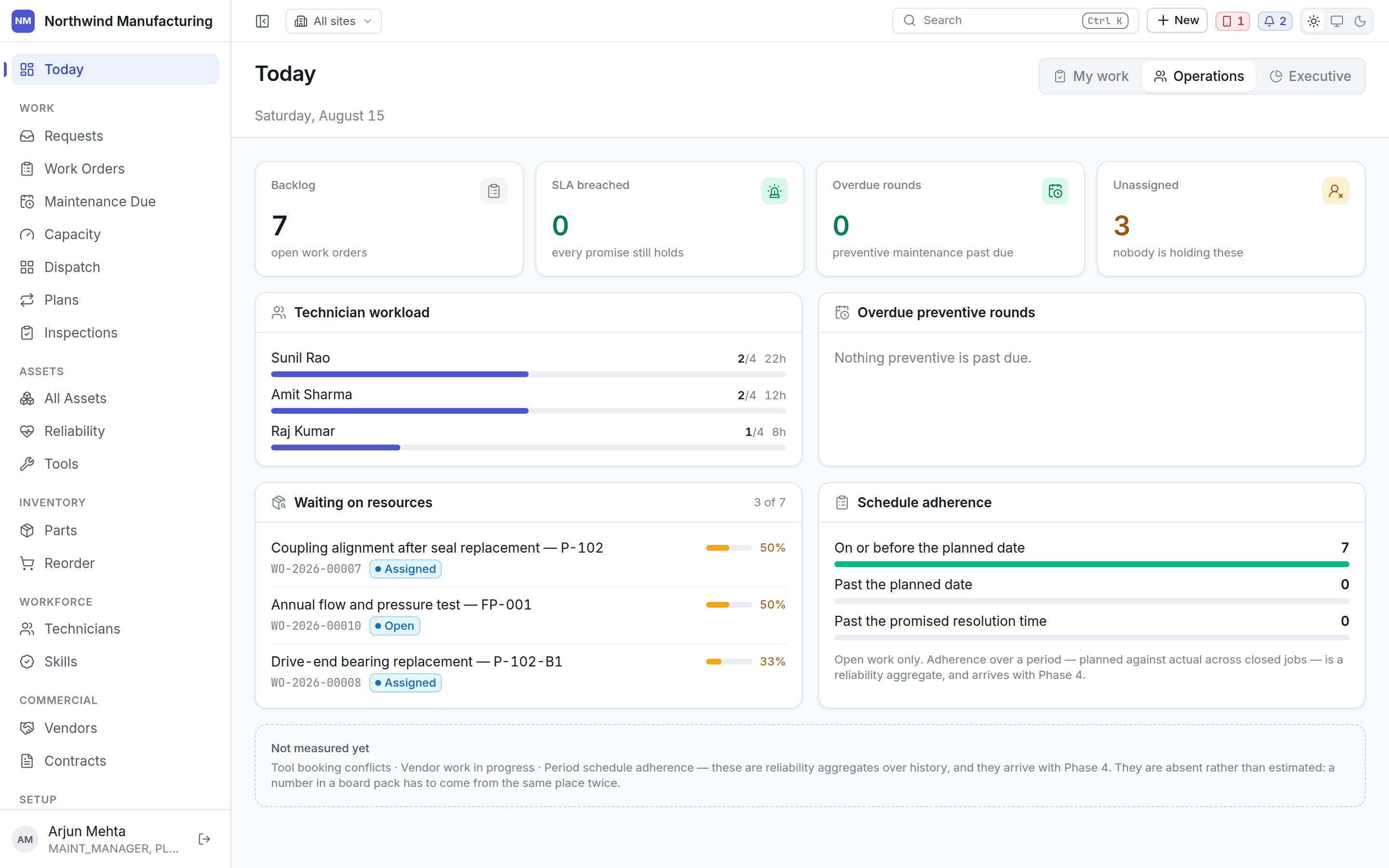
Managers watch backlog, SLA and cost. Executives read the [board view](/get-started/dashboards):
availability, MTBF, MTTR, PM compliance, downtime and what needs attention.
Administrators configure the plant — [sites and locations](/setup/sites),
[people and access](/setup/access), the [statuses](/config/statuses) and
[fields](/config/custom-fields) the rest of the product is built on, and the
[rules](/config/rules) that decide what happens without anybody asking.
## How the pieces fit
An **asset** is the machine. A **work request** is somebody reporting that something is wrong. A
**work order** is the job itself. A **maintenance plan** raises work orders on a schedule. A
**requirement** is what a job needs before it can start — a part, a tool, a skill, a vendor. An
**entitlement** decides whether a contract or warranty pays for it.
Almost everything in the lists below — statuses, priorities, types, categories — is configurable
per organisation. What this documentation shows are the defaults a new organisation starts with.
Your plant may have renamed them. See [statuses and transitions](/config/statuses).
Sign in, find your way around, and follow a job from request to close.
## Related topics
- [Working offline](/field/offline-and-sync.md)
- [Rules](/config/rules.md)
- [Entitlements and claims](/commercial/entitlements.md)
- [Your first hour](/quickstart.md)
- [Administered lists](/config/administered-lists.md)
## What you get
Every job carries its status, its service level, who it is on, and what it is still short of.
Hierarchy, meters, cover, failures, costs and downtime, all on the machine they belong to.
Plans triggered by the calendar, a meter reading, an event or a measured condition.
Drag a job onto a technician and see travel, skills, parts, tools and clashes before you commit.
Bad actors ranked against the fleet, with recommendations you can accept or dismiss.
Technicians execute jobs offline; the queue syncs when signal returns.
Sensors bound to a meter turn a live reading into maintenance that comes due on its own.
Root cause, corrective actions, and a review months later asking whether they worked.
Build a report once; every reader sees only the rows they could already open.
## Who uses it
Technicians pick up jobs on the [field app](/field/overview), work through the checklist at the
machine, record hours, parts, meter readings and photographs, and close the job — with or
without a network. Everything queues locally and syncs later.
Planners triage [requests](/work/requests), build [maintenance plans](/maintenance/plan-builder),
watch the [capacity plan](/work/capacity) for the day that will not fit, and use the
[dispatch board](/work/dispatch) to put the right person on the right job.
Supervisors run the shop floor: assigning and reassigning work, moving preventive rounds,
recording failures, and clearing what is blocked.
Storekeepers manage [parts](/inventory/parts) across stores, issue against jobs, and work the
[reorder list](/inventory/reorder) before a shortage stops a repair.
Managers watch backlog, SLA and cost. Executives read the [board view](/get-started/dashboards):
availability, MTBF, MTTR, PM compliance, downtime and what needs attention.
Administrators configure the plant — [sites and locations](/setup/sites),
[people and access](/setup/access), the [statuses](/config/statuses) and
[fields](/config/custom-fields) the rest of the product is built on, and the
[rules](/config/rules) that decide what happens without anybody asking.
## How the pieces fit
An **asset** is the machine. A **work request** is somebody reporting that something is wrong. A
**work order** is the job itself. A **maintenance plan** raises work orders on a schedule. A
**requirement** is what a job needs before it can start — a part, a tool, a skill, a vendor. An
**entitlement** decides whether a contract or warranty pays for it.
Almost everything in the lists below — statuses, priorities, types, categories — is configurable
per organisation. What this documentation shows are the defaults a new organisation starts with.
Your plant may have renamed them. See [statuses and transitions](/config/statuses).
Sign in, find your way around, and follow a job from request to close.
## Related topics
- [Working offline](/field/offline-and-sync.md)
- [Rules](/config/rules.md)
- [Entitlements and claims](/commercial/entitlements.md)
- [Your first hour](/quickstart.md)
- [Administered lists](/config/administered-lists.md)