> ## Documentation Index
> Fetch the complete documentation index at: https://docs.assetinfinity.ai/llms.txt
> Use this file to discover all available pages before exploring further.
# A maintenance plan
> Reading a maintenance plan — its overview, assets, schedule, tasks, requirements, the rounds it has raised, its published versions and its history.
A plan's own screen is where you read what a plan says and check whether it is working, before deciding whether it is the plan that produced the round you are looking at. Open it by clicking a plan's name in the [register](/maintenance/plans).
This screen is for reading. Every change is made in the [plan builder](/maintenance/plan-builder), because a plan's parts depend on each other — a meter trigger needs a meter on every asset in scope — and the builder shows them together.
 ## The header
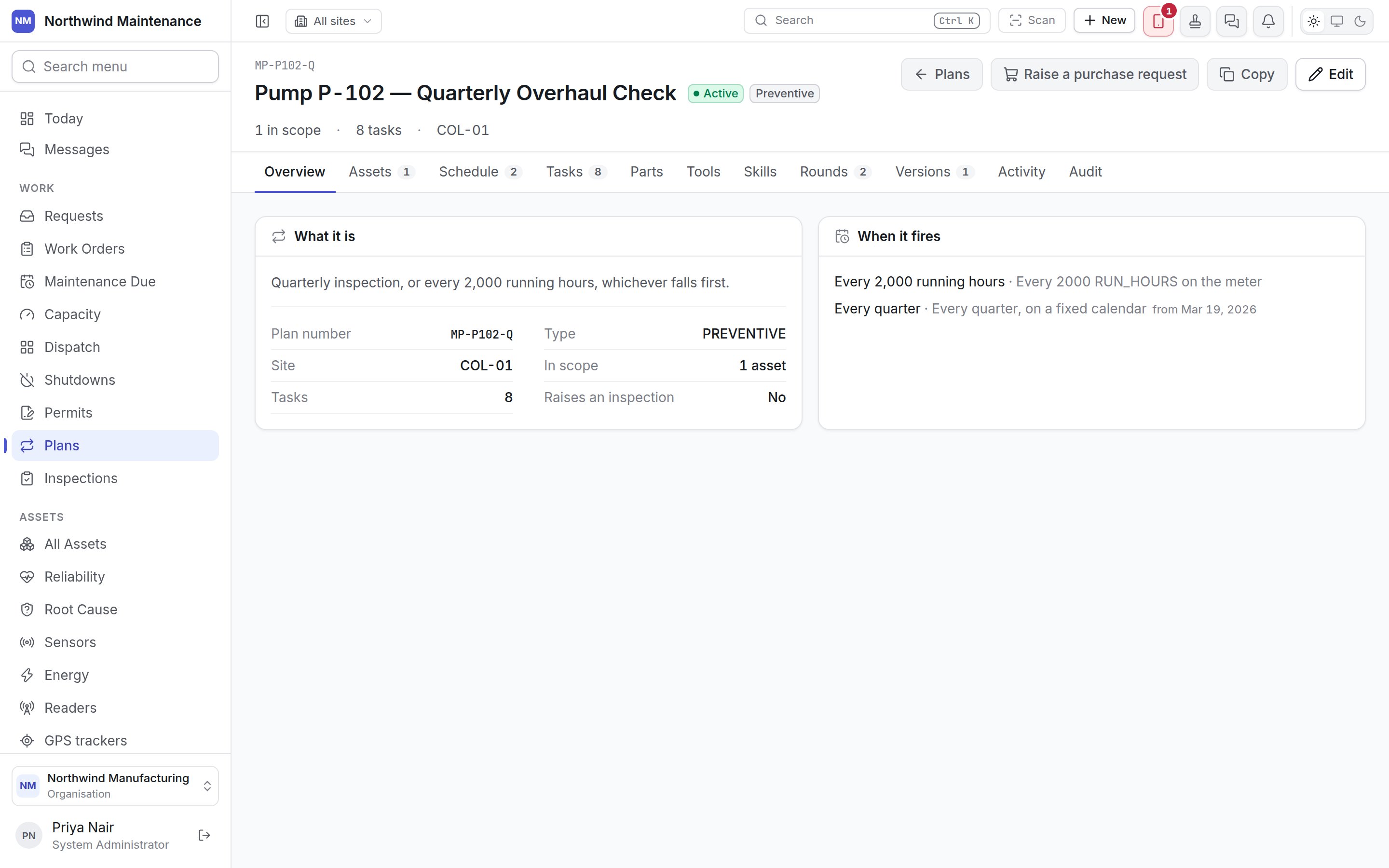
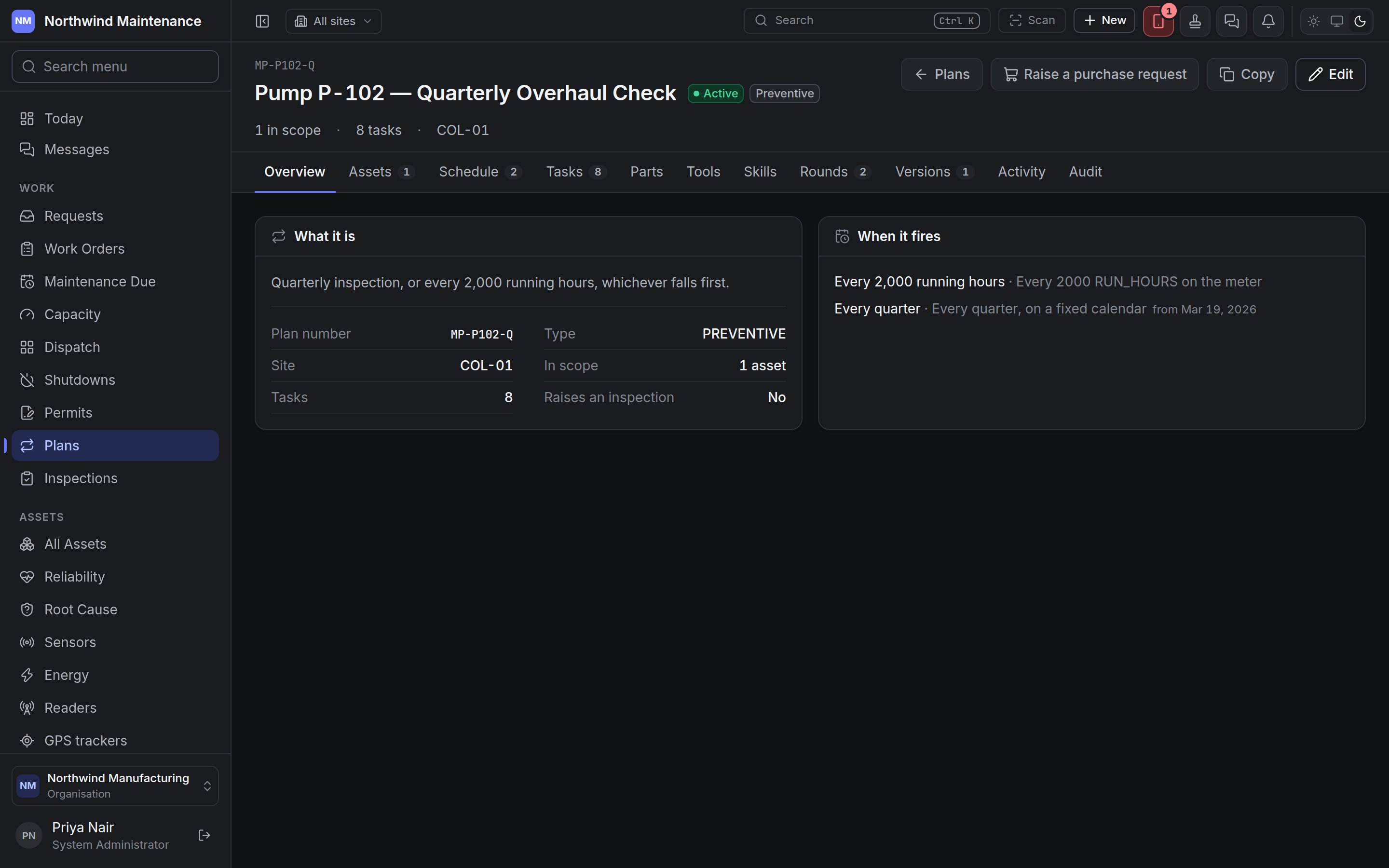
The plan number sits above the name. Beside the name are the plan's **status** (Draft, Active, Paused or Retired by default — see [statuses](/config/statuses)), its **type**, and a **raises an inspection** badge when every round produces an inspection. Under the name you see how many things are **in scope**, how many **tasks** a round carries (or **raises a round** for an inspection plan), and the site the plan is filed under.
| Button | Who sees it | What it does |
| - | - | - |
| **Plans** | Everyone | Back to the register. |
| **Raise a purchase request** | People who can raise purchase requests | Opens the purchase request form already filled in for this plan: the plan is named as the reason, the title and justification are written for you, and every catalogue part the plan needs is added as a line with the quantity one round consumes. The form can multiply the lines by the number of assets in scope, so you can buy for the whole fleet in one go. Saving takes you to the new purchase request. |
| **Copy** | People who can create plans | Opens **Copy this plan** — see [copying a plan](/maintenance/plans#copying-a-plan). |
| **Publish version N** | People who can activate plans and publish revisions, and only when the plan has changed since its last version | Records the plan as it now stands as a new version. See [Publishing a new version](#publishing-a-new-version). |
| **Edit** | Everyone who can open the plan | Opens the [plan builder](/maintenance/plan-builder) on this plan. Saving in the builder needs **Edit maintenance plans**. |
### "This plan has changes no version records"
When somebody has edited the plan since its last published version, an amber notice appears above the tabs. It explains that rounds are already being raised from the edited plan — the schedule always reads the plan as it is now — but those rounds are stamped with the old version number, which does not describe them. The notice lists what has changed (for example *what makes it fall due · the checklist*). Publishing a new version closes the gap.
## Tabs
The tabs a plan shows depend on what it raises. A plan whose type raises an **inspection** has no task list, parts, tools or skills — the inspection template is the whole checklist — so those four tabs are left out rather than shown empty.
| Tab | Shown | What it holds |
| - | - | - |
| **Overview** | Always | What the plan is and when it fires. |
| **Assets** | Always | Everything the plan covers, with a count. |
| **Schedule** | Always | The plan's triggers, with a count. |
| **Stands down** | Only when the plan covers other plans | The plans whose rounds this one replaces. |
| **Tasks** | Plans that raise work orders | The checklist, in sections. |
| **Parts**, **Tools**, **Skills** | Plans that raise work orders | What each round needs. |
| **Rounds** | Always | Every round the plan has raised. |
| **Versions** | Always | What has been published. |
| **Activity** | Always | What happened to the plan, in sentences, with comments. |
| **Audit** | People who can read the audit trail | The field-by-field record of changes. |
### Overview
**What it is** shows the plan's description, then:
| Fact | What it means |
| - | - |
| **Plan number** | The plan's reference. |
| **Type** | The work order type it raises. |
| **Site** | Where the plan is filed, or *Organization-wide*. |
| **In scope** | How many assets and places the plan currently reaches. |
| **Tasks** | How many checklist steps a round carries (work order plans). |
| **Raises an inspection** | The inspection template a round raises alongside its work order, or **No** (work order plans). |
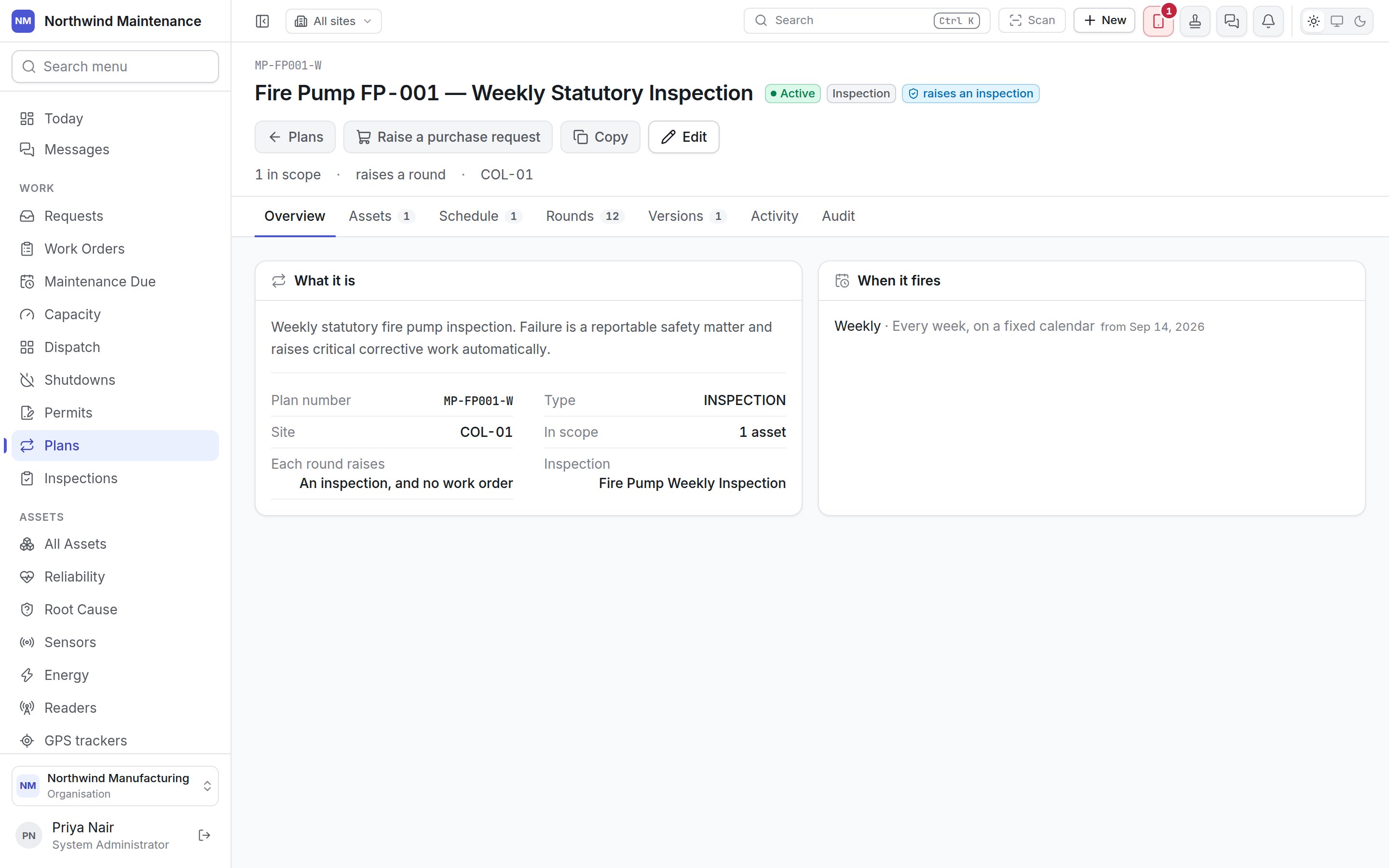
| **Each round raises** | *An inspection, and no work order* (inspection plans). |
| **Inspection** | The template each round raises (inspection plans). If none is chosen it says so in amber: such a plan raises nothing. |
**When it fires** lists each trigger by its name, if it has one, followed by what it does — *Every quarter, on a fixed calendar from Mar 19, 2026*, or *Every 2000 RUN\_HOURS on the meter*. If any trigger counts from completion, a note explains that a round finished late moves the next one with it. A plan with no trigger says so: it will never raise a round.
**Bought for this plan** appears only when purchase requests have been raised against the plan. Each line shows the request number (click to open it), its title, status, number of lines and date.
## The header
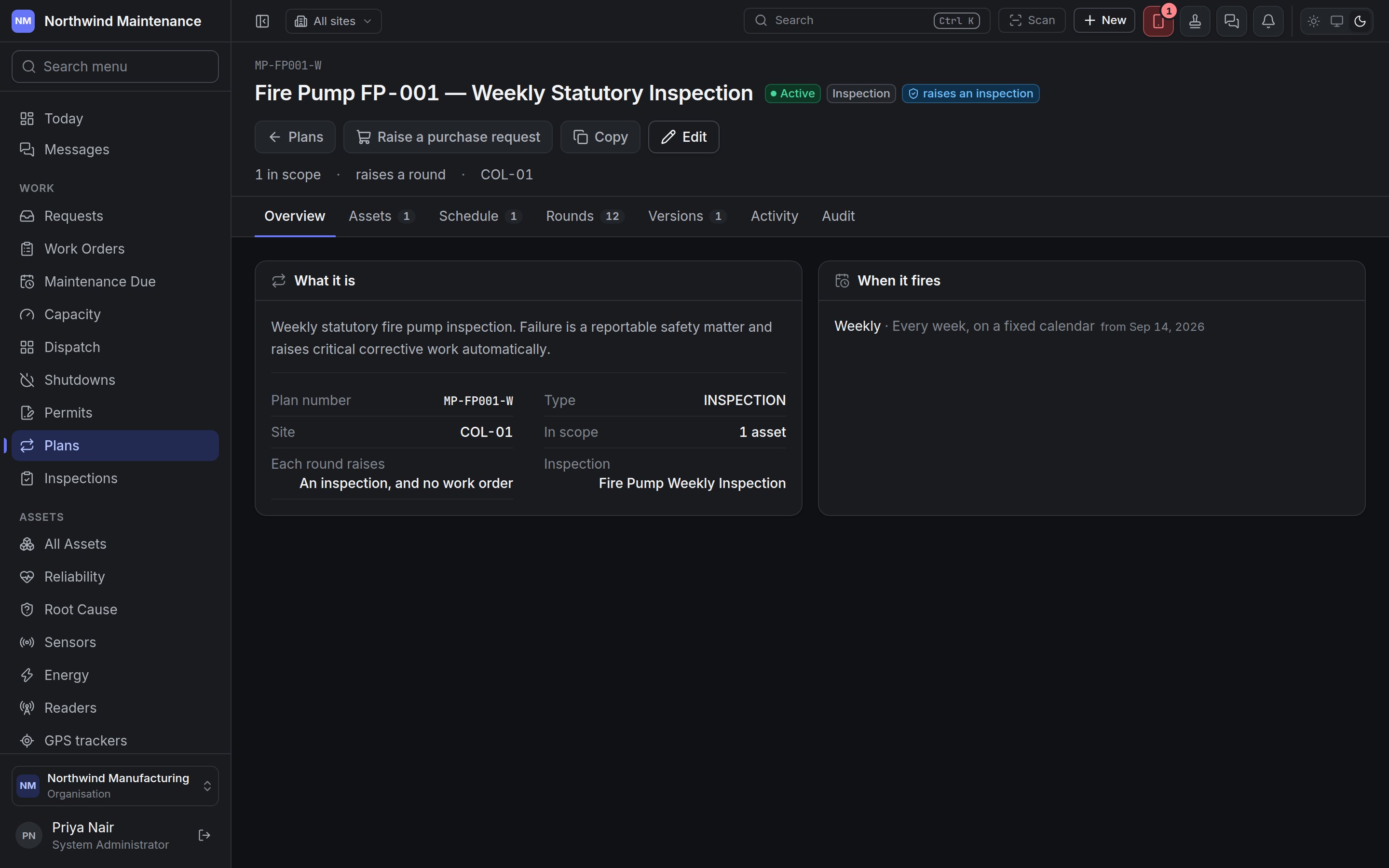
The plan number sits above the name. Beside the name are the plan's **status** (Draft, Active, Paused or Retired by default — see [statuses](/config/statuses)), its **type**, and a **raises an inspection** badge when every round produces an inspection. Under the name you see how many things are **in scope**, how many **tasks** a round carries (or **raises a round** for an inspection plan), and the site the plan is filed under.
| Button | Who sees it | What it does |
| - | - | - |
| **Plans** | Everyone | Back to the register. |
| **Raise a purchase request** | People who can raise purchase requests | Opens the purchase request form already filled in for this plan: the plan is named as the reason, the title and justification are written for you, and every catalogue part the plan needs is added as a line with the quantity one round consumes. The form can multiply the lines by the number of assets in scope, so you can buy for the whole fleet in one go. Saving takes you to the new purchase request. |
| **Copy** | People who can create plans | Opens **Copy this plan** — see [copying a plan](/maintenance/plans#copying-a-plan). |
| **Publish version N** | People who can activate plans and publish revisions, and only when the plan has changed since its last version | Records the plan as it now stands as a new version. See [Publishing a new version](#publishing-a-new-version). |
| **Edit** | Everyone who can open the plan | Opens the [plan builder](/maintenance/plan-builder) on this plan. Saving in the builder needs **Edit maintenance plans**. |
### "This plan has changes no version records"
When somebody has edited the plan since its last published version, an amber notice appears above the tabs. It explains that rounds are already being raised from the edited plan — the schedule always reads the plan as it is now — but those rounds are stamped with the old version number, which does not describe them. The notice lists what has changed (for example *what makes it fall due · the checklist*). Publishing a new version closes the gap.
## Tabs
The tabs a plan shows depend on what it raises. A plan whose type raises an **inspection** has no task list, parts, tools or skills — the inspection template is the whole checklist — so those four tabs are left out rather than shown empty.
| Tab | Shown | What it holds |
| - | - | - |
| **Overview** | Always | What the plan is and when it fires. |
| **Assets** | Always | Everything the plan covers, with a count. |
| **Schedule** | Always | The plan's triggers, with a count. |
| **Stands down** | Only when the plan covers other plans | The plans whose rounds this one replaces. |
| **Tasks** | Plans that raise work orders | The checklist, in sections. |
| **Parts**, **Tools**, **Skills** | Plans that raise work orders | What each round needs. |
| **Rounds** | Always | Every round the plan has raised. |
| **Versions** | Always | What has been published. |
| **Activity** | Always | What happened to the plan, in sentences, with comments. |
| **Audit** | People who can read the audit trail | The field-by-field record of changes. |
### Overview
**What it is** shows the plan's description, then:
| Fact | What it means |
| - | - |
| **Plan number** | The plan's reference. |
| **Type** | The work order type it raises. |
| **Site** | Where the plan is filed, or *Organization-wide*. |
| **In scope** | How many assets and places the plan currently reaches. |
| **Tasks** | How many checklist steps a round carries (work order plans). |
| **Raises an inspection** | The inspection template a round raises alongside its work order, or **No** (work order plans). |
| **Each round raises** | *An inspection, and no work order* (inspection plans). |
| **Inspection** | The template each round raises (inspection plans). If none is chosen it says so in amber: such a plan raises nothing. |
**When it fires** lists each trigger by its name, if it has one, followed by what it does — *Every quarter, on a fixed calendar from Mar 19, 2026*, or *Every 2000 RUN\_HOURS on the meter*. If any trigger counts from completion, a note explains that a round finished late moves the next one with it. A plan with no trigger says so: it will never raise a round.
**Bought for this plan** appears only when purchase requests have been raised against the plan. Each line shows the request number (click to open it), its title, status, number of lines and date.
 ### Assets
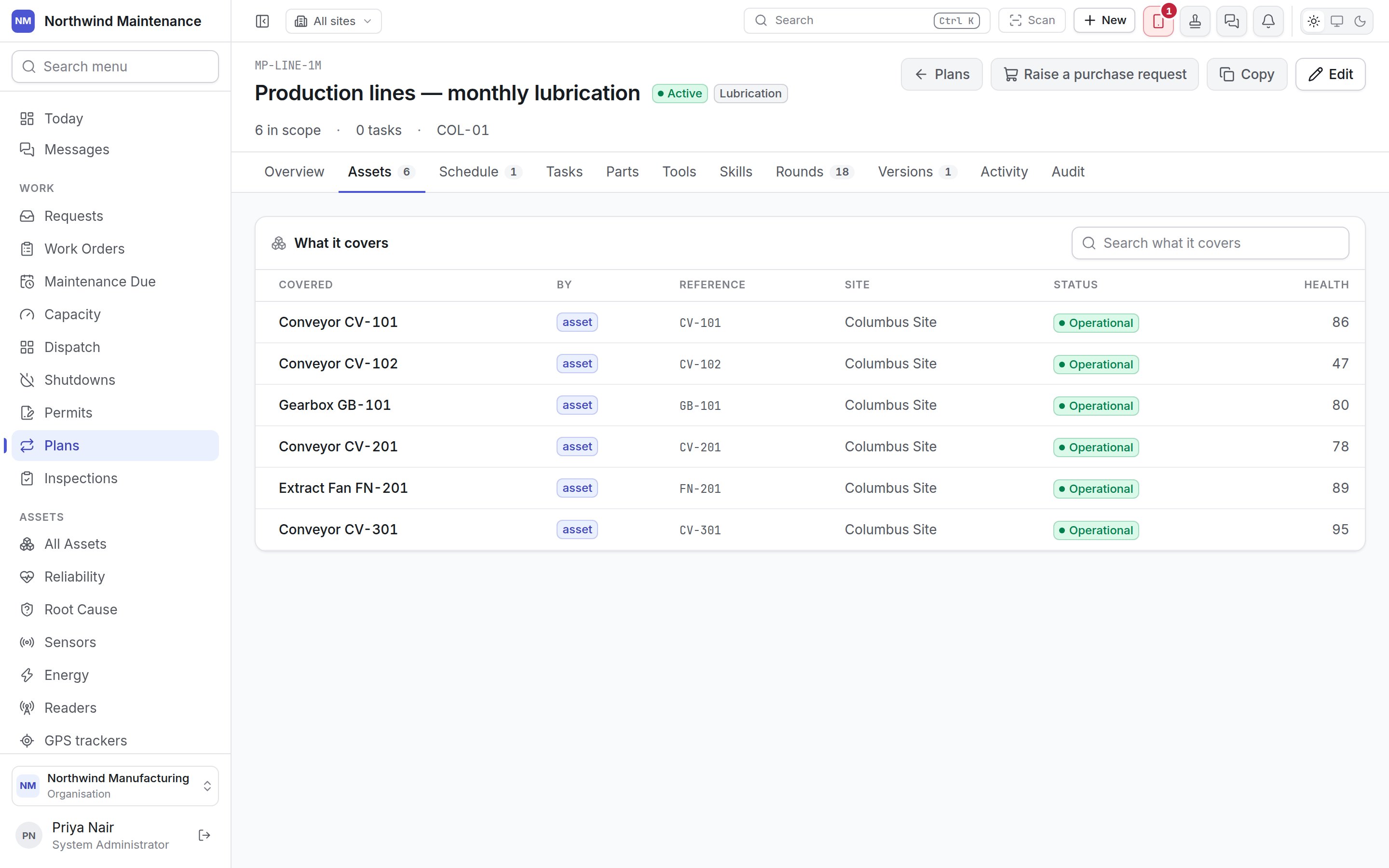
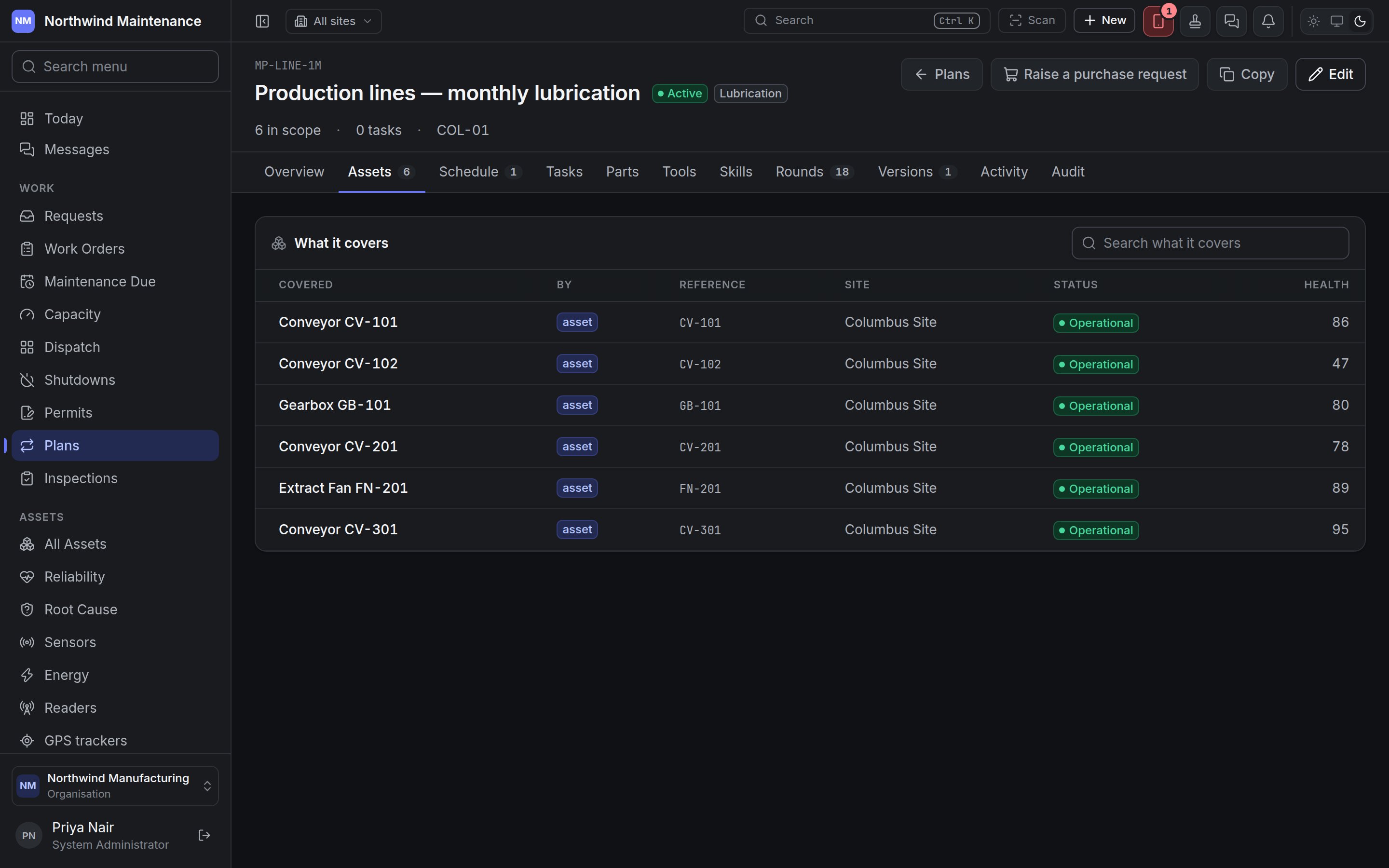 **What it covers** lists everything in the plan's scope, with a search box for long lists.
| Column | What it means |
| - | - |
| **Covered** | The asset, asset category or place. An asset's name links to the asset. |
| **By** | How it got into scope: **asset** (named individually), **asset type** (through its category) or **place**. |
| **Reference** | The asset number, category code or place code. |
| **Site** | The site, with the area underneath. |
| **Status** | The asset's own status. |
| **Health** | The asset's health score out of 100, from [Reliability](/assets/reliability). |
A plan with nothing in scope raises nothing. Add assets, a category or a place on the builder's **Scope** step.
### Schedule
**What it covers** lists everything in the plan's scope, with a search box for long lists.
| Column | What it means |
| - | - |
| **Covered** | The asset, asset category or place. An asset's name links to the asset. |
| **By** | How it got into scope: **asset** (named individually), **asset type** (through its category) or **place**. |
| **Reference** | The asset number, category code or place code. |
| **Site** | The site, with the area underneath. |
| **Status** | The asset's own status. |
| **Health** | The asset's health score out of 100, from [Reliability](/assets/reliability). |
A plan with nothing in scope raises nothing. Add assets, a category or a place on the builder's **Scope** step.
### Schedule
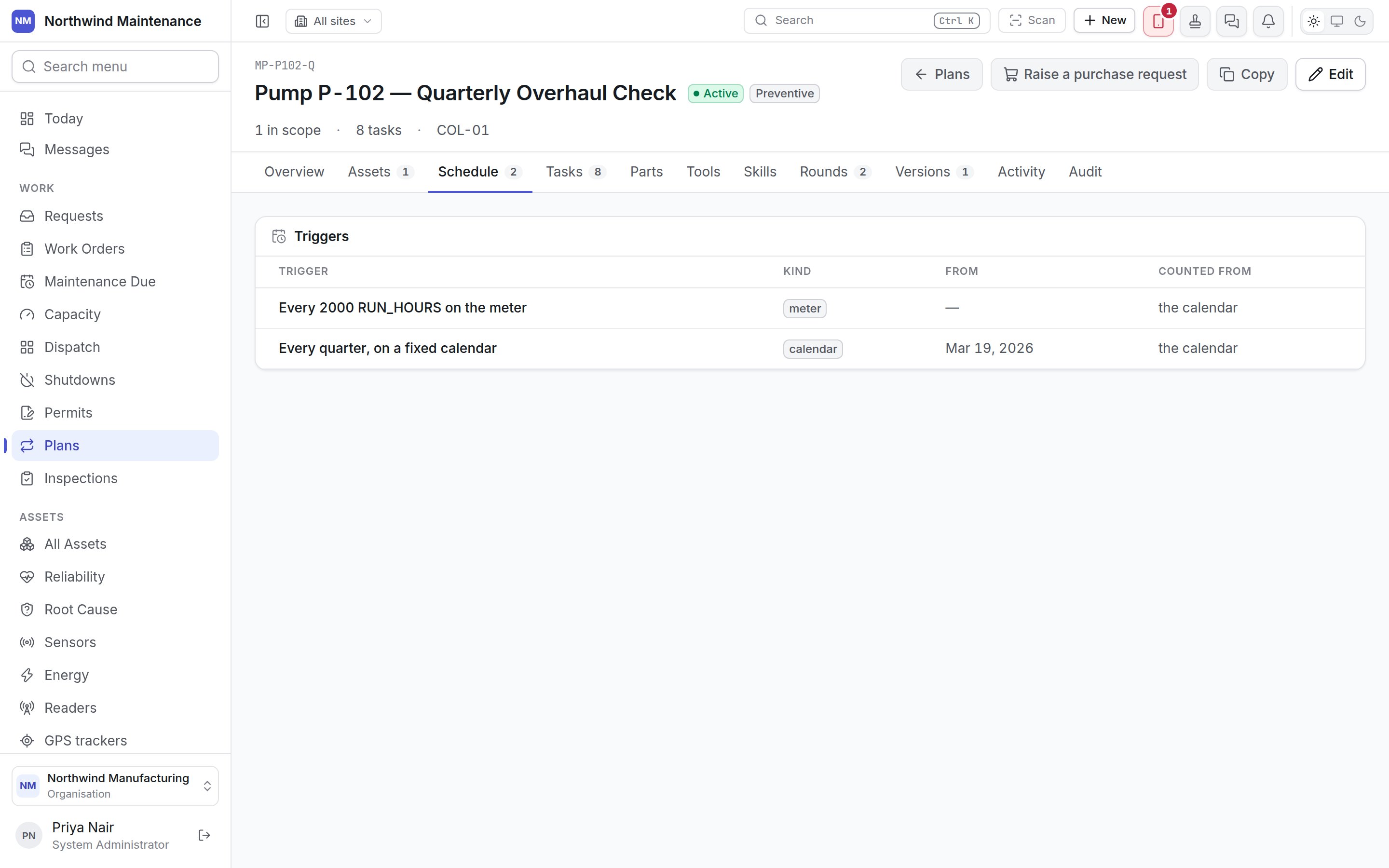
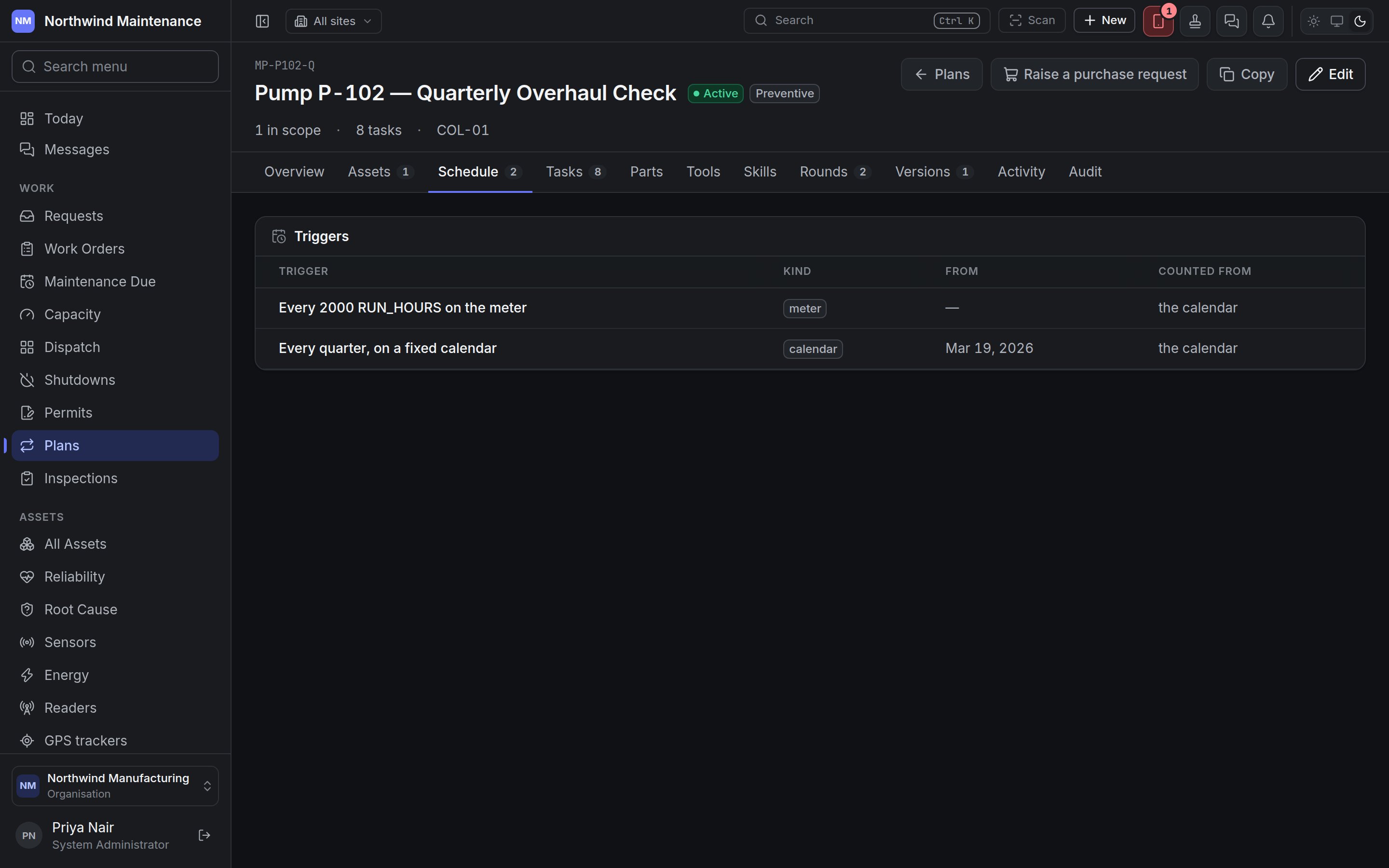 | Column | What it means |
| - | - |
| **Trigger** | What the trigger does, as a sentence. |
| **Kind** | **calendar**, **meter** or **condition**. |
| **From** | The date a calendar trigger counts from. |
| **Counted from** | **the calendar** (a fixed schedule that keeps its dates) or **completion** (the next round is counted from when the last one was finished). |
### Stands down
This tab appears only on a plan that covers other plans — typically an annual service that already includes everything the monthly round does. It explains that a month that gets this plan's round does not also get theirs; their round is still recorded for that month, marked as covered by this one, and it does not count against PM compliance.
| Column | What it means |
| - | - |
| **Plan** | The plan being stood down. |
| **Number** | Its plan number. |
| **How close counts** | **the same month**, or *N days either side* when a window in days was given. |
Choose the plans this one covers on the builder's [Scheduling step](/maintenance/plan-builder#step-10-scheduling).
### Tasks
| Column | What it means |
| - | - |
| **Trigger** | What the trigger does, as a sentence. |
| **Kind** | **calendar**, **meter** or **condition**. |
| **From** | The date a calendar trigger counts from. |
| **Counted from** | **the calendar** (a fixed schedule that keeps its dates) or **completion** (the next round is counted from when the last one was finished). |
### Stands down
This tab appears only on a plan that covers other plans — typically an annual service that already includes everything the monthly round does. It explains that a month that gets this plan's round does not also get theirs; their round is still recorded for that month, marked as covered by this one, and it does not count against PM compliance.
| Column | What it means |
| - | - |
| **Plan** | The plan being stood down. |
| **Number** | Its plan number. |
| **How close counts** | **the same month**, or *N days either side* when a window in days was given. |
Choose the plans this one covers on the builder's [Scheduling step](/maintenance/plan-builder#step-10-scheduling).
### Tasks
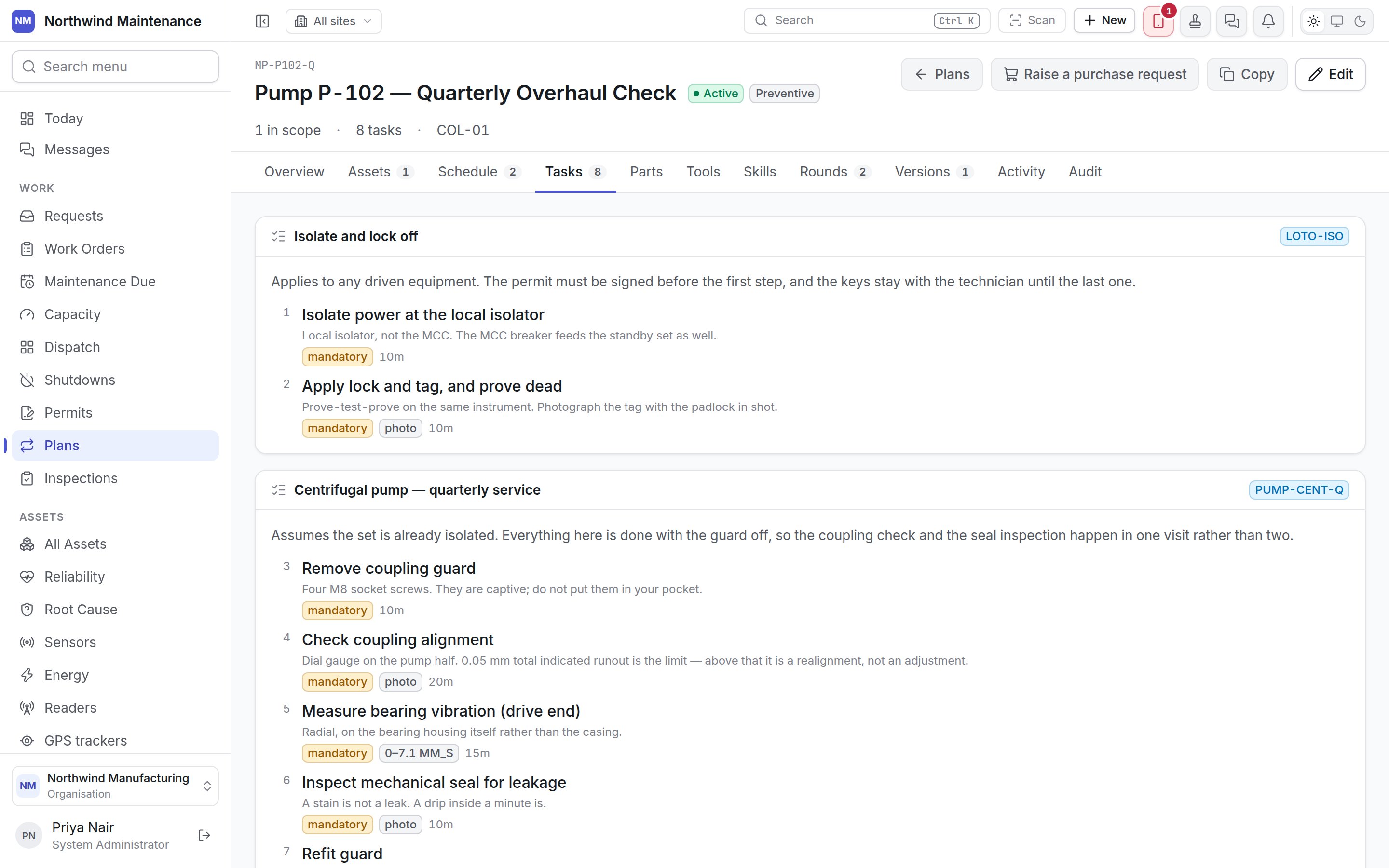
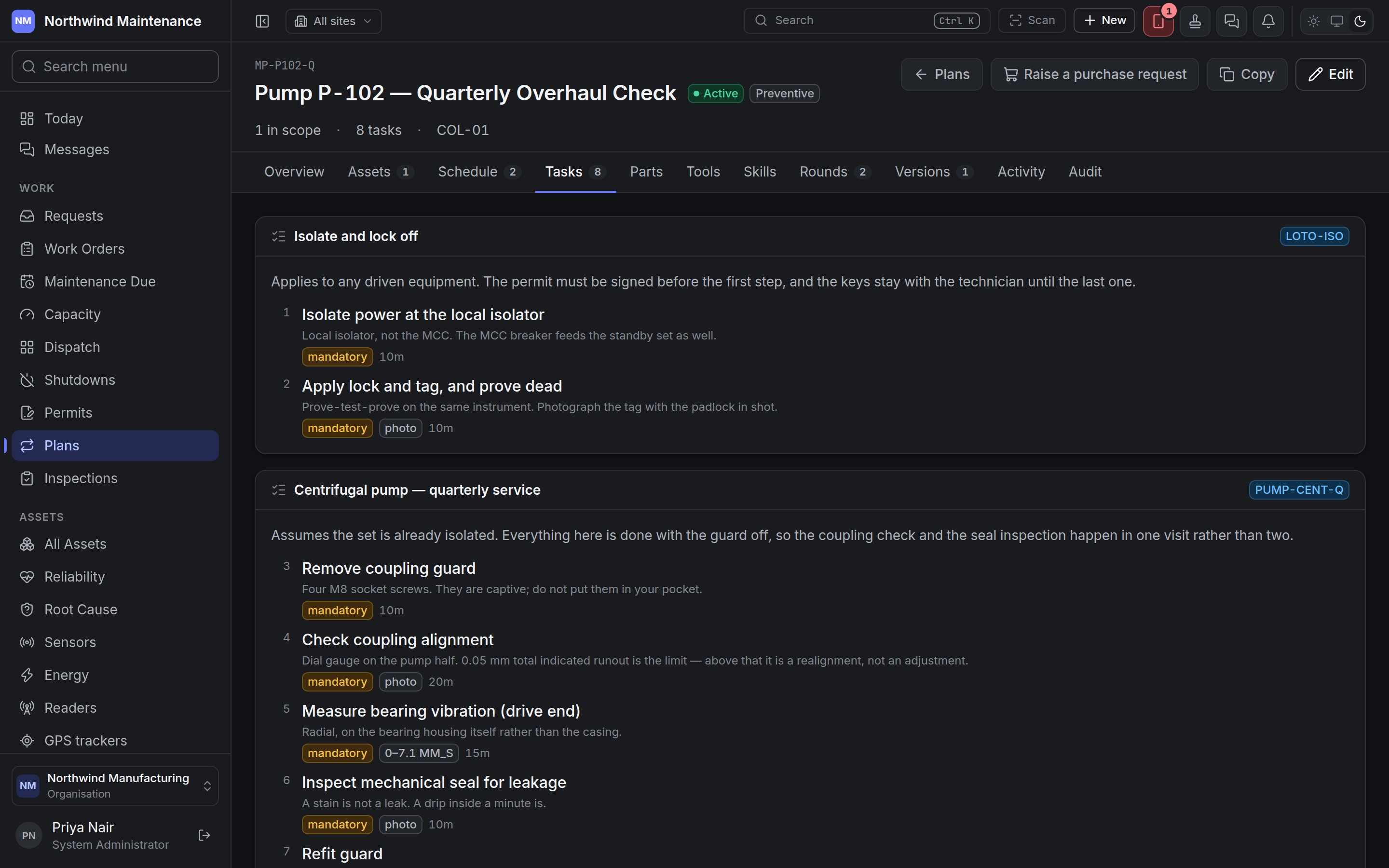 **What gets done** shows the checklist a technician works through, section by section, in order. Each section shows its heading and the paragraph a technician reads first. A section taken from the [checklist library](/config/checklists) carries the library checklist's code; if the library has published a newer version since, an amber badge says which version the plan is on and which the library is on (for example *on v1 — library on v2*). Bringing it forward is done in the builder.
Each step shows its number, what to do, how it is done, and badges for what it demands:
| Badge | Meaning |
| - | - |
| **mandatory** | The work order cannot be completed until this step is done. |
| A range such as **0–7.1 MM\_S** | A reading is taken, and must fall between these limits. |
| **photo** | A photograph is required as evidence. |
| A duration | The time the step is expected to take. |
Drawings and reference files attached to a section or a step are listed under it and can be opened from here.
### Parts, Tools and Skills
**What gets done** shows the checklist a technician works through, section by section, in order. Each section shows its heading and the paragraph a technician reads first. A section taken from the [checklist library](/config/checklists) carries the library checklist's code; if the library has published a newer version since, an amber badge says which version the plan is on and which the library is on (for example *on v1 — library on v2*). Bringing it forward is done in the builder.
Each step shows its number, what to do, how it is done, and badges for what it demands:
| Badge | Meaning |
| - | - |
| **mandatory** | The work order cannot be completed until this step is done. |
| A range such as **0–7.1 MM\_S** | A reading is taken, and must fall between these limits. |
| **photo** | A photograph is required as evidence. |
| A duration | The time the step is expected to take. |
Drawings and reference files attached to a section or a step are listed under it and can be opened from here.
### Parts, Tools and Skills
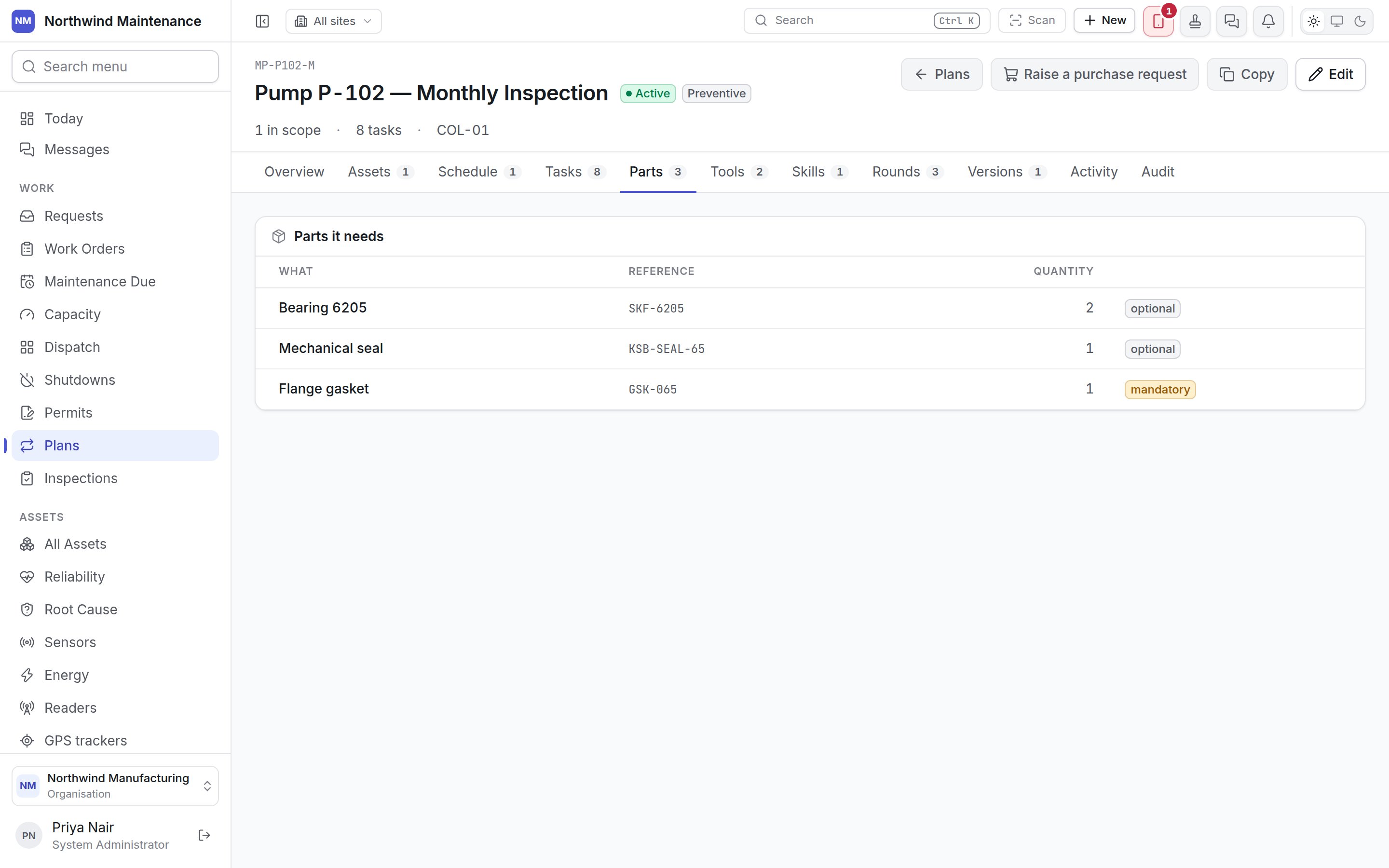
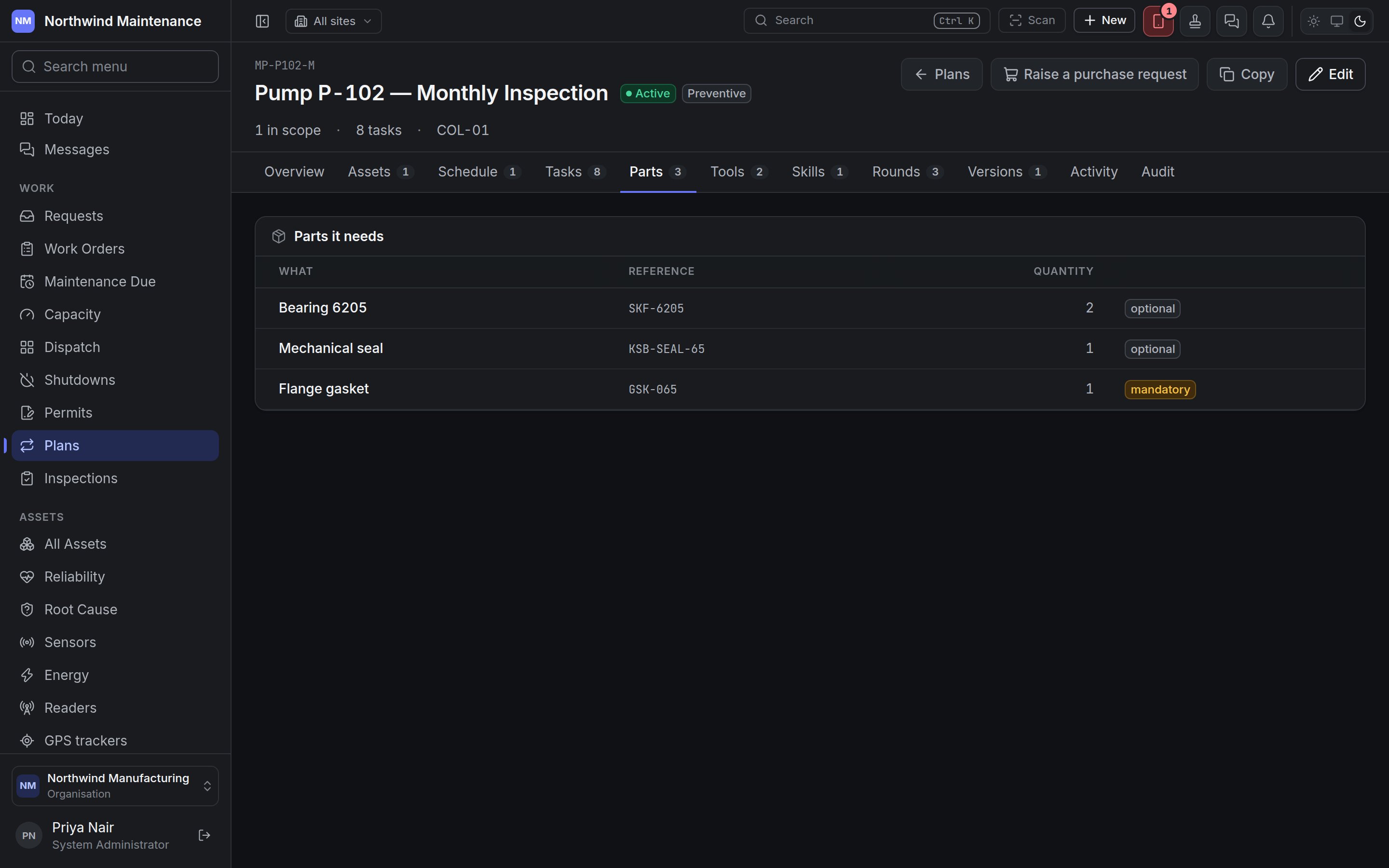 These three tabs are the plan's [requirements](/work/work-order-detail): what one round needs. They are what the readiness check reads before a round is raised, and what [reorder](/inventory/reorder) uses to forecast planned demand.
| Column | What it means |
| - | - |
| **What** | The part, tool or skill. |
| **Reference** | Its part number, tool number or skill code. |
| **Quantity** | How many one round consumes or uses (parts and tools). |
| **Level** | The minimum skill level required (skills). |
| (badge) | **mandatory** if a shortage blocks the job, **optional** if it only warns. |
Vendors a plan needs are set in the builder and are not shown as a tab.
### Rounds
These three tabs are the plan's [requirements](/work/work-order-detail): what one round needs. They are what the readiness check reads before a round is raised, and what [reorder](/inventory/reorder) uses to forecast planned demand.
| Column | What it means |
| - | - |
| **What** | The part, tool or skill. |
| **Reference** | Its part number, tool number or skill code. |
| **Quantity** | How many one round consumes or uses (parts and tools). |
| **Level** | The minimum skill level required (skills). |
| (badge) | **mandatory** if a shortage blocks the job, **optional** if it only warns. |
Vendors a plan needs are set in the builder and are not shown as a tab.
### Rounds
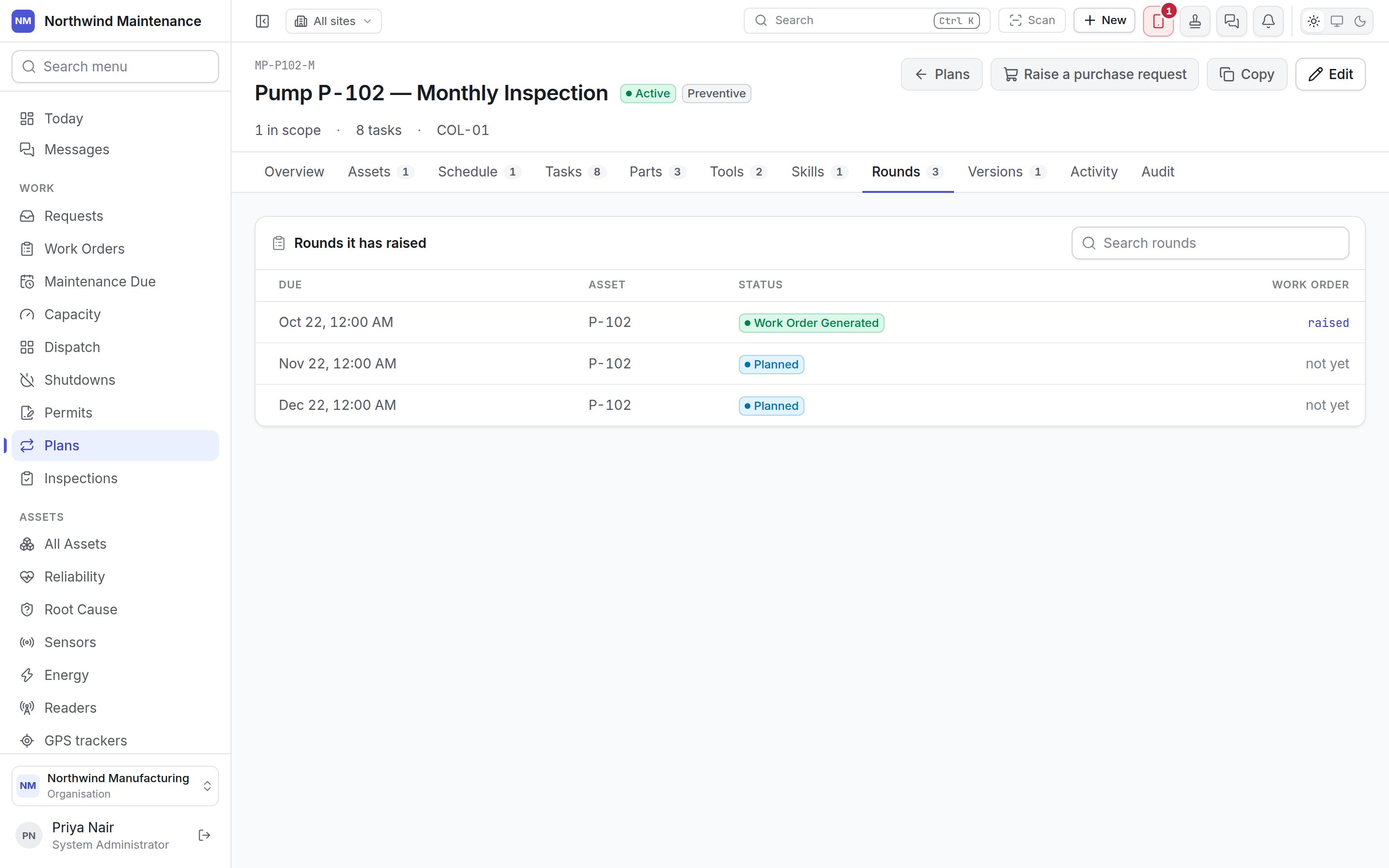
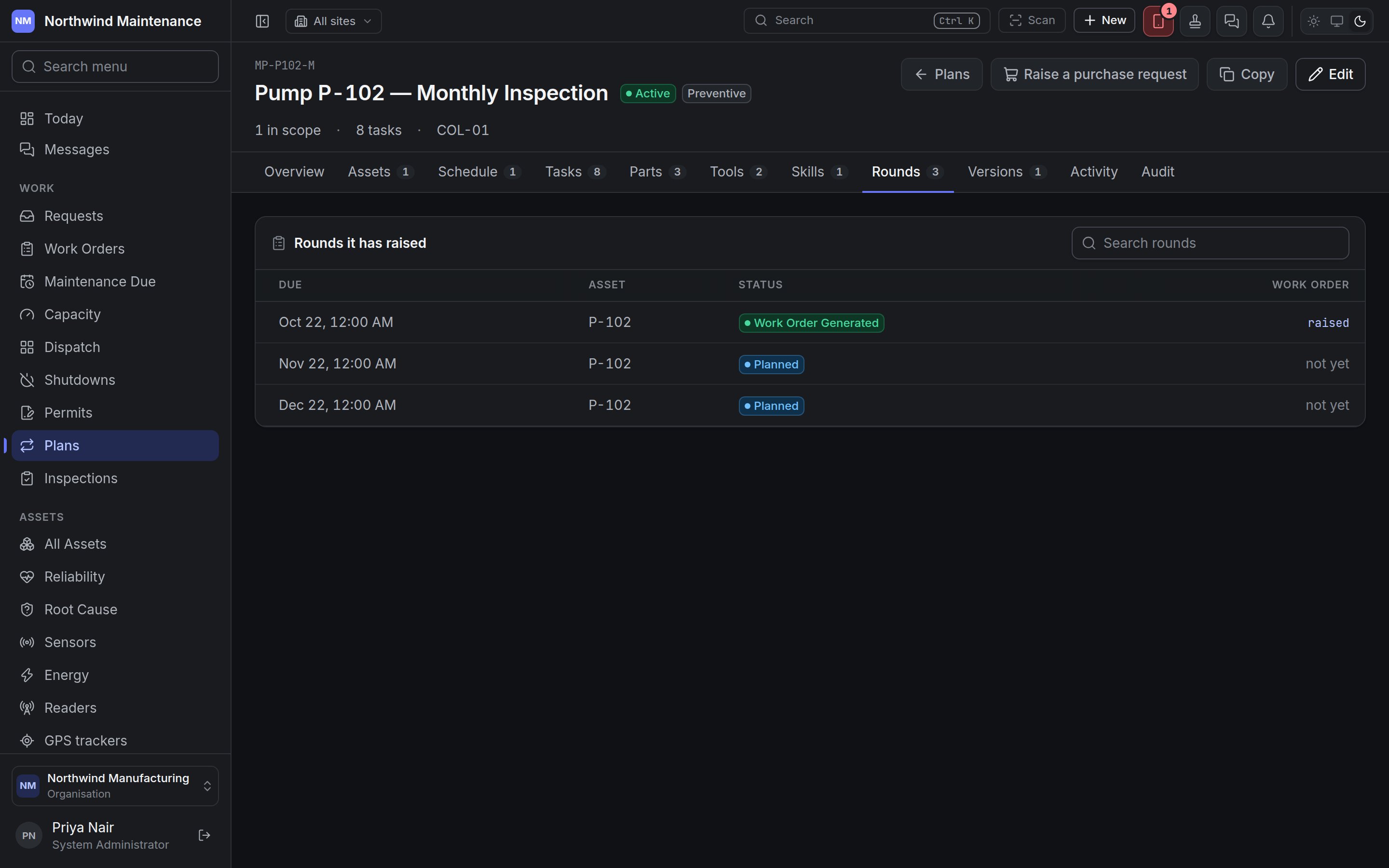 **Rounds it has raised** answers "is this plan working?". It lists every round, past and upcoming, with a search box. Overdue rounds are highlighted.
| Column | What it means |
| - | - |
| **Due** | When the round is due. |
| **Asset** | The asset the round is for. |
| **Status** | The round's status. The defaults are **Planned**, **Due**, **Work Order Generated**, **Completed**, **Skipped**, **Deferred** and **Cancelled** — see [How plans raise work](/maintenance/how-plans-raise-work#round-statuses). |
| (badge) | **overdue** when the round is past due and not done. |
| **Work order** / **Inspection** | **raised** links to the work order once one exists; for an inspection plan, the inspection number links to the round. **not yet** means nothing has been raised. |
Rounds appear as the schedule reaches them. To act on a round — raise it early, defer it or skip it — use [Maintenance Due](/work/maintenance-due).
### Versions
**Rounds it has raised** answers "is this plan working?". It lists every round, past and upcoming, with a search box. Overdue rounds are highlighted.
| Column | What it means |
| - | - |
| **Due** | When the round is due. |
| **Asset** | The asset the round is for. |
| **Status** | The round's status. The defaults are **Planned**, **Due**, **Work Order Generated**, **Completed**, **Skipped**, **Deferred** and **Cancelled** — see [How plans raise work](/maintenance/how-plans-raise-work#round-statuses). |
| (badge) | **overdue** when the round is past due and not done. |
| **Work order** / **Inspection** | **raised** links to the work order once one exists; for an inspection plan, the inspection number links to the round. **not yet** means nothing has been raised. |
Rounds appear as the schedule reaches them. To act on a round — raise it early, defer it or skip it — use [Maintenance Due](/work/maintenance-due).
### Versions
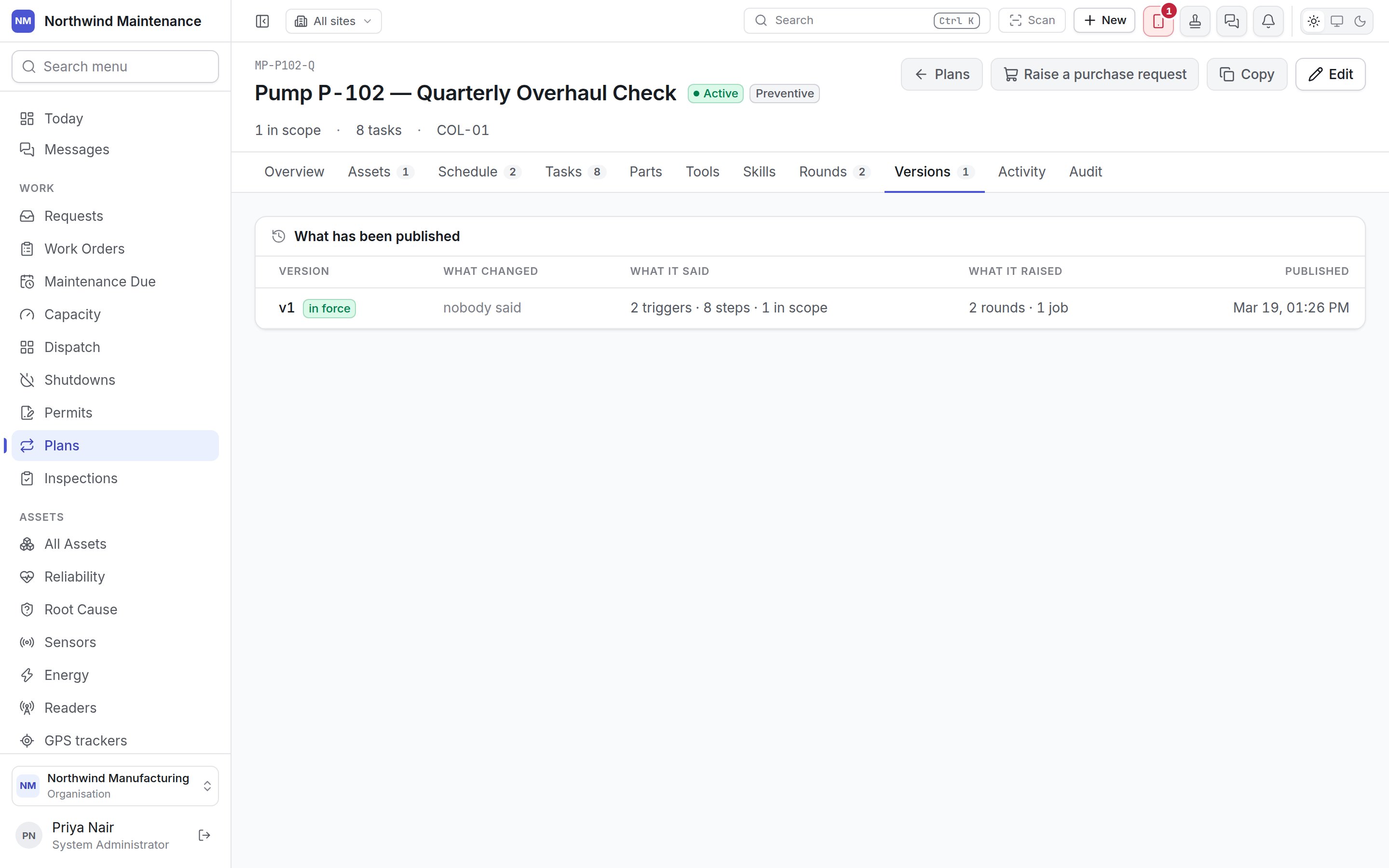
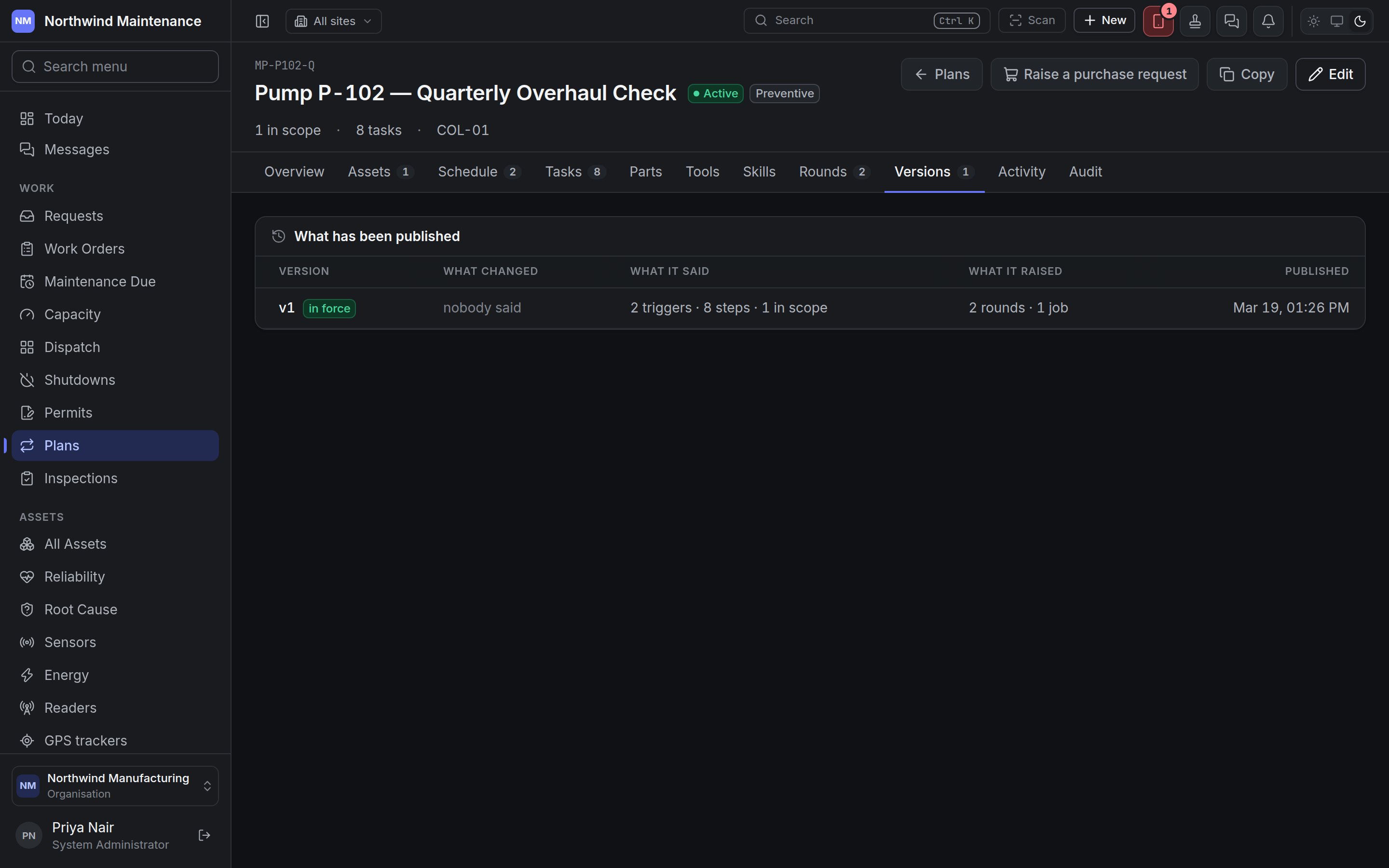 Every time a plan is activated or a revision is published, the rule as it stood is kept as a numbered version. A round always records the version it was raised under, so a question asked a year later — "why did this round ask for that?" — has an answer.
| Column | What it means |
| - | - |
| **Version** | The version number, with **in force** on the current one, or **published**, **retired** or **draft** on the others. |
| **What changed** | The note written when it was published, or *nobody said*. |
| **What it said** | How many triggers, steps and things in scope that version had. Very old versions may say *not recorded*. |
| **What it raised** | How many rounds and work orders were raised under it. |
| **Published** | When, and by whom. |
A plan that has never been activated says **Nothing published yet**: activating publishes version 1 and starts building its schedule.
### Activity and audit
**Activity** tells the plan's story in sentences — created, activated, paused with the reason given, edited — with any comments people left. **Audit** (for people who can read the audit trail) is the field-level record behind those sentences: which value changed, from what, to what, by whom and when.
## Publishing a new version
**Publish version N** opens a dialog that says which plan you are revising and **What differs from version N** — the parts of the plan that have changed:
| Section | Covers |
| - | - |
| the plan itself | Name, type, description, scheduling terms and other plan fields |
| what makes it fall due | Triggers and the trigger rule |
| the checklist | Sections and steps |
| what it needs | Parts, tools, skills and vendors |
| what it covers | Assets, categories and places in scope |
| when it may be worked | Working windows and blackout periods |
| Field | What it means | Notes |
| - | - | - |
| **What changed** | A sentence for whoever asks later why a round asked for something the plan no longer says, such as "Interval 90 days to 60, greasing step added". | Optional, but worth writing. |
Publishing does not change the schedule — that already follows your edits. It records which version the rounds raised from now on were raised under.
The builder, step by step.
What happens to a round after it is raised.
This documentation is built and hosted on [Mintlify](https://mintlify.com), a developer documentation platform.
Every time a plan is activated or a revision is published, the rule as it stood is kept as a numbered version. A round always records the version it was raised under, so a question asked a year later — "why did this round ask for that?" — has an answer.
| Column | What it means |
| - | - |
| **Version** | The version number, with **in force** on the current one, or **published**, **retired** or **draft** on the others. |
| **What changed** | The note written when it was published, or *nobody said*. |
| **What it said** | How many triggers, steps and things in scope that version had. Very old versions may say *not recorded*. |
| **What it raised** | How many rounds and work orders were raised under it. |
| **Published** | When, and by whom. |
A plan that has never been activated says **Nothing published yet**: activating publishes version 1 and starts building its schedule.
### Activity and audit
**Activity** tells the plan's story in sentences — created, activated, paused with the reason given, edited — with any comments people left. **Audit** (for people who can read the audit trail) is the field-level record behind those sentences: which value changed, from what, to what, by whom and when.
## Publishing a new version
**Publish version N** opens a dialog that says which plan you are revising and **What differs from version N** — the parts of the plan that have changed:
| Section | Covers |
| - | - |
| the plan itself | Name, type, description, scheduling terms and other plan fields |
| what makes it fall due | Triggers and the trigger rule |
| the checklist | Sections and steps |
| what it needs | Parts, tools, skills and vendors |
| what it covers | Assets, categories and places in scope |
| when it may be worked | Working windows and blackout periods |
| Field | What it means | Notes |
| - | - | - |
| **What changed** | A sentence for whoever asks later why a round asked for something the plan no longer says, such as "Interval 90 days to 60, greasing step added". | Optional, but worth writing. |
Publishing does not change the schedule — that already follows your edits. It records which version the rounds raised from now on were raised under.
The builder, step by step.
What happens to a round after it is raised.
This documentation is built and hosted on [Mintlify](https://mintlify.com), a developer documentation platform.