> ## Documentation Index
> Fetch the complete documentation index at: https://docs.assetinfinity.ai/llms.txt
> Use this file to discover all available pages before exploring further.
# Declared devices
> Laptops, drives, cameras and phones declared for the gate — what the barrier will say on the way out, declaring a device with every field, deciding what it may do, and withdrawing it.
The declared devices register lists every laptop, memory stick, disk, camera or phone somebody has declared bringing on site, and shows what the barrier would say if each tried to leave right now. Open it from **Gatehouse → Devices**, or the **Devices** tab on [Visitors](/property/visitors). A site manager opens it whenever something is waiting on their signature.
If you don't see this in your navigation, your administrator can switch the module on under **Administration → Modules**, or it may not be included in your plan.
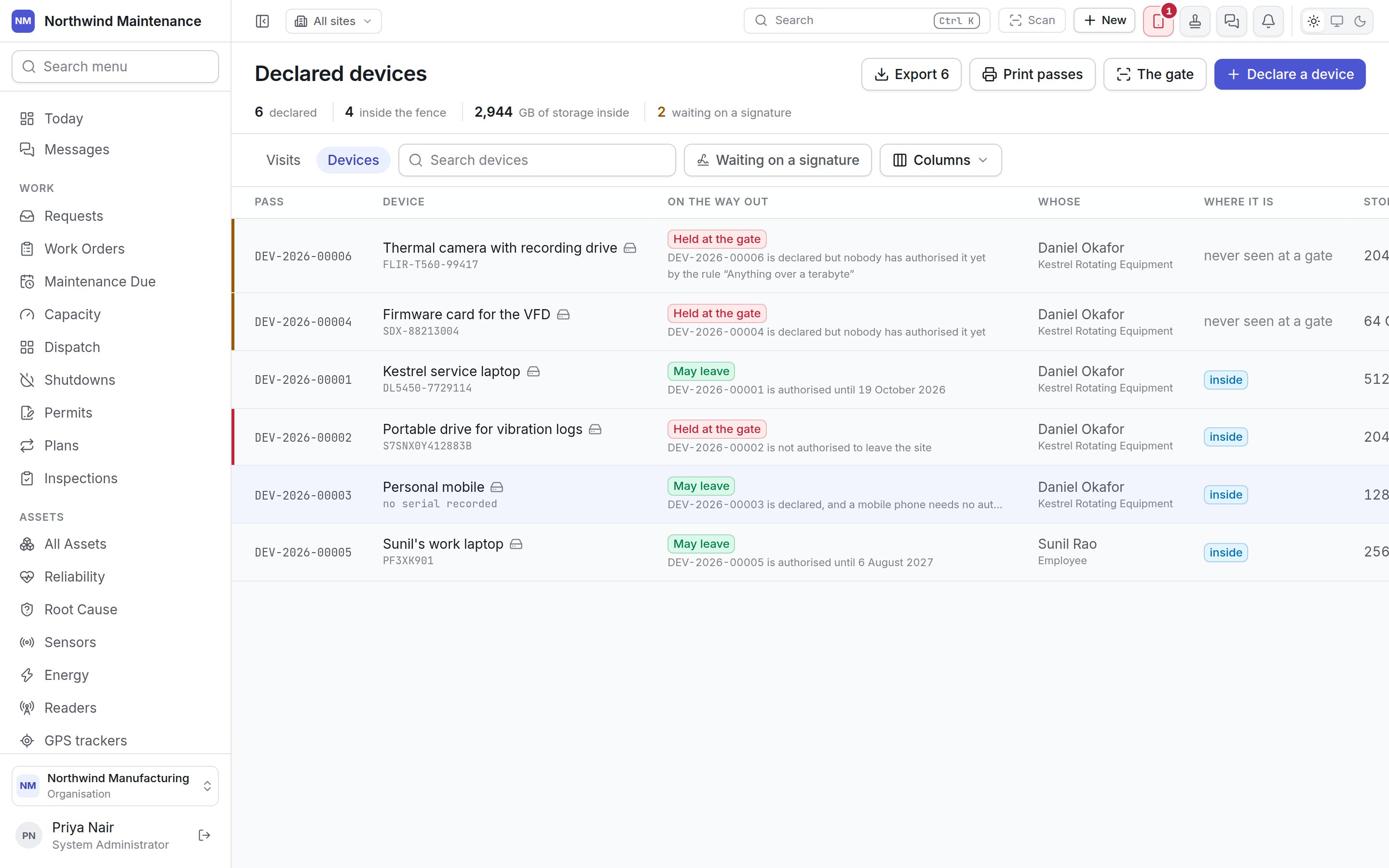
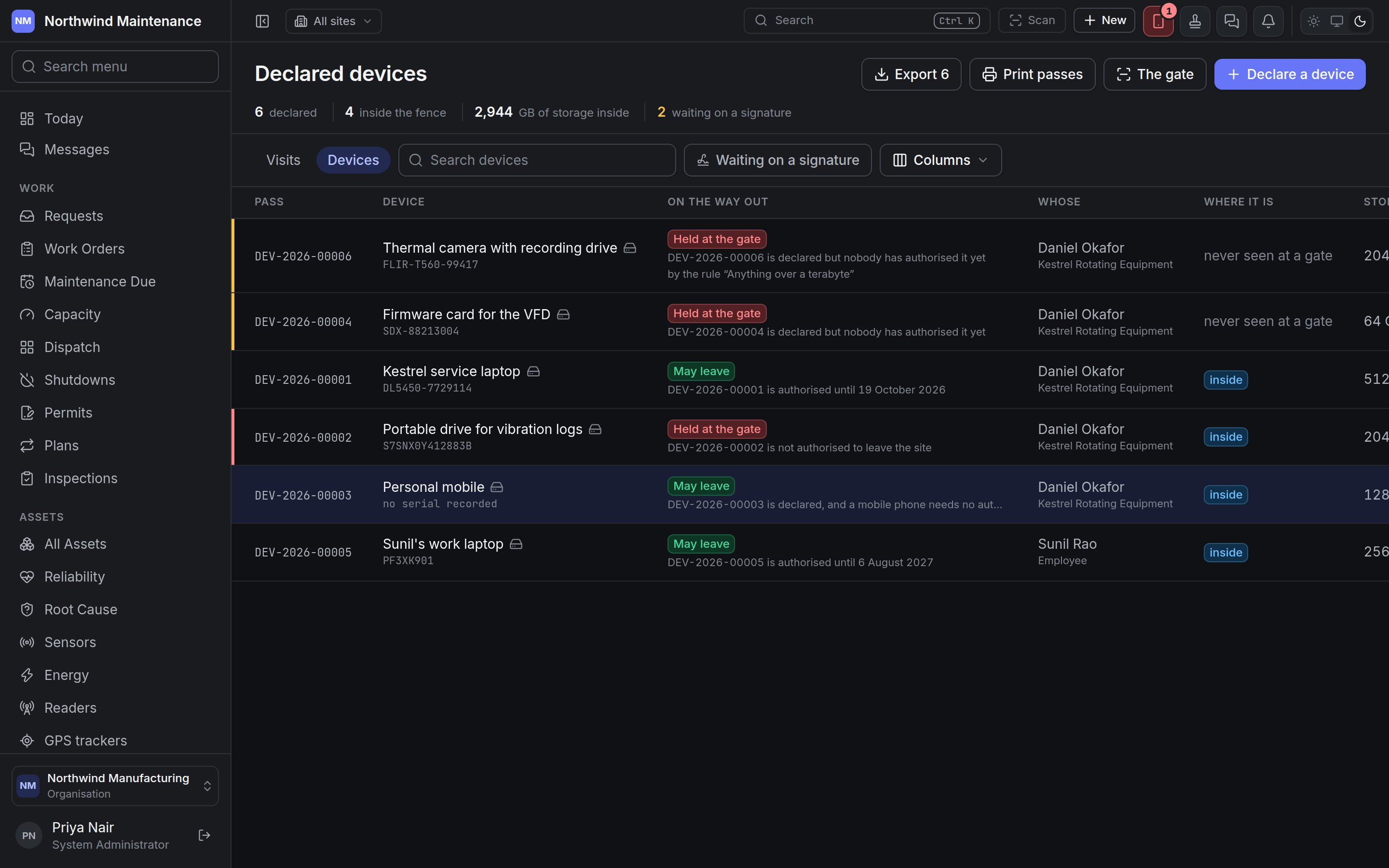 The process runs in three steps: an employee declares a device, for themselves or for a visitor they are hosting; a manager decides whether it may enter and whether it may leave; and the guard scans its pass at the [gate](/property/gatehouse) on the way in and out.
## The header
| Item | What it tells you |
| - | - |
| **declared** | Devices matching the current filters |
| **inside the fence** | Devices currently on site |
| **GB of storage inside** | The storage capacity of devices currently on site, summed over those that record a figure |
| **waiting on a signature** | Devices declared and not yet decided |
| **Export** | Downloads the list. Needs **Export the device register** |
| **Print passes** | Prints passes from the [label studio](/config/labels) for the devices on screen that have not been withdrawn or refused |
| **The gate** | Opens the [gate screen](/property/gatehouse) |
| **Declare a device** | Opens the declaration form. Needs **Declare a device, for yourself or for a visitor you are hosting** |
**Search devices** matches the description. **Waiting on a signature** shows only devices nobody has decided yet — the manager's queue. A device only reaches it when its kind, or a gatehouse rule, asks for a signature; phones usually do not, which keeps the queue worth reading.
## Columns
| Column | What it shows |
| - | - |
| **Pass** | The pass reference, such as DEV-2026-00001 — printed on the pass and scanned at the gate |
| **Device** | Its description and serial number (or **no serial recorded**) |
| **On the way out** | What the barrier would say right now: **May leave** or **Held at the gate**, with the reason in a sentence underneath. Where a gatehouse rule rather than the kind of device decided a signature was needed, it names the rule ("by the rule “Anything over a terabyte”") |
| **Whose** | The visitor or employee it belongs to, with their company |
| **Where it is** | **inside**, **left** and when, or **never seen at a gate** |
| **Storage** | Capacity in GB |
| **Until** | When its authorisation lapses |
| (actions) | **Pass** prints its pass; **Decide** records a decision; **Withdraw** takes the registration back |
Hidden columns: **Kind**, **Declared by**, **Decided by**, **Where** (the site) and **The note**.
**On the way out** is deliberately not the device's decision status. It is worked out live by the same check the barrier runs, so a device "authorised until Friday" reads correctly on Saturday morning, rather than repeating what a manager decided last week. You can still filter the column by decision status:
| Status | Means |
| - | - |
| **Waiting on a signature** | Declared, and nobody has decided yet |
| **Authorised** | A manager allowed it in, out, or both |
| **Refused** | A manager refused it |
| **Withdrawn** | Taken back, before or after a decision |
Whether a device needs a signature at all is decided by its kind or by [gatehouse rules](/config/gatehouse) — a rule might catch a camera on its storage size, or wave a phone through whatever its kind.
## Declaring a device
Click **Declare a device**, or **New → Device** in the header from anywhere. Clicking a row opens the same form to edit it (needs **Edit and withdraw device registrations**).
The process runs in three steps: an employee declares a device, for themselves or for a visitor they are hosting; a manager decides whether it may enter and whether it may leave; and the guard scans its pass at the [gate](/property/gatehouse) on the way in and out.
## The header
| Item | What it tells you |
| - | - |
| **declared** | Devices matching the current filters |
| **inside the fence** | Devices currently on site |
| **GB of storage inside** | The storage capacity of devices currently on site, summed over those that record a figure |
| **waiting on a signature** | Devices declared and not yet decided |
| **Export** | Downloads the list. Needs **Export the device register** |
| **Print passes** | Prints passes from the [label studio](/config/labels) for the devices on screen that have not been withdrawn or refused |
| **The gate** | Opens the [gate screen](/property/gatehouse) |
| **Declare a device** | Opens the declaration form. Needs **Declare a device, for yourself or for a visitor you are hosting** |
**Search devices** matches the description. **Waiting on a signature** shows only devices nobody has decided yet — the manager's queue. A device only reaches it when its kind, or a gatehouse rule, asks for a signature; phones usually do not, which keeps the queue worth reading.
## Columns
| Column | What it shows |
| - | - |
| **Pass** | The pass reference, such as DEV-2026-00001 — printed on the pass and scanned at the gate |
| **Device** | Its description and serial number (or **no serial recorded**) |
| **On the way out** | What the barrier would say right now: **May leave** or **Held at the gate**, with the reason in a sentence underneath. Where a gatehouse rule rather than the kind of device decided a signature was needed, it names the rule ("by the rule “Anything over a terabyte”") |
| **Whose** | The visitor or employee it belongs to, with their company |
| **Where it is** | **inside**, **left** and when, or **never seen at a gate** |
| **Storage** | Capacity in GB |
| **Until** | When its authorisation lapses |
| (actions) | **Pass** prints its pass; **Decide** records a decision; **Withdraw** takes the registration back |
Hidden columns: **Kind**, **Declared by**, **Decided by**, **Where** (the site) and **The note**.
**On the way out** is deliberately not the device's decision status. It is worked out live by the same check the barrier runs, so a device "authorised until Friday" reads correctly on Saturday morning, rather than repeating what a manager decided last week. You can still filter the column by decision status:
| Status | Means |
| - | - |
| **Waiting on a signature** | Declared, and nobody has decided yet |
| **Authorised** | A manager allowed it in, out, or both |
| **Refused** | A manager refused it |
| **Withdrawn** | Taken back, before or after a decision |
Whether a device needs a signature at all is decided by its kind or by [gatehouse rules](/config/gatehouse) — a rule might catch a camera on its storage size, or wave a phone through whatever its kind.
## Declaring a device
Click **Declare a device**, or **New → Device** in the header from anywhere. Clicking a row opens the same form to edit it (needs **Edit and withdraw device registrations**).
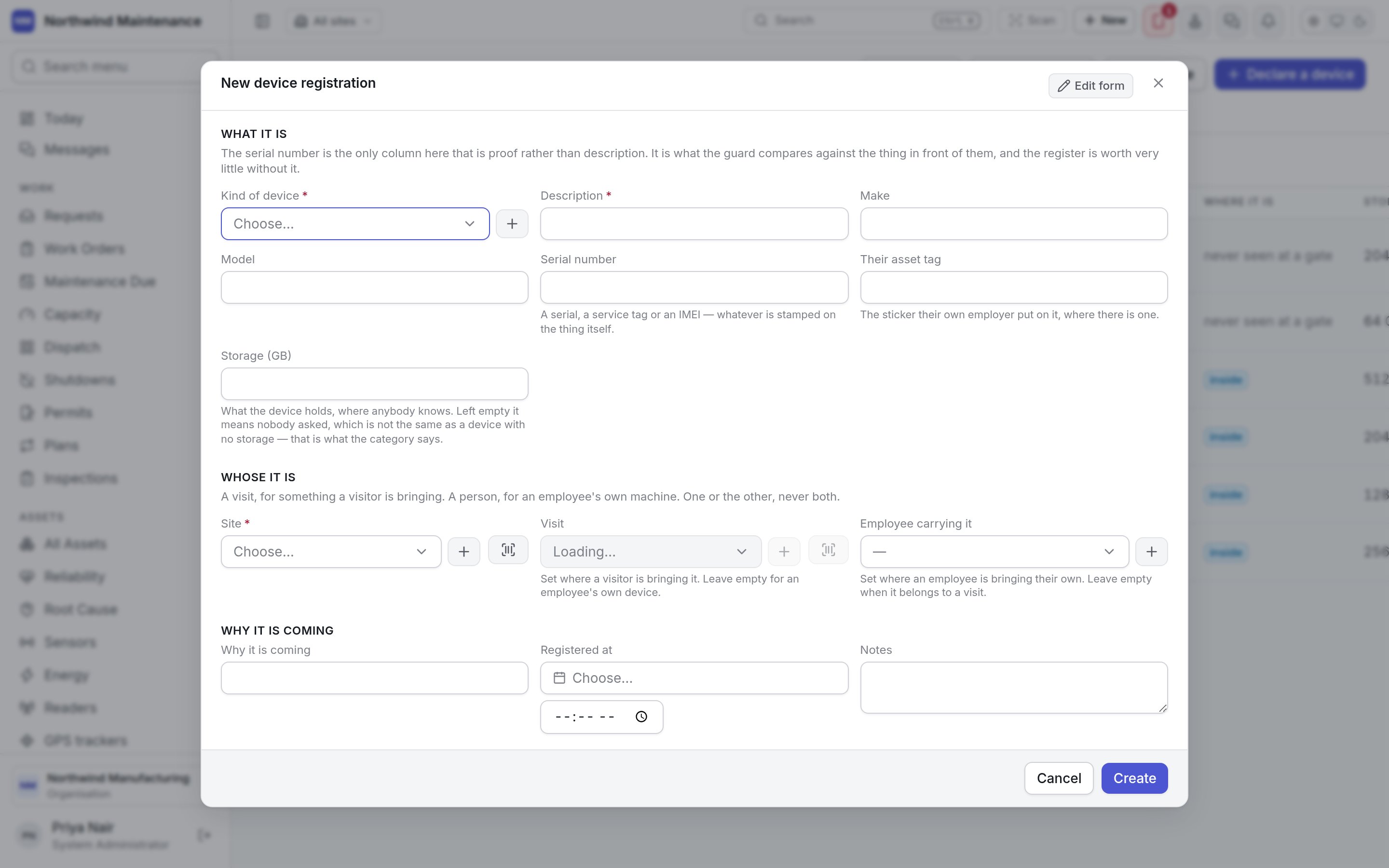
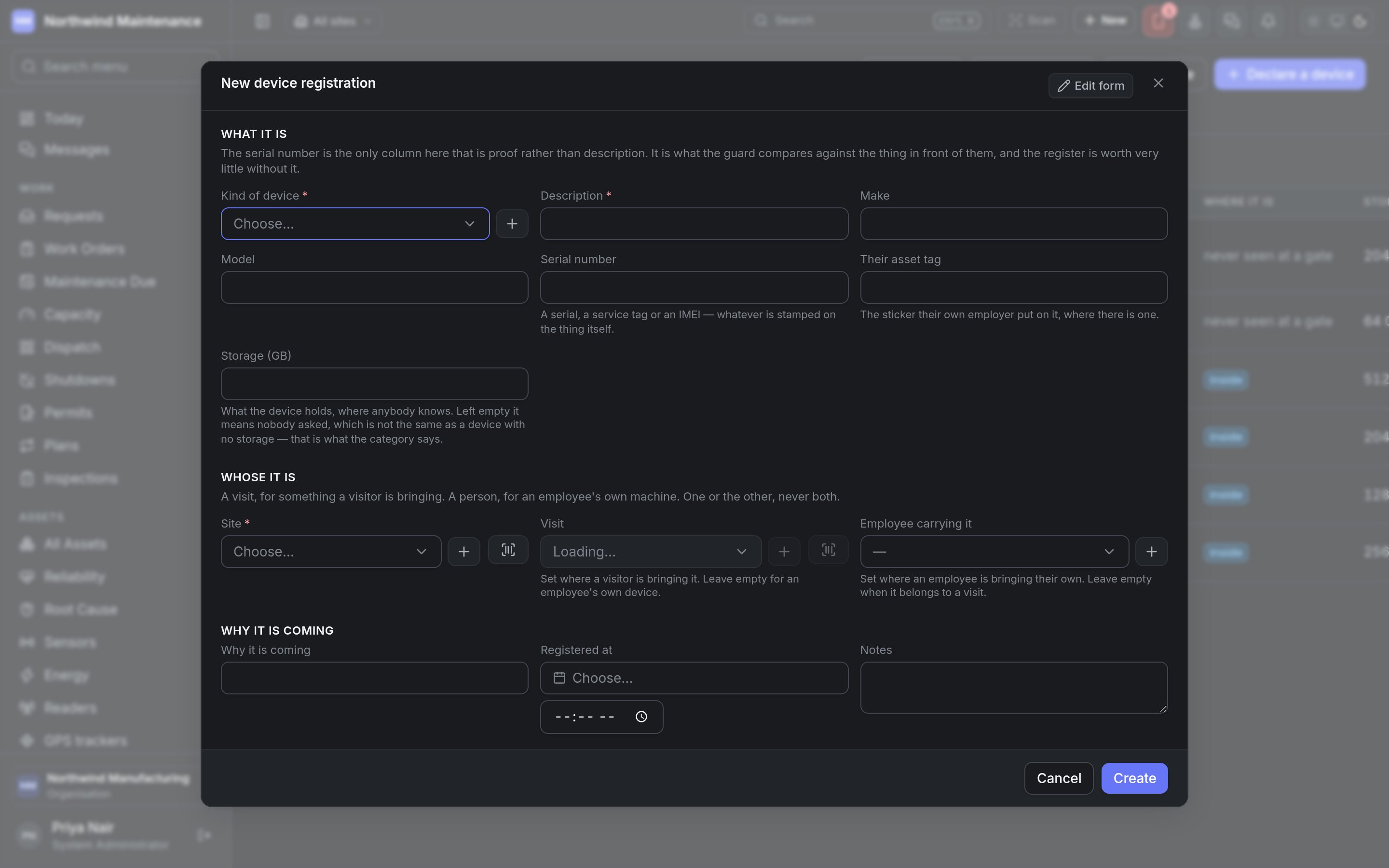 **What it is** — the serial number is the only field that is proof rather than description; it is what the guard compares against the thing in front of them.
| Field | What it means | Notes |
| - | - | - |
| **Kind of device** | Laptop, memory stick, external disk, camera, phone and so on | Required. From [gatehouse settings](/config/gatehouse). Decides whether a signature is needed and how long an authorisation lasts by default |
| **Description** | What it is | Required |
| **Make**, **Model** | Manufacturer and model | |
| **Serial number** | A serial, service tag or IMEI — whatever is stamped on the device | |
| **Their asset tag** | The sticker their own employer put on it | |
| **Storage (GB)** | What the device holds | Left empty means nobody asked, which is not the same as a device with no storage. Gatehouse rules can act on it |
**Whose it is** — a visit, for something a visitor is bringing; a person, for an employee's own machine. One or the other, never both.
| Field | What it means | Notes |
| - | - | - |
| **Site** | The site it is coming onto | Required |
| **Visit** | The visit it belongs to | Set where a visitor is bringing it. Leave empty for an employee's own device |
| **Employee carrying it** | The employee bringing their own | Leave empty when it belongs to a visit |
**Why it is coming**
| Field | What it means |
| - | - |
| **Why it is coming** | The reason — what the manager reads when deciding |
| **Registered at** | When it was declared |
| **Notes** | Anything else |
## Deciding a device
**Decide** on a device waiting on a signature opens **What may this device do?**, showing whose it is, its serial number, kind, storage and the reason it is coming. It needs **Authorise a device to enter or to leave the site, or refuse it**.
**What it is** — the serial number is the only field that is proof rather than description; it is what the guard compares against the thing in front of them.
| Field | What it means | Notes |
| - | - | - |
| **Kind of device** | Laptop, memory stick, external disk, camera, phone and so on | Required. From [gatehouse settings](/config/gatehouse). Decides whether a signature is needed and how long an authorisation lasts by default |
| **Description** | What it is | Required |
| **Make**, **Model** | Manufacturer and model | |
| **Serial number** | A serial, service tag or IMEI — whatever is stamped on the device | |
| **Their asset tag** | The sticker their own employer put on it | |
| **Storage (GB)** | What the device holds | Left empty means nobody asked, which is not the same as a device with no storage. Gatehouse rules can act on it |
**Whose it is** — a visit, for something a visitor is bringing; a person, for an employee's own machine. One or the other, never both.
| Field | What it means | Notes |
| - | - | - |
| **Site** | The site it is coming onto | Required |
| **Visit** | The visit it belongs to | Set where a visitor is bringing it. Leave empty for an employee's own device |
| **Employee carrying it** | The employee bringing their own | Leave empty when it belongs to a visit |
**Why it is coming**
| Field | What it means |
| - | - |
| **Why it is coming** | The reason — what the manager reads when deciding |
| **Registered at** | When it was declared |
| **Notes** | Anything else |
## Deciding a device
**Decide** on a device waiting on a signature opens **What may this device do?**, showing whose it is, its serial number, kind, storage and the reason it is coming. It needs **Authorise a device to enter or to leave the site, or refuse it**.
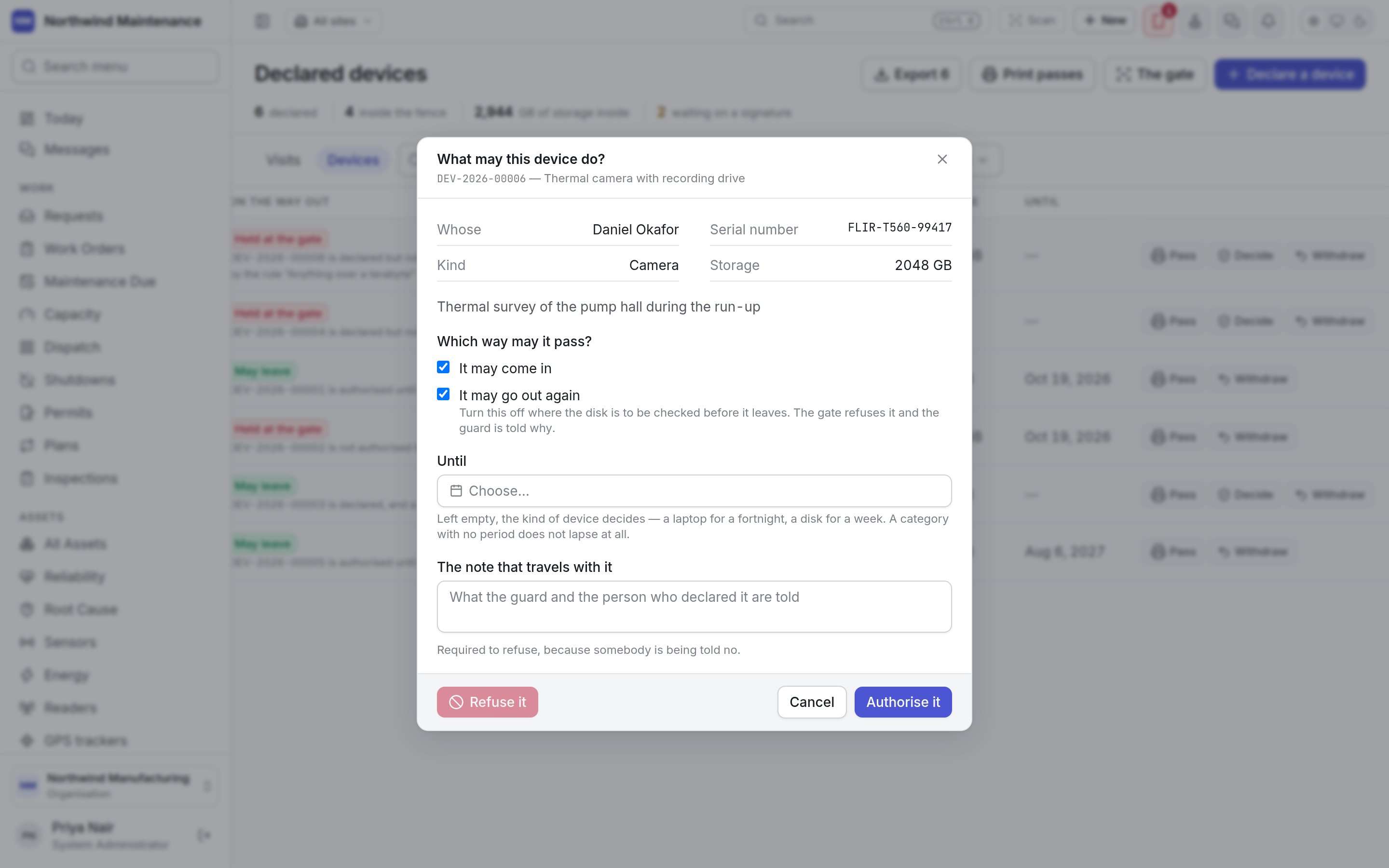
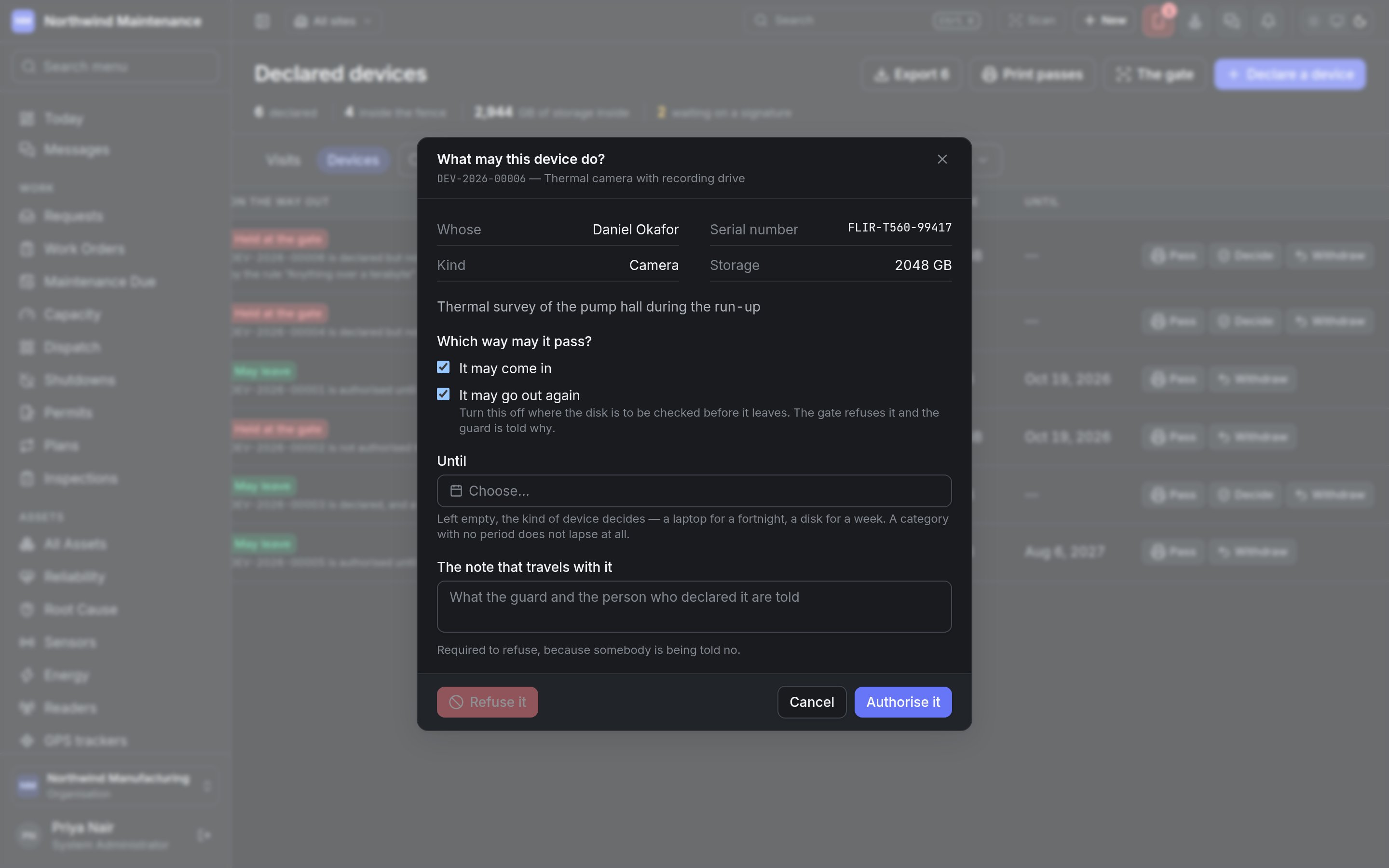 | Field | What it means | Notes |
| - | - | - |
| **It may come in** | Authorises entry | Ticked by default |
| **It may go out again** | Authorises exit | Ticked by default. Turn it off where a disk is to be checked before it leaves — the gate refuses it on the way out and the guard is told why |
| **Until** | When the authorisation lapses | Left empty, the kind of device decides — for example a laptop for a fortnight, a disk for a week. A kind with no period does not lapse |
| **The note that travels with it** | What the guard and the person who declared it are told | Required to refuse, because somebody is being told no |
**Authorise it** records the decision. **Refuse it** refuses the device outright. Ticking neither direction is not offered as an authorisation — that is a refusal, and the dialog points you to **Refuse it** with a reason.
## Withdrawing a registration
**Withdraw** opens **Take this registration back** and asks **Why it is being withdrawn**. The gate shows this reason if the pass is presented again. If the device is already inside the fence, withdrawing it means the gate refuses it on the way out. Calling off a visit withdraws its devices automatically.
Where a declared device is checked, scan by scan.
The kinds of device, their authorisation periods, and the rules that decide which need a signature.
This documentation is built and hosted on [Mintlify](https://mintlify.com), a developer documentation platform.
| Field | What it means | Notes |
| - | - | - |
| **It may come in** | Authorises entry | Ticked by default |
| **It may go out again** | Authorises exit | Ticked by default. Turn it off where a disk is to be checked before it leaves — the gate refuses it on the way out and the guard is told why |
| **Until** | When the authorisation lapses | Left empty, the kind of device decides — for example a laptop for a fortnight, a disk for a week. A kind with no period does not lapse |
| **The note that travels with it** | What the guard and the person who declared it are told | Required to refuse, because somebody is being told no |
**Authorise it** records the decision. **Refuse it** refuses the device outright. Ticking neither direction is not offered as an authorisation — that is a refusal, and the dialog points you to **Refuse it** with a reason.
## Withdrawing a registration
**Withdraw** opens **Take this registration back** and asks **Why it is being withdrawn**. The gate shows this reason if the pass is presented again. If the device is already inside the fence, withdrawing it means the gate refuses it on the way out. Calling off a visit withdraws its devices automatically.
Where a declared device is checked, scan by scan.
The kinds of device, their authorisation periods, and the rules that decide which need a signature.
This documentation is built and hosted on [Mintlify](https://mintlify.com), a developer documentation platform.