> ## Documentation Index
> Fetch the complete documentation index at: https://docs.assetinfinity.ai/llms.txt
> Use this file to discover all available pages before exploring further.
# Getting started checklist
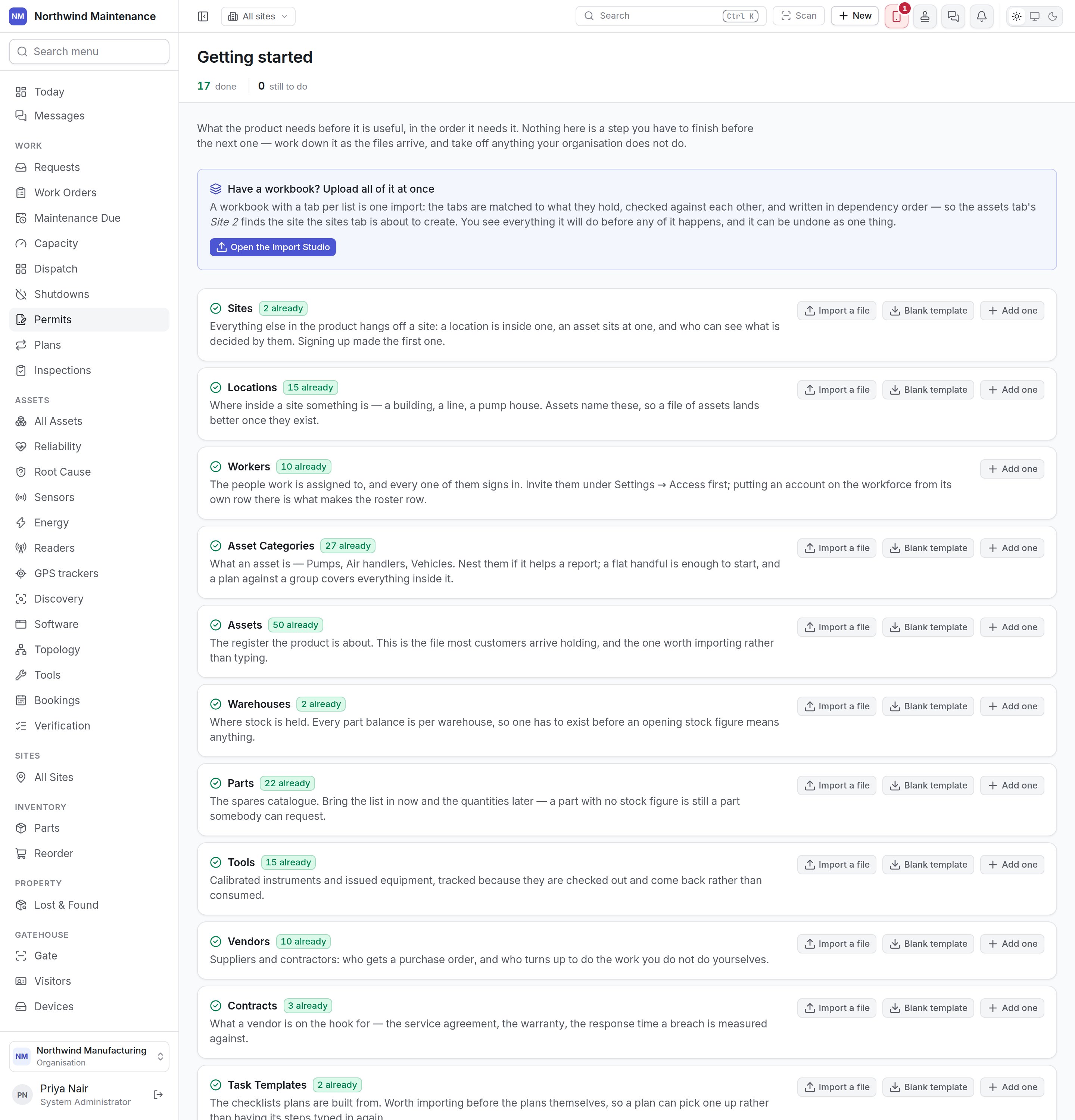
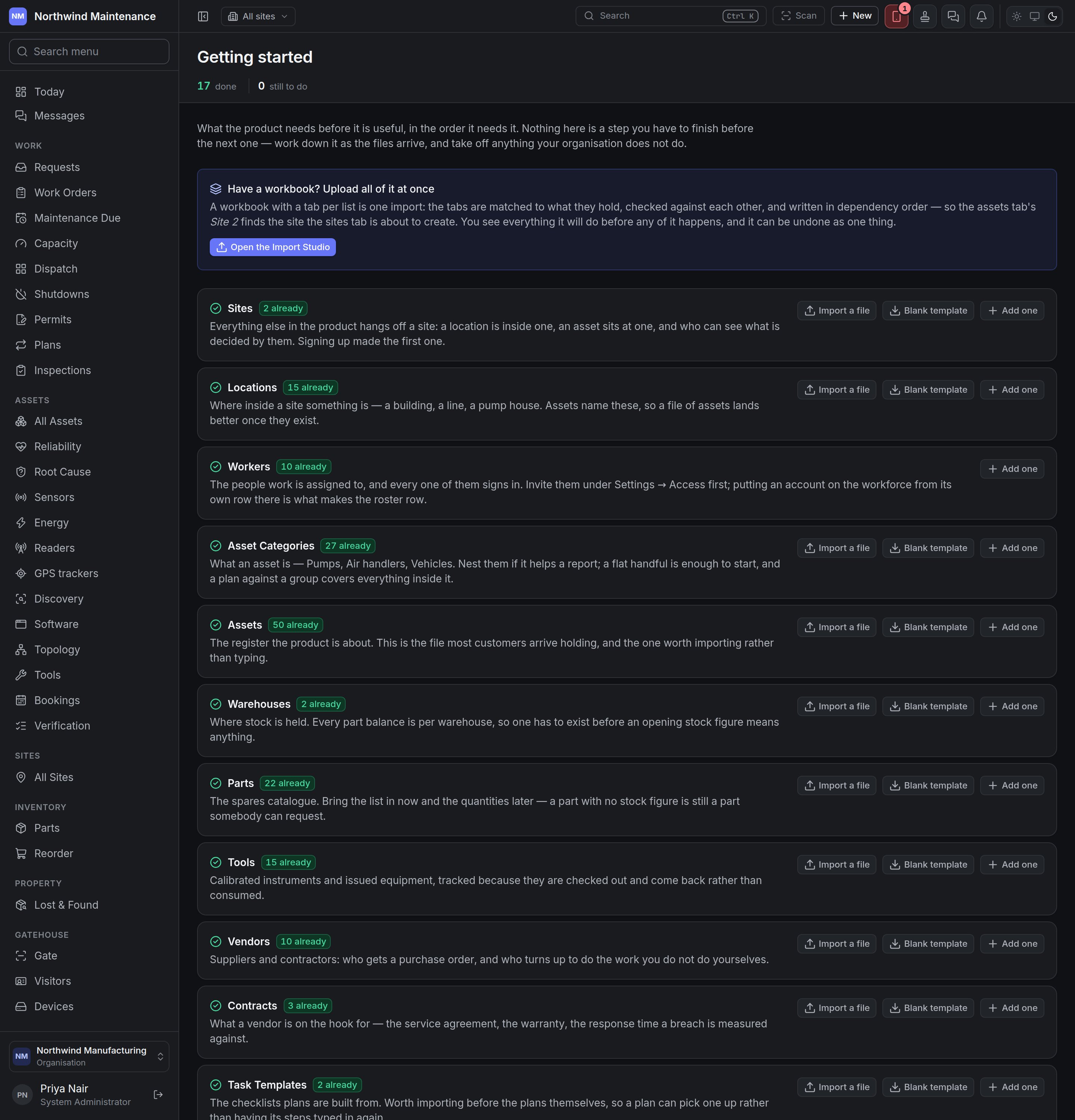
> The Getting started checklist: what the product needs before it is useful, how many of each you already have, and the ways to add them — a file, a form, or taking a line off the list.
**Getting started** is the checklist of what the product needs before it is useful — sites, assets,
parts, plans and the rest — in the order it needs them, with how many of each you already have and a
way to add more.
 Open it from **Setup → Getting started** in the navigation. It stays there permanently — the
organisation that takes on a new site in year three needs the same list as the one in its first week.
## When it opens by itself
Right after sign-up, the product opens this checklist instead of **Today** for anybody who can add
assets, until the organisation has at least one asset. An empty dashboard tells somebody three days
into a trial that the product does not work; this tells them what to load.
**Show me the dashboard anyway**, in the header, goes to **Today** for the rest of that browser tab.
It is only offered to whoever was sent here automatically. Nothing about it is stored, and nobody else
is affected.
## It is a checklist, not a wizard
Nothing here is a step you must finish before the next. Work down it as the files arrive — the asset
file on Monday, the staff list when HR gets round to it — and take off anything your organisation
does not do. There is no progress the screen remembers: a line is done when the records exist, so if
you import four hundred assets and undo the import, the line is honestly empty again.
The stat strip counts lines **done** and **still to do**.
## Have a workbook?
**Have a workbook? Upload all of it at once** sits above the list. A workbook with a tab per list is
one import: the tabs are matched to what they hold, checked against each other and written in the
right order — so an asset that names "Site 2" finds the site the sites tab is about to create. You see
everything it will do before any of it happens, and it can be undone as one thing. **Open the Import
Studio** starts it. See [Import](/config/import).
## The lines
Each line names a list, says why it matters, shows **\{n} already** when some exist, and offers the
ways to add more.
| Line | Why it is there |
| - | - |
| **Sites** | Everything hangs off a site: a location is inside one, an asset sits at one, and who can see what is decided by them. Signing up made the first one. |
| **Locations** | Where inside a site something is — a building, a line, a pump house. Assets name these, so a file of assets lands better once they exist. |
| **Workers** | The people work is assigned to, every one of whom signs in. Invite them under **Administration → Access** first; putting an account on the workforce from its row there is what makes the roster row. |
| **Asset Categories** | What an asset is — Pumps, Air handlers, Vehicles. Nest them if it helps a report; a flat handful is enough to start, and a plan against a group covers everything inside it. |
| **Assets** | The register the product is about — the file most customers arrive holding, and the one worth importing rather than typing. |
| **Warehouses** | Where stock is held. Every part balance is per store, so one has to exist before an opening stock figure means anything. |
| **Parts** | The spares catalogue. Bring the list in now and the quantities later — a part with no stock figure is still a part somebody can request. |
| **Tools** | Calibrated instruments and issued equipment, tracked because they are checked out and come back. |
| **Vendors** | Suppliers and contractors: who gets a purchase order, and who turns up to do the work you do not do yourselves. |
| **Contracts** | What a vendor is on the hook for — the service agreement, the warranty, the response time a breach is measured against. |
| **Task Templates** | The checklists plans are built from. Import them before the plans, so a plan can pick one up. |
| **Inspection Templates** | The rounds a technician completes — the questions, what passes and what a failure raises. Import them before the plans. |
| **Maintenance Plans** | The rules that raise work before something breaks. Last because a plan names the assets it covers. |
| **Meters** | Hours, cycles and kilometres, where maintenance is due on a reading rather than a date. Added on the asset they measure. |
| **Supply points** | The meters you read or are billed for — a site main, a submeter on a building, or one asset metered on its own. |
| **Fiscal calendars** | When your financial year starts and how it is divided. A depreciation book cannot run without one. |
| **Depreciation books** | A set of depreciation answers for one legal entity — its statutory book, its tax book. The company needs a functional currency first, and each book needs a fiscal calendar and at least one policy rule. |
## What each line offers
| Button | What it does | Shown when |
| - | - | - |
| **Import a file** | Opens the Import Studio for that list. | The list can be imported and you may import it. |
| **Blank template** | Downloads an empty spreadsheet with the right columns. | The list can be imported. |
| **Add one** | Opens the screen where one is added by hand — the list's own register or configuration screen, or a generic form where there is none. | You may create one. |
| **Ask an administrator to set this up** | Shown instead of the buttons when you can neither add nor import. | |
| **a file is part-way through** | Links to an import of this list that has not finished. | An import is in progress. |
| **Not us** | Takes the line off the list for everyone. A box asks **Why not? Optional, and only your colleagues will read it** — for example "We do not hold our own stock" — then **Take it off the list**. | You may add to the list. |
| **Put it back** | Returns a line marked **skipped** to the list. | The line was skipped. |
A skipped line keeps its reason beneath it, so a colleague can see why.
## Who sees what
Anybody can open the checklist. The buttons on each line depend on what your own roles let you do, so
a storekeeper may be able to add parts and stores while somebody else still has to start the asset
register.
This documentation is built and hosted on [Mintlify](https://mintlify.com), a developer documentation platform.
Open it from **Setup → Getting started** in the navigation. It stays there permanently — the
organisation that takes on a new site in year three needs the same list as the one in its first week.
## When it opens by itself
Right after sign-up, the product opens this checklist instead of **Today** for anybody who can add
assets, until the organisation has at least one asset. An empty dashboard tells somebody three days
into a trial that the product does not work; this tells them what to load.
**Show me the dashboard anyway**, in the header, goes to **Today** for the rest of that browser tab.
It is only offered to whoever was sent here automatically. Nothing about it is stored, and nobody else
is affected.
## It is a checklist, not a wizard
Nothing here is a step you must finish before the next. Work down it as the files arrive — the asset
file on Monday, the staff list when HR gets round to it — and take off anything your organisation
does not do. There is no progress the screen remembers: a line is done when the records exist, so if
you import four hundred assets and undo the import, the line is honestly empty again.
The stat strip counts lines **done** and **still to do**.
## Have a workbook?
**Have a workbook? Upload all of it at once** sits above the list. A workbook with a tab per list is
one import: the tabs are matched to what they hold, checked against each other and written in the
right order — so an asset that names "Site 2" finds the site the sites tab is about to create. You see
everything it will do before any of it happens, and it can be undone as one thing. **Open the Import
Studio** starts it. See [Import](/config/import).
## The lines
Each line names a list, says why it matters, shows **\{n} already** when some exist, and offers the
ways to add more.
| Line | Why it is there |
| - | - |
| **Sites** | Everything hangs off a site: a location is inside one, an asset sits at one, and who can see what is decided by them. Signing up made the first one. |
| **Locations** | Where inside a site something is — a building, a line, a pump house. Assets name these, so a file of assets lands better once they exist. |
| **Workers** | The people work is assigned to, every one of whom signs in. Invite them under **Administration → Access** first; putting an account on the workforce from its row there is what makes the roster row. |
| **Asset Categories** | What an asset is — Pumps, Air handlers, Vehicles. Nest them if it helps a report; a flat handful is enough to start, and a plan against a group covers everything inside it. |
| **Assets** | The register the product is about — the file most customers arrive holding, and the one worth importing rather than typing. |
| **Warehouses** | Where stock is held. Every part balance is per store, so one has to exist before an opening stock figure means anything. |
| **Parts** | The spares catalogue. Bring the list in now and the quantities later — a part with no stock figure is still a part somebody can request. |
| **Tools** | Calibrated instruments and issued equipment, tracked because they are checked out and come back. |
| **Vendors** | Suppliers and contractors: who gets a purchase order, and who turns up to do the work you do not do yourselves. |
| **Contracts** | What a vendor is on the hook for — the service agreement, the warranty, the response time a breach is measured against. |
| **Task Templates** | The checklists plans are built from. Import them before the plans, so a plan can pick one up. |
| **Inspection Templates** | The rounds a technician completes — the questions, what passes and what a failure raises. Import them before the plans. |
| **Maintenance Plans** | The rules that raise work before something breaks. Last because a plan names the assets it covers. |
| **Meters** | Hours, cycles and kilometres, where maintenance is due on a reading rather than a date. Added on the asset they measure. |
| **Supply points** | The meters you read or are billed for — a site main, a submeter on a building, or one asset metered on its own. |
| **Fiscal calendars** | When your financial year starts and how it is divided. A depreciation book cannot run without one. |
| **Depreciation books** | A set of depreciation answers for one legal entity — its statutory book, its tax book. The company needs a functional currency first, and each book needs a fiscal calendar and at least one policy rule. |
## What each line offers
| Button | What it does | Shown when |
| - | - | - |
| **Import a file** | Opens the Import Studio for that list. | The list can be imported and you may import it. |
| **Blank template** | Downloads an empty spreadsheet with the right columns. | The list can be imported. |
| **Add one** | Opens the screen where one is added by hand — the list's own register or configuration screen, or a generic form where there is none. | You may create one. |
| **Ask an administrator to set this up** | Shown instead of the buttons when you can neither add nor import. | |
| **a file is part-way through** | Links to an import of this list that has not finished. | An import is in progress. |
| **Not us** | Takes the line off the list for everyone. A box asks **Why not? Optional, and only your colleagues will read it** — for example "We do not hold our own stock" — then **Take it off the list**. | You may add to the list. |
| **Put it back** | Returns a line marked **skipped** to the list. | The line was skipped. |
A skipped line keeps its reason beneath it, so a colleague can see why.
## Who sees what
Anybody can open the checklist. The buttons on each line depend on what your own roles let you do, so
a storekeeper may be able to add parts and stores while somebody else still has to start the asset
register.
This documentation is built and hosted on [Mintlify](https://mintlify.com), a developer documentation platform.