> ## Documentation Index
> Fetch the complete documentation index at: https://docs.assetinfinity.ai/llms.txt
> Use this file to discover all available pages before exploring further.
# Permits to work
> The permit register and the permit itself — raising one with every field explained, isolations, precautions and crew, and the issue, accept, stand down, hand back and call off steps.
A permit to work records what is isolated, what was tested and who may work, for a job or a shutdown — and a job that needs one will not start until a permit covering it has been issued and accepted. The Permits screens are where permits are raised, issued, worked under and handed back. Open them from **Work → Permits**. You need **View permits to work**.
If you don't see this in your navigation, your administrator can switch the module on under **Administration → Modules**, or it may not be included in your plan.
 ## The register
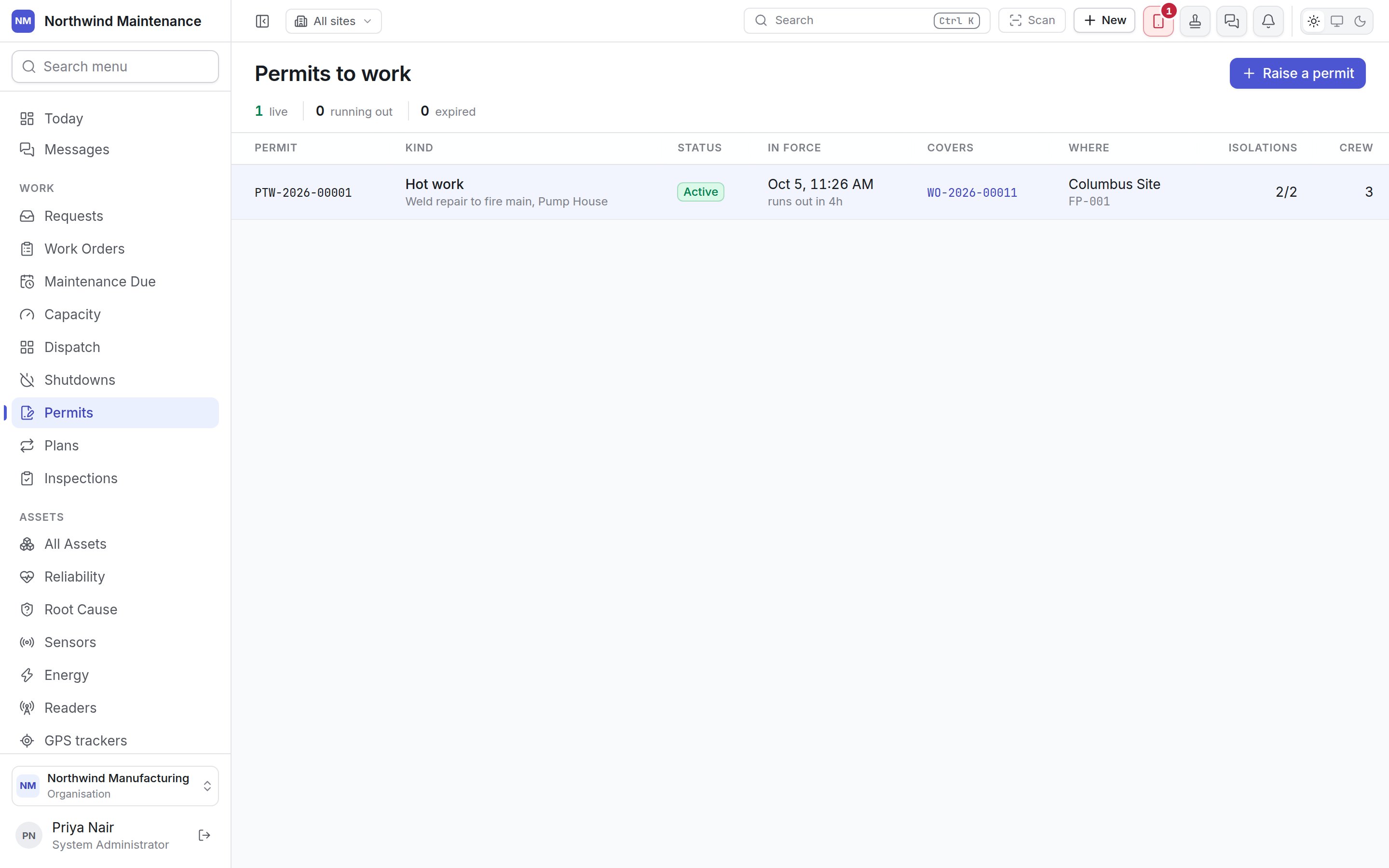
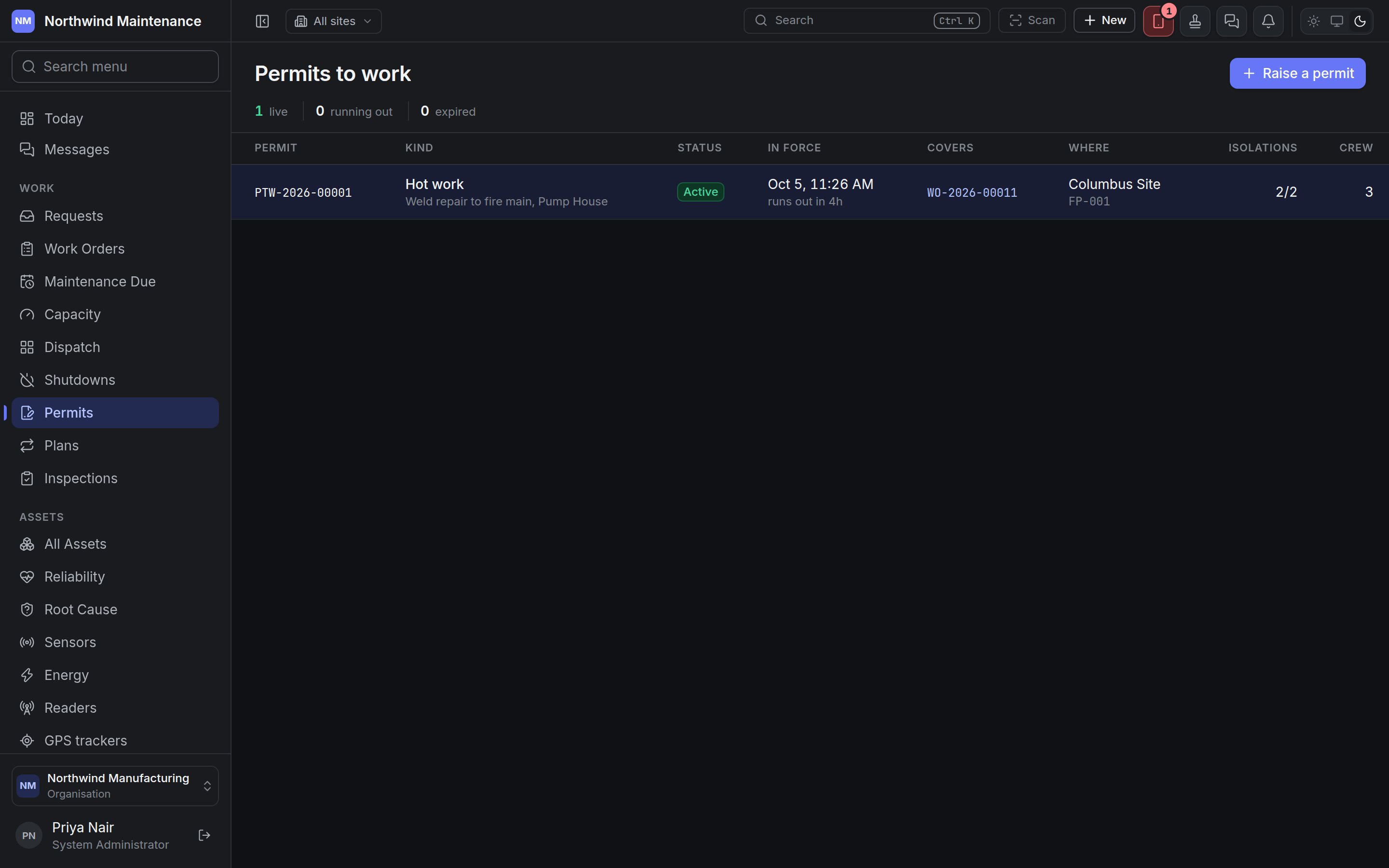
A permit is the one record in the product with a clock genuinely running against it, so the register leads with **what is live right now and how long it has left**, sorted by what runs out soonest.
| Figure | Meaning |
| - | - |
| **live** | Permits in force now (green) |
| **running out** | Permits in force with two hours or less left — roughly a shift's tail, and still time to do something about it (amber) |
| **expired** | Permits past their end time that have not been handed back (red) |
When any permit has run out without being handed back, a red banner names them: "N permit(s) have run out and not been handed back".
| Column | Meaning |
| - | - |
| **Permit** | The permit number |
| **Kind** | The kind of permit, with what the work is beneath |
| **Status** | Where the permit is in its life — see [Statuses](#statuses) |
| **In force** | When it starts, and "runs out in…" (amber in the last two hours, red once expired) |
| **Covers** | The work order or shutdown it permits, as a link |
| **Where** | The site, and the asset beneath |
| **Isolations** | How many are applied, out of how many the permit lists |
| **Crew** | How many people are named on it |
Click a row to open the permit.
## Statuses
| Status | What it means |
| - | - |
| **Draft** | Being prepared. Not yet cover for anybody. The only status in which the permit can be edited |
| **Issued** | Signed over by the issuer, waiting for the person in charge of the work to accept it. A signed piece of paper on a desk, not cover for anyone working |
| **Active** | Accepted, and in force within its window |
| **Expired** | Active but past its end time. Shown instead of Active: the status word never overrides the clock |
| **Suspended** | Stood down. Work stops; isolations stay on |
| **Closed** | Handed back, with the state the area was left in |
| **Cancelled** | Called off before it was worked under |
**Active** and **Issued** are deliberately different colours, because only an active permit covers anyone.
## Raising a permit
## The register
A permit is the one record in the product with a clock genuinely running against it, so the register leads with **what is live right now and how long it has left**, sorted by what runs out soonest.
| Figure | Meaning |
| - | - |
| **live** | Permits in force now (green) |
| **running out** | Permits in force with two hours or less left — roughly a shift's tail, and still time to do something about it (amber) |
| **expired** | Permits past their end time that have not been handed back (red) |
When any permit has run out without being handed back, a red banner names them: "N permit(s) have run out and not been handed back".
| Column | Meaning |
| - | - |
| **Permit** | The permit number |
| **Kind** | The kind of permit, with what the work is beneath |
| **Status** | Where the permit is in its life — see [Statuses](#statuses) |
| **In force** | When it starts, and "runs out in…" (amber in the last two hours, red once expired) |
| **Covers** | The work order or shutdown it permits, as a link |
| **Where** | The site, and the asset beneath |
| **Isolations** | How many are applied, out of how many the permit lists |
| **Crew** | How many people are named on it |
Click a row to open the permit.
## Statuses
| Status | What it means |
| - | - |
| **Draft** | Being prepared. Not yet cover for anybody. The only status in which the permit can be edited |
| **Issued** | Signed over by the issuer, waiting for the person in charge of the work to accept it. A signed piece of paper on a desk, not cover for anyone working |
| **Active** | Accepted, and in force within its window |
| **Expired** | Active but past its end time. Shown instead of Active: the status word never overrides the clock |
| **Suspended** | Stood down. Work stops; isolations stay on |
| **Closed** | Handed back, with the state the area was left in |
| **Cancelled** | Called off before it was worked under |
**Active** and **Issued** are deliberately different colours, because only an active permit covers anyone.
## Raising a permit
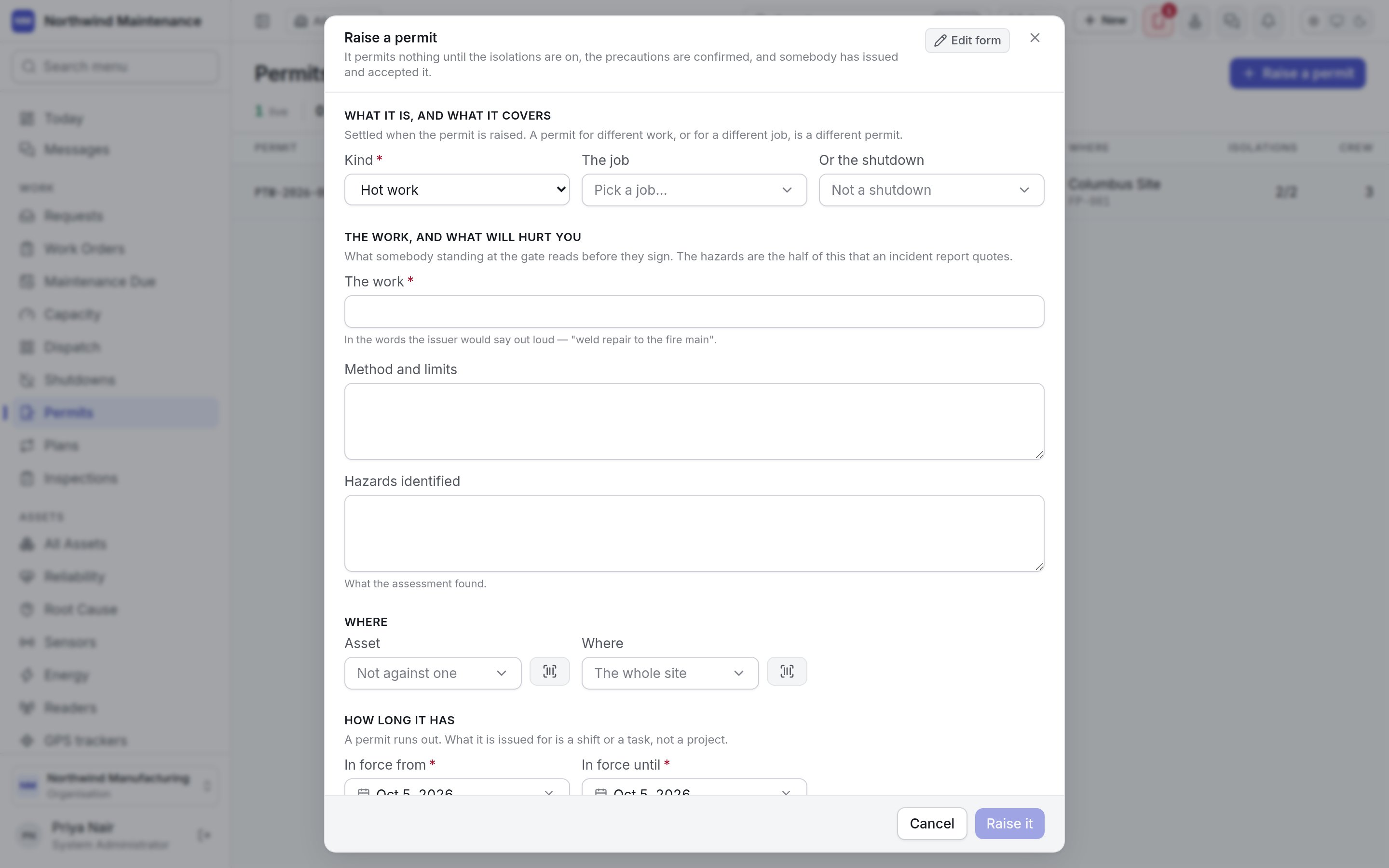
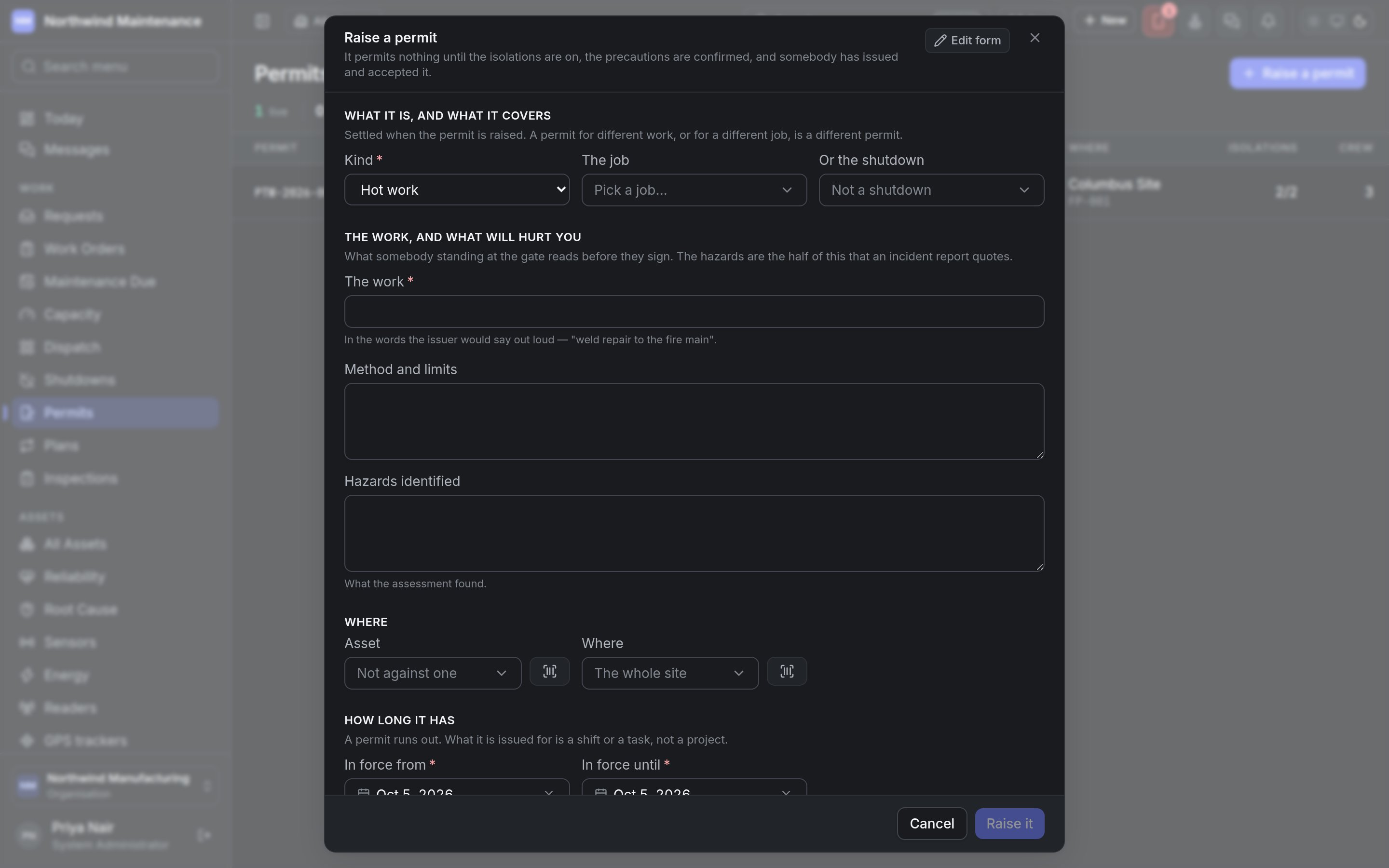 **Raise a permit** on the register — or **Raise a permit** on a work order whose permit is missing — opens the form. You need **Draft permits to work**. "It permits nothing until the isolations are on, the precautions are confirmed, and somebody has issued and accepted it."
### What it is, and what it covers
Settled when the permit is raised — a permit for different work, or for a different job, is a different permit.
| Field | What it means | Notes |
| - | - | - |
| **Kind** | **Hot work**, **Confined space**, **Working at height**, **Electrical**, **Lock-out/tag-out**, **Excavation**, **Lifting**, **Chemical**, **Radiation** or **General work** | Required |
| **The job** | The work order the permit covers | Pick a job by number or title. When you raise the permit from a work order, the job is already decided and not asked again |
| **Or the shutdown** | A [shutdown](/work/shutdowns) the permit covers instead | Only shutdowns still in planning or in progress are offered. A permit covers a job or a shutdown — every job in that shutdown is then covered |
### The work, and what will hurt you
What somebody standing at the gate reads before they sign.
| Field | What it means | Notes |
| - | - | - |
| **The work** | The work, in the words the issuer would say out loud — "weld repair to the fire main" | Required |
| **Method and limits** | How the work is to be done, and what it must not go beyond | Optional |
| **Hazards identified** | What the risk assessment found | Optional, but the half an incident report quotes |
### Where
| Field | What it means |
| - | - |
| **Asset** | The asset the work is on, or **Not against one** |
| **Where** | The place within the site, or **The whole site** |
### How long it has
A permit runs out. What it is issued for is a shift or a task, not a project.
| Field | What it means | Notes |
| - | - | - |
| **In force from** | When it starts | Required, with a time |
| **In force until** | When it runs out | Required, with a time. "A permit that does not run out is a standing permission." |
**Raise it** creates the permit as a **Draft** and opens it. Your organisation may have added its own questions, photographs or documents to this form; an administrator arranges it from **Edit form** in [Form Studio](/config/form-studio).
## The permit
**Raise a permit** on the register — or **Raise a permit** on a work order whose permit is missing — opens the form. You need **Draft permits to work**. "It permits nothing until the isolations are on, the precautions are confirmed, and somebody has issued and accepted it."
### What it is, and what it covers
Settled when the permit is raised — a permit for different work, or for a different job, is a different permit.
| Field | What it means | Notes |
| - | - | - |
| **Kind** | **Hot work**, **Confined space**, **Working at height**, **Electrical**, **Lock-out/tag-out**, **Excavation**, **Lifting**, **Chemical**, **Radiation** or **General work** | Required |
| **The job** | The work order the permit covers | Pick a job by number or title. When you raise the permit from a work order, the job is already decided and not asked again |
| **Or the shutdown** | A [shutdown](/work/shutdowns) the permit covers instead | Only shutdowns still in planning or in progress are offered. A permit covers a job or a shutdown — every job in that shutdown is then covered |
### The work, and what will hurt you
What somebody standing at the gate reads before they sign.
| Field | What it means | Notes |
| - | - | - |
| **The work** | The work, in the words the issuer would say out loud — "weld repair to the fire main" | Required |
| **Method and limits** | How the work is to be done, and what it must not go beyond | Optional |
| **Hazards identified** | What the risk assessment found | Optional, but the half an incident report quotes |
### Where
| Field | What it means |
| - | - |
| **Asset** | The asset the work is on, or **Not against one** |
| **Where** | The place within the site, or **The whole site** |
### How long it has
A permit runs out. What it is issued for is a shift or a task, not a project.
| Field | What it means | Notes |
| - | - | - |
| **In force from** | When it starts | Required, with a time |
| **In force until** | When it runs out | Required, with a time. "A permit that does not run out is a standing permission." |
**Raise it** creates the permit as a **Draft** and opens it. Your organisation may have added its own questions, photographs or documents to this form; an administrator arranges it from **Edit form** in [Form Studio](/config/form-studio).
## The permit
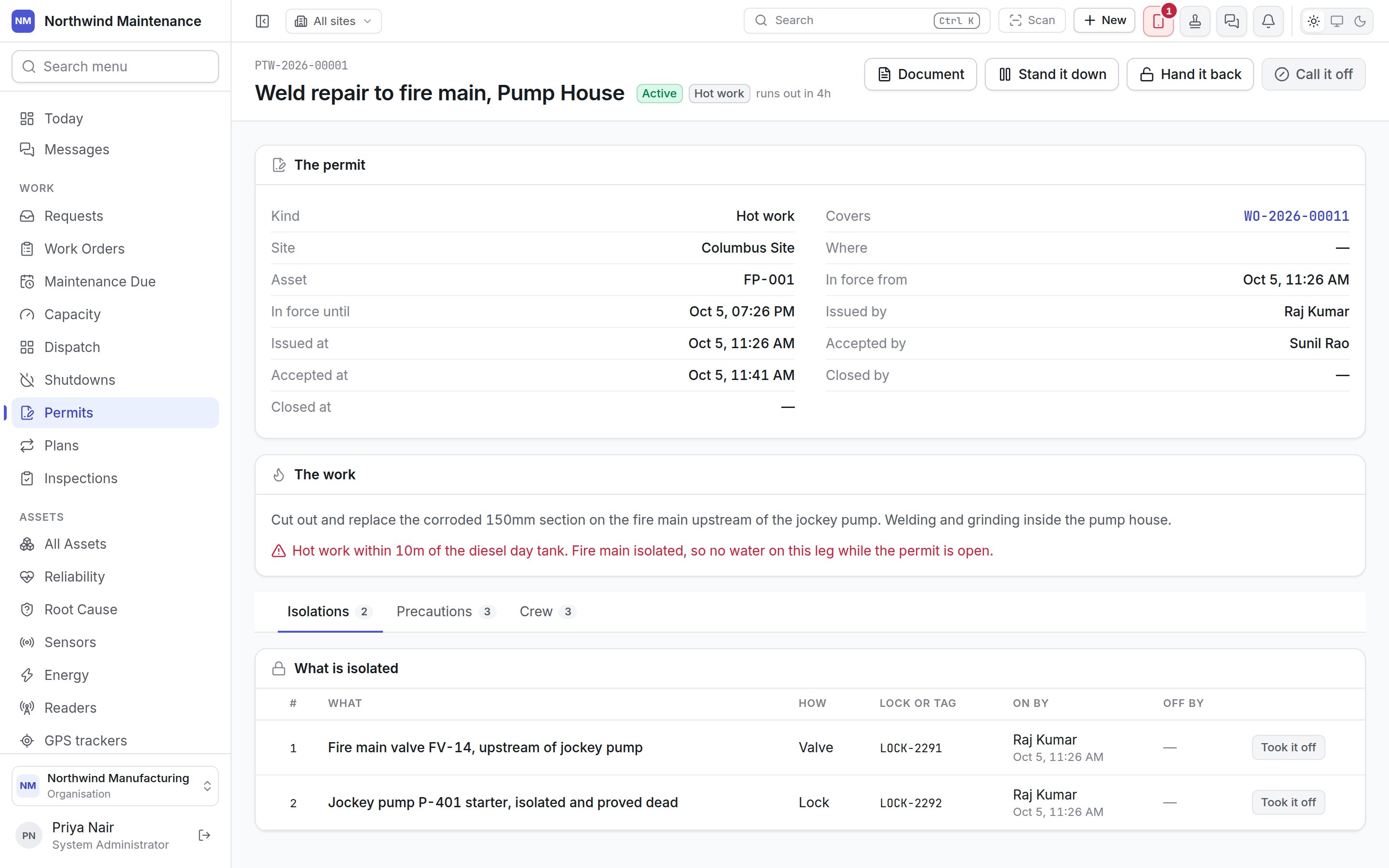
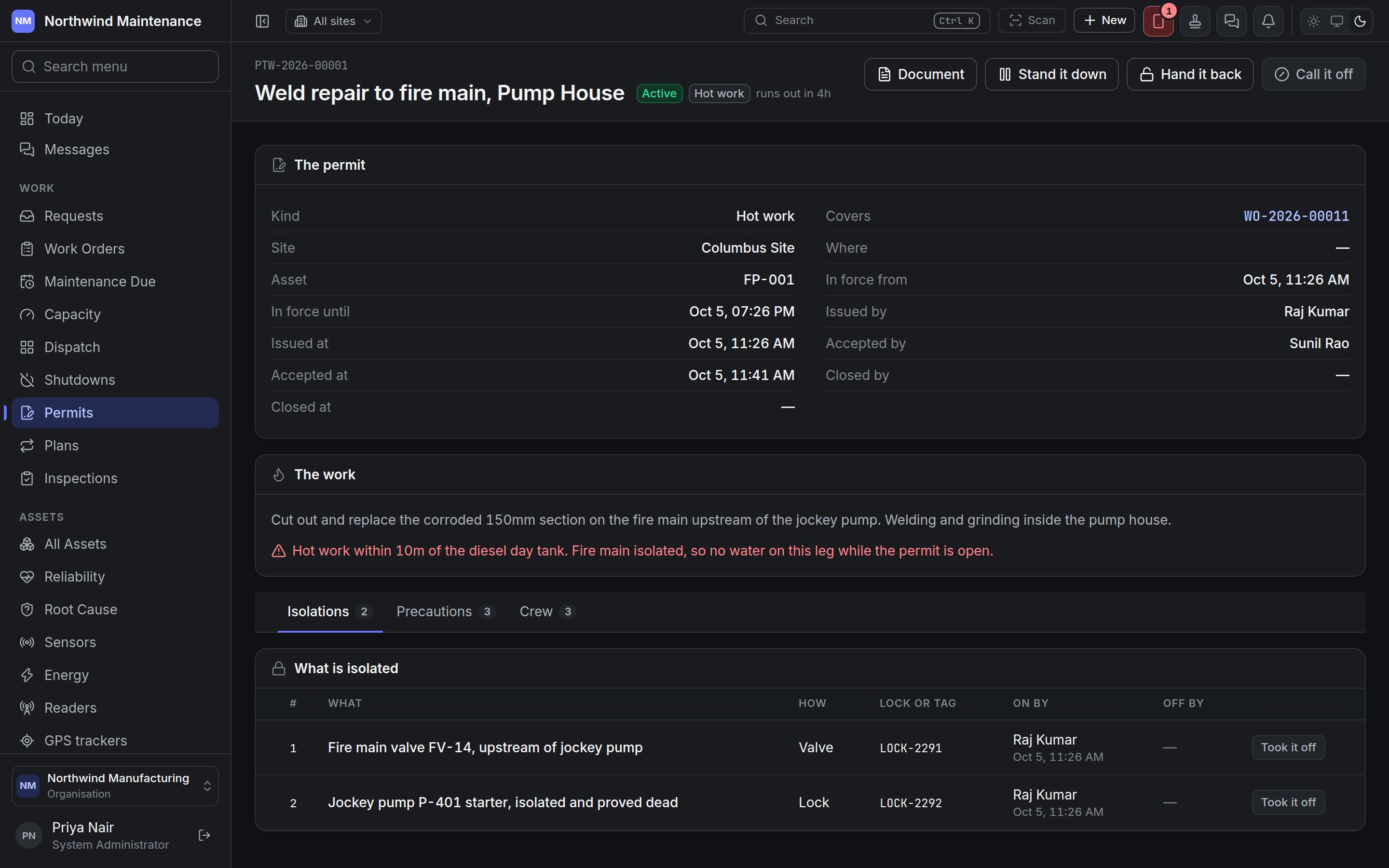 The header shows the permit number, what the work is, the status, the kind and "runs out in…". **The permit** lists **Kind**, **Covers**, **Site**, **Where**, **Asset**, **In force from**, **In force until**, **Issued by** and **Issued at**, **Accepted by** and **Accepted at**, and **Closed by** and **Closed at** — the two signatures and the hand-back, each with a name and a time. Any reason it was stood down, called off or handed back with is shown beneath. **The work** shows the description and the hazards.
### The custody chain
A permit is never edited into a different status. Each step is its own button, because the whole point of a permit is that two people, at two moments, each signed for something real.
| Button | When | What it does | Who can do it |
| - | - | - | - |
| **Issue it** | Draft | Signs the permit over, once its isolations are on and required precautions confirmed | **Issue a permit, and waive the permit a job asks for** |
| **Accept it** | Issued | The person in charge of the work accepts it. The permit becomes **Active** | **Accept a permit as the person in charge of the work** |
| **Stand it down** | Active | Suspends work under it without ending it, with a reason (for example "Site fire alarm"). "Work under it stops until somebody resumes it. The isolations stay on." | **Suspend, resume, close and cancel permits** |
| **Resume it** | Suspended | Lifts the suspension | As above |
| **Hand it back** | Issued, Active or Suspended | Closes the permit, recording "what state the area was left in. The next shift and any investigation read this." | As above |
| **Call it off** | Any status before it is closed | Cancels the permit, with a reason. "For a permit that never ran. One that has been worked under is handed back instead." | As above |
| **Edit** | Draft | Corrects what the permit says. Once somebody has signed for a permit, it is a record of what they signed for, not a form to correct | **Edit a draft permit and what it says** |
| **Archive it** | Closed or Cancelled | Removes it from the register | **Archive permits** |
| **Document** | Any | Produces the printable permit from your organisation's template — usually the reason somebody opens a permit at all: to hand a technician the paper to carry to the gate. See [producing a document](/documents/documents#producing-a-document) | **Attach files and photographs** |
Before a draft can be issued, the screen says plainly what is still missing — "Before this can be issued:" followed by nobody being on it, isolations not on yet, or precautions unconfirmed — rather than letting the attempt fail.
Handing a permit back with isolations still on is flagged in the dialog — "N isolation(s) are still on. Record each one as removed first."
```text theme={null}
Draft ──Issue it──→ Issued ──Accept it──→ Active ⇄ Suspended (Stand it down / Resume it)
Issued, Active or Suspended ──Hand it back──→ Closed
Any open status ──Call it off──→ Cancelled
```
### Isolations
**What is isolated** lists each isolation in order:
| Column | Meaning |
| - | - |
| **What** | What is isolated — the valve, the starter, the breaker |
| **How** | **Lock**, **Tag**, **Blank**, **Spade**, **Valve**, **Earth applied**, **Fuse removed**, **Disconnected** or **Other** |
| **Lock or tag** | The lock or tag number, which lets somebody match the tag on the steelwork to the line on the permit |
| **On by** | Who applied it and when, or "not on yet" |
| **Off by** | Who removed it and when |
**Add an isolation** asks **What is isolated**, **How** and **Lock or tag**. **It's on** records an isolation as applied; **Took it off** records it as removed. These need **Apply, prove and remove isolations and precautions**.
### Precautions
The header shows the permit number, what the work is, the status, the kind and "runs out in…". **The permit** lists **Kind**, **Covers**, **Site**, **Where**, **Asset**, **In force from**, **In force until**, **Issued by** and **Issued at**, **Accepted by** and **Accepted at**, and **Closed by** and **Closed at** — the two signatures and the hand-back, each with a name and a time. Any reason it was stood down, called off or handed back with is shown beneath. **The work** shows the description and the hazards.
### The custody chain
A permit is never edited into a different status. Each step is its own button, because the whole point of a permit is that two people, at two moments, each signed for something real.
| Button | When | What it does | Who can do it |
| - | - | - | - |
| **Issue it** | Draft | Signs the permit over, once its isolations are on and required precautions confirmed | **Issue a permit, and waive the permit a job asks for** |
| **Accept it** | Issued | The person in charge of the work accepts it. The permit becomes **Active** | **Accept a permit as the person in charge of the work** |
| **Stand it down** | Active | Suspends work under it without ending it, with a reason (for example "Site fire alarm"). "Work under it stops until somebody resumes it. The isolations stay on." | **Suspend, resume, close and cancel permits** |
| **Resume it** | Suspended | Lifts the suspension | As above |
| **Hand it back** | Issued, Active or Suspended | Closes the permit, recording "what state the area was left in. The next shift and any investigation read this." | As above |
| **Call it off** | Any status before it is closed | Cancels the permit, with a reason. "For a permit that never ran. One that has been worked under is handed back instead." | As above |
| **Edit** | Draft | Corrects what the permit says. Once somebody has signed for a permit, it is a record of what they signed for, not a form to correct | **Edit a draft permit and what it says** |
| **Archive it** | Closed or Cancelled | Removes it from the register | **Archive permits** |
| **Document** | Any | Produces the printable permit from your organisation's template — usually the reason somebody opens a permit at all: to hand a technician the paper to carry to the gate. See [producing a document](/documents/documents#producing-a-document) | **Attach files and photographs** |
Before a draft can be issued, the screen says plainly what is still missing — "Before this can be issued:" followed by nobody being on it, isolations not on yet, or precautions unconfirmed — rather than letting the attempt fail.
Handing a permit back with isolations still on is flagged in the dialog — "N isolation(s) are still on. Record each one as removed first."
```text theme={null}
Draft ──Issue it──→ Issued ──Accept it──→ Active ⇄ Suspended (Stand it down / Resume it)
Issued, Active or Suspended ──Hand it back──→ Closed
Any open status ──Call it off──→ Cancelled
```
### Isolations
**What is isolated** lists each isolation in order:
| Column | Meaning |
| - | - |
| **What** | What is isolated — the valve, the starter, the breaker |
| **How** | **Lock**, **Tag**, **Blank**, **Spade**, **Valve**, **Earth applied**, **Fuse removed**, **Disconnected** or **Other** |
| **Lock or tag** | The lock or tag number, which lets somebody match the tag on the steelwork to the line on the permit |
| **On by** | Who applied it and when, or "not on yet" |
| **Off by** | Who removed it and when |
**Add an isolation** asks **What is isolated**, **How** and **Lock or tag**. **It's on** records an isolation as applied; **Took it off** records it as removed. These need **Apply, prove and remove isolations and precautions**.
### Precautions
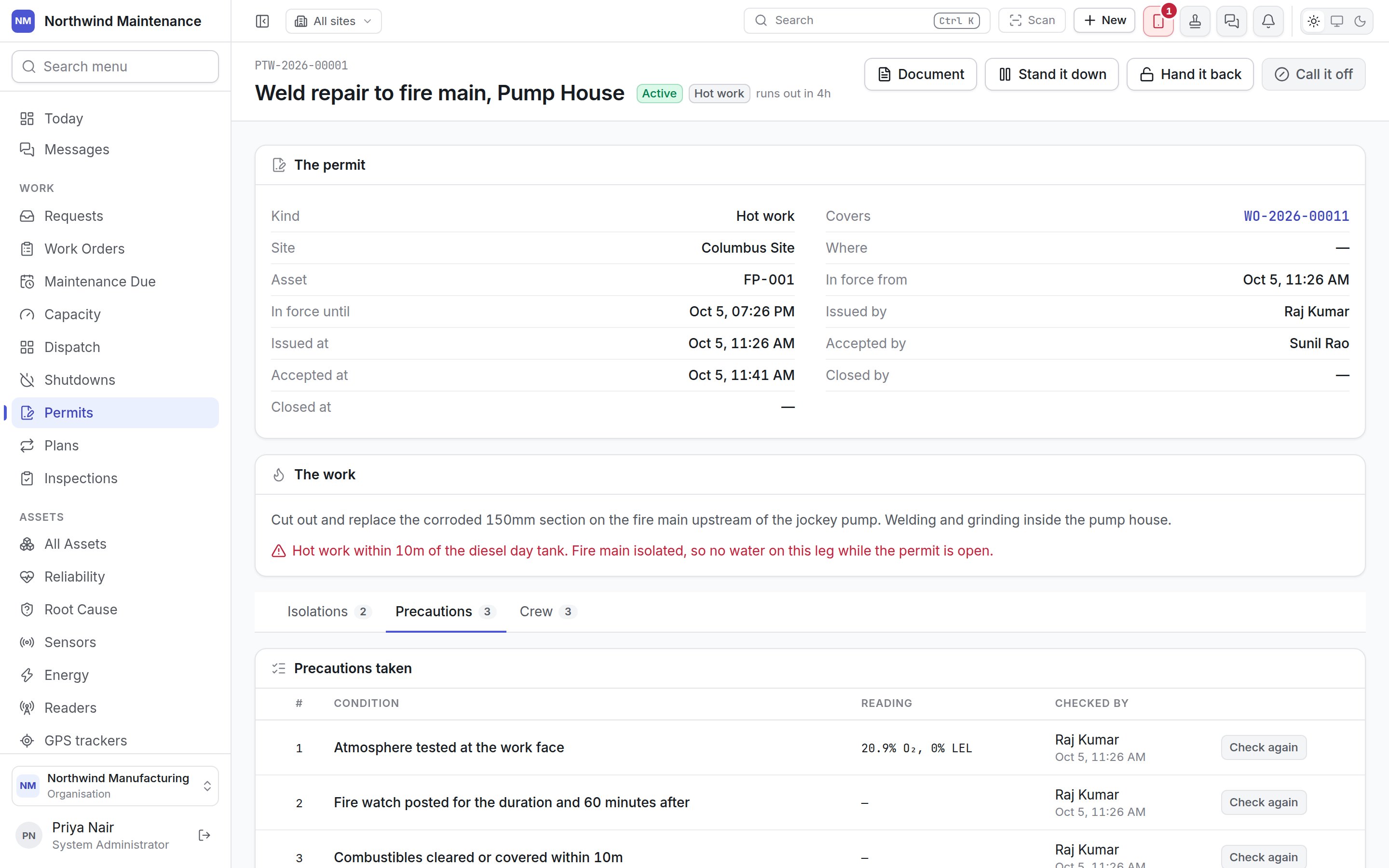
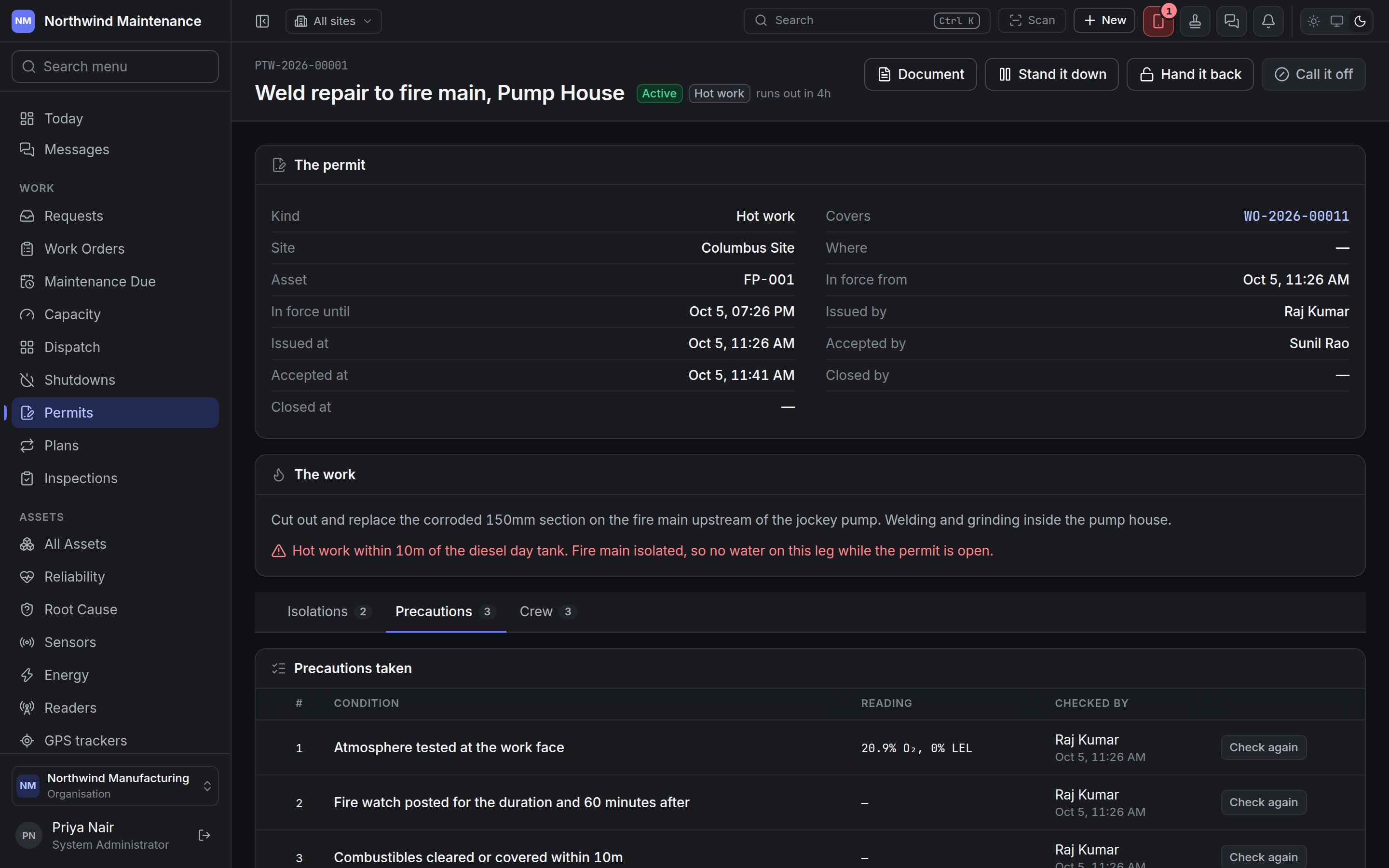 **Precautions taken** are the conditions of issue, each written so it is either true or it is not — "gas tested below 10% LEL" rather than "check the atmosphere".
| Column | Meaning |
| - | - |
| **Condition** | The precaution, marked **advisory** when it is not required |
| **Reading** | The reading taken, where one applies — for example "20.9% O₂, 0% LEL" |
| **Checked by** | Who confirmed it and when, or "not checked" |
**Add a precaution** asks for the **Condition** and whether it is **Required before the permit can be issued** (ticked by default). **Confirm it** records it as checked, with a **Reading** where one applies; **Check again** records a fresh check, for example after a break. A required precaution left unconfirmed holds up issue. Needs **Apply, prove and remove isolations and precautions**.
### Crew
**Precautions taken** are the conditions of issue, each written so it is either true or it is not — "gas tested below 10% LEL" rather than "check the atmosphere".
| Column | Meaning |
| - | - |
| **Condition** | The precaution, marked **advisory** when it is not required |
| **Reading** | The reading taken, where one applies — for example "20.9% O₂, 0% LEL" |
| **Checked by** | Who confirmed it and when, or "not checked" |
**Add a precaution** asks for the **Condition** and whether it is **Required before the permit can be issued** (ticked by default). **Confirm it** records it as checked, with a **Reading** where one applies; **Check again** records a fresh check, for example after a break. A required precaution left unconfirmed holds up issue. Needs **Apply, prove and remove isolations and precautions**.
### Crew
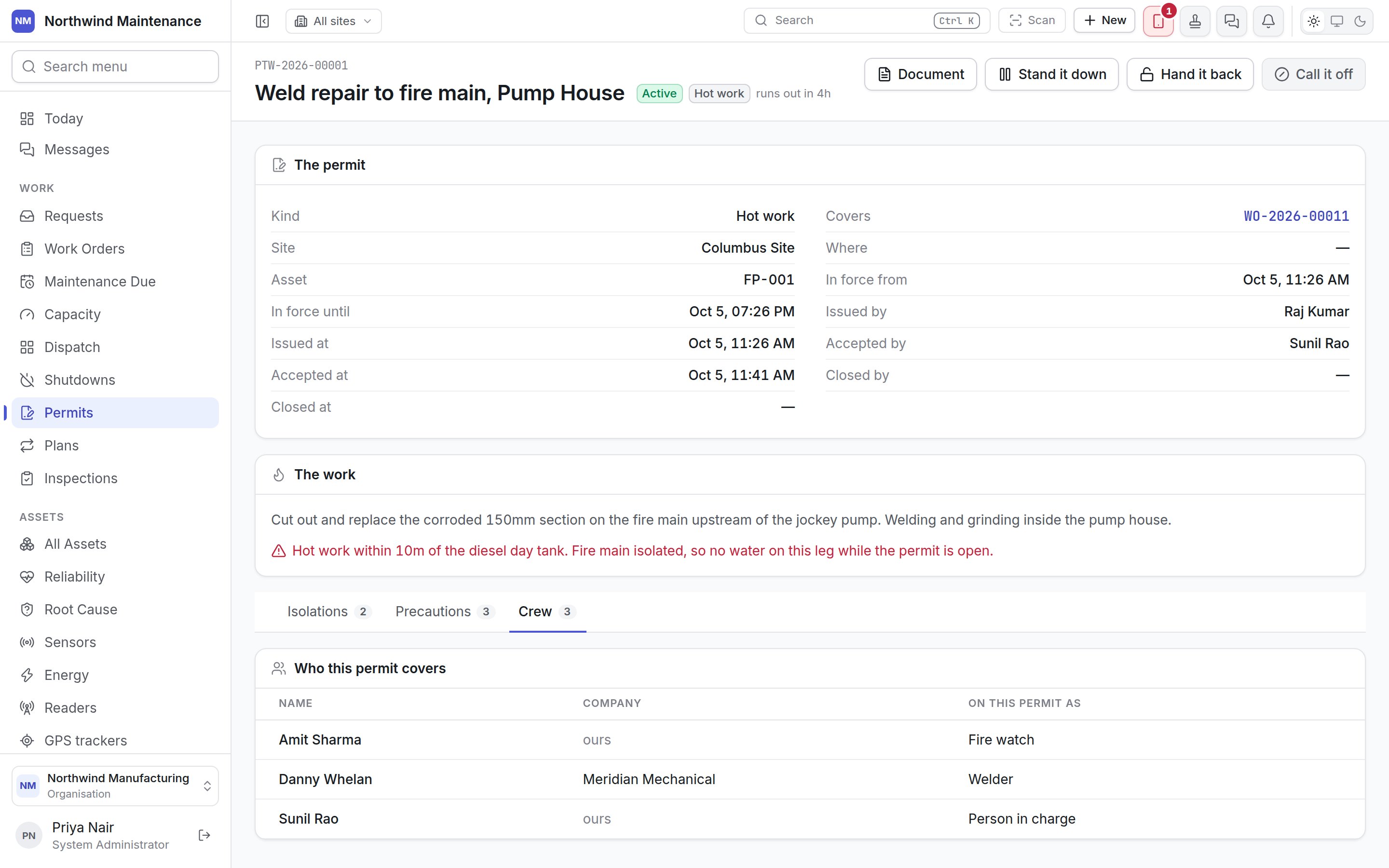
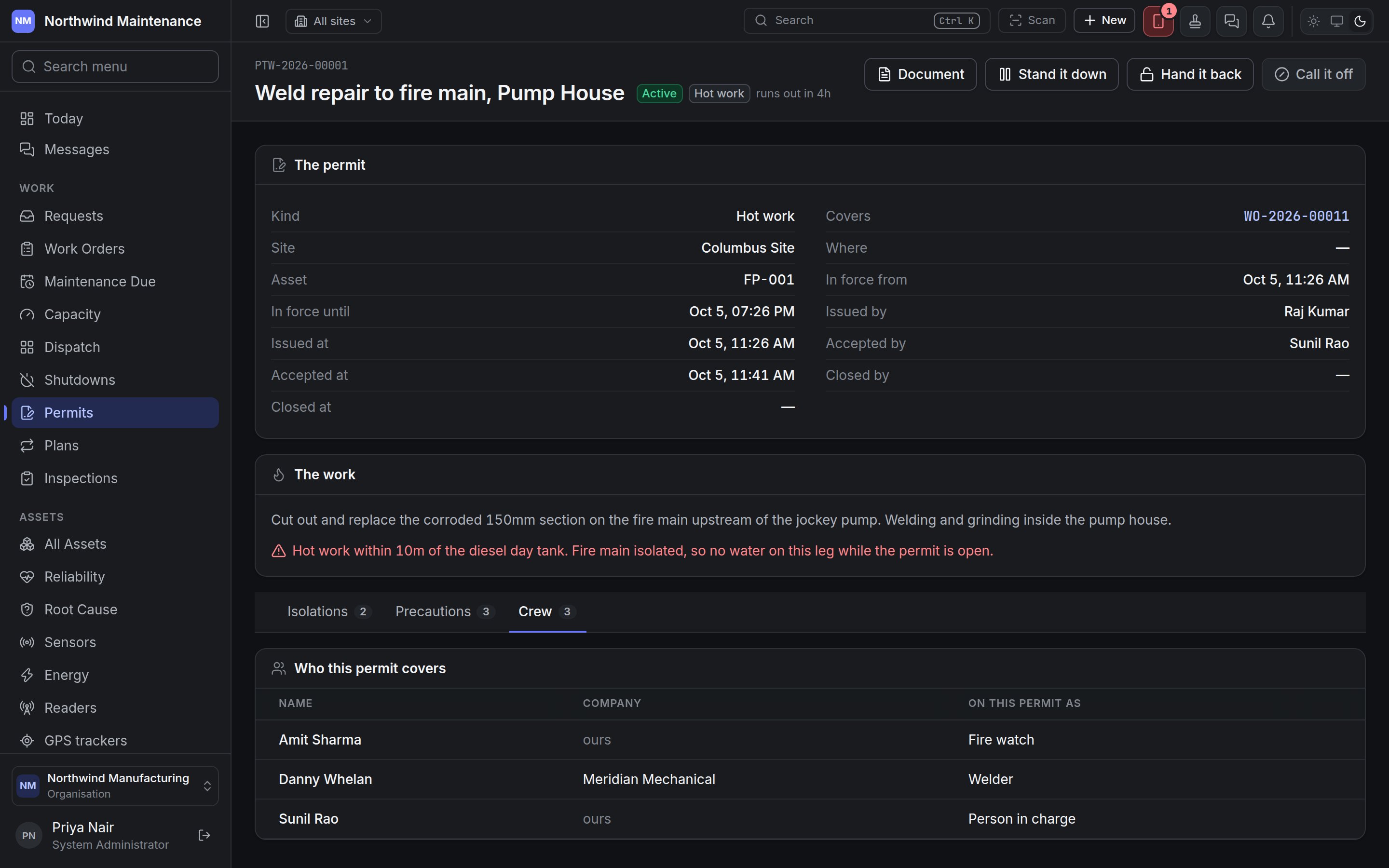 **Who this permit covers** lists each person with their **Name**, **Company** ("ours" for your own people) and what they are **On this permit as** — for example person in charge, welder or fire watch. **Add somebody** adds **One of ours** or **A contractor…** (with their **Name** and **Company**) and their role; **Take off the permit** removes them. A permit with nobody on it cannot be issued.
## Permits and work orders
A work order is marked **Needs a permit** when its maintenance plan says so or when somebody ticks it on the job. Until a permit covering it is in force:
* the work order shows a red banner saying why it may not start, with **Raise a permit**;
* its [Readiness](/work/work-order-detail#readiness) tab lists the permit requirement as blocking;
* the move into work (**Start work** by default) is refused with the same sentence.
The work order's Readiness tab lists every permit covering it — its own, and any covering the shutdown it is in ("via the shutdown") — with whether each is in force and when it runs out. People with **Issue a permit, and waive the permit a job asks for** can **Waive it** on the requirement, with a reason recorded against their name.
Where a device or visitor is checked against what has been declared and authorised.
This documentation is built and hosted on [Mintlify](https://mintlify.com), a developer documentation platform.
**Who this permit covers** lists each person with their **Name**, **Company** ("ours" for your own people) and what they are **On this permit as** — for example person in charge, welder or fire watch. **Add somebody** adds **One of ours** or **A contractor…** (with their **Name** and **Company**) and their role; **Take off the permit** removes them. A permit with nobody on it cannot be issued.
## Permits and work orders
A work order is marked **Needs a permit** when its maintenance plan says so or when somebody ticks it on the job. Until a permit covering it is in force:
* the work order shows a red banner saying why it may not start, with **Raise a permit**;
* its [Readiness](/work/work-order-detail#readiness) tab lists the permit requirement as blocking;
* the move into work (**Start work** by default) is refused with the same sentence.
The work order's Readiness tab lists every permit covering it — its own, and any covering the shutdown it is in ("via the shutdown") — with whether each is in force and when it runs out. People with **Issue a permit, and waive the permit a job asks for** can **Waive it** on the requirement, with a reason recorded against their name.
Where a device or visitor is checked against what has been declared and authorised.
This documentation is built and hosted on [Mintlify](https://mintlify.com), a developer documentation platform.