> ## Documentation Index
> Fetch the complete documentation index at: https://docs.assetinfinity.ai/llms.txt
> Use this file to discover all available pages before exploring further.
# Shutdowns
> Planning a shutdown, turnaround or outage — its work package, readiness, critical path, what comes off line, work windows and milestones — and running it from plant stop to back on line.
A shutdown is a planned window when a site, a line or a building is stopped so the work that can only be done while it is off can be done together. The Shutdowns screens gather that work into one package and answer the two questions that matter months ahead: will the parts, permits and people be ready, and does the work fit the window. Open them from **Work → Shutdowns**. You need **View shutdowns, their readiness and their critical path**.
If you don't see this in your navigation, your administrator can switch the module on under **Administration → Modules**, or it may not be included in your plan.
 ## Kinds of shutdown
| Kind | What it is |
| - | - |
| **Shutdown** | A planned stop you chose — a weekend, a line stop |
| **Turnaround** | The annual one the year's deferred work is saved for |
| **Outage** | Somebody else's window, given to you rather than chosen — a utility outage, a customer's stop |
## The register
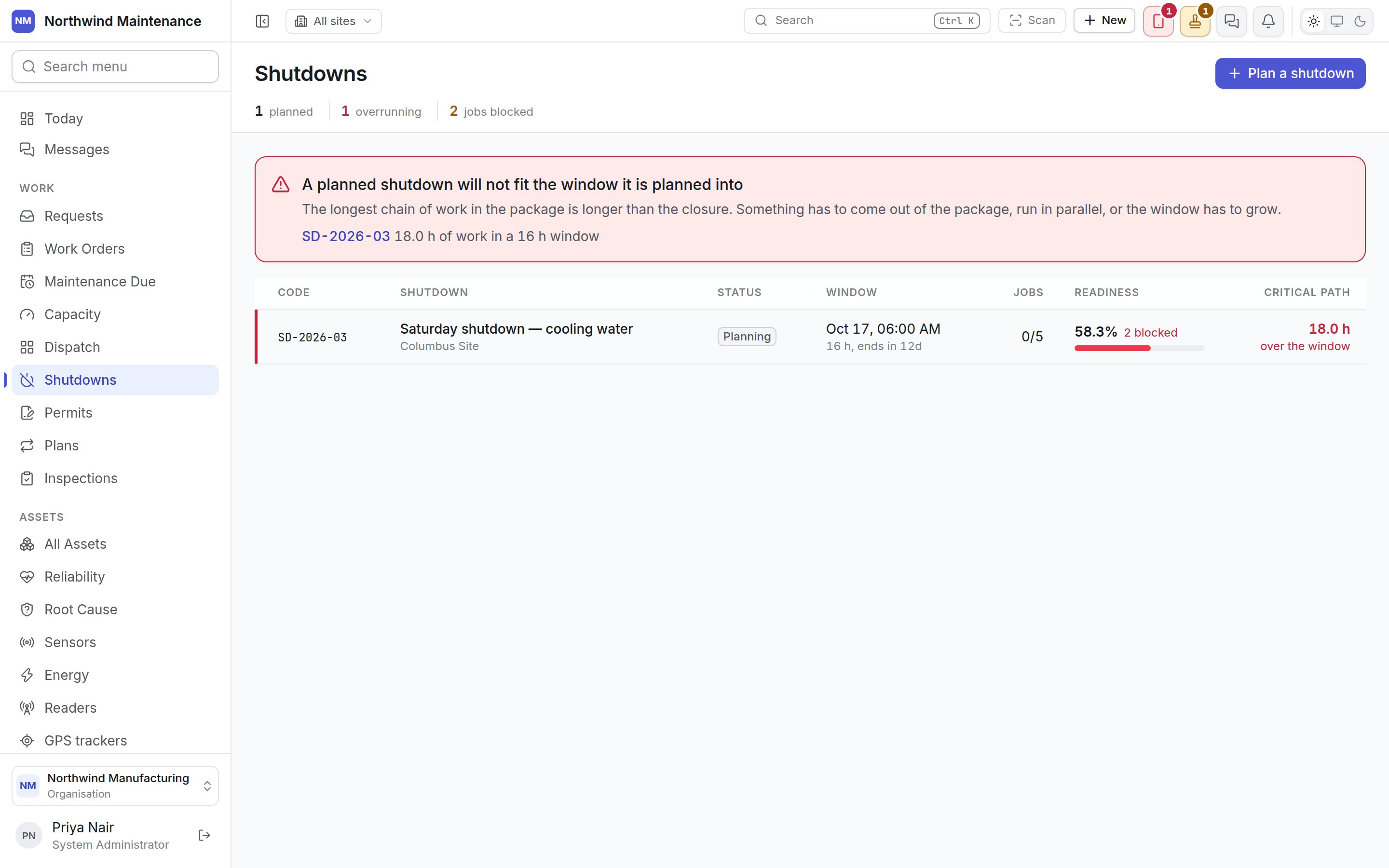
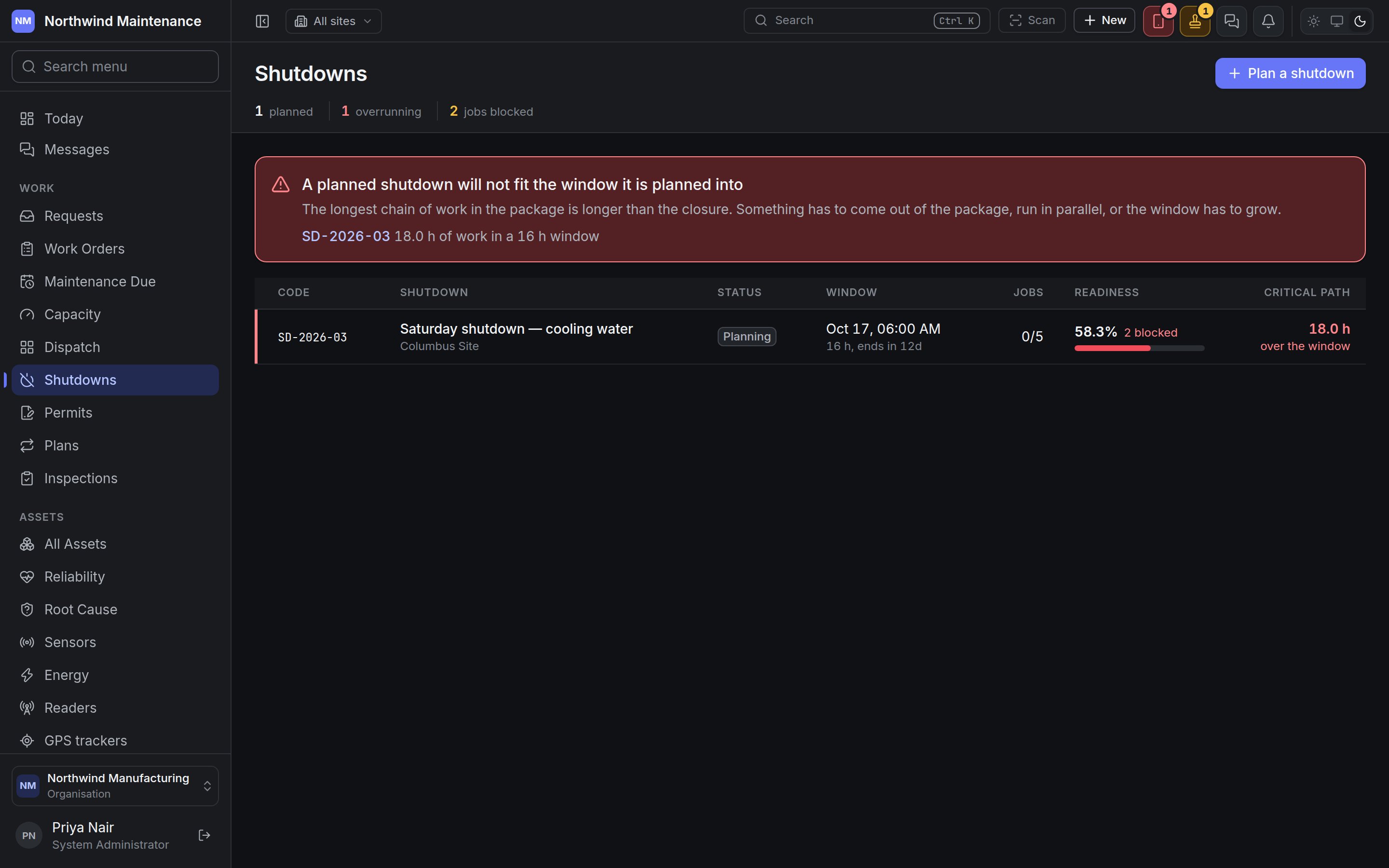
The register leads with the claim that is most expensive to be wrong about: **whether the work fits the window**. A shutdown whose longest chain of work is longer than the closure raises a red banner at the top — "A planned shutdown will not fit the window it is planned into" — naming each one, with how many hours of work sit in how long a window. "Something has to come out of the package, run in parallel, or the window has to grow."
| Figure | Meaning |
| - | - |
| **planned** | Shutdowns not yet completed or cancelled |
| **overrunning** | Of those, how many will not fit their window (red) |
| **jobs blocked** | Work orders in live shutdowns that cannot start until something arrives (amber) |
| Column | Meaning |
| - | - |
| **Code** | The shutdown's code |
| **Shutdown** | Its name, with the site and line beneath |
| **Status** | **Planning**, **Scope frozen**, **In progress**, **Completed** or **Cancelled** |
| **Window** | When the plant stops, how many hours the window is, and when it ends |
| **Jobs** | Work orders finished, out of all in the package |
| **Readiness** | The percentage of requirements in hand, with **N blocked** beside it when jobs are held up — 92% is reassuring until you learn the missing 8% is the permit |
| **Critical path** | The length of the longest chain of dependent work, in red with **over the window** when it is longer than the window |
Rows of shutdowns that will not fit are red; rows with blocked jobs are amber. Click a row to open the shutdown.
## Planning a shutdown
## Kinds of shutdown
| Kind | What it is |
| - | - |
| **Shutdown** | A planned stop you chose — a weekend, a line stop |
| **Turnaround** | The annual one the year's deferred work is saved for |
| **Outage** | Somebody else's window, given to you rather than chosen — a utility outage, a customer's stop |
## The register
The register leads with the claim that is most expensive to be wrong about: **whether the work fits the window**. A shutdown whose longest chain of work is longer than the closure raises a red banner at the top — "A planned shutdown will not fit the window it is planned into" — naming each one, with how many hours of work sit in how long a window. "Something has to come out of the package, run in parallel, or the window has to grow."
| Figure | Meaning |
| - | - |
| **planned** | Shutdowns not yet completed or cancelled |
| **overrunning** | Of those, how many will not fit their window (red) |
| **jobs blocked** | Work orders in live shutdowns that cannot start until something arrives (amber) |
| Column | Meaning |
| - | - |
| **Code** | The shutdown's code |
| **Shutdown** | Its name, with the site and line beneath |
| **Status** | **Planning**, **Scope frozen**, **In progress**, **Completed** or **Cancelled** |
| **Window** | When the plant stops, how many hours the window is, and when it ends |
| **Jobs** | Work orders finished, out of all in the package |
| **Readiness** | The percentage of requirements in hand, with **N blocked** beside it when jobs are held up — 92% is reassuring until you learn the missing 8% is the permit |
| **Critical path** | The length of the longest chain of dependent work, in red with **over the window** when it is longer than the window |
Rows of shutdowns that will not fit are red; rows with blocked jobs are amber. Click a row to open the shutdown.
## Planning a shutdown
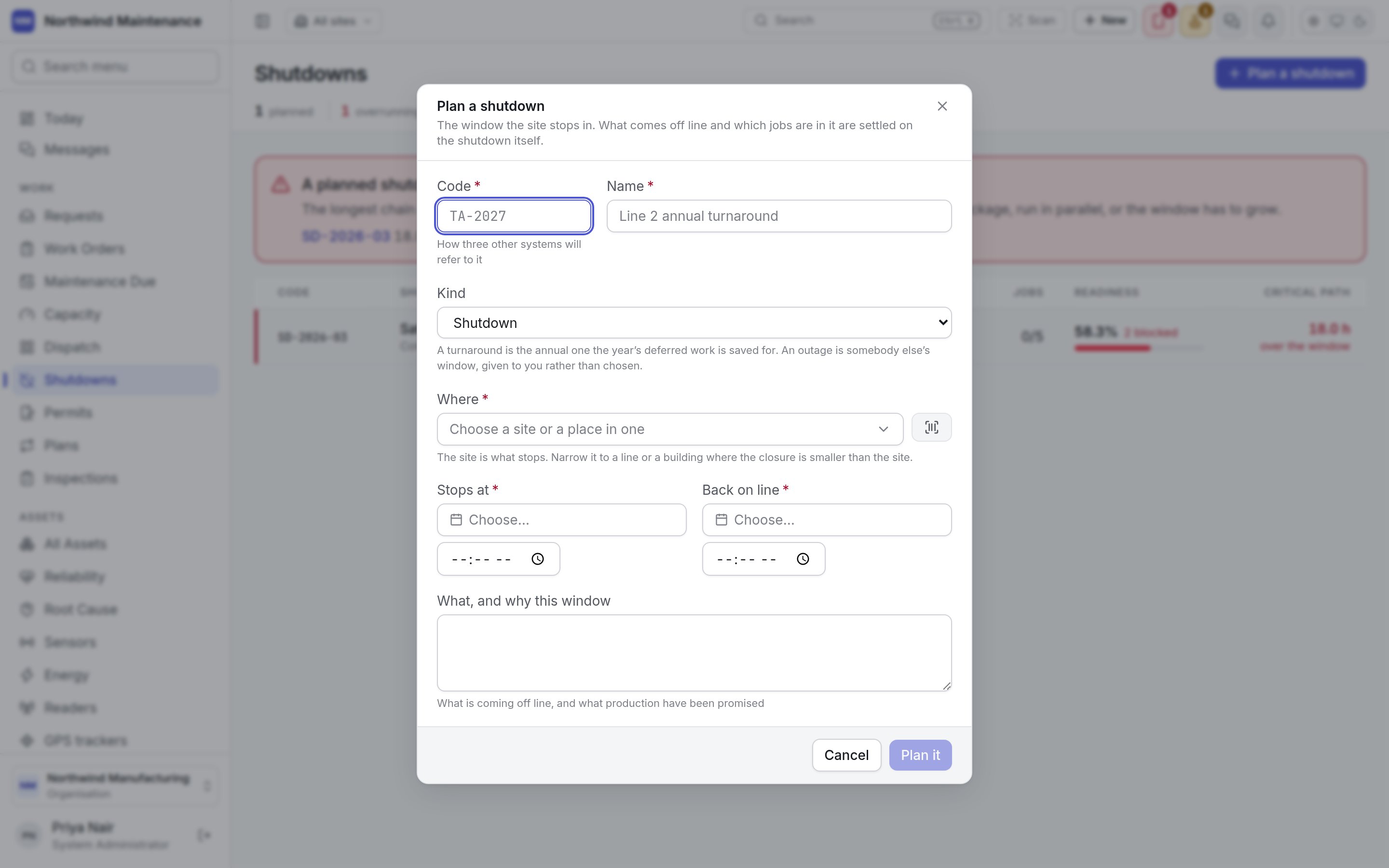
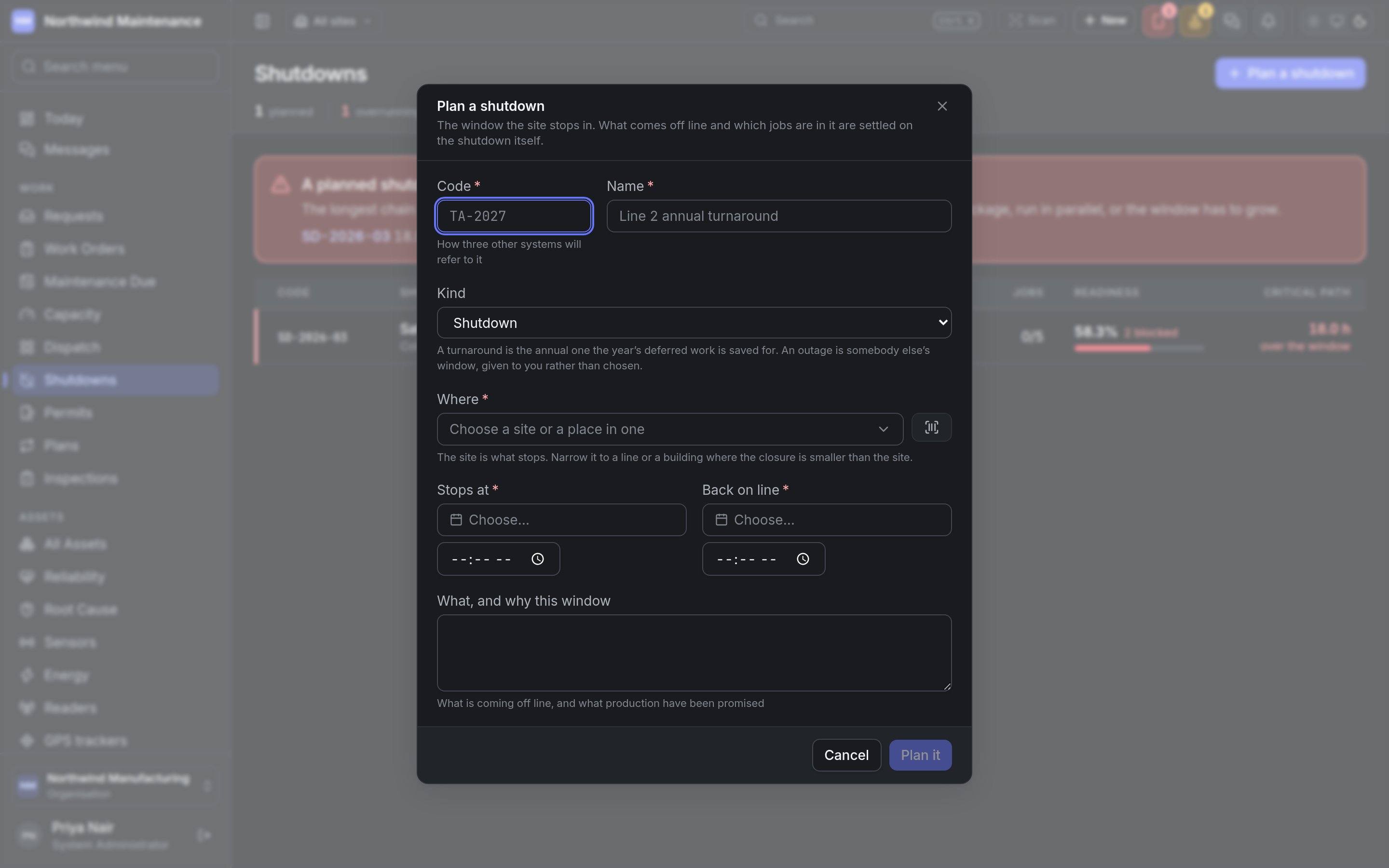 **Plan a shutdown** on the register, or **New → Shutdown** in the header, opens the form. You need **Plan a shutdown or turnaround**. "The window the site stops in. What comes off line and which jobs are in it are settled on the shutdown itself."
| Field | What it means | Notes |
| - | - | - |
| **Code** | A short reference, such as SD-2026-03 | Required. "How three other systems will refer to it" — permits, the capacity plan and your documents all show it |
| **Name** | What the shutdown is, in words | Required |
| **Kind** | **Shutdown**, **Turnaround** or **Outage** | Defaults to **Shutdown** |
| **Where** | The site that stops, or a line or building within it | Required. Narrow it to a line or building where the closure is smaller than the site |
| **Stops at** | When the plant stops | Required, with a time |
| **Back on line** | When it is due back | Required, with a time. Must be after **Stops at** |
| **What, and why this window** | What is coming off line, and what production have been promised | Optional |
**Plan it** creates the shutdown in **Planning** and opens it.
## The shutdown
**Plan a shutdown** on the register, or **New → Shutdown** in the header, opens the form. You need **Plan a shutdown or turnaround**. "The window the site stops in. What comes off line and which jobs are in it are settled on the shutdown itself."
| Field | What it means | Notes |
| - | - | - |
| **Code** | A short reference, such as SD-2026-03 | Required. "How three other systems will refer to it" — permits, the capacity plan and your documents all show it |
| **Name** | What the shutdown is, in words | Required |
| **Kind** | **Shutdown**, **Turnaround** or **Outage** | Defaults to **Shutdown** |
| **Where** | The site that stops, or a line or building within it | Required. Narrow it to a line or building where the closure is smaller than the site |
| **Stops at** | When the plant stops | Required, with a time |
| **Back on line** | When it is due back | Required, with a time. Must be after **Stops at** |
| **What, and why this window** | What is coming off line, and what production have been promised | Optional |
**Plan it** creates the shutdown in **Planning** and opens it.
## The shutdown
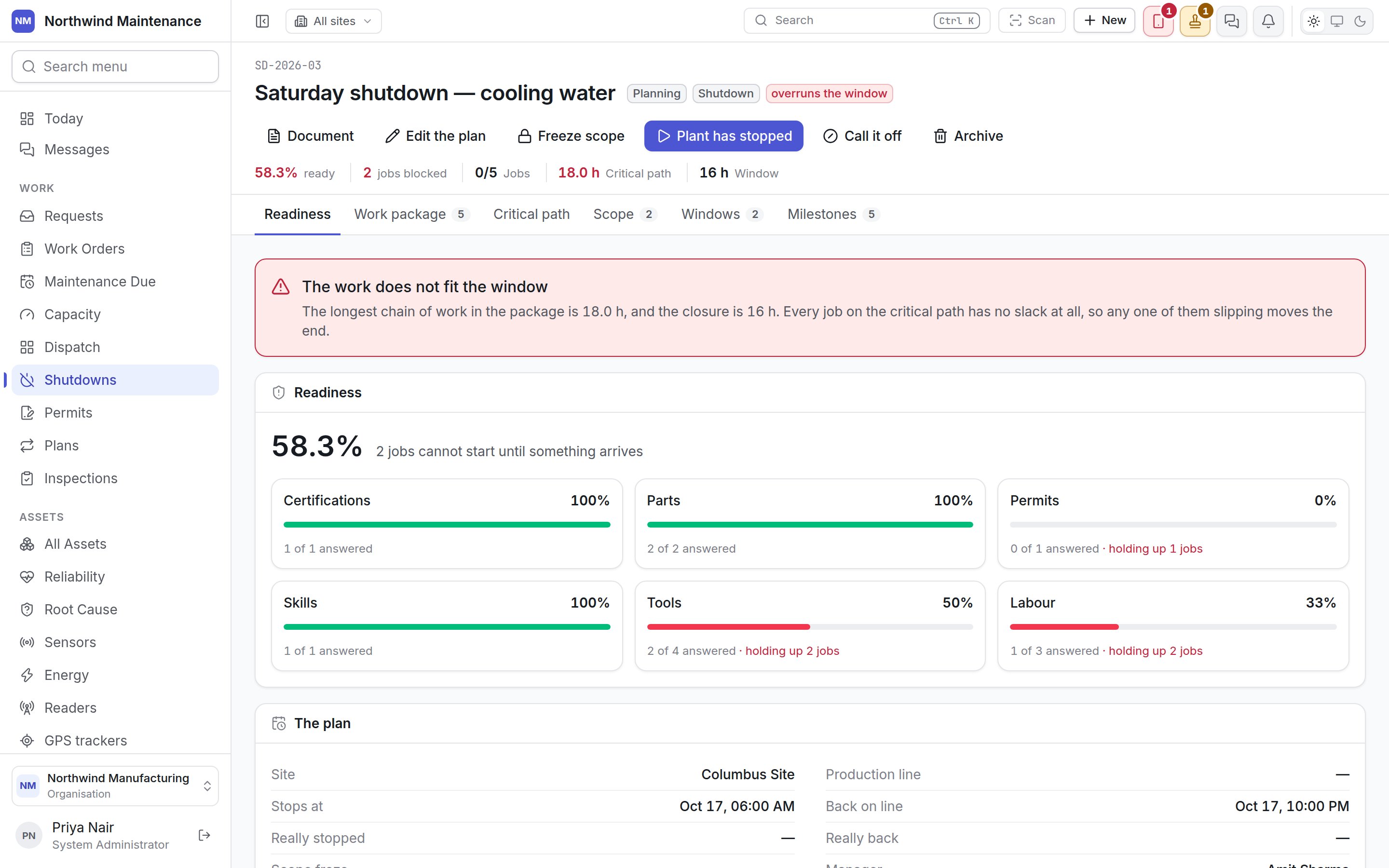
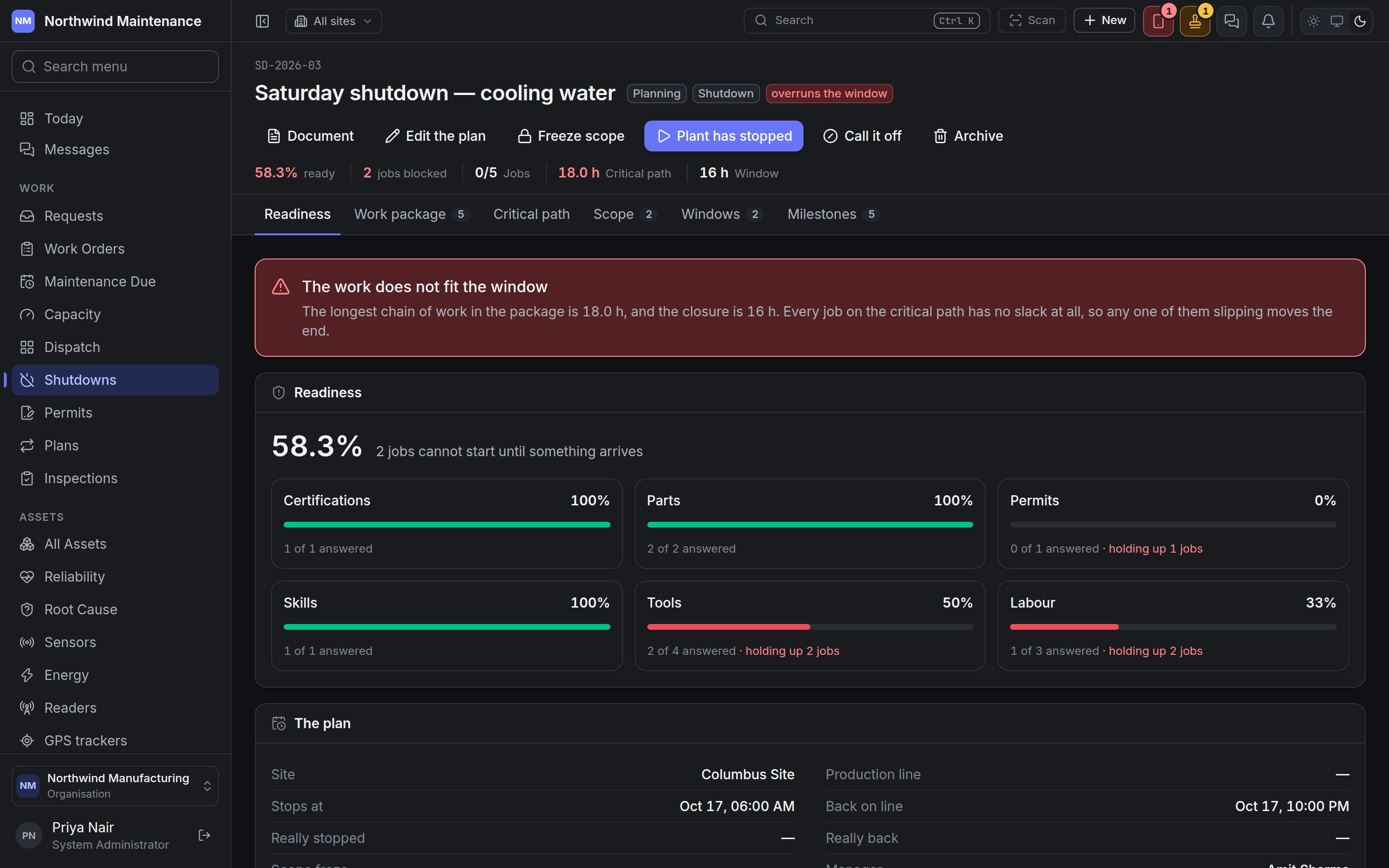 The header shows the code, the name, the status, the kind, **overruns the window** when the work does not fit, and **N late** when work was added after the scope froze. The summary line shows how **ready** it is, how many **jobs blocked**, **jobs** finished out of all, the **critical path** and the **window** in hours.
### Actions
| Button | What it does | Who can do it |
| - | - | - |
| **Document** | Produces a document from one of your templates — a shutdown pack, or the report the morning after | **Attach files and photographs** |
| **Edit the plan** | Changes the **Name**, **Kind**, **Stops at**, **Back on line** and **What, and why this window**. Not offered once the shutdown is completed or cancelled | **Edit a shutdown, its scope, its windows and its milestones** |
| **Freeze scope** | Fixes the work package. Anything added afterwards is recorded as a late addition. A scope freezes once, and only while the shutdown is in Planning with work in its package | **Freeze a shutdown's scope, fixing what is in the package** |
| **Plant has stopped** | Records that the shutdown has started — **Really stopped** is stamped — and moves it to **In progress** | **Declare a shutdown started, finished or cancelled** |
| **Back on line** | Records that it has finished — **Really back** is stamped — and moves it to **Completed** | As above |
| **Call it off** | Cancels the shutdown. You must give a reason: "Other departments have planned around this window. The reason is what they will read." | As above |
| **Archive** | Removes the shutdown from the register. Not offered while it is in progress | **Archive shutdowns** |
### Status flow
```text theme={null}
Planning ──Freeze scope──→ Scope frozen ──Plant has stopped──→ In progress ──Back on line──→ Completed
└──────────────Plant has stopped──────────────↗
Planning, Scope frozen or In progress ──Call it off──→ Cancelled
```
Freezing is not required before the plant stops, but a frozen scope is what lets the shutdown show which work arrived late.
### The plan
Below every tab, **The plan** shows **Site**, **Production line**, **Stops at**, **Back on line**, **Really stopped**, **Really back**, **Scope froze**, **Manager** and the description.
## Readiness
The first tab, because it is the question asked every morning for three months. It gives the overall percentage and how many jobs cannot start until something arrives, then one line per kind of requirement — **Parts**, **Tools**, **Permits**, **Vendors**, **Labour**, **Skills**, **Certifications**, **Documents** — with its percentage, how many are answered out of how many, and how many jobs each is holding up.
When the work does not fit, a banner says so in numbers: "The longest chain of work in the package is 18.0 h, and the closure is 16 h. Every job on the critical path has no slack at all, so any one of them slipping moves the end."
The figures come from the requirements on each work order in the package — the same ones the work order's own [Readiness](/work/work-order-detail#readiness) tab shows.
## Work package
The header shows the code, the name, the status, the kind, **overruns the window** when the work does not fit, and **N late** when work was added after the scope froze. The summary line shows how **ready** it is, how many **jobs blocked**, **jobs** finished out of all, the **critical path** and the **window** in hours.
### Actions
| Button | What it does | Who can do it |
| - | - | - |
| **Document** | Produces a document from one of your templates — a shutdown pack, or the report the morning after | **Attach files and photographs** |
| **Edit the plan** | Changes the **Name**, **Kind**, **Stops at**, **Back on line** and **What, and why this window**. Not offered once the shutdown is completed or cancelled | **Edit a shutdown, its scope, its windows and its milestones** |
| **Freeze scope** | Fixes the work package. Anything added afterwards is recorded as a late addition. A scope freezes once, and only while the shutdown is in Planning with work in its package | **Freeze a shutdown's scope, fixing what is in the package** |
| **Plant has stopped** | Records that the shutdown has started — **Really stopped** is stamped — and moves it to **In progress** | **Declare a shutdown started, finished or cancelled** |
| **Back on line** | Records that it has finished — **Really back** is stamped — and moves it to **Completed** | As above |
| **Call it off** | Cancels the shutdown. You must give a reason: "Other departments have planned around this window. The reason is what they will read." | As above |
| **Archive** | Removes the shutdown from the register. Not offered while it is in progress | **Archive shutdowns** |
### Status flow
```text theme={null}
Planning ──Freeze scope──→ Scope frozen ──Plant has stopped──→ In progress ──Back on line──→ Completed
└──────────────Plant has stopped──────────────↗
Planning, Scope frozen or In progress ──Call it off──→ Cancelled
```
Freezing is not required before the plant stops, but a frozen scope is what lets the shutdown show which work arrived late.
### The plan
Below every tab, **The plan** shows **Site**, **Production line**, **Stops at**, **Back on line**, **Really stopped**, **Really back**, **Scope froze**, **Manager** and the description.
## Readiness
The first tab, because it is the question asked every morning for three months. It gives the overall percentage and how many jobs cannot start until something arrives, then one line per kind of requirement — **Parts**, **Tools**, **Permits**, **Vendors**, **Labour**, **Skills**, **Certifications**, **Documents** — with its percentage, how many are answered out of how many, and how many jobs each is holding up.
When the work does not fit, a banner says so in numbers: "The longest chain of work in the package is 18.0 h, and the closure is 16 h. Every job on the critical path has no slack at all, so any one of them slipping moves the end."
The figures come from the requirements on each work order in the package — the same ones the work order's own [Readiness](/work/work-order-detail#readiness) tab shows.
## Work package
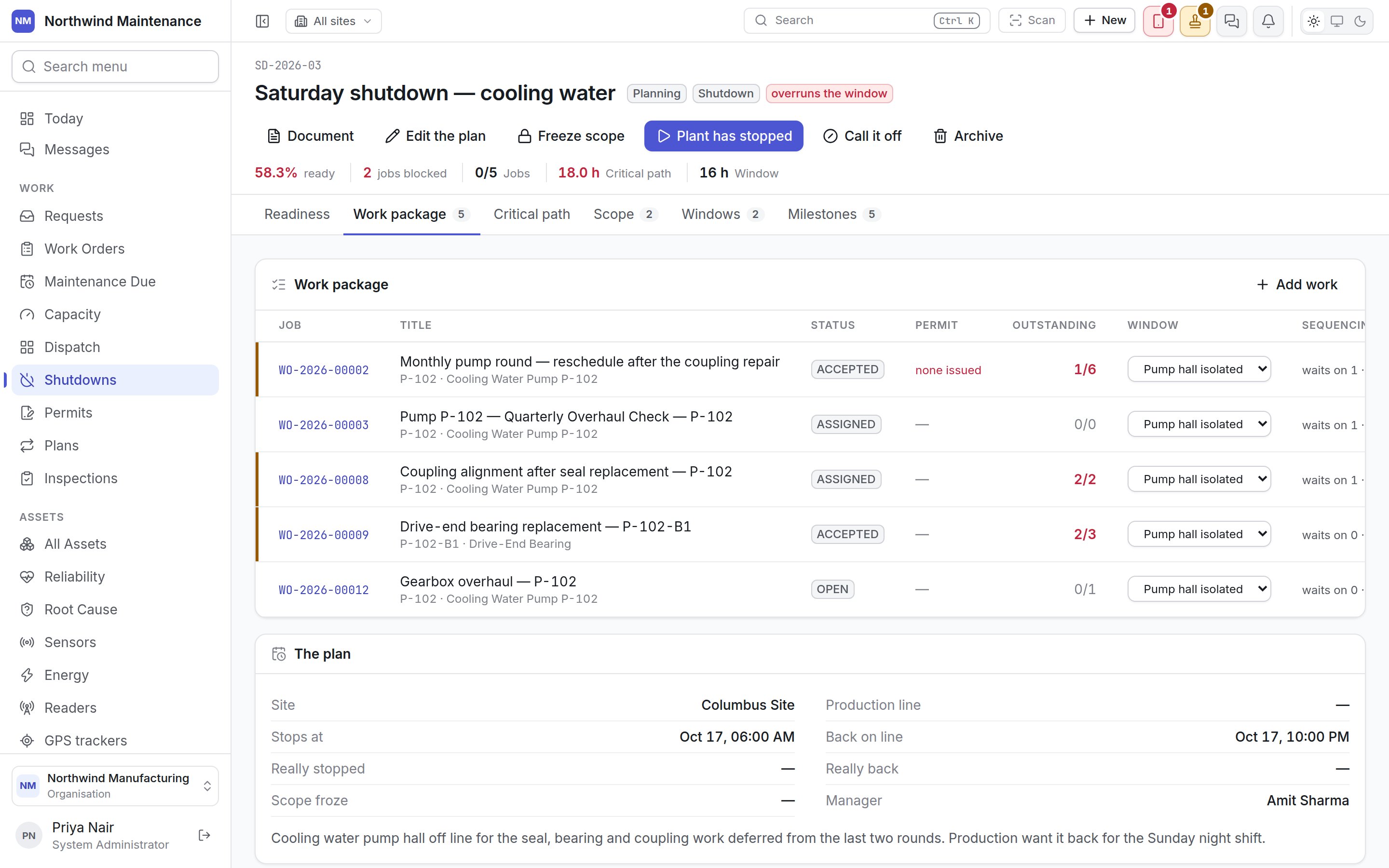
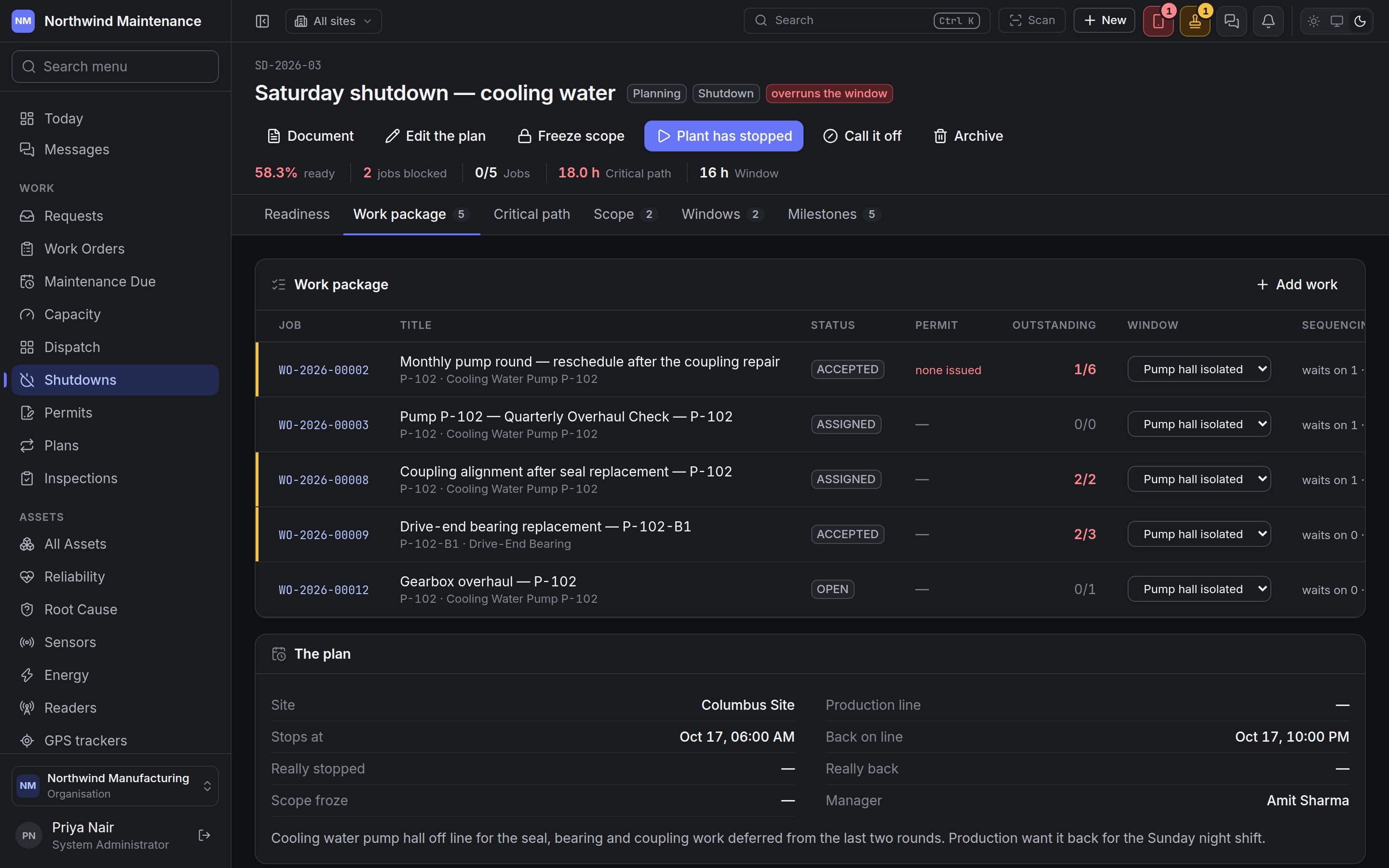 The work orders in the shutdown. The tab shows how many.
| Column | Meaning |
| - | - |
| **Job** | The work order number, as a link |
| **Title** | With the asset beneath |
| **Status** | The work order's status |
| **Permit** | **in force**, **not in force**, **none issued**, or a dash when none is needed |
| **Outstanding** | Requirements still outstanding, out of all |
| **Window** | Which work window the job runs in — choose one from the list, or **Not planned yet** |
| **Sequencing** | "waits on N · blocks M" — the dependencies between jobs |
Work added after the scope froze is marked **late**.
| Action | What it does |
| - | - |
| **Add work** | Opens **Add work to the package**: search jobs and pick the ones to add. The result says how many were added, and how many were already in another shutdown |
| **Take out of the package** | Removes a job from the shutdown. The job itself is untouched |
Adding and removing work needs **Add work to a shutdown, and take it out again**.
## Critical path
The work orders in the shutdown. The tab shows how many.
| Column | Meaning |
| - | - |
| **Job** | The work order number, as a link |
| **Title** | With the asset beneath |
| **Status** | The work order's status |
| **Permit** | **in force**, **not in force**, **none issued**, or a dash when none is needed |
| **Outstanding** | Requirements still outstanding, out of all |
| **Window** | Which work window the job runs in — choose one from the list, or **Not planned yet** |
| **Sequencing** | "waits on N · blocks M" — the dependencies between jobs |
Work added after the scope froze is marked **late**.
| Action | What it does |
| - | - |
| **Add work** | Opens **Add work to the package**: search jobs and pick the ones to add. The result says how many were added, and how many were already in another shutdown |
| **Take out of the package** | Removes a job from the shutdown. The job itself is untouched |
Adding and removing work needs **Add work to a shutdown, and take it out again**.
## Critical path
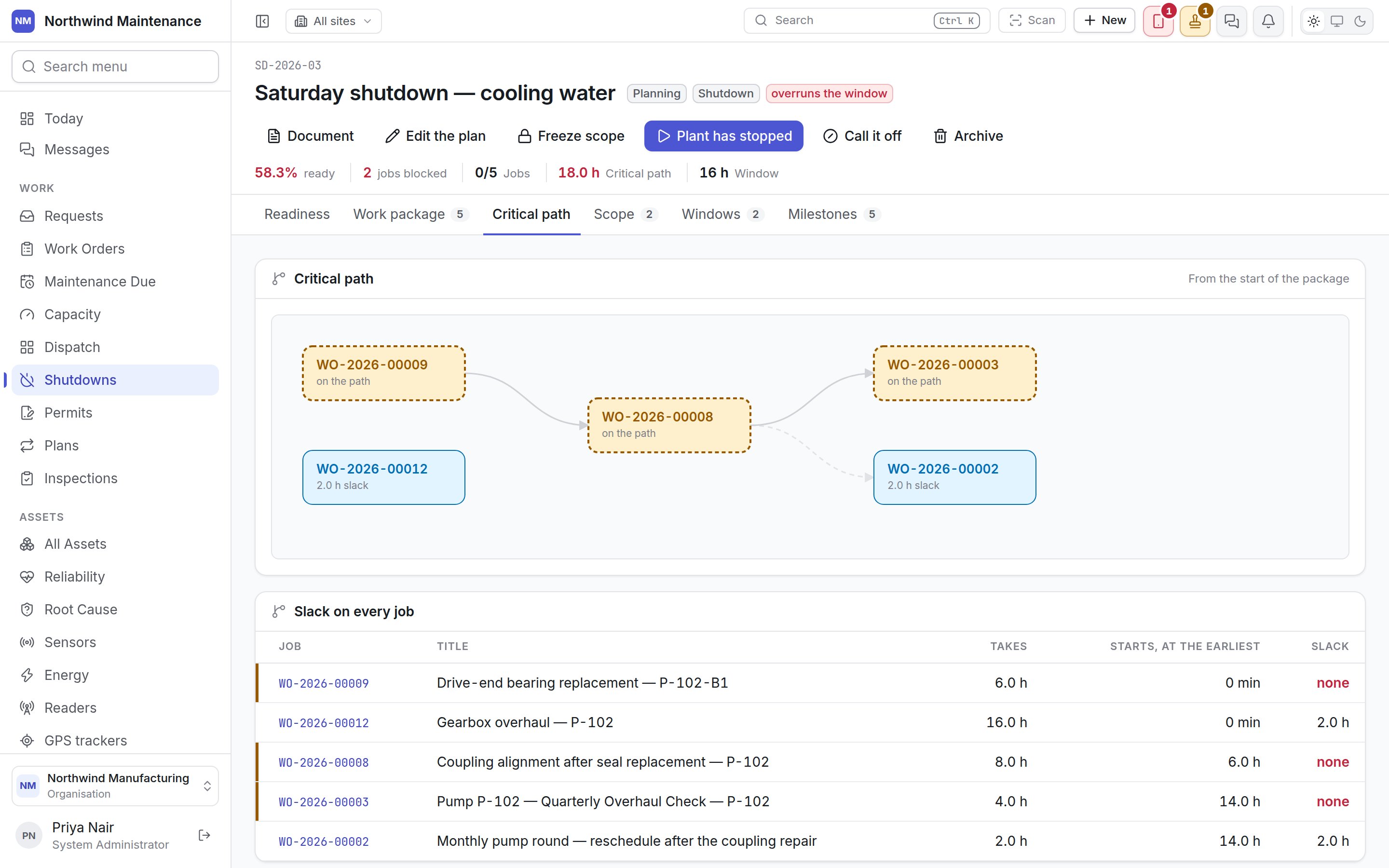
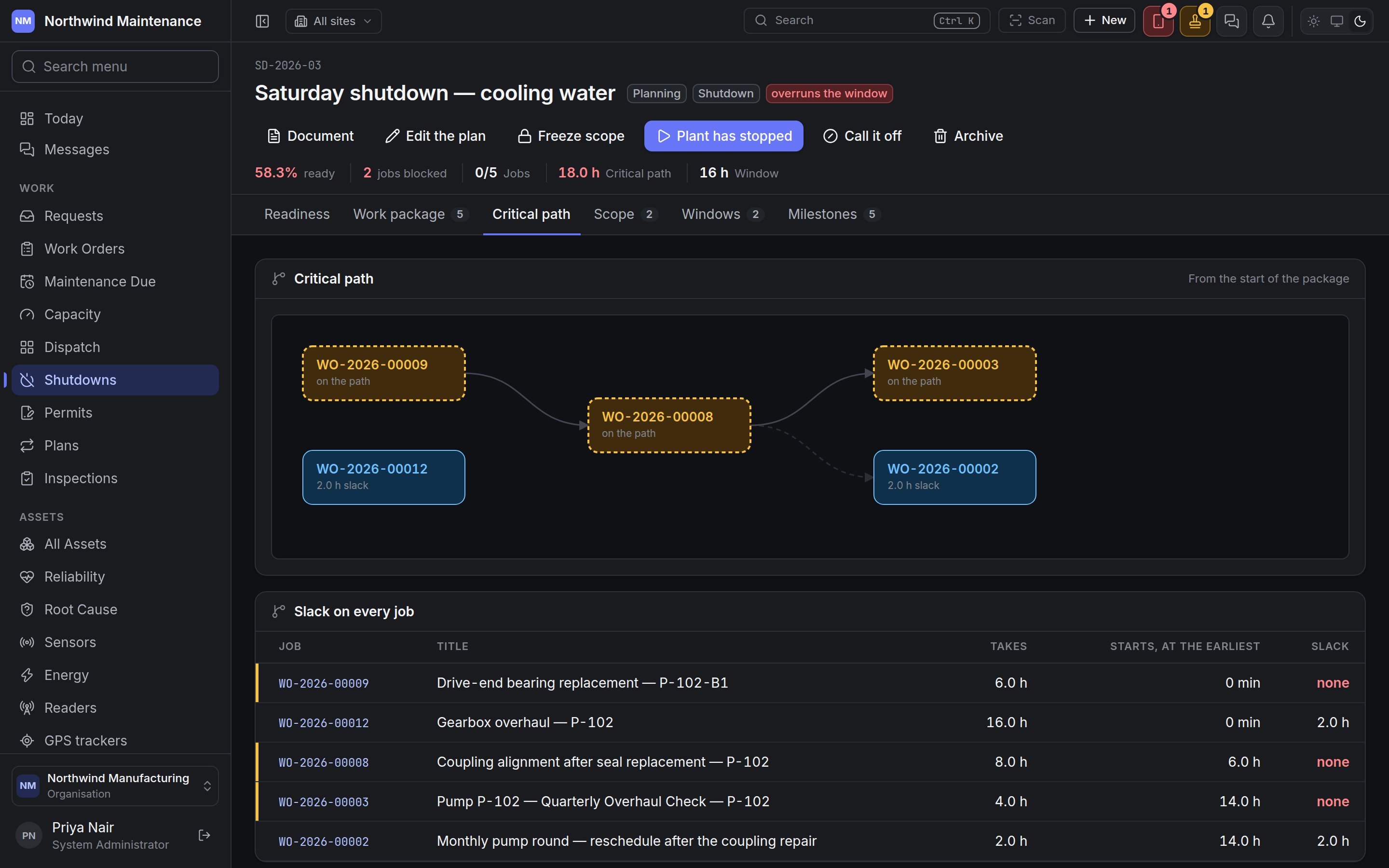 The order the work has to happen in. **From the start of the package** draws the jobs as a chain, from the [dependencies](/work/work-order-detail#sequencing) recorded on each work order: jobs **on the path** have no slack, and others show how much slack they have ("2.0 h slack").
**Slack on every job** lists, for each job, how long it **Takes** (from its estimated duration, or "no estimate"), when it **Starts, at the earliest**, and its **Slack** ("none" for jobs on the path). Any job on the path slipping moves the end of the shutdown.
Dependencies are recorded on the work orders, not drawn here. To change the path, change the dependencies on the jobs, or the estimates.
## Scope
**What comes off line** — the assets and systems isolated for the shutdown. Each line shows what is **Isolated** (an asset, or a description), a **Note**, the **Isolation reference** (the lock-out reference the field matches) and how much **Work planned** touches it.
**Add a line** (and **Edit** on a line) asks for an **Asset**, **Or describe it** when it is not an asset — such as a section of pipework — and the **Isolation reference**. **Remove** takes a line off.
## Windows
**Work windows** — the periods within the shutdown when particular work is possible, such as "Vessel open", "Switchroom dead" or "Full site down". With no windows, there is one window for the whole closure.
| Column | Meaning |
| - | - |
| **Window** | What is available |
| **Open from** / **Until** | When |
| **Hours** | How long |
| **Jobs** | How many jobs are planned into it |
**Add a window** (and **Edit**) asks **What is available**, **Open from**, **Until** (which must be after the start) and **What is and is not possible in it**. Removing a window leaves its jobs with no window, and the screen says how many.
## Milestones
The order the work has to happen in. **From the start of the package** draws the jobs as a chain, from the [dependencies](/work/work-order-detail#sequencing) recorded on each work order: jobs **on the path** have no slack, and others show how much slack they have ("2.0 h slack").
**Slack on every job** lists, for each job, how long it **Takes** (from its estimated duration, or "no estimate"), when it **Starts, at the earliest**, and its **Slack** ("none" for jobs on the path). Any job on the path slipping moves the end of the shutdown.
Dependencies are recorded on the work orders, not drawn here. To change the path, change the dependencies on the jobs, or the estimates.
## Scope
**What comes off line** — the assets and systems isolated for the shutdown. Each line shows what is **Isolated** (an asset, or a description), a **Note**, the **Isolation reference** (the lock-out reference the field matches) and how much **Work planned** touches it.
**Add a line** (and **Edit** on a line) asks for an **Asset**, **Or describe it** when it is not an asset — such as a section of pipework — and the **Isolation reference**. **Remove** takes a line off.
## Windows
**Work windows** — the periods within the shutdown when particular work is possible, such as "Vessel open", "Switchroom dead" or "Full site down". With no windows, there is one window for the whole closure.
| Column | Meaning |
| - | - |
| **Window** | What is available |
| **Open from** / **Until** | When |
| **Hours** | How long |
| **Jobs** | How many jobs are planned into it |
**Add a window** (and **Edit**) asks **What is available**, **Open from**, **Until** (which must be after the start) and **What is and is not possible in it**. Removing a window leaves its jobs with no window, and the screen says how many.
## Milestones
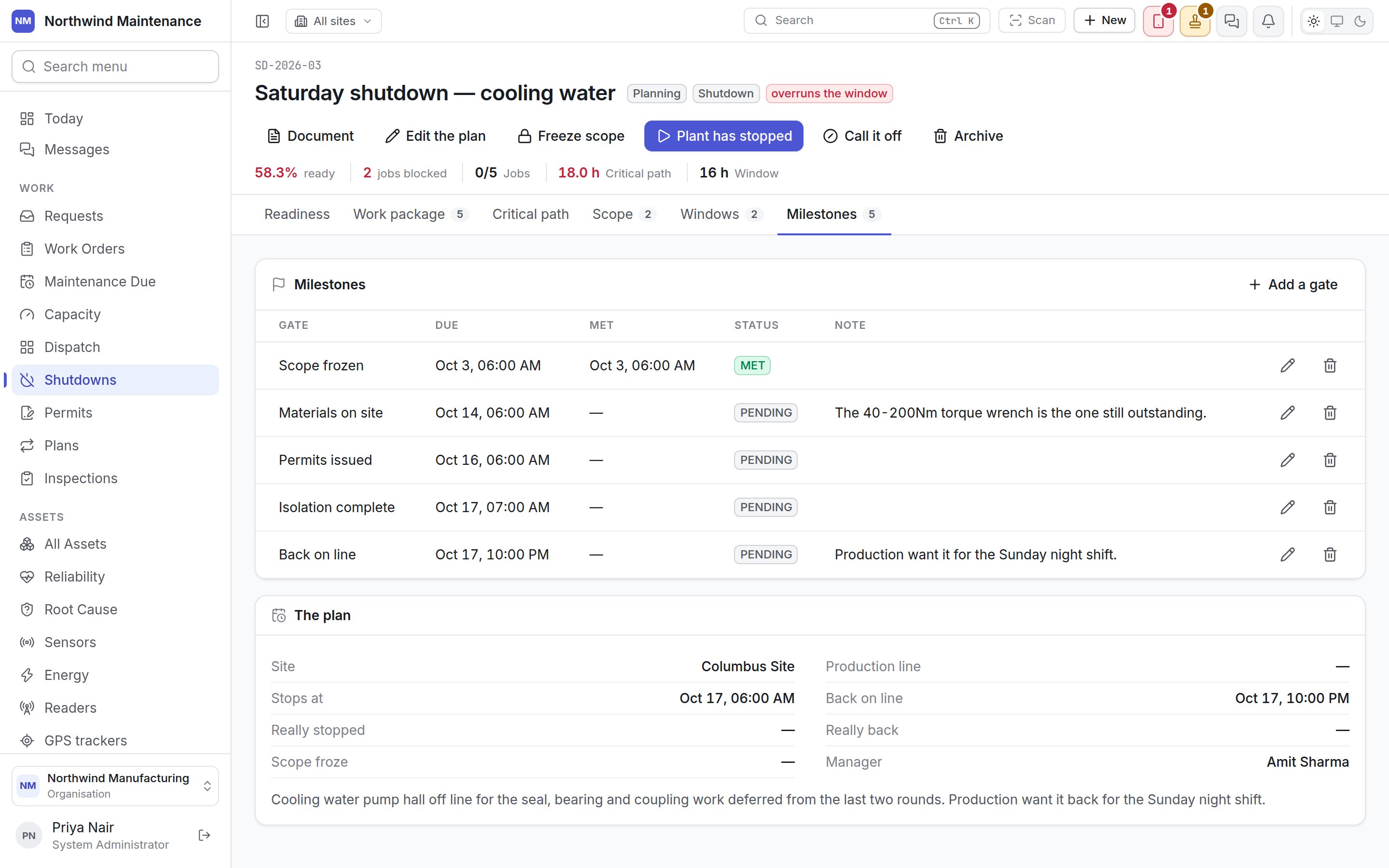
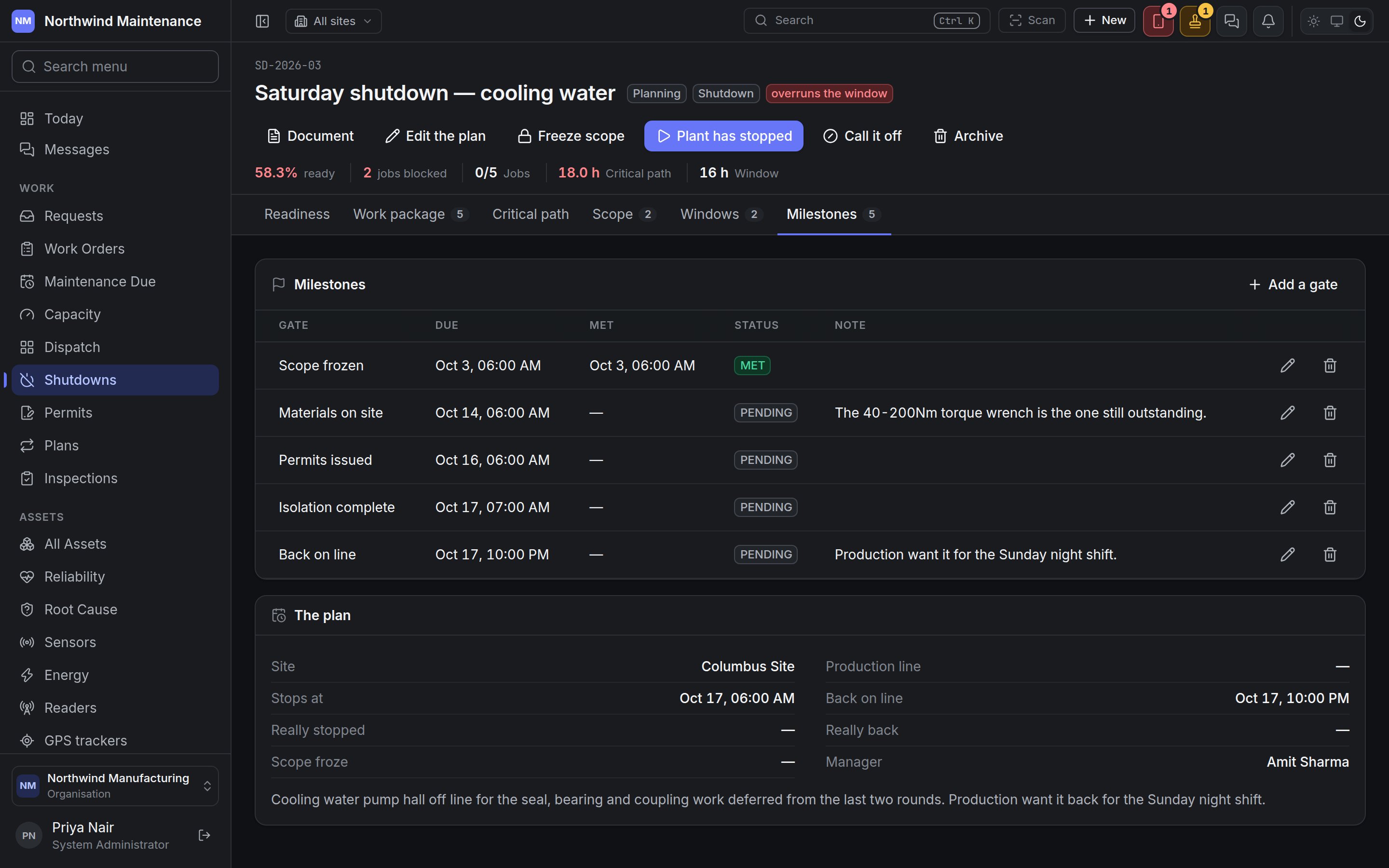 The gates the shutdown has to pass on the way — for example scope frozen, materials on site, permits issued, isolation complete, back on line.
| Column | Meaning |
| - | - |
| **Gate** | The milestone |
| **Due** | When it has to be met |
| **Met** | When it was met |
| **Status** | **PENDING**, **MET**, **MISSED** or **CANCELLED** |
| **Note** | What is outstanding or what happened |
**Add a gate** (and **Edit a gate**) asks for the **Gate**, **Due**, **Status**, **Met** (shown when the status is **MET** — "Leave it blank and it is recorded as now") and a **Note**.
Scope, windows and milestones are edited by people with **Edit a shutdown, its scope, its windows and its milestones**.
## Shutdowns elsewhere
* **Permits** can cover a whole shutdown instead of one job; every job in the package then shows that permit on its Readiness tab, marked "via the shutdown". See [Permits](/work/permits).
* The **[capacity plan](/work/capacity)** marks days a site is on shutdown, because a site that is down cannot absorb ordinary work.
This documentation is built and hosted on [Mintlify](https://mintlify.com), a developer documentation platform.
The gates the shutdown has to pass on the way — for example scope frozen, materials on site, permits issued, isolation complete, back on line.
| Column | Meaning |
| - | - |
| **Gate** | The milestone |
| **Due** | When it has to be met |
| **Met** | When it was met |
| **Status** | **PENDING**, **MET**, **MISSED** or **CANCELLED** |
| **Note** | What is outstanding or what happened |
**Add a gate** (and **Edit a gate**) asks for the **Gate**, **Due**, **Status**, **Met** (shown when the status is **MET** — "Leave it blank and it is recorded as now") and a **Note**.
Scope, windows and milestones are edited by people with **Edit a shutdown, its scope, its windows and its milestones**.
## Shutdowns elsewhere
* **Permits** can cover a whole shutdown instead of one job; every job in the package then shows that permit on its Readiness tab, marked "via the shutdown". See [Permits](/work/permits).
* The **[capacity plan](/work/capacity)** marks days a site is on shutdown, because a site that is down cannot absorb ordinary work.
This documentation is built and hosted on [Mintlify](https://mintlify.com), a developer documentation platform.