

One engine for the whole product. A purchase request, a purchase order and an RFQ are held by
exactly the same mechanism described here — there is no separate procurement approval flow any
more. See purchase requests.
Two screens
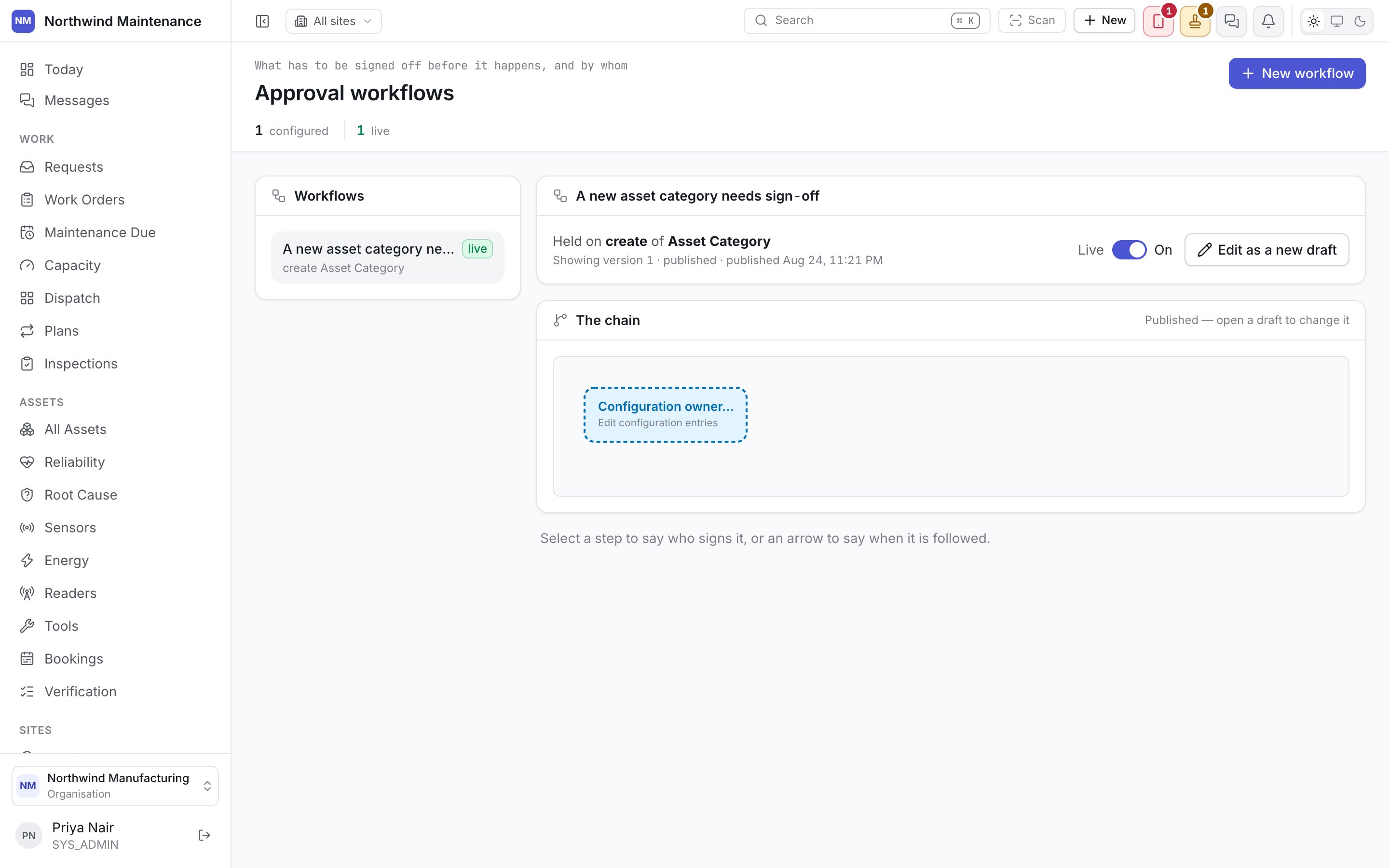
- Approval workflows — where a chain is built.
- Workflow activity — where you find out a chain is stuck, before somebody complains that it is.
Choosing what to guard
A new workflow asks two things, in order: which register it guards, and which of that register’s acts it guards. Which register is a search over every register this deployment administers — well over a hundred and seventy of them — rather than one flat list. The registers a workflow was purpose-built for (a purchase order, a budget release, an asset transfer) are pinned above the rest under Commonly held; everything else is grouped the same way Administration’s own menu is, so searching “budget” finds every register with that word in its name rather than nothing because you didn’t know which part of the product it lived in. What should be held is then one of up to four generic acts on that register:
Only the acts a register actually supports are offered, each with its own sentence explaining what
it covers — “editing any administered record” and “moving one between statuses” are the difference
between a chain that holds what you meant and one that doesn’t. A register with only one act to hold
skips the question and uses it.
A register already carrying a chain on an act is still offered, and says how many it has: two chains
on the same act is how a chain that forks by amount, category or site is written — see
several chains on one action below.
Steps: who signs
Each step names one or more authorities, and how many of them have to sign:
Naming a person directly is what notification audiences warns
against too: it’s the one kind of authority that breaks silently the day that person leaves.
How many signatures a step needs is one of: one per authority named on it, any one of them, or a
set number — a quorum — counted across however many people the step actually names. Nobody signs
the same step twice.
Several chains on one action
A register and act can carry more than one chain — a ladder, checked in the order the list shows, each with its own condition. The first whose condition holds is the one that takes the request; a purchase request chain that signs differently above a threshold is usually written this way, as two or three whole chains rather than one that branches internally.The condition lives on the version, above the graph — one per chain, answering only “does this
chain hold this request at all.” It used to sit on individual steps and arrows, which meant the
same question in as many places as a chain had rungs, and a clause left half-finished on any one
of them silently dropped a signature out of the middle. It’s asked once now.
The chain is a graph, not a list
Steps and arrows, not a numbered list, because what an arrow says is the order signatures come in — including two steps that must each close before a third opens — and that’s a shape a list can’t draw honestly.- Drag a box to arrange the chain.
- Draw an arrow to connect one step’s outcome to the next — an arrow out of a signed step is always followed; what’s left to decide there is order, not whether the step is wanted.
- Click a step to name its authorities and how many must sign, its deadline, and whether it’s where the chain starts.
Trying it before it is live
What would happen to a record runs the chain’s own condition against a real record you pick from the register, without holding, performing or writing anything — a draft can be tried before it’s ever published. It answers with which steps would open, or, where the condition doesn’t hold, that the request falls to the next chain on this action or goes straight through. Where several chains sit on one action it only answers for the one you’re looking at — the version bar shows where that one sits in the order the engine checks them.Draft and publish
A workflow is versioned and published, exactly like state models and
inspection templates. A draft can be reshaped freely; a published version
cannot, because live approvals are already running against it.
Workflow activity
A monitor, not an editor. It exists so an admin sees what is blocked rather than discovering it when the person waiting on it complains.Needs attention
Needs attention
Chains that are stuck, overdue against however long a step is allowed to sit, or failed outright
— a step whose named role nobody currently holds, the same failure mode
notifications can hit, and for
the same reason: the chain and the approver list both look fine on their own, and only the actual
running instance shows that nobody can act on it.
Running
Running
Every chain currently in progress, healthy or not, so you can see the shape of what is moving
through approvals right now — not only the exceptions.