

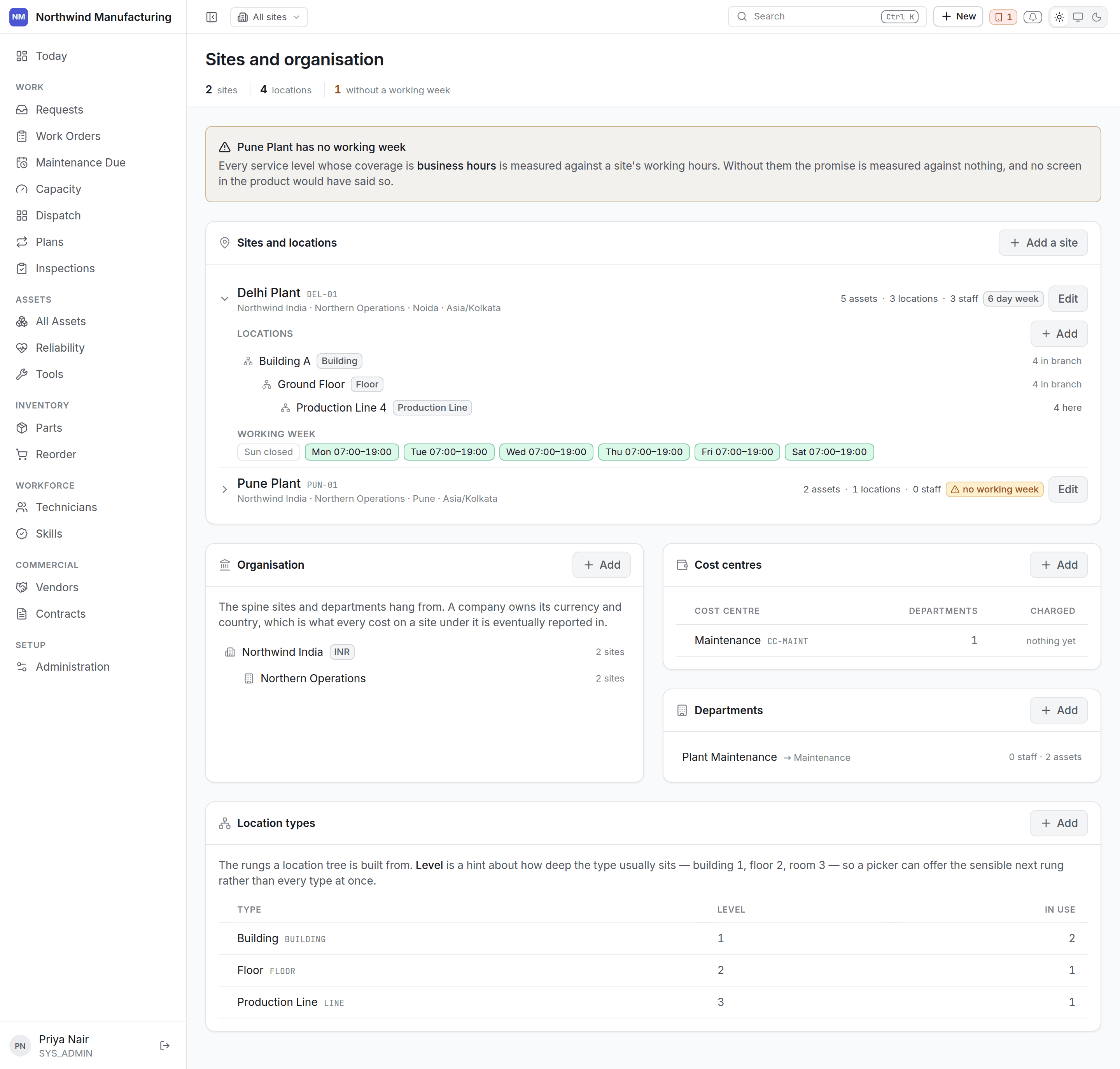
Where everything is, and who it belongs to. The sites and organisation settings screen

Sites

A site is a plant, a depot, a campus — somewhere with its own technicians and its own working week. Sites matter more than they look:
  • Technicians are rostered at a site and cannot absorb another site’s load, which is why capacity never blends them.
  • The site switcher narrows what you are looking at.
  • Site access decides which sites a user may reach at all. See access.
Each site carries its address, its timezone and its working week — which days and hours count as working time. That is what service-level clocks and capacity are computed against, so a site that runs Sunday to Thursday must say so.

The location tree

Inside a site, locations nest as deeply as you need:
Assets live at locations. The tree is what makes “everything in Building A” a question you can ask — of work, of cost, of downtime. Location types — building, floor, line, room — are a configurable list, so your tree uses your plant’s vocabulary.

Company structure

Separate from where things physically are, and used for cost rather than geography: A single-plant operation can leave most of this alone. A group running several legal entities in different currencies needs it, because that is what makes cost roll up correctly.

Currency

Each company carries a default currency. Costs are recorded in the currency they occurred in and carry their conversion, so a vendor invoiced in one currency and parts bought in another still total correctly.

Adding a site

New on the sites screen. A site needs a name, a code, an address, a timezone and a working week. Build the location tree underneath it afterwards.
Think about site boundaries before loading data. Splitting one site into two later means moving assets, re-rostering technicians and reassigning access — all possible, none pleasant.