

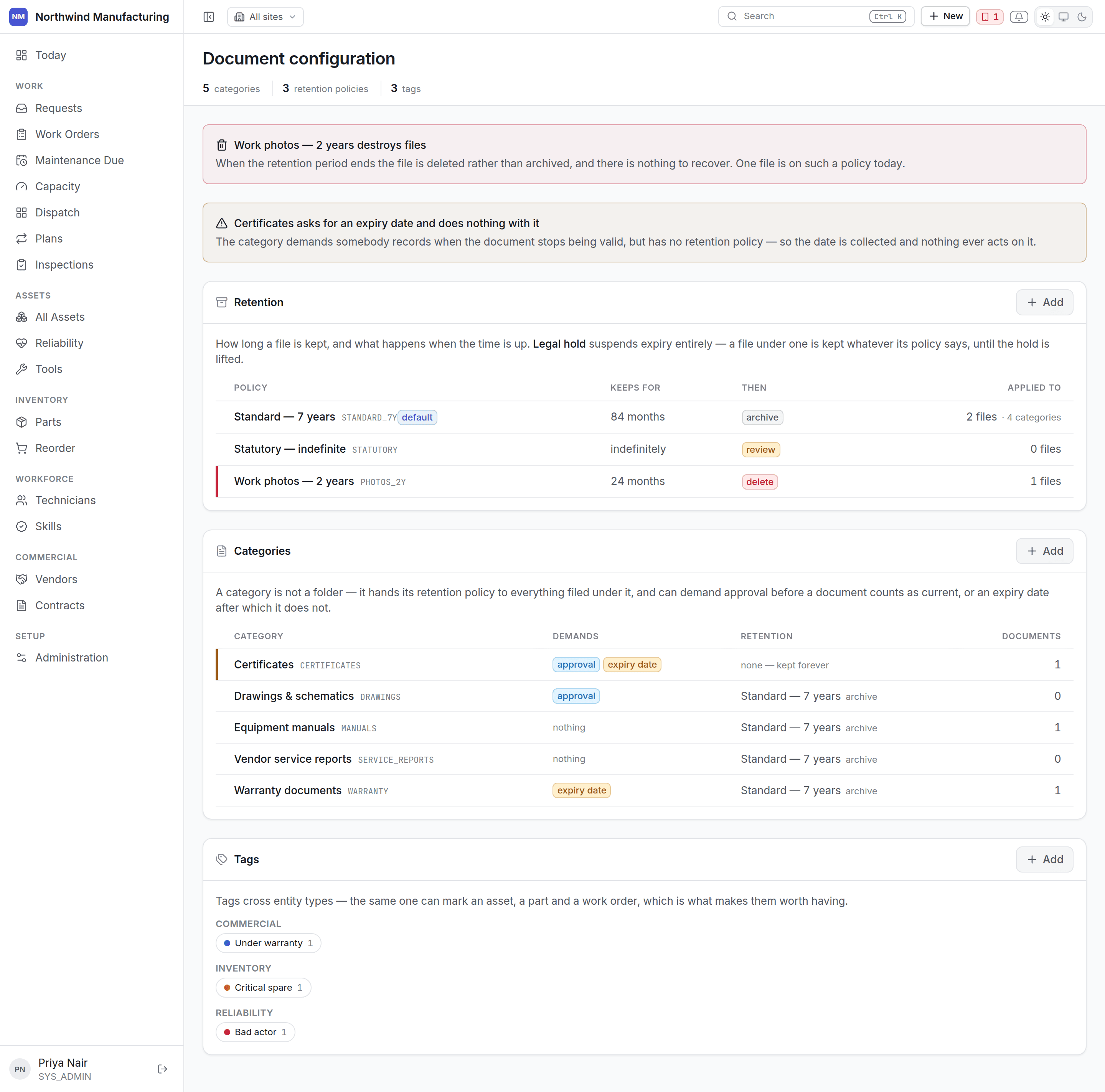
The document settings screen

Where files live

Files attach to records — manuals and drawings on assets, photographs and signatures on work orders, signed agreements on contracts, insurance certificates on vendors. They are reached from the Files tab of whatever they belong to.

Retention policies

How long a file is kept, and what happens when that runs out. The second half is the part worth deciding deliberately:
A delete policy does what it says. Set it only where you are sure the retention period is right — a statutory inspection photograph deleted at three years, on a regime that requires seven, is not recoverable.
Policies are set per document category, so evidence and convenience copies can be treated differently.

Document categories

What kind of file this is: manual, drawing, certificate, photograph, report, signed agreement, safety data sheet. Categories carry the retention policy, so classifying a file correctly at upload is what makes retention work at all.

Tags

A looser way to group files across categories and records — a shutdown name, a project, an audit. Tags are freely added; categories are a closed list.

Evidence

Photographs and signatures captured on the field app arrive as files against the job, categorised as evidence. Treat evidence retention separately from convenience copies. A photograph proving a guard was refitted is a different kind of file from a copy of a manual you can download again.

Size and type limits

Set centrally. Keep them generous enough for a photograph taken on a modern handset — a limit that rejects the evidence a technician just captured, at the machine, in the rain, is a limit that costs you the evidence.