

Who can use this screen
The screen needs Integration · admin — see the permission reference. Without it the card is not offered, and opening the screen’s address says it is not available to your account.Your Clarity project
The screen asks four things, in the order somebody setting this up reads them: which project, how much of the screen Clarity may see, what it is told about each person, and whether to record at all.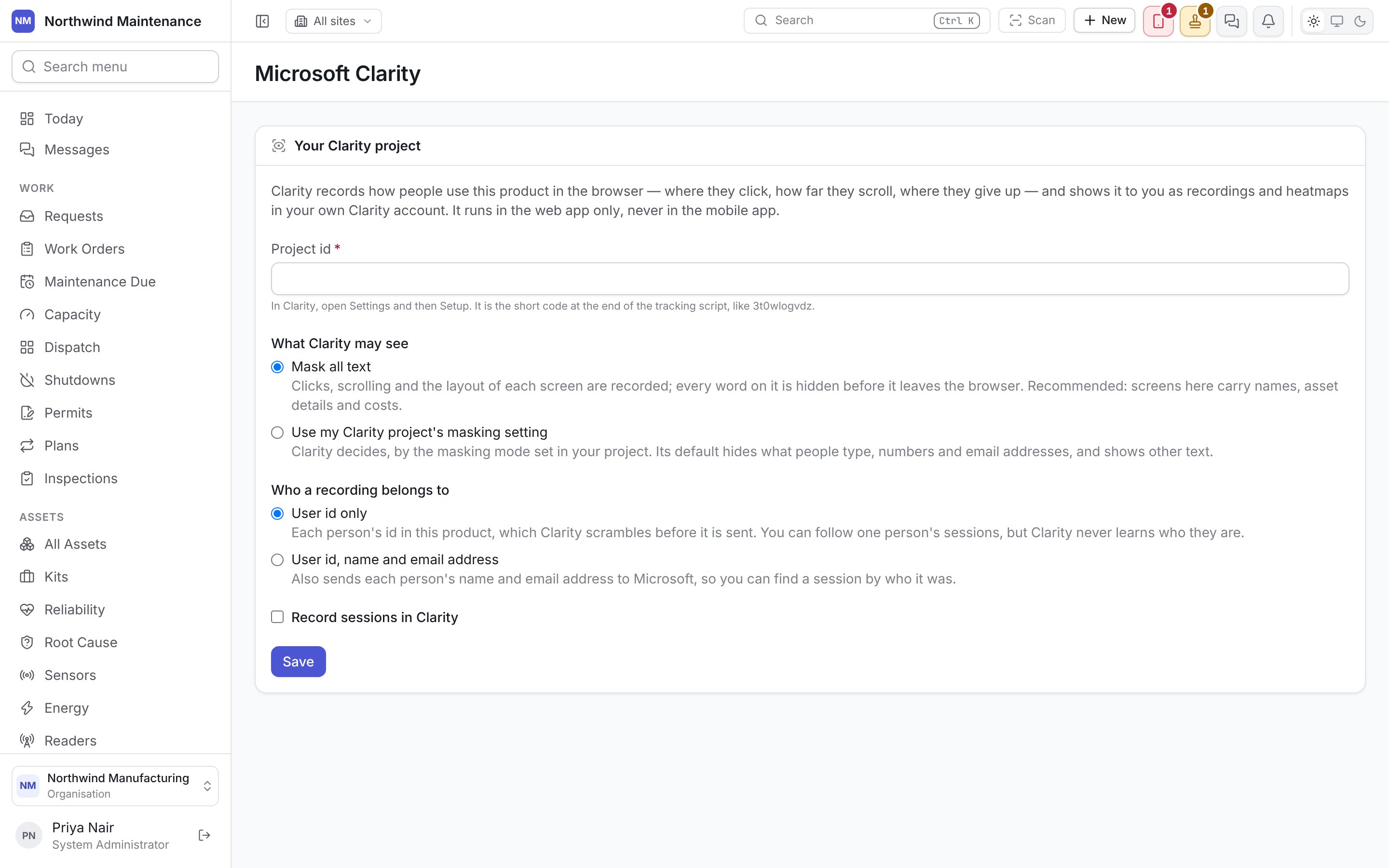
What Clarity may see
Who a recording belongs to
Confirming that people were told
The first time you switch recording on, a box appears under Record sessions in Clarity: I confirm that the people who use this product have been told their sessions are recorded with Microsoft Clarity, and why. This is passed to Clarity as their consent. Save stays unavailable until it is ticked. It is asked once, because it is a fact about your organisation rather than about this form. Afterwards the screen says who confirmed it and when, and it is not asked again when the settings change.When a change takes effect
Save stores the settings. People see the change the next time they sign in or reload the page, not straight away. A session is recorded only while somebody is signed in. Signing out stops the recording and clears Clarity’s cookies in that browser, so on a shared computer the next person is recorded as themselves, not as whoever used it before. Clarity is told that nothing here is advertising, so the recordings are not joined to Microsoft’s advertising products.Related
- Security events — the audit trail as a feed for your security team
- Roles and permissions