

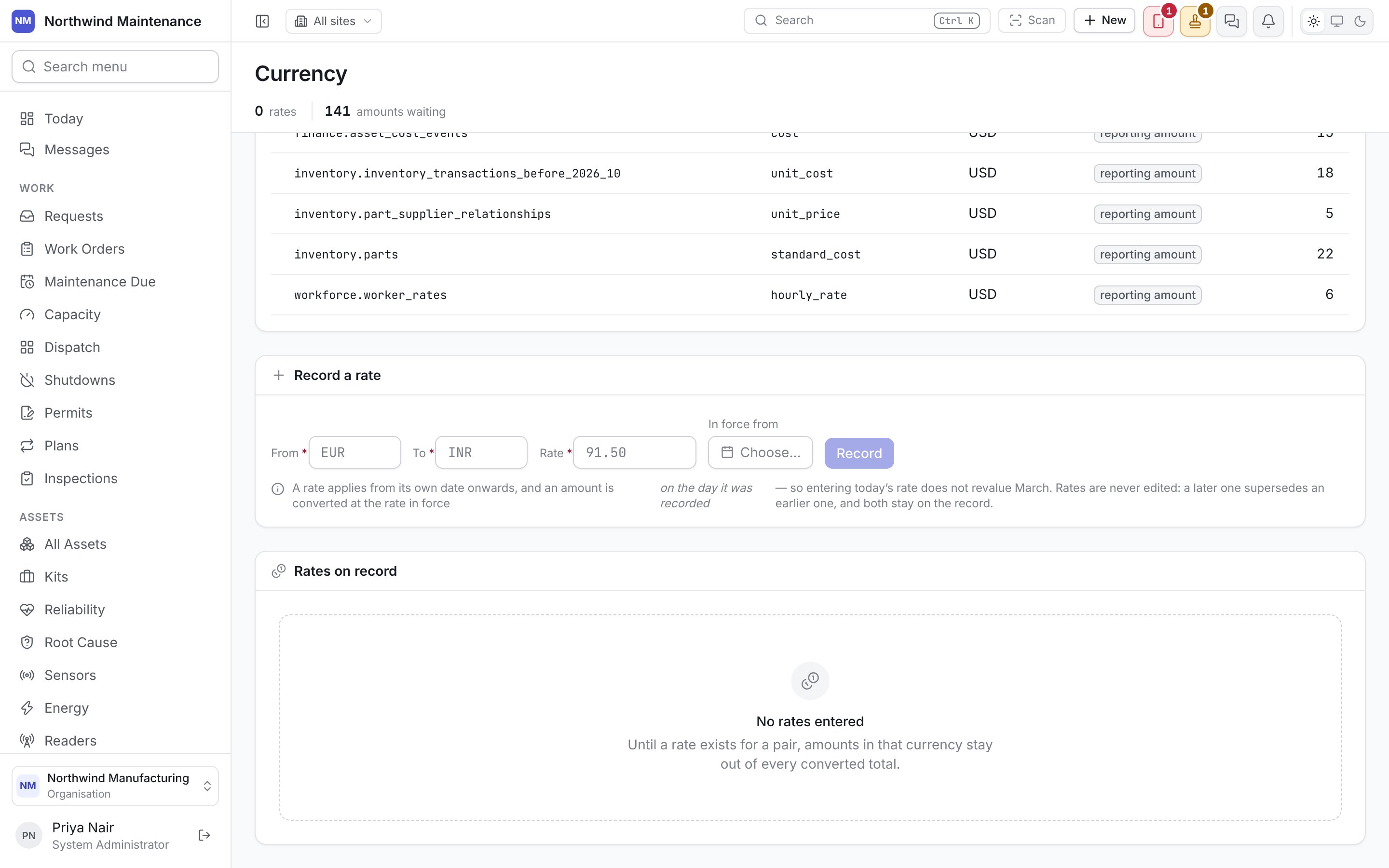
This screen is where exchange rates are recorded, and where you find out what has been spent that no rate can convert. Open it from Administration → Currency. Your organisation’s own currencies are set under organisation settings; a company’s reporting currency is set under organisation structure. Recording an exchange rate on the currency screen Recording an exchange rate on the currency screen The stat strip counts the rates on record and the amounts waiting for one.

Amounts this site cannot convert

The screen leads with this list because an unconverted amount is invisible everywhere else. An amount recorded in a currency with no rate is left alone rather than converted at a guess. It is not an error and nothing highlights it, so a cost report simply leaves it out — a total can look complete and be wrong. This list is the only place those amounts show up. Record the missing rate below and the nightly pass converts them. When nothing is waiting, the section says every figure has been converted.
Reading this list needs the reporting permission. Without it, the section says what is waiting cannot be listed for your account — which does not mean nothing is waiting.

Record a rate

Click Record to save it.
An amount is converted at the rate in force on the day it was recorded. Entering today’s rate does not revalue March. If older amounts are waiting, record a rate dated from when they were recorded.
Rates are never edited. A later rate supersedes an earlier one and both stay on the record, so a figure converted last quarter still shows what it was converted at.

Rates on record

Every rate entered, with From, To, Rate, In force from, Until (or still current) and Source. Until a rate exists for a pair, amounts in that currency stay out of every converted total.

Decimal places follow the currency

Wherever an amount is shown against its own currency — a cost line, a quote, a budget figure — it renders to the precision that currency uses: a yen figure with no decimals, a dinar figure with three and a dollar figure with two. A number with no currency beside it falls back to your organisation’s currency.

Who can record a rate

Anyone whose role includes Edit configuration entries — the administrator roles and Maintenance Manager by default. Without it, the rate form does not appear and the rest of the screen still reads. See roles.