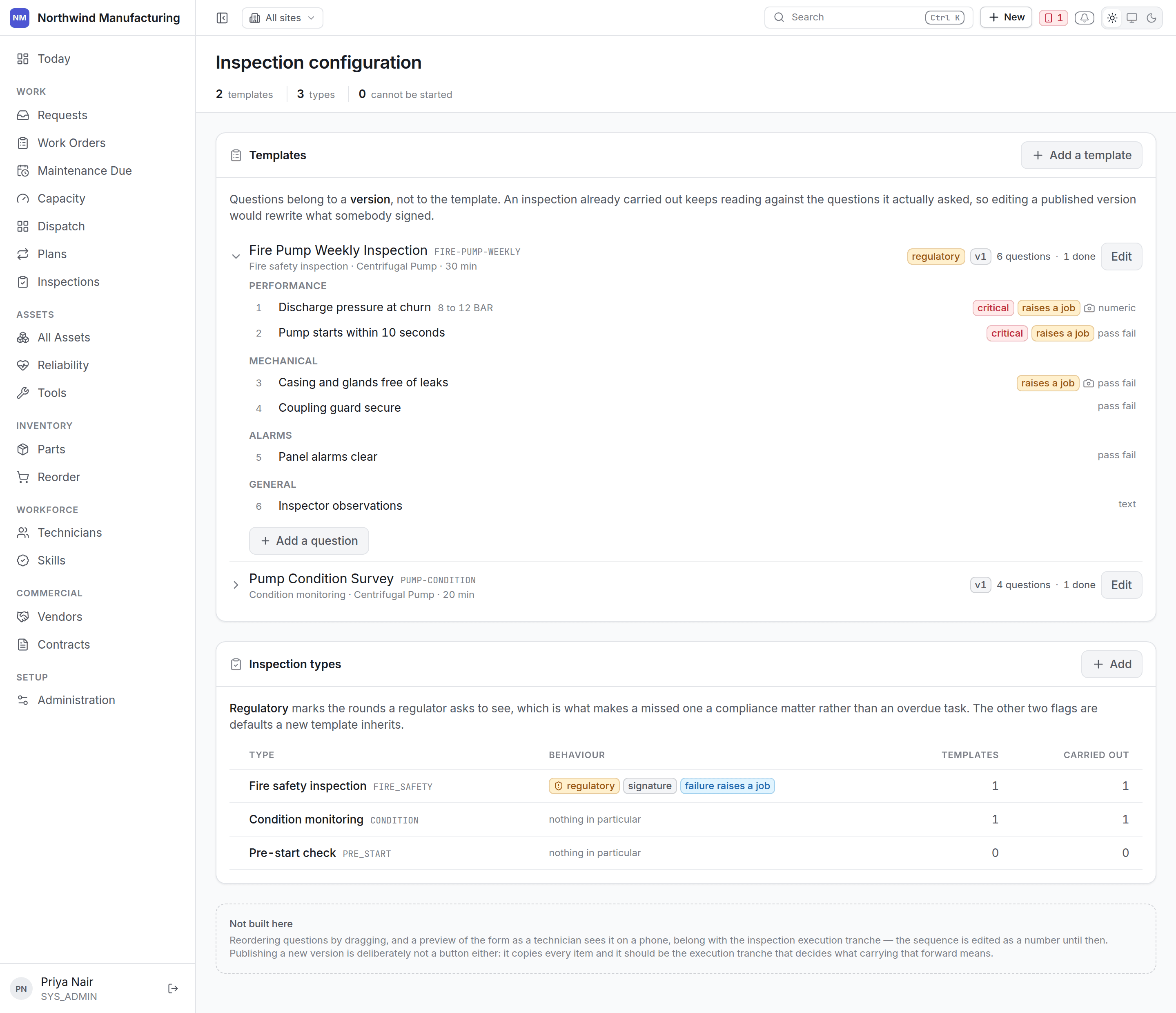
What kind of round this is: safety, statutory, condition, pre-start, handover. Types are how rounds
are grouped and reported, and how critical findings are distinguished from routine ones.
A template is the set of questions a round asks.Templates are versioned and published. A round records the version it was answered against, so
improving a template does not rewrite what earlier rounds meant. A draft version can be edited
freely; a published one cannot, because rounds have been answered against it.To change a published template, create a new version and publish that. Rounds in progress finish
against the version they started on.
An item with no expected range is a question with no answer — it records what somebody saw and
judges nothing.Give items ranges wherever there is one: a bearing temperature under 70°C, a pressure between 4 and
6 bar. The grading is then done by the server, identically every time, rather than by whoever is
holding the handset.
Where an item is set to raise corrective work, a failed check creates a work order without anybody
remembering to. This is the setting that makes inspections worth running: a failed check nobody acts
on is a failed check nobody needed.Choose the work order type and priority the raised job should carry.
A maintenance plan can name a template, and each round of the plan then
raises an inspection alongside the work order. That is how a plant gets its statutory rounds done on
schedule rather than on memory.