

My work is always available — including to a storekeeper or a requester who gets neither of the
others. You land on the widest board you have: a supervisor opens on Operations, not on the board
pack.
My work
Your own jobs, scoped to you by the server. What is in progress, what is due, and what needs you.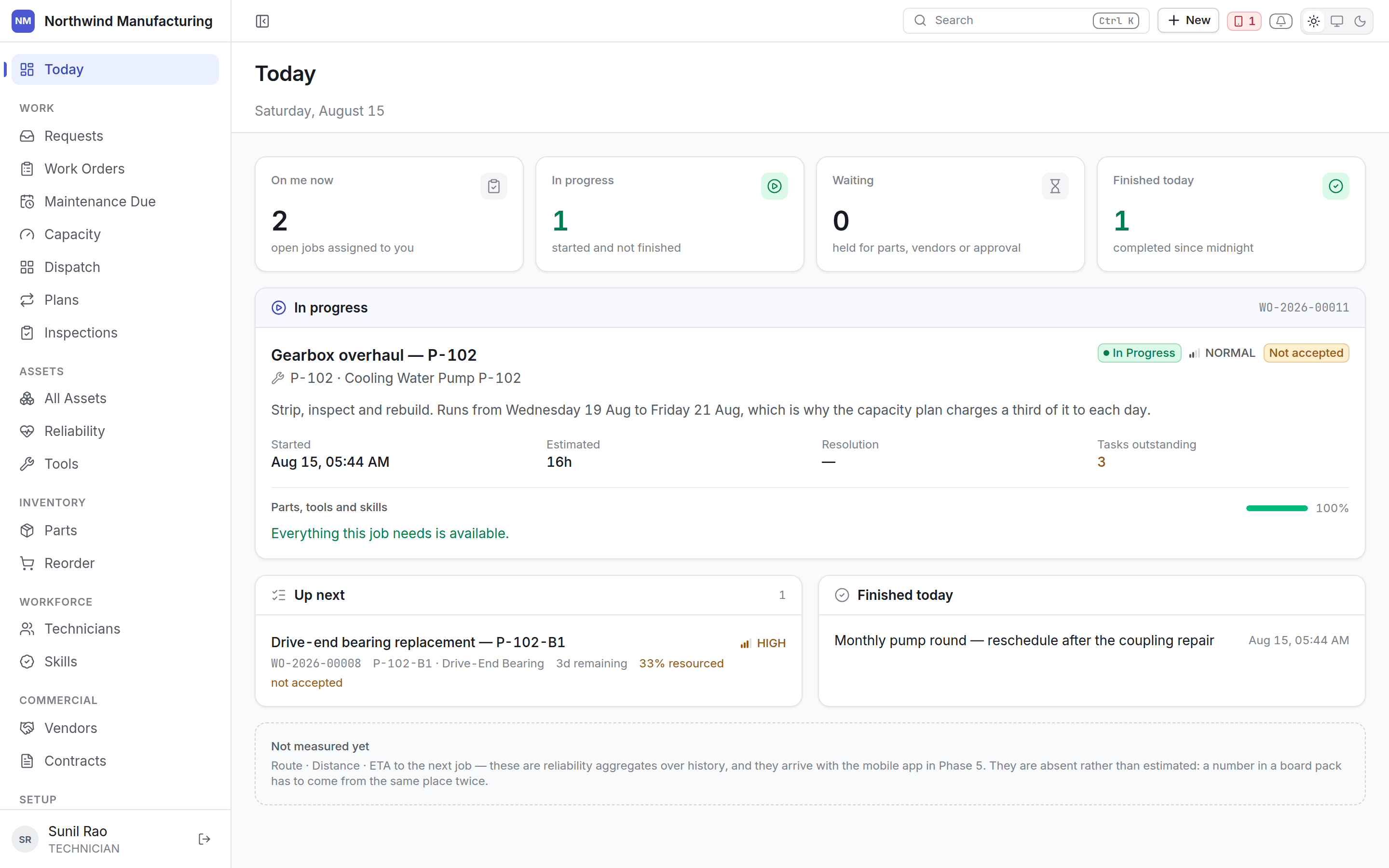
Operations
The shop floor today: open work by status, what is unassigned, what is overdue, who is on what, and what is blocked.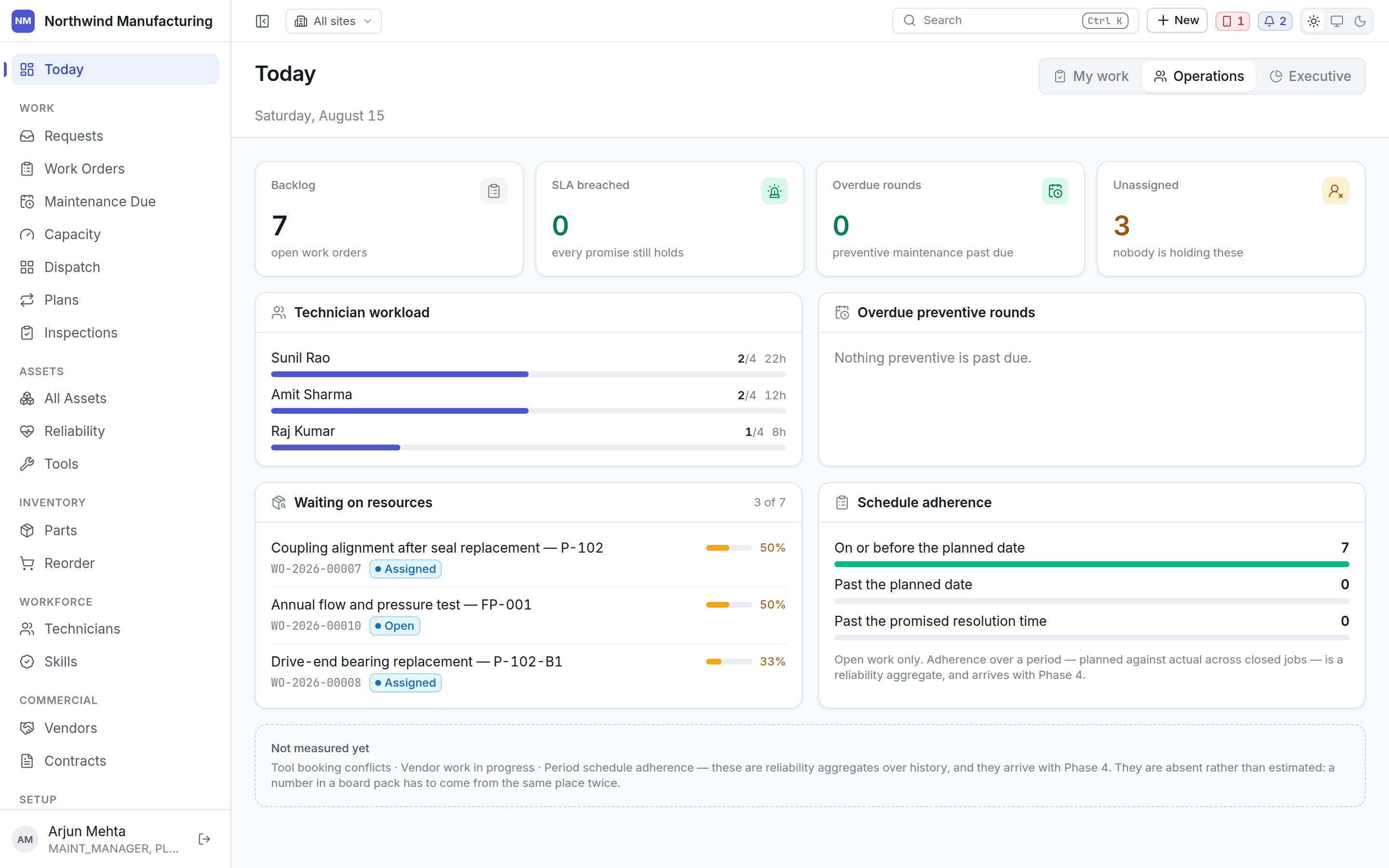
Executive
The plant, over a window rather than today.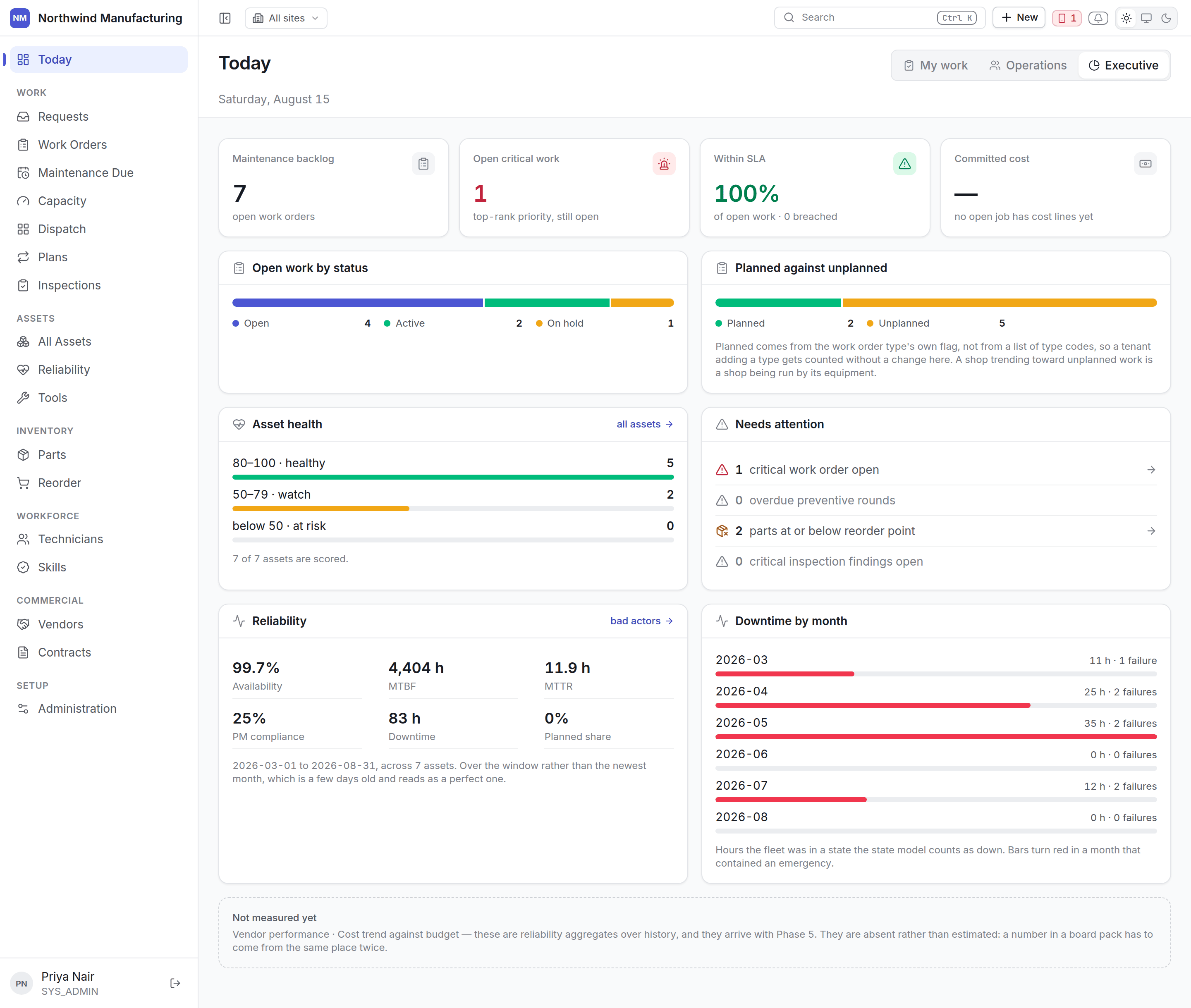
Charts
- Open work by status — grouped by status category, so it keeps working when you rename a status.
- Planned against unplanned — a shop trending toward unplanned work is a shop being run by its equipment. Planned comes from the work order type’s own flag, so adding a type counts correctly without a change here.
- Asset health — how many machines are healthy (80–100), worth watching (50–79) or at risk (below 50).
- Downtime by month — hours the fleet spent in a state your model counts as down. Bars turn red in a month that contained an emergency.
A figure that cannot honestly be computed yet is shown as absent rather than estimated. A number in
a board pack has to come from the same place twice.