

If you don’t see this in your navigation, your administrator can switch the module on under Administration → Modules, or it may not be included in your plan.
Who can use it
A gatehouse account usually holds these and neither the visitor nor the device register’s view permission — which keeps a shared tablet in a hut from being a way to read the visitor book.
The header
Once a site is chosen, three figures for that site: people on site, devices inside, and exceptions today (scans today that were not a clean pass; amber when above zero). The register opens the declared devices.Setting up a shift
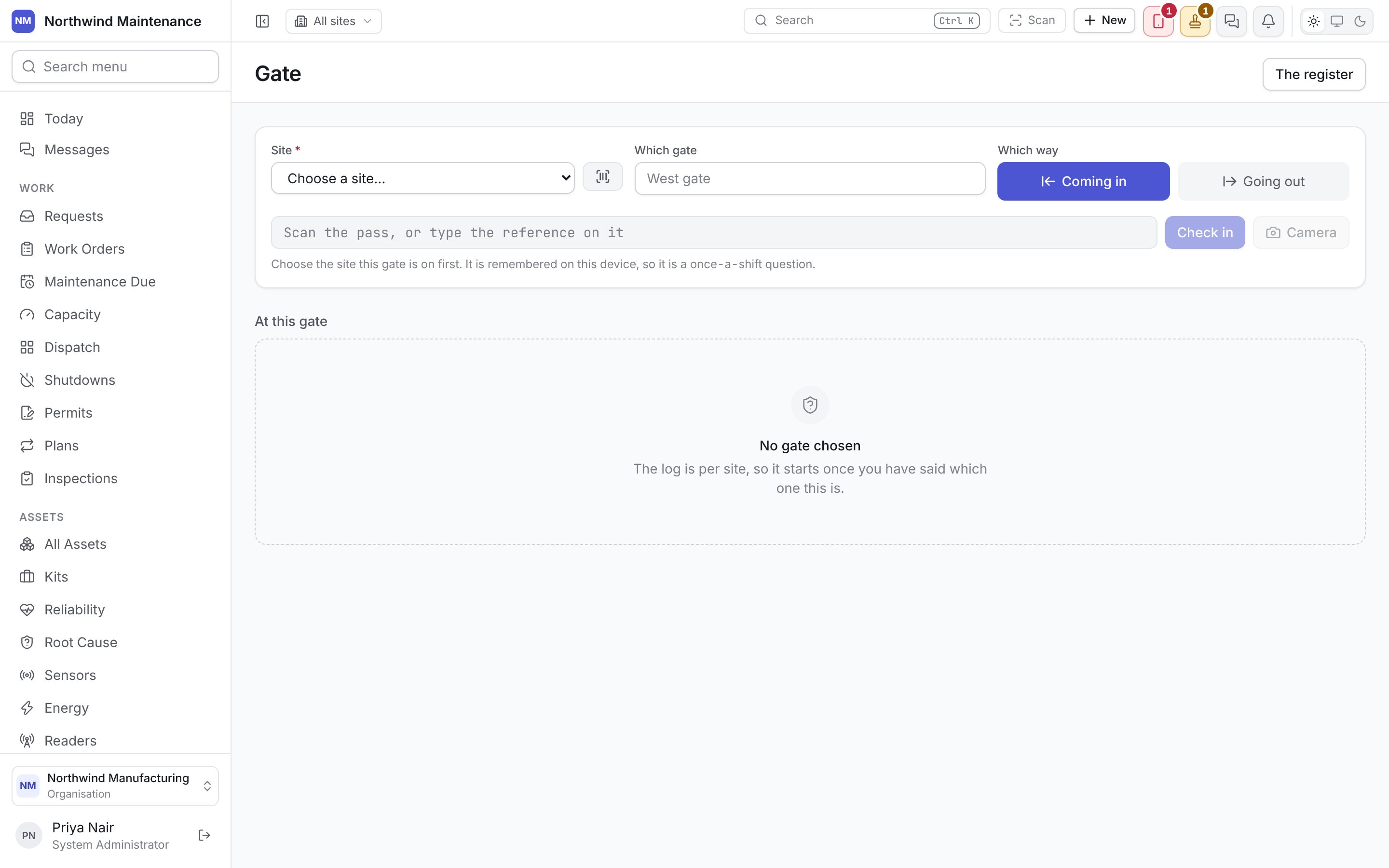
Three controls, set once and left alone. All three are remembered on this device, so they are a once-a-shift question.Scanning
Scan a badge or device pass with a barcode scanner, type its reference into Scan the pass, or type the reference on it, or press Camera to scan with the device’s camera (Stop turns it off). Check in / Check out records the presentation and the decision in the same action — there is no second button to confirm. The box clears and refocuses after every scan, ready for whatever the scanner types next. The verdict is the largest thing on the screen:
Underneath, whatever the pass identifies is shown with the facts that matter at the gate: for a device, its Serial number, Kind, Whose it is and its storage (flagged, because storage is what a guard is usually asked to check); for a visit, the visitor’s Company, Host and when they were Expected.
Overriding a refusal
Let it through anyway appears on the refusal itself (and on Not registered), not on a separate screen. It asks Who instructed it, and what you did, then Record the override. The refusal stays in the log exactly as it happened, with the override recorded beside it under your name — because the question six months later is both what the guard was told and what they decided. Nothing on this screen opens a barrier; that is still the guard.A scan nobody declared is still recorded, as Not registered. How often that happens is itself the answer to whether the declaration process is working.
At this gate
Below the scanner, a running log of the latest scans at this site — allowed, refused and overridden alike — each with its verdict, in or out, the pass reference, the device or visitor, the gate name and the time. Any row that was not a clean pass also shows the reason the guard was given and what they wrote when overriding. Reading the last twenty rows is usually how one shift tells the next what happened.Visitors
Who is expected, and who is still on site.
Declared devices
What has been declared, and what a manager decided.
Gatehouse settings
Which kinds of device need a signature, how long an authorisation lasts, and the rules that decide it.