

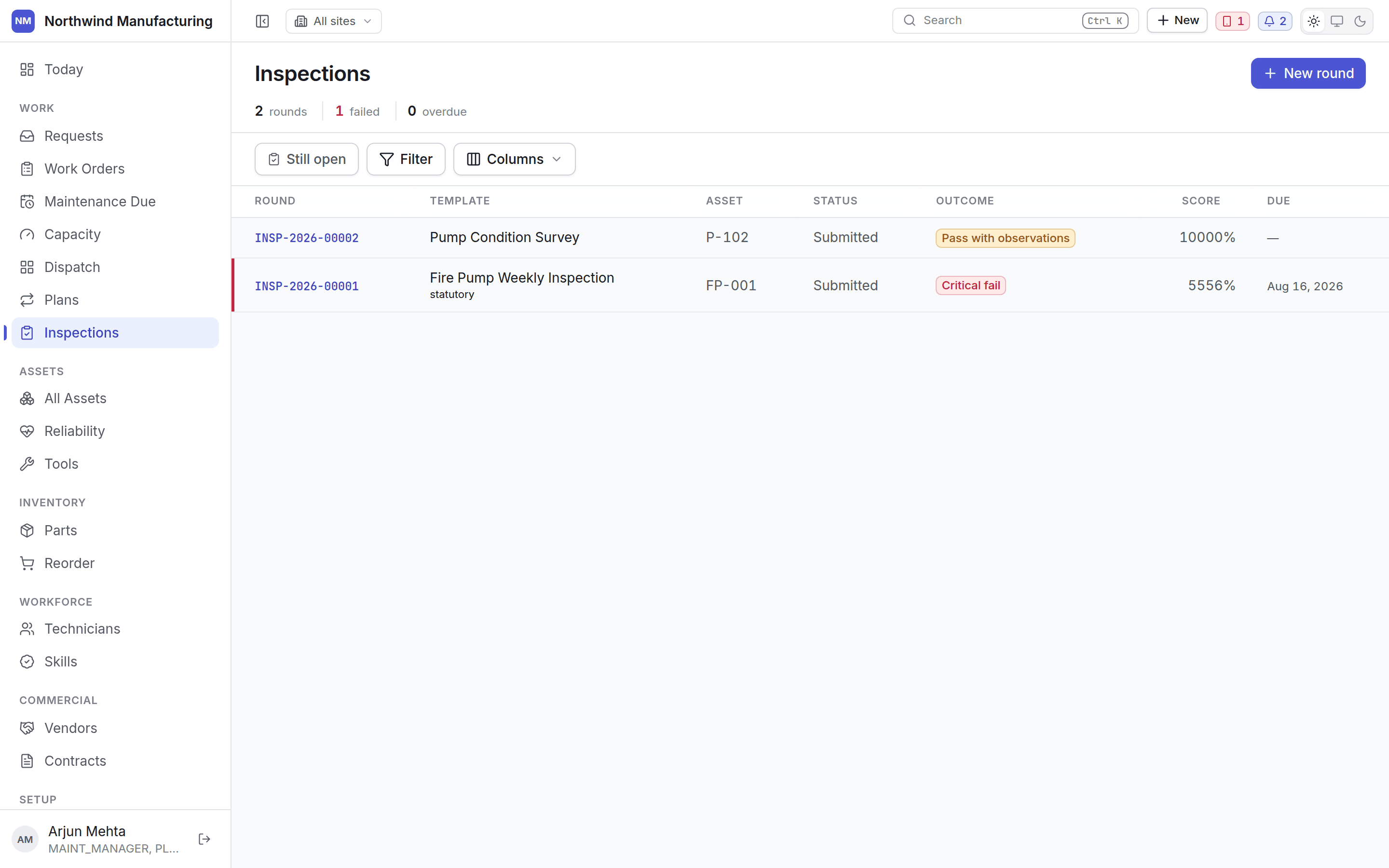
An inspection is a round of checks with expected answers. Unlike a work order’s checklist, an inspection is graded — each answer is judged against what it should have been. The inspection list

Templates and rounds

A template is the set of questions. A round (an inspection) is one run of that template against one asset at one time. Templates are versioned and published: a round always names the version it was answered against, so changing a template does not rewrite history. Build them under inspection settings.

Raising a round

Three ways:
  • From a maintenance plan — the plan names a template and raises a round alongside the work order each time it comes due.
  • From this screenNew, then choose the asset and the template.
  • From an asset — start a round against the machine you are looking at.

Answering
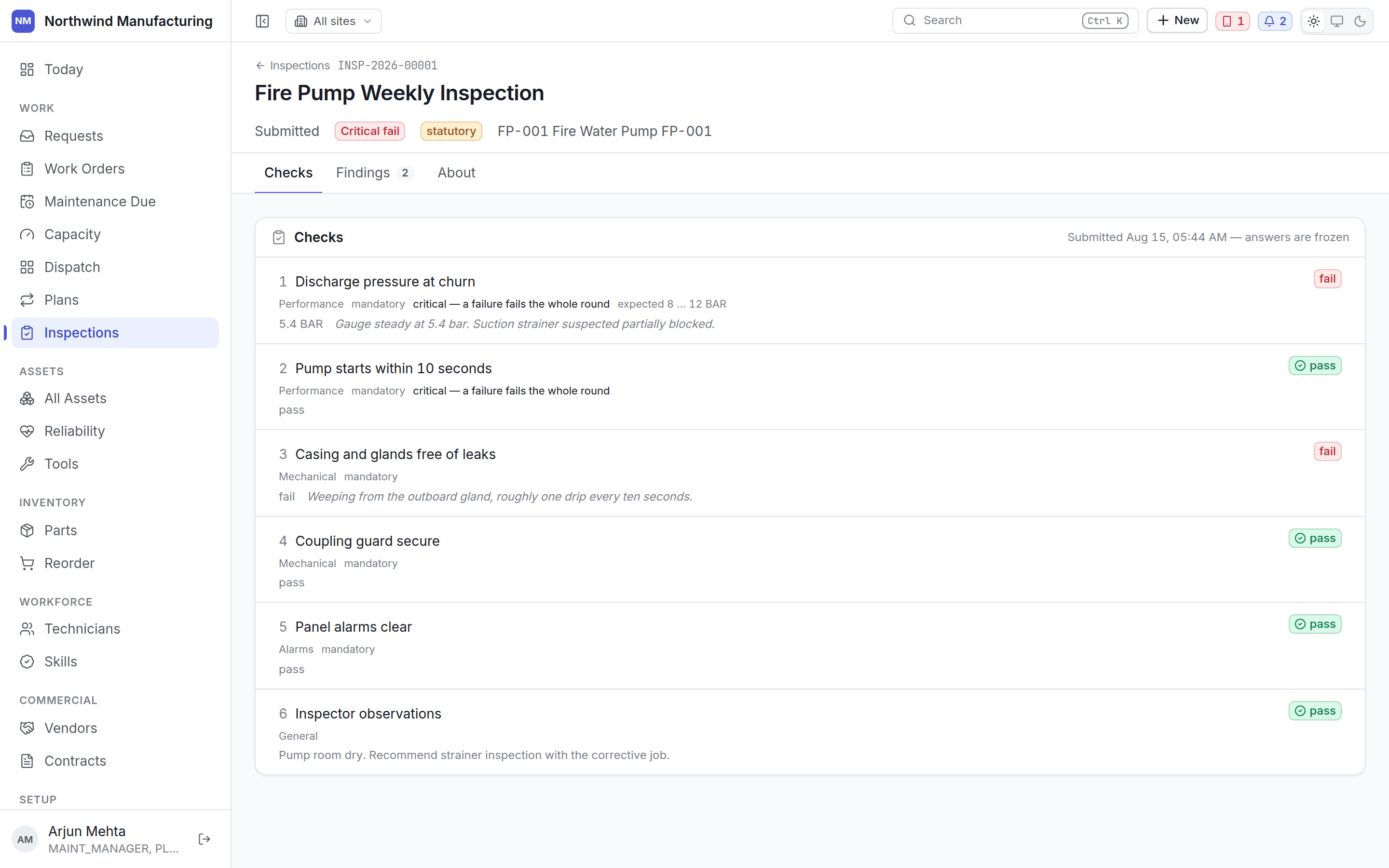
An inspection round being answered Each item asks for a value: a measurement, a yes/no, or one of a list. Items carry an expected range — a bearing temperature under 70°C, a pressure between 4 and 6 bar. Answer as you go. The round can be filled in over time; it is not graded until you submit it.

Grading

Submitting hands the round to the server, which decides everything:
The screen never forms a verdict of its own — it submits answers and shows what came back. Two people running the same round on the same readings get the same result.

When a check fails

A failed check produces a failure against the asset, which feeds Reliability. Where the template is configured to, it also raises a corrective work order automatically, so a failed check does not depend on somebody remembering to act on it.

Waiving a failure

Sometimes a check fails and the right answer is that it does not matter — a gauge reading outside its band that the vendor has confirmed is within tolerance for that model. Waive records that decision with a reason. It does not delete the failure; it marks it as knowingly accepted, and the reason stays on the record. Critical inspection findings still open appear in Needs attention on the Executive dashboard.

Inspection results on the asset

Every round shows on the asset’s own screen, so somebody looking at a machine sees what its last inspection said without going hunting.