The Network topology screen draws the physical network as the network itself reports it — what is behind this switch, what this desktop is plugged into. Open it from Assets → Topology.
If you don’t see this in your navigation, your administrator can switch the module on under Administration → Modules, or it may not be included in your plan. It is part of IT asset discovery there.
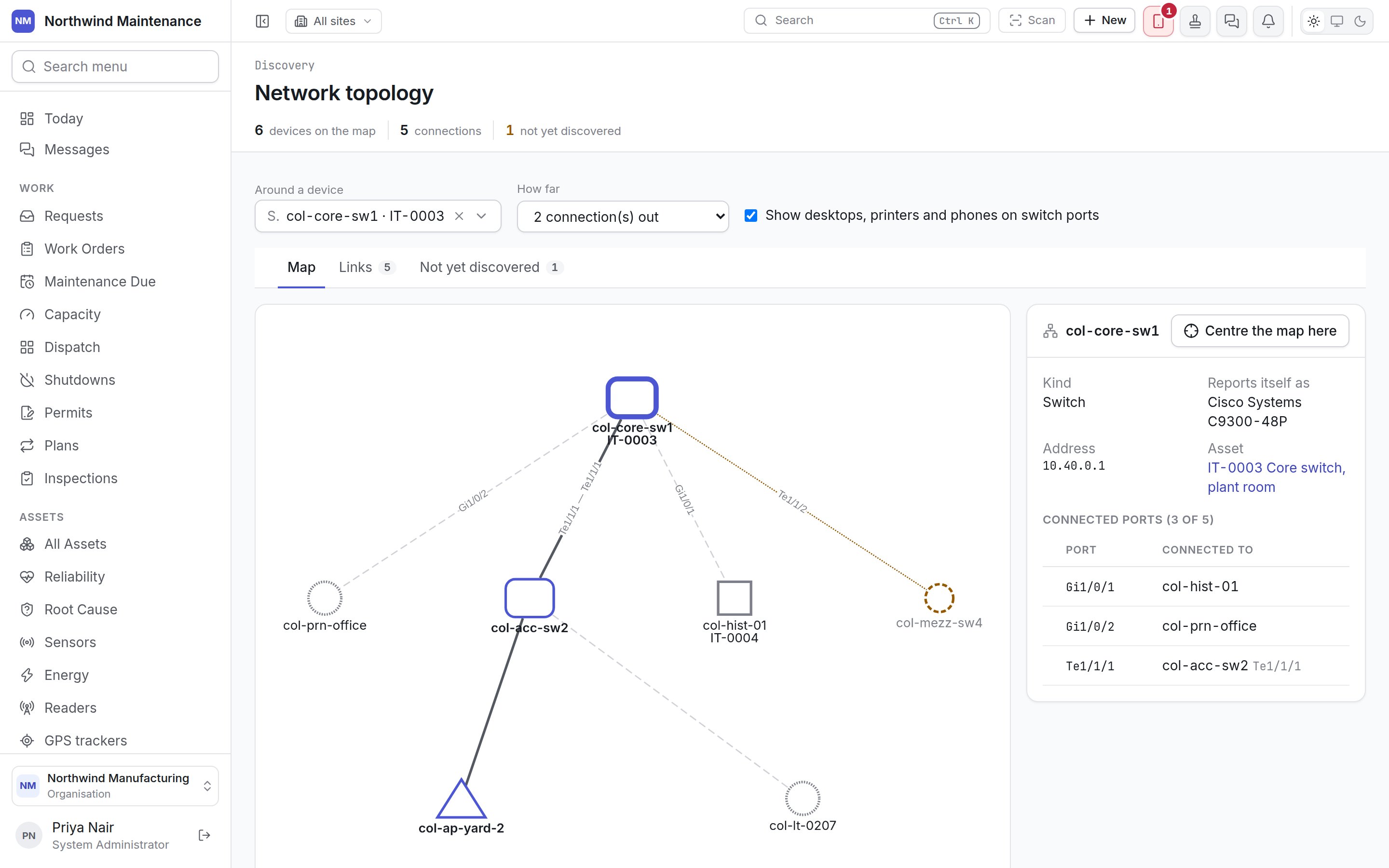
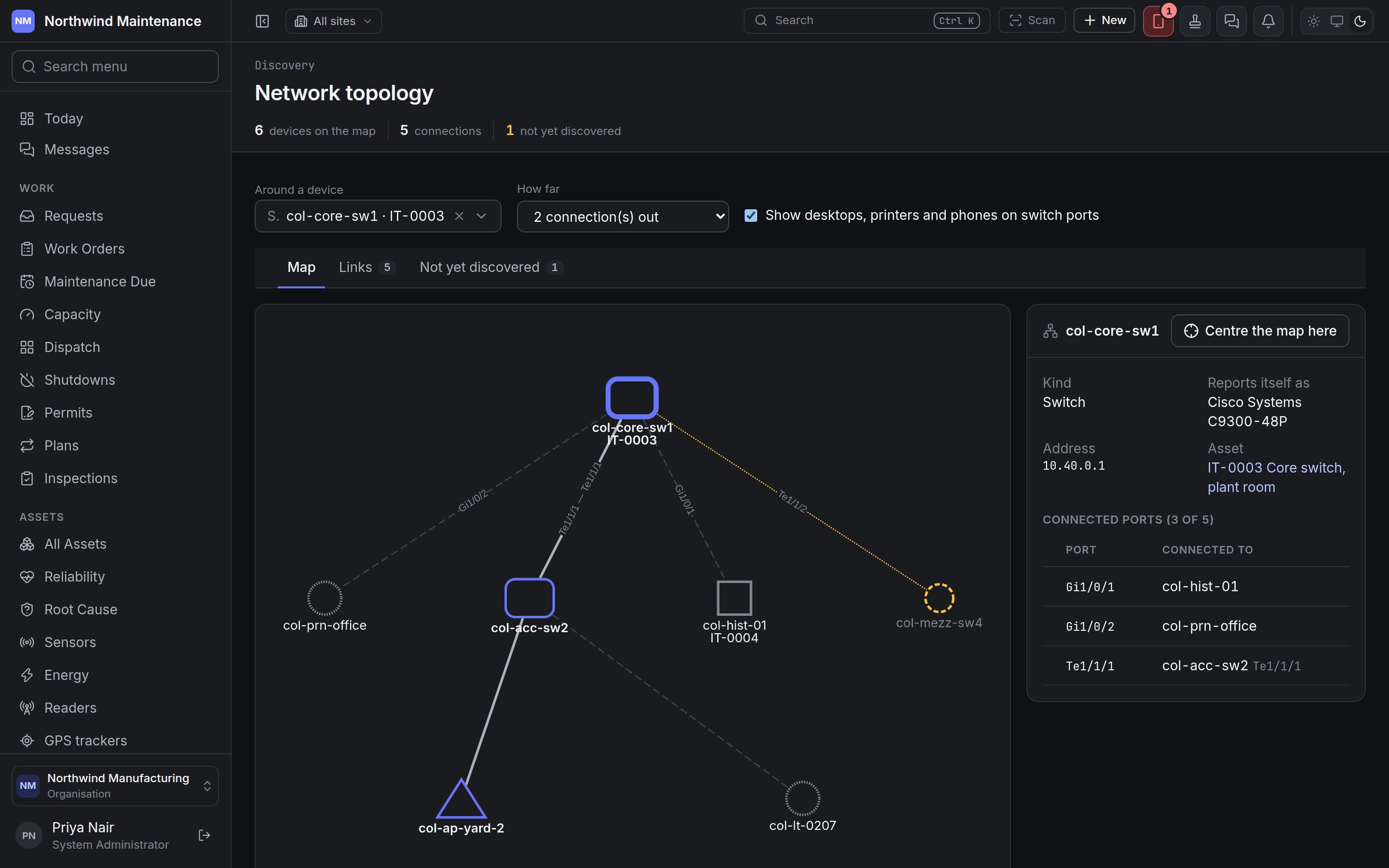
The topology map centred on a core switch, with its ports listed in the panel beside it The topology map centred on a core switch, with its ports listed in the panel beside it The map is built from what discovery collects from network equipment: the neighbours each device announces on its ports (by LLDP or CDP) and the addresses each switch has learned on its ports. Nothing here is drawn by hand.

The header

Choosing what to draw

A very large network is cut at a maximum number of devices; the screen says so, and centring on a device shows the rest around it.

Map

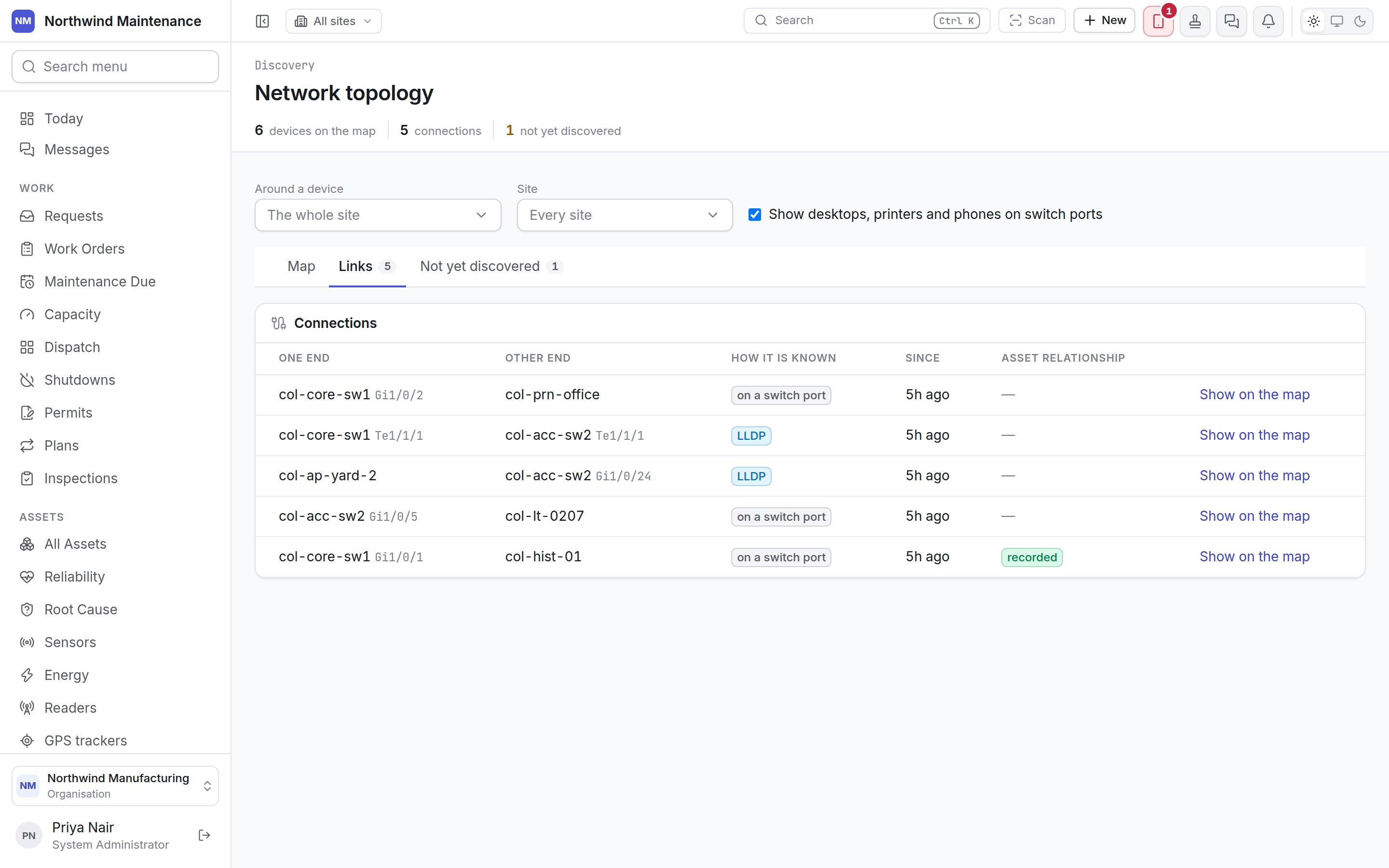
How to read it: The shape tells you the kind of device. Click a device to open its panel: Centre the map here makes that device the centre. The Links tab listing each connection The Links tab listing each connection Every line on the map is a row here, so the network can be read without the drawing. Show on the map switches to the map, centred on the device at the first end and with its panel open.

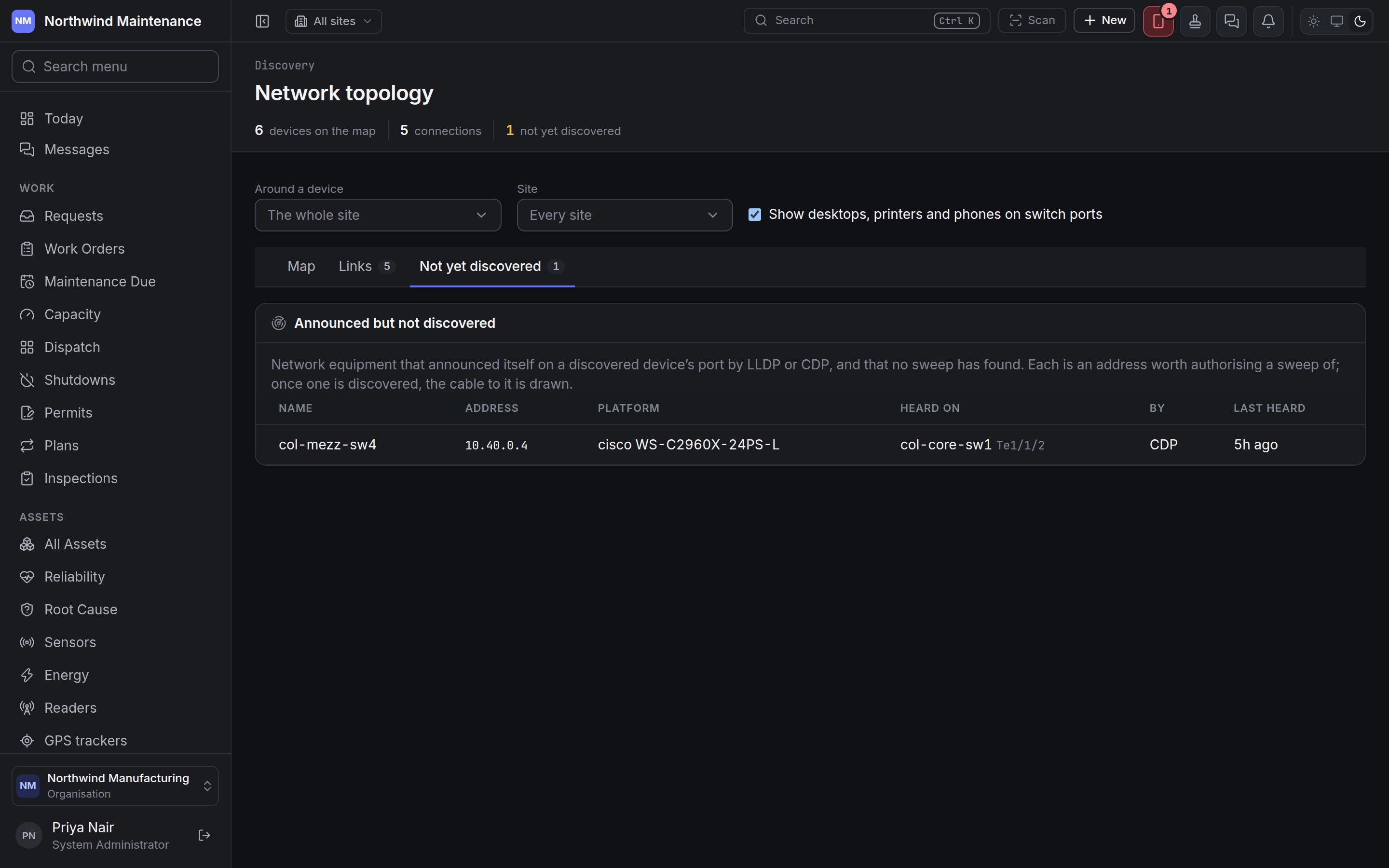
Not yet discovered
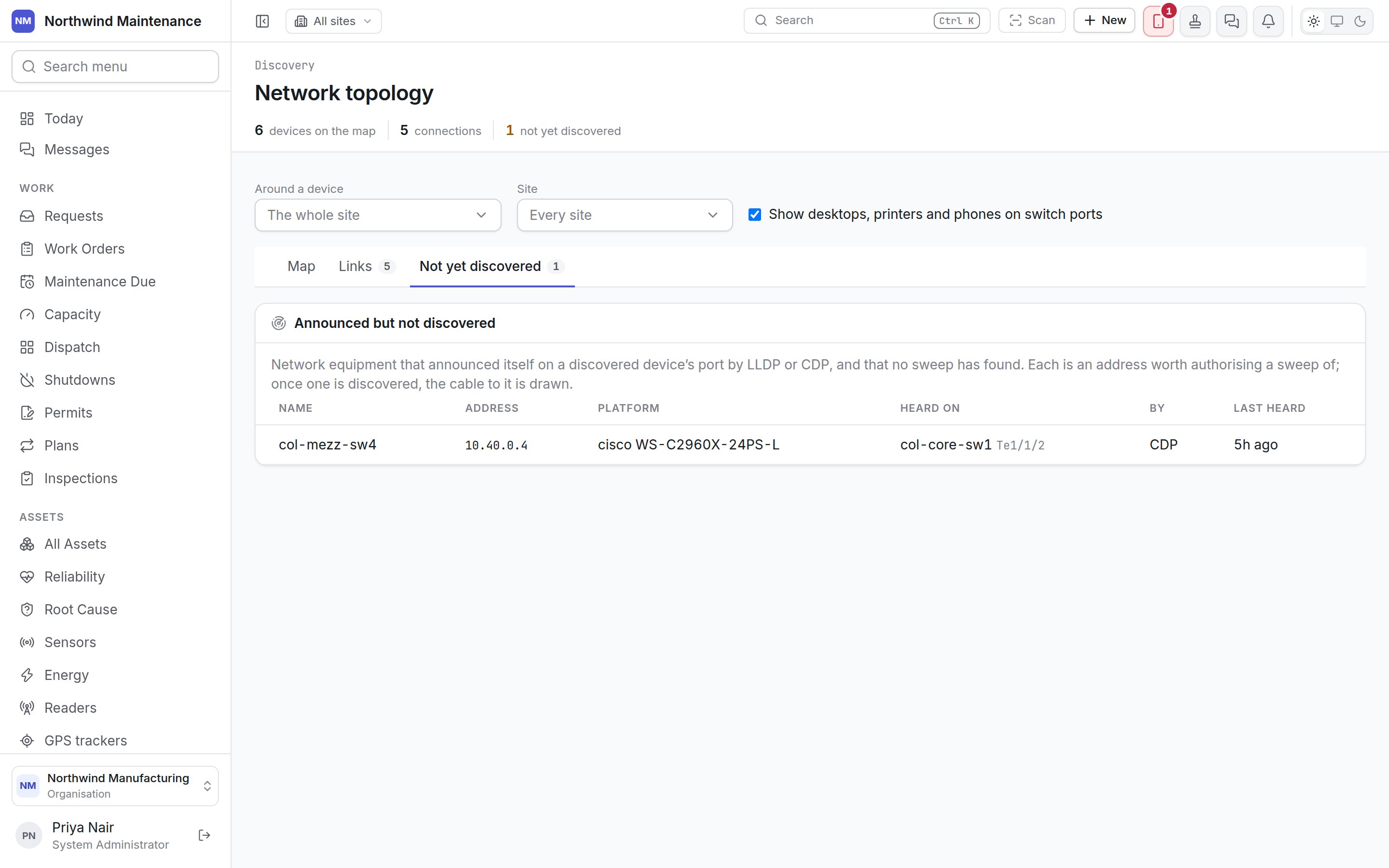
Announced but not discovered: a switch heard by CDP on a core switch port Announced but not discovered: a switch heard by CDP on a core switch port Announced but not discovered lists network equipment that announced itself on a discovered device’s port and that no sweep has found. Each is an address worth authorising a sweep of; once it is discovered, the cable to it is drawn. Seeing this screen needs permission to view scans, discovered devices and the software found on them.