

If you don’t see this in your navigation, your administrator can switch the module on under Administration → Modules, or it may not be included in your plan.
The years
Year 0 is the year the hotel is in now. Year 1 is the first year the plan spends in, and the plan runs to Year 5. Year 0 is typed as totals; Years 1 to 5 are added up from the items.The register
Stat strip: plans, drafts, out for approval and ending below zero.
There is no rejected status: a plan turned down goes back to draft with the reason shown first on the plan, as Came back to draft.
Starting a plan
New plan needs Start an FF&E plan for a hotel.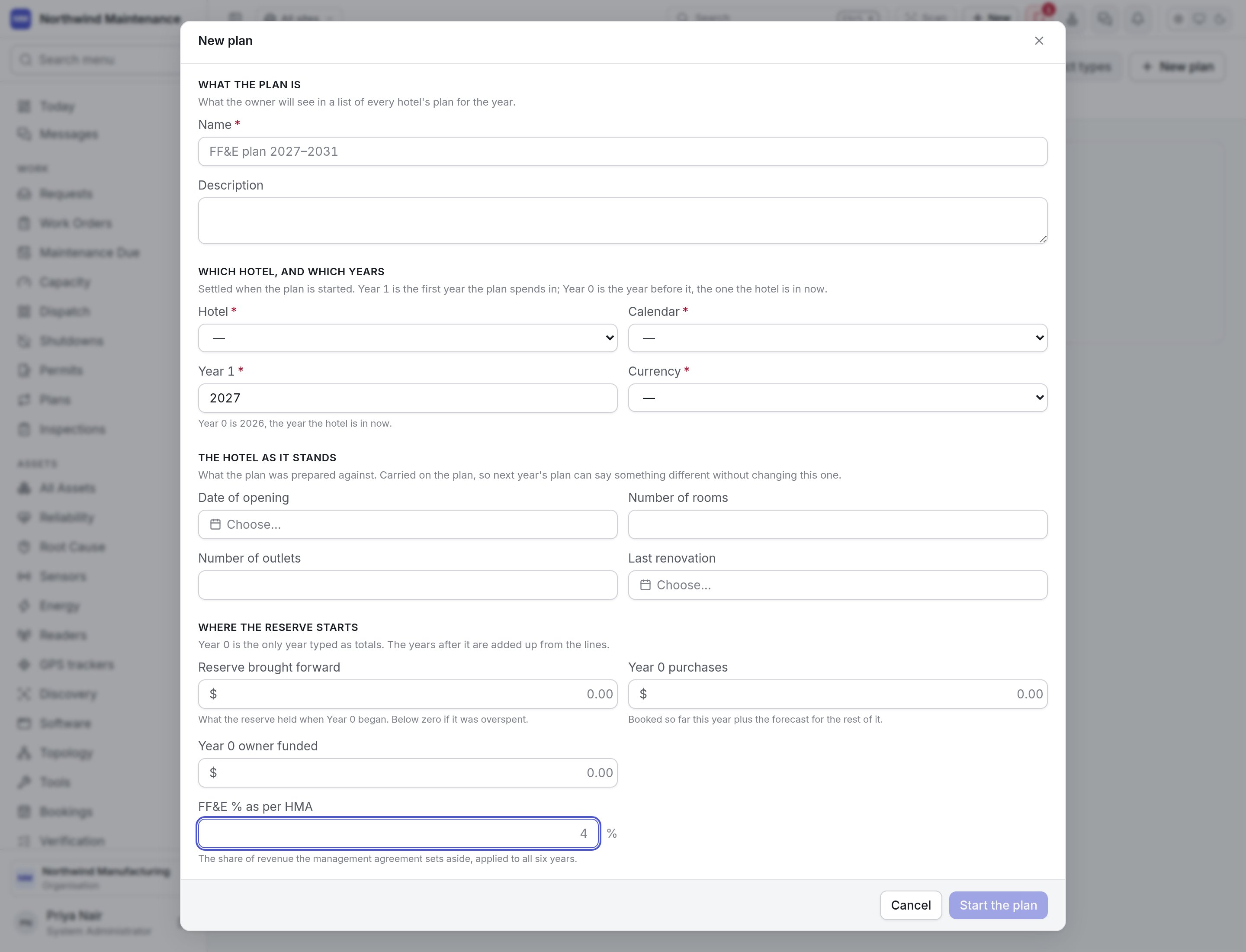
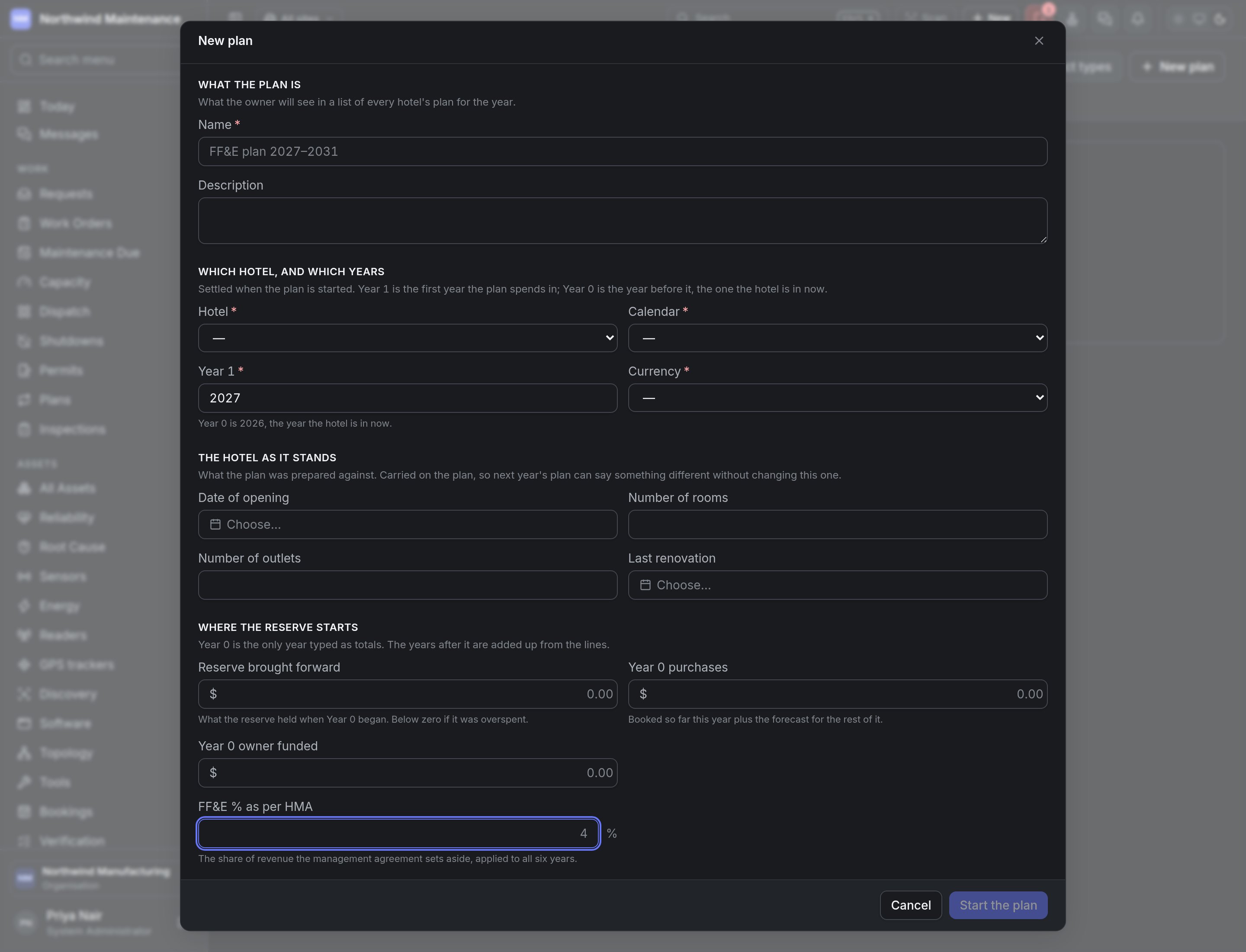
Click Start the plan.
Inside a plan
The plan opens at/ffe-plans/ followed by its identifier, so a link to a plan can be shared. The header shows how many items, Year 1 spend and the reserve at the end of Year 5.
Summary tab
Laid out like the workbook’s Summary sheet:Area tabs
One tab per area (department), with New investments and Replacements listed separately, in the workbook’s order. Each item shows Project #, Item, Reason, Product type, Funding, Last purchased, Life cycle, each year’s amount, Total and Budget head. Add item opens:
Replacing an item before its life cycle is up is allowed, with a warning to say why in the description.
Checks tab
Blocking findings and warnings with the project number, plan and what is wrong, worked out again every time the plan is read.Importing the workbook
Import workbook reads the hotel’s filled-in.xlsx workbook — the Summary sheet and one sheet per department. Nothing is written until you have seen what it would change and pressed Import.
- Choose a workbook, then Check. An older
.xlsfile must be saved as.xlsxfirst. - Review The years it plans — revenue and FF&E % in the workbook against what is on the plan now.
- Under Which area each sheet is, confirm or choose the area for each department sheet. A guess is filled in where the sheet name matches an area.
- Under Reasons your list does not have, map any reason the workbook spells differently.
- Fix anything listed as unreadable or blocking in the workbook, then Import. It reports how many items were added, updated and taken off. Importing the same workbook again changes nothing.
Budgets
Where Year 1’s items become heads to charge purchases against.
Capex planning
The capital planning round for non-hotel organisations.