

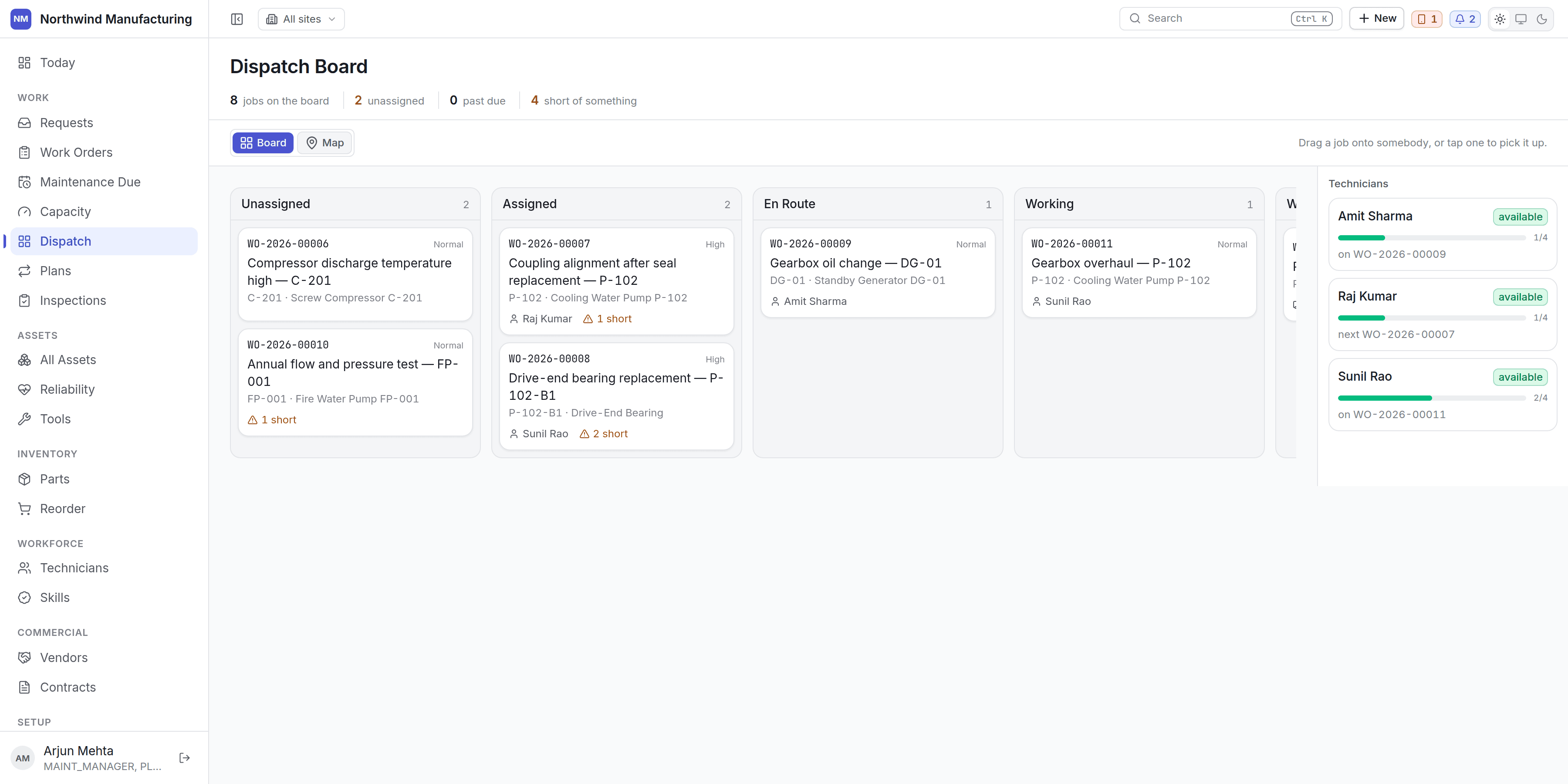
Two modes over one set of jobs
- Board — a kanban of where every job has got to.
- Map — where everything actually is.
The columns
The columns come from your organisation’s state model, not from a fixed list. Travelling states get the travel column; anything in the on-hold category gets the waiting column. RenameEN_ROUTE and
the column keeps working.
Picking sites
The site filter is a tree with checkboxes over your whole organisation, not a single-site dropdown — tick a region or a business unit and the board covers every site underneath it at once. See Navigating for how the picker works. A supervisor running several plants can now dispatch across all of them from one board, instead of switching site by site.The summary line
Jobs on the board, how many are unassigned, how many are past due, and how many are short of something — that last one is the readiness check, aggregated. A job card carries a warning and a count when it is short.The technician rail
Each technician shows:- Whether they are available right now — from the roster, shifts, windows and leave together.
- Their load — jobs on today against capacity.
- What they are on now, and what is next.
Dropping a job does not assign it
This is the important part. Drag a job onto somebody and the board asks what would happen, then shows you:
Then you decide.
A board that assigned on drop would be a board people are frightened to touch, and every check it
silently passed would be one nobody was shown. The preview is the feature.