

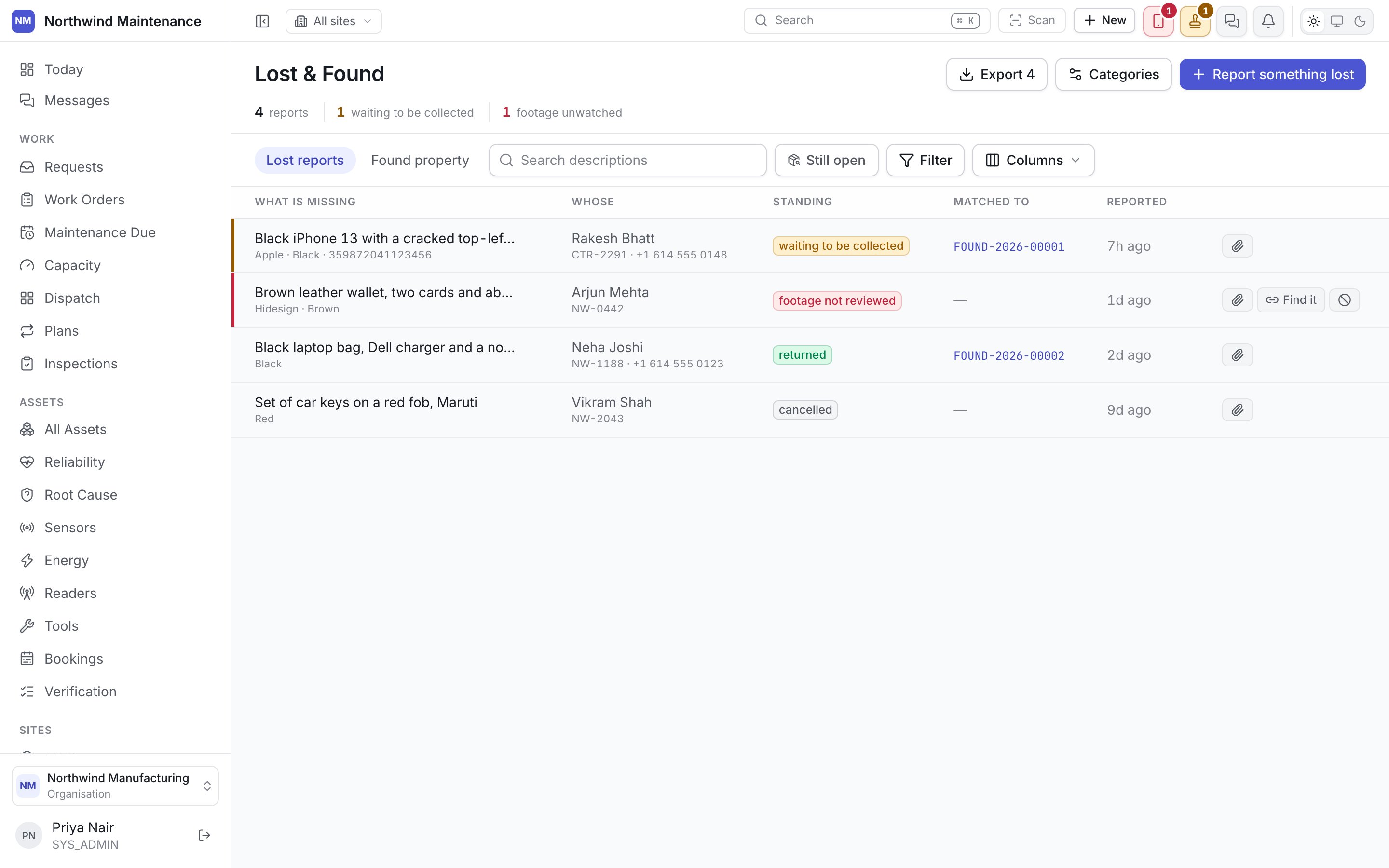
Lost reports
Found property
A found item does not need a lost report to exist. Plenty of what comes through Lost & Found —
a stray charger, a water bottle — is never claimed at all, and goes straight from In store to
Disposed of.
Matching a found item to a lost report
Rather than making you eyeball two lists and guess, the matching screen suggests candidates for you. Open a found item and it surfaces open lost reports that plausibly describe it, each scored by how closely it matches — category, description, location, date — with the closest candidates first. You confirm a match; the system does not commit one on its own. Confirming a match moves the lost report to Matched and the found item to Claimed. Nothing is released yet — matching says “this is probably it,” release says “and now it’s gone.”Releasing and disposing
Release is how a Claimed item leaves the store. It records who collected it — a named collector, not just a tick box — and when. That name is your evidence if someone comes back later asking where their property went. Dispose is for items nobody ever claimed. Each property category — phones, wallets, umbrellas, and so on — carries its own default holding period, configured per organisation, so a phone might sit in store for weeks while an umbrella clears out in days. Disposal is not available until that period has passed, and it always asks for a reason: donated, destroyed, sold, handed to police, kept, or returned to the finder.Adding a report or item
Each register has its own New button — New lost report on the Lost reports tab, New found item on the Found property tab. Found items also get a shortcut into the global header: + Create → Found item logs one from anywhere in the app, without navigating to the Lost & Found screen first — useful for the person at the front desk who has just been handed a set of keys and wants to log them before they get busy.Statuses and transitions
How the states above are configured, and what “allowed move” means for your organisation.
Lost & Found settings
The categories your desk uses, and each one’s default holding period.